- Published on
PortraitPal AI Headshots Review (Is it any good?)
Quick Navigation
- Introduction
- TL;DR Verdict
- What Is PortraitPal AI?
- How I Tested PortraitPal AI (Same Dataset, Same Standard)
- PortraitPal AI User Experience (Screenshots)
- Headshot Quality and Results
- My PortraitPal Results (Examples + What Went Wrong)
- Styles and Customization
- Pricing
- Privacy and Security
- Turnaround Time
- Pros and Cons
- Who PortraitPal AI Is Best For
- Alternatives (If PortraitPal Isn’t Right for You)
- FAQs
- Final Verdict
Introduction
PortraitPal AI is one of the simplest AI headshot generators I tested.
And honestly, that simplicity is the whole problem.
The product feels more like an early MVP than a mature paid headshot service: the workflow is minimal, but you get very little control, no meaningful customization, and (in my results) output quality that looks noticeably behind modern AI headshot tools.
In this PortraitPal AI headshots review, I’ll walk through the exact experience, show real examples, and explain who it might work for (and who should avoid it). I’ll also include alternatives - and if face likeness matters to you for LinkedIn, I’ll point you to the best option I tested.
👉 Best AI Headshot Generators of 2026
If you are picking based on use case, these guides help:
TL;DR Verdict
- PortraitPal AI is best for
- people who are just tesing or experimenting
- PortraitPal AI is not best for
- professional headshots (LinkedIn, team pages, corporate bios)
- anyone who wants realistic skin texture and natural smiles
- anyone who wants control over styles, outfits, or backgrounds
If you’re paying around the same price as modern tools, PortraitPal doesn’t feel competitive.
What Is PortraitPal AI?
PortraitPal AI is a paid AI headshot generator with a minimal onboarding flow. You provide basic personal attributes, upload a small set of photos, and the tool generates headshots for you.
The major difference compared to modern competitors is that PortraitPal gives you almost no control:
- no style selection
- no background selection
- no outfit control
- no post-generation editing
Everything is essentially random generation.
How I Tested PortraitPal AI (Same Dataset, Same Standard)
I used the same input dataset I use across my reviews to keep the evaluation consistent.
The dataset belongs to my friend Jason, who agreed to let me use his photos specifically for these tests.
Jason input photo dataset
To keep things transparent, here are the exact photos from Jason's dataset that I used while testing PortraitPal:

img-20250215-wa0030.jpg
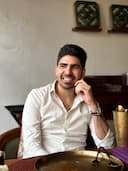
img-20250727-wa0035.jpg

img20240827165746.jpg

img20240827172659.jpg

img20241123200716.jpg

img20250503182919.jpg

img20251003083002.jpg

img20251004131001.jpg
I evaluate every tool on the same criteria:
- face likeness
- realism and skin texture
- professional usability
- artifacts (teeth, hair edges, clothing seams)
- body composition consistency
- editing and control (can you steer the outcome?)
PortraitPal AI User Experience (Screenshots)
PortraitPal’s onboarding flow is basic and straightforward.
It asks for common attributes such as:
- gender
- age
- hair color
- hair type
- body type
- eye color
- glasses preference
- ethnicity
After that, the tool requires a minimum of six photos.
The key downside is that once you upload images, you don’t really get to choose anything meaningful:
- no style selection
- no themes
- no control over attire or background
- no editing tools after generation
Walkthrough screenshots
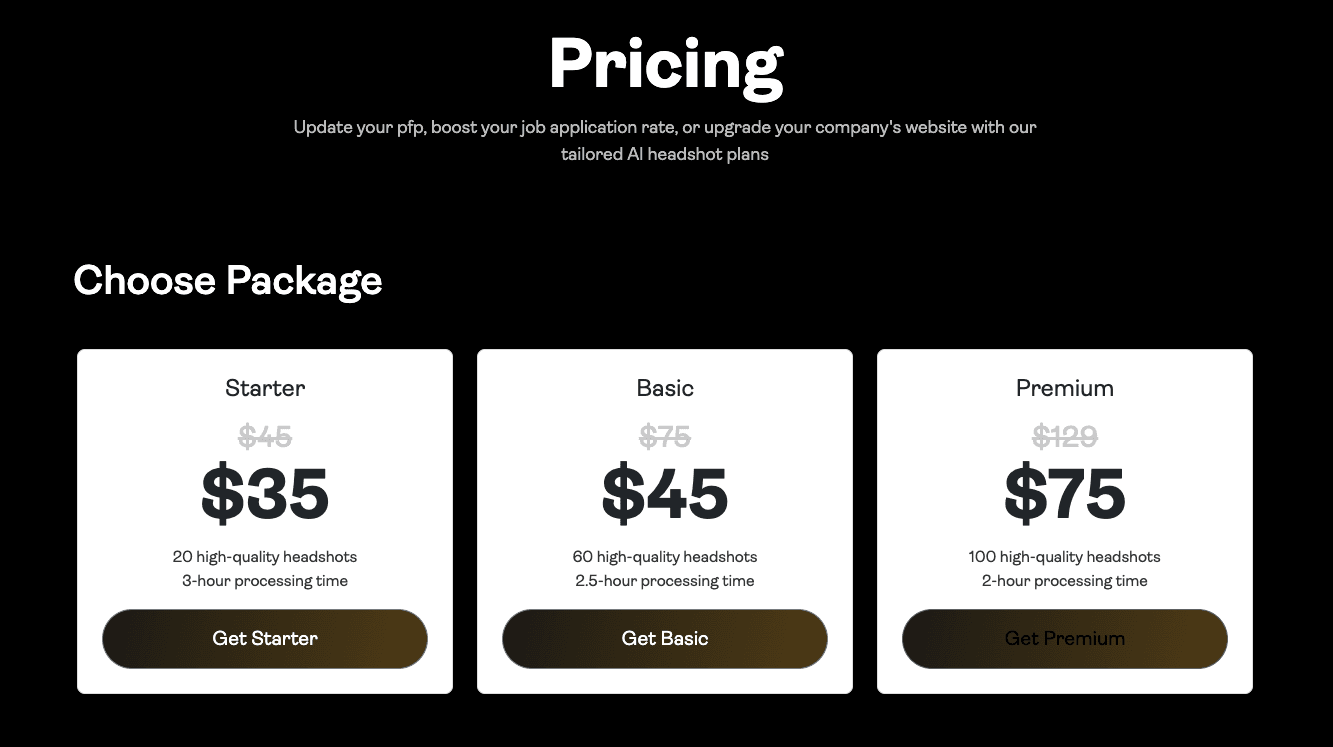 PortraitPal pricing page.
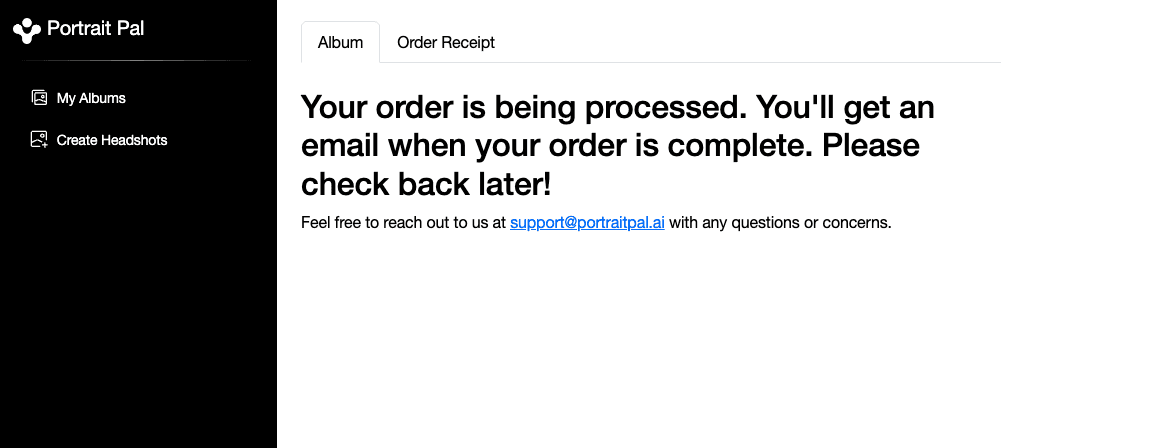 Order processing interface.
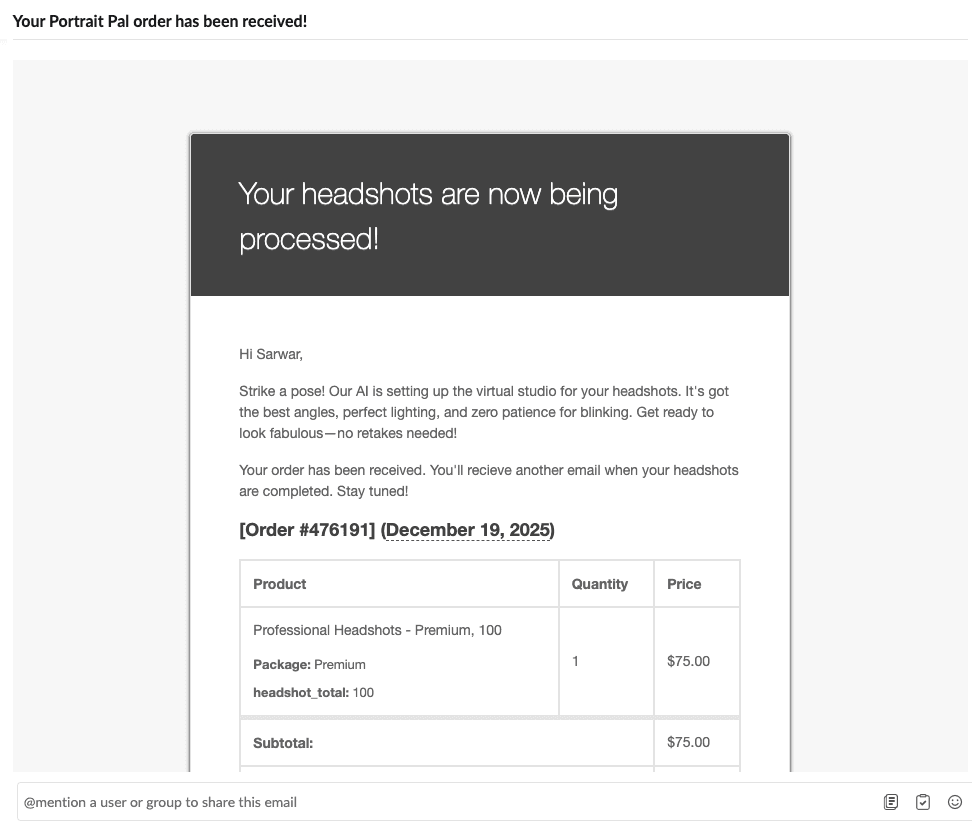 Email notification during processing.
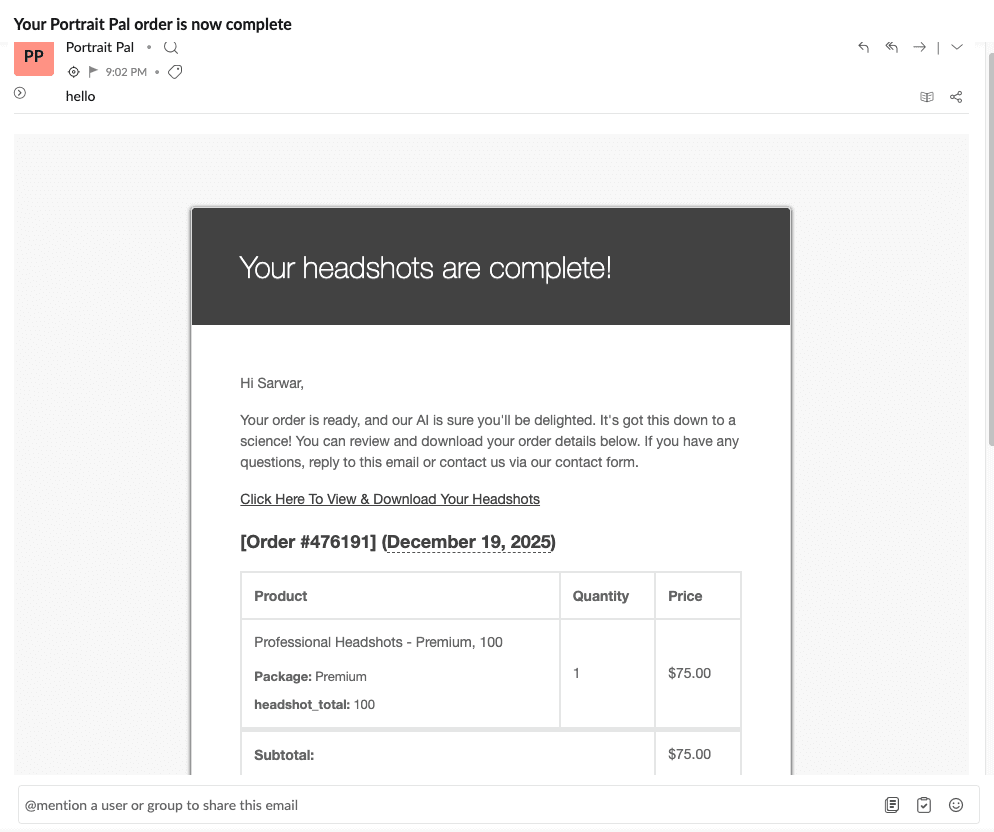 Email notification when results are ready.
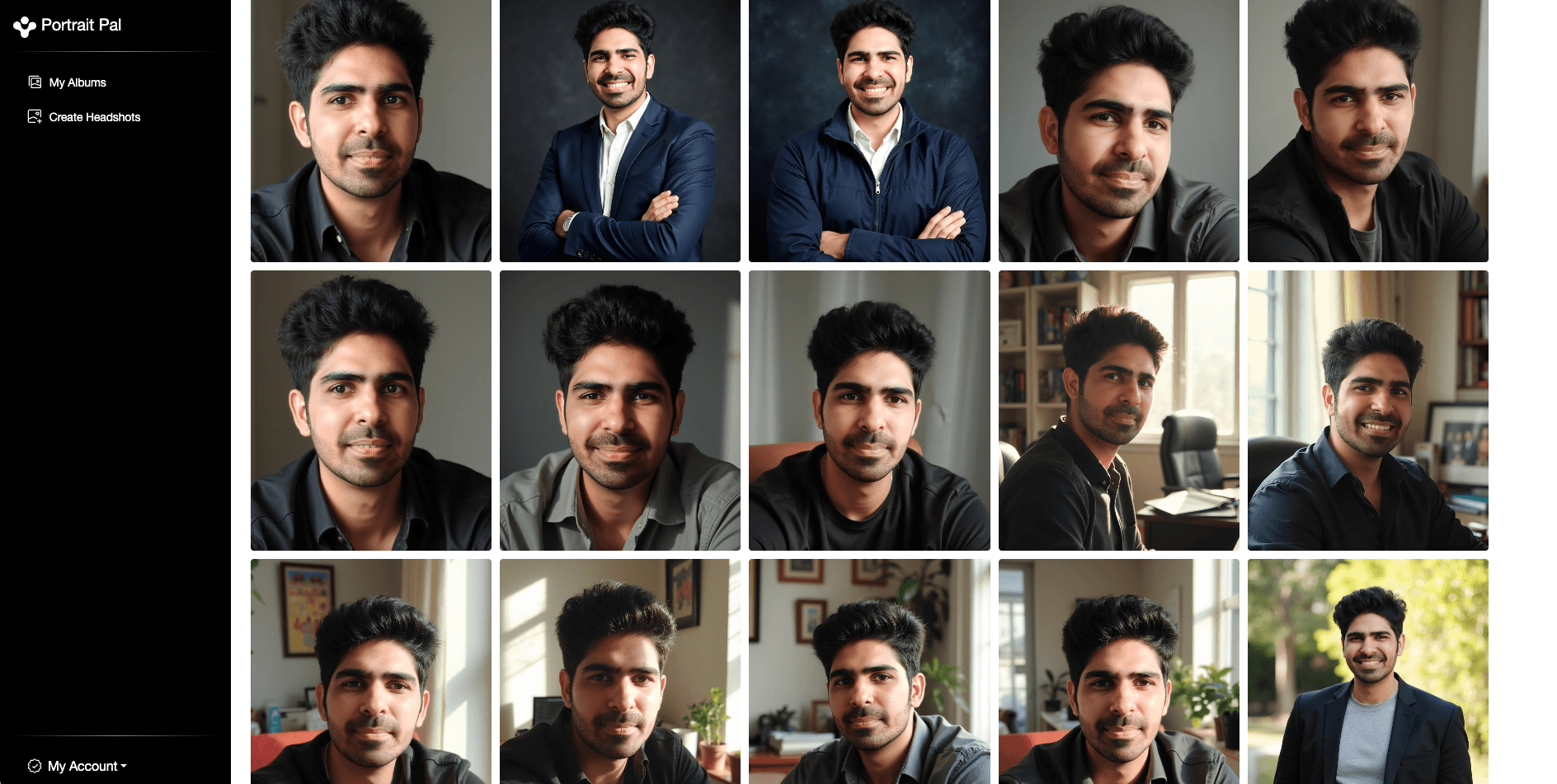 Results dashboard.
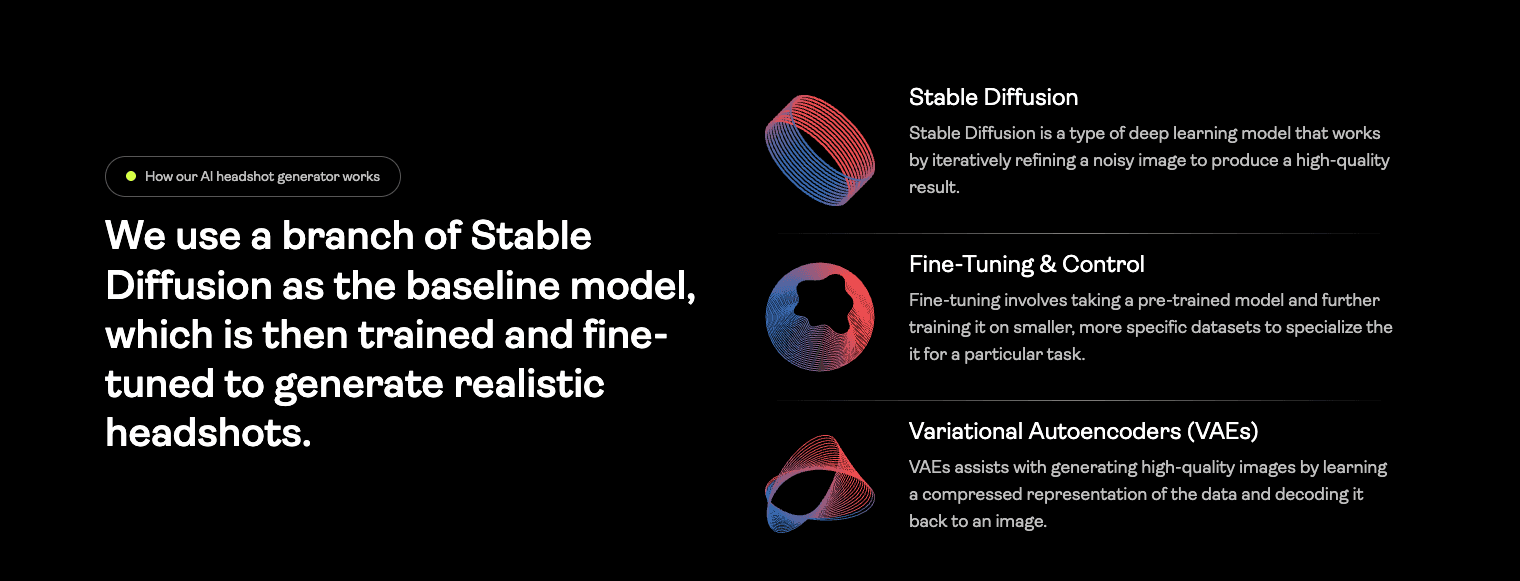 How PortraitPal explains the generation process.
One note from PortraitPal’s own messaging:
As per PortraitPal's website, they are using
Stable Diffusionwhich is an older model and this could be the reason why the quality is subpar.
Headshot Quality and Results
The quality of the generated headshots was disappointing.
In my outputs:
- skin texture often looked overly smooth and artificial
- facial depth felt “flat”
- smiles frequently had the classic AI teeth problem (overly uniform and unnatural)
Even at a casual level, the AI artifacts were hard to ignore.
My PortraitPal Results (Examples + What Went Wrong)
Example 1: Best result (but rare)
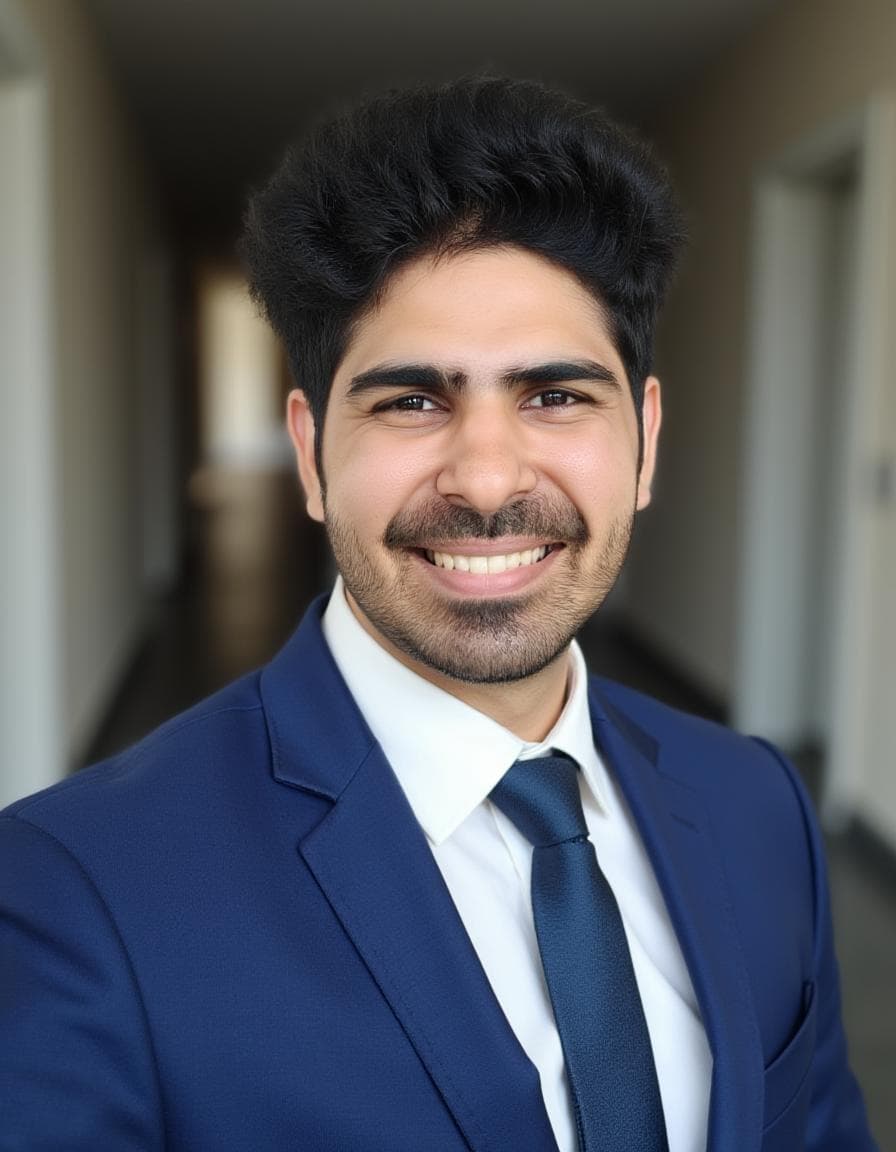 This was the best result from my PortraitPal batch. I struggled to find another good shot at the same level.
Example 2: Teeth artifacts (the biggest issue)
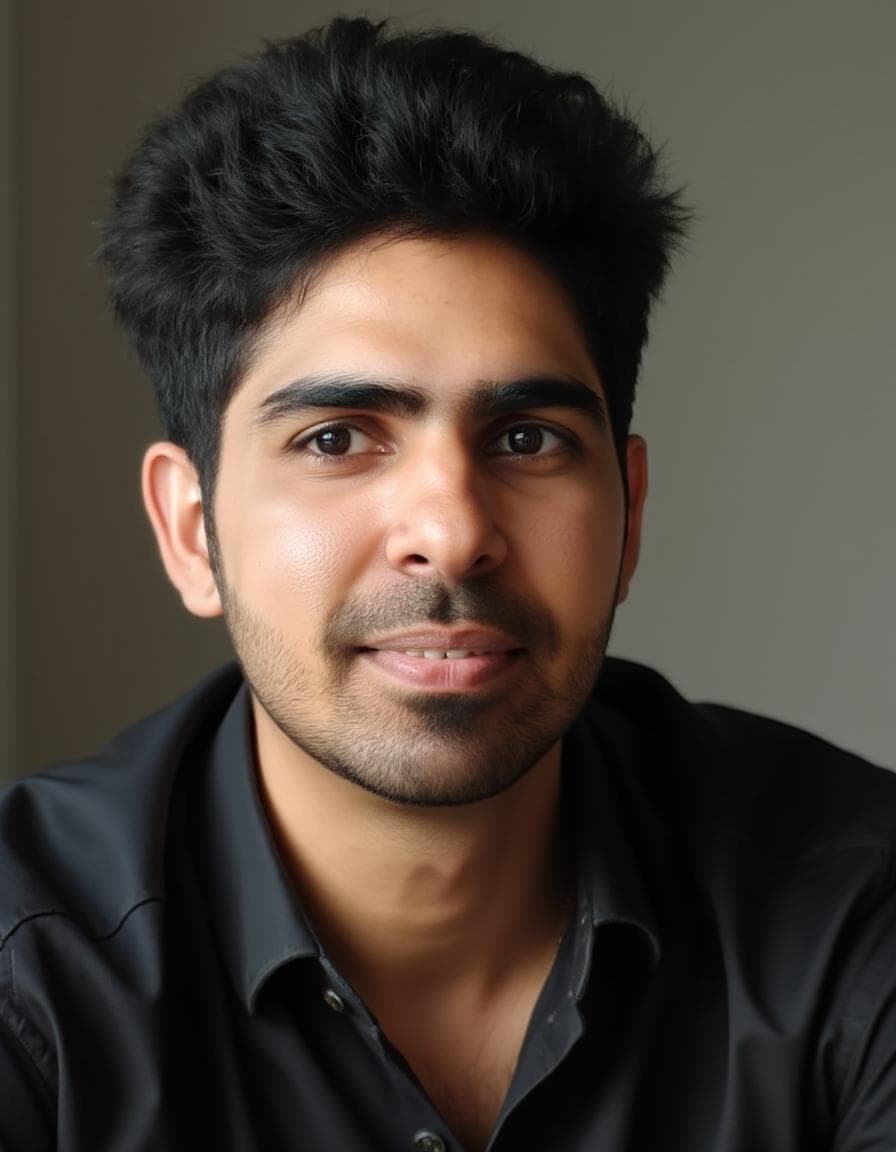 Teeth artifacts were especially distracting. This alone made multiple images unusable for professional use.
Example 3: Wrong body composition
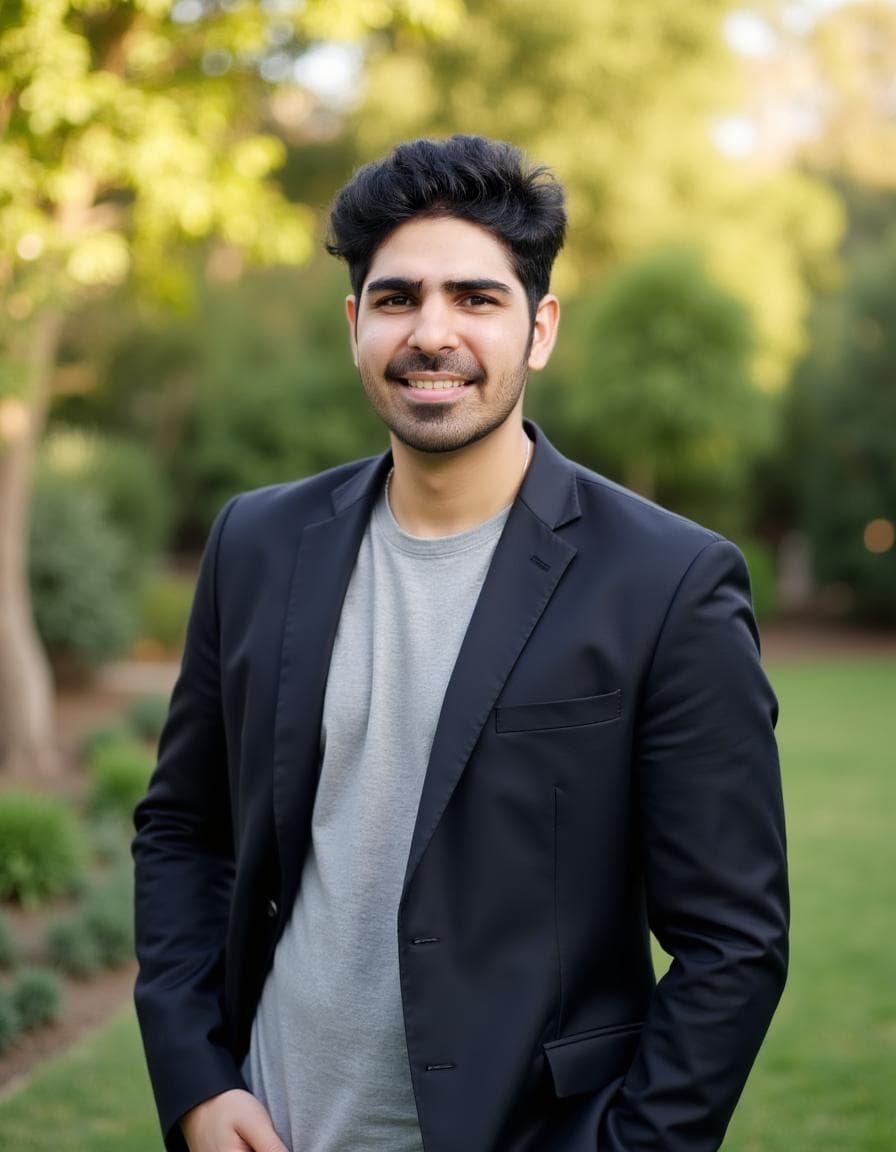 Body proportions drifted frequently, which hurts believability.
Example 4: Low face likeness
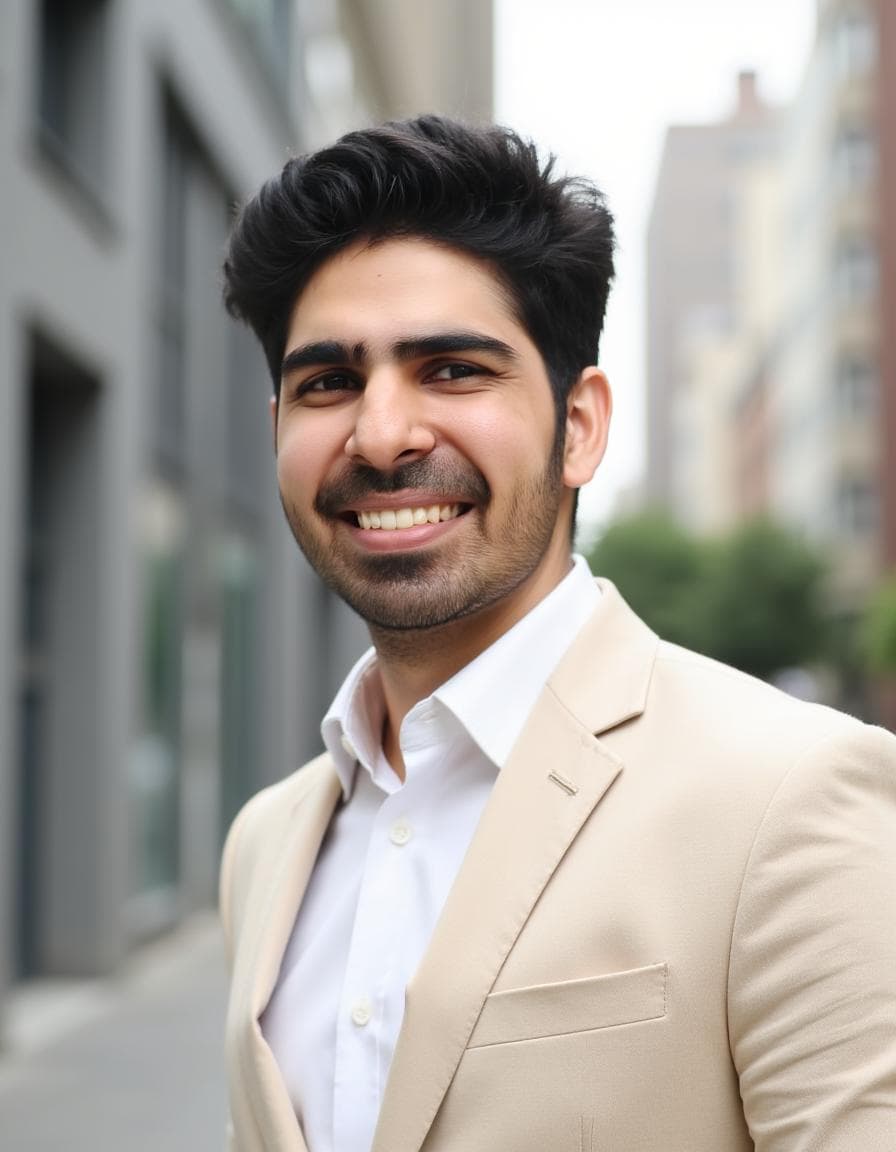 This is the failure mode that matters most: the face doesn’t resemble the person consistently.
Example 5: Output compression
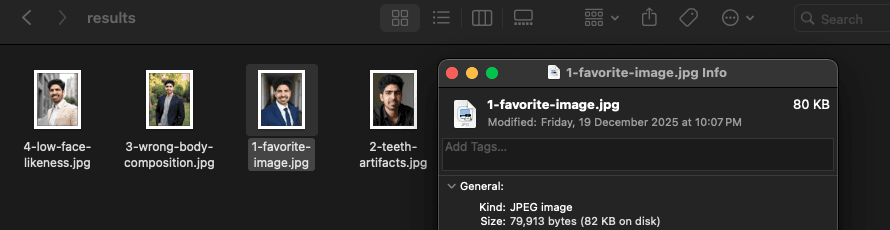 The original PortraitPal output files were heavily compressed (around ~80KB JPEG in my test). That can reduce fine detail and make images look worse.
Styles and Customization
There are essentially none.
PortraitPal does not let you:
- ❌ choose styles
- ❌ select attire
- ❌ control backgrounds
- ❌ tweak poses
- ❌ edit results after generation
Everything is generated with minimal user control.
Pricing
PortraitPal was priced around $35 during my testing.
At that price, it competes directly with more capable tools that offer:
- better face likeness
- more realistic results
- style selection
- editing tools
- clearer workflow and control
Given the low level of control and the output quality, PortraitPal doesn’t feel like good value.
Privacy and Security
PortraitPal collects basic personal attributes during onboarding and requires uploading personal photos.
They don’t market the same level of security/compliance messaging as some larger tools, so it’s worth reading their privacy policy if you’re sensitive about photo uploads.
Turnaround Time
In my testing, PortraitPal took about 20 minutes to generate headshots.
That’s reasonably fast, but speed doesn’t matter much if the results aren’t usable.
Pros and Cons
Pros ✅
- very simple onboarding
- relatively fast turnaround
Cons ❌
- inconsistent face likeness
- no style selection or customization
- no editing tools
- results look obviously AI-generated
- frequent plasticky skin and teeth artifacts
- poor value for money compared to alternatives
Who PortraitPal AI Is Best For
PortraitPal might make sense if:
- you’re just experimenting
PortraitPal is a poor fit if:
- you need professional headshots
- you care about realism and natural smiles
- you want control over style/outfit/background
Alternatives (If PortraitPal Isn’t Right for You)
If your goal is to get a headshot that looks like you for LinkedIn or a team page, I would prioritize ProShoot.
It consistently delivered the strongest face likeness and realistic outputs in my testing.
If you want a more polished and dating ready photos with a strong editor, Aragon AI is another option (but face likeness can be weaker).
👉 You can also explore the full updated list here with all AI headshot tools compared.
FAQs
Is PortraitPal AI good for LinkedIn headshots?
In my testing, no. The outputs often looked AI-generated (skin/teeth artifacts), and face likeness was inconsistent. For LinkedIn, realism and recognition matter - and PortraitPal struggled.
Why do PortraitPal headshots look fake?
The most obvious issues in my results were plasticky skin texture and unnatural teeth.
Does PortraitPal let you choose styles or outfits?
No. There is no style selection, no attire control, and no background control. Everything is generated without meaningful user steering.
Does PortraitPal have an AI editor?
No. There were no post-generation editing tools in my experience.
How many photos does PortraitPal require?
PortraitPal requires at least 6 photos.
How long does PortraitPal take?
In my testing, it took about 20 minutes.
What’s a better alternative to PortraitPal?
If face likeness and realism matter (LinkedIn/team pages), ProShoot is the clearest alternative from my tests.
Final Verdict
PortraitPal AI is not a tool I would recommend for professional headshots.
The workflow is simple, but the lack of control, missing customization, no editor, and (most importantly) the outdated-looking results make it hard to justify at a similar price point to much stronger tools.
If you want a headshot that looks realistic and still looks like you, I would choose ProShoot instead.
Use promo code AIHEADSHOT to get additional 10% off.
If you still want to try PortraitPal anyway, set expectations accordingly: