- Published on
Aragon AI Headshot Generator Review 2026
Quick Navigation
- Introduction
- TL;DR Verdict (Quick Summary)
- What Is Aragon AI and How I Tested
- Aragon AI User Experience (Screenshots)
- How Long Does Aragon AI Take?
- Aragon AI Headshot Quality
- Face Likeness: Does Aragon AI Actually Look Like You?
- Skin Texture: Why Some Outputs Look “Plasticky”
- Body Composition: A Real (and Frequent) Weakness
- My Aragon AI Results
- Aragon AI Editor: The Best Part of the Product
- Aragon AI Pricing
- Refund Policy: What I Don’t Love
- Privacy and Security: Is Aragon AI Safe?
- Pros and Cons
- Who Should Use Aragon AI? (Use Case Guide)
- Tips to Get Better Aragon AI Headshots
- Is Aragon AI Good for LinkedIn Headshots?
- Alternatives (If Aragon Isn’t Right for You)
- FAQs
- Final Verdict
Introduction
Aragon AI is one of the most searched AI headshot generators online, and for good reason: it’s polished, beginner-friendly, and it produces headshots that look styled right away.
But the real question people have is simpler:
Do Aragon AI headshots actually look like you?
In this Aragon AI headshots review, I’ll break down what I experienced after testing the tool using normal, real-world input photos (not perfect studio shots). I’ll cover what Aragon does well (it’s not just the UI), where it struggles (especially identity accuracy), and whether it’s worth paying for if you’re using the photos for LinkedIn, a resume, a company bio, or dating/social profiles.
If you’re looking for a all AI headshot generator reviews, I also maintain a full list here:
👉 Best AI Headshot Generators of 2026
TL;DR Verdict (Quick Summary)
If you want the quick answer:
- Aragon AI is best for
- dating profiles
- social photos
- people who want “glamorous + edited” looks
- users who care more about style than perfect facial accuracy
- Aragon AI is not ideal for
- strict professional use cases where you need high face likeness
- corporate headshots where coworkers must immediately recognize you
Here’s the honest tradeoff:
- Aragon tends to prioritize presentation and aesthetics.
- That can sometimes reduce identity fidelity (face likeness).
What Is Aragon AI and How I Tested
Aragon AI is an AI headshot generator that lets you upload photos of yourself, select preferences (hair, body shape, outfit, background), and generate a batch of professional-looking headshots.
Unlike many “one-click” headshot apps, Aragon positions itself as a more guided, premium experience:
- Step-by-step onboarding
- Clearly explained inputs
- Lots of style options
- A built-in editor to refine results after generation
If you’ve never used an AI headshot generator before, Aragon’s product design is one of the least confusing I’ve seen.
Here’s the testing approach I use for headshot tools:
- Input photos: normal phone photos (a mix of angles, lighting conditions, and expressions)
- Goal: judge whether outputs are usable for real-world profile images
- Evaluation focuses on:
- face likeness (do you still look like yourself?)
- skin texture realism (does it look plasticky?)
- professional suitability (LinkedIn vs dating)
- artifacts (teeth, hands, clothing edges)
- body composition (does the frame match your body shape?)
- editing usefulness (can you rescue near-misses?)
I used the same input dataset I use across my other reviews so the evaluation stays consistent.
The dataset belongs to my friend Jason, who agreed to let me use his photos specifically for these tests.
Jason input photo dataset
To keep things transparent, here are the exact photos from Jason's dataset that I used while testing Aragon AI:

img-20250215-wa0030.jpg

img-20250727-wa0035.jpg

img20240827165746.jpg

img20240827172659.jpg

img20241123200716.jpg

img20250503182919.jpg

img20251003083002.jpg

img20251004131001.jpg
Aragon AI User Experience (Screenshots)
Aragon’s onboarding flow is a major part of why it converts so well. The experience feels guided and friendly, especially for non-technical users.
1) Hair length selection
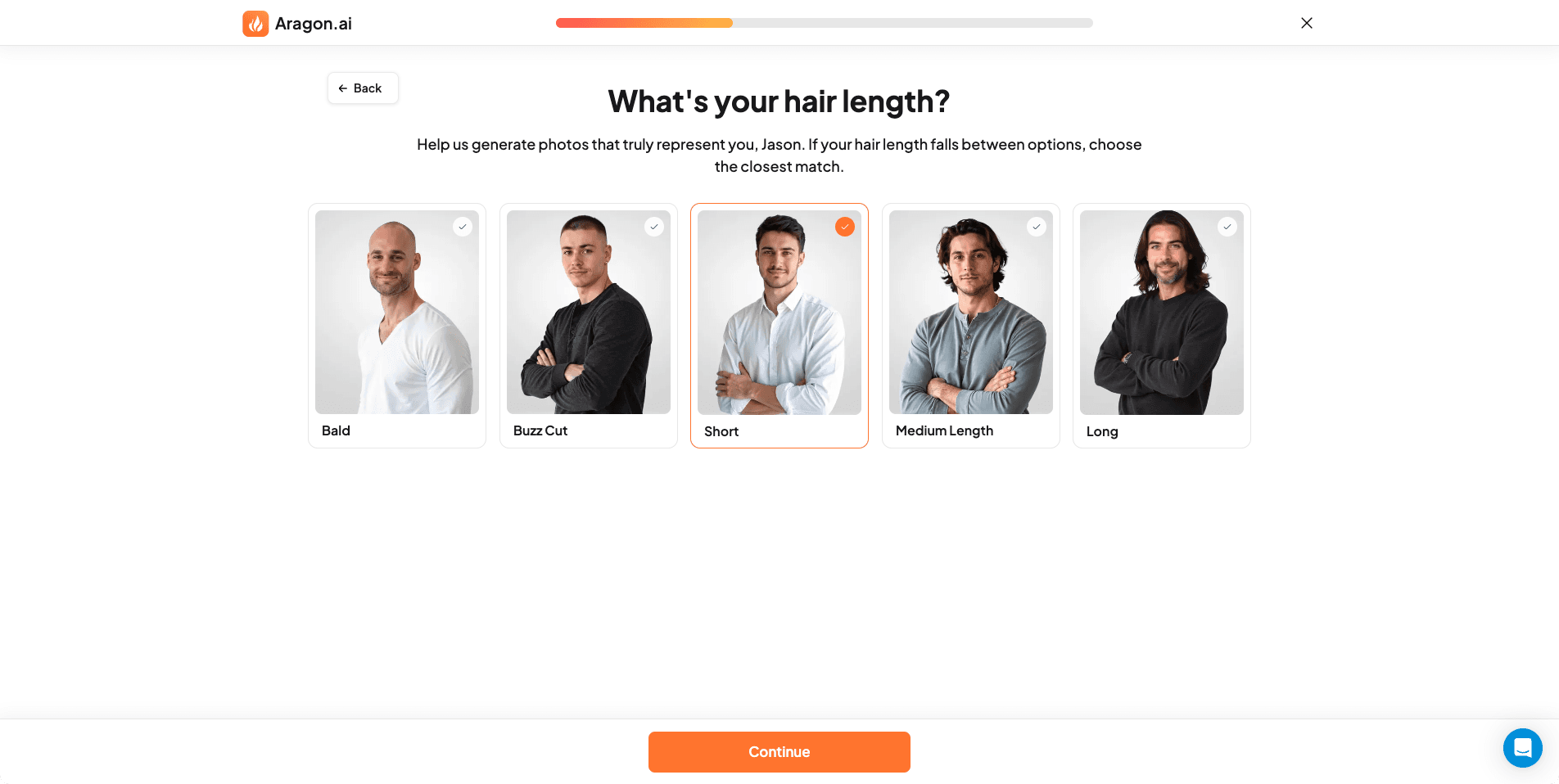 Aragon AI asks about hair length early, which helps it generate styles that match your typical appearance.
2) Hair type selection
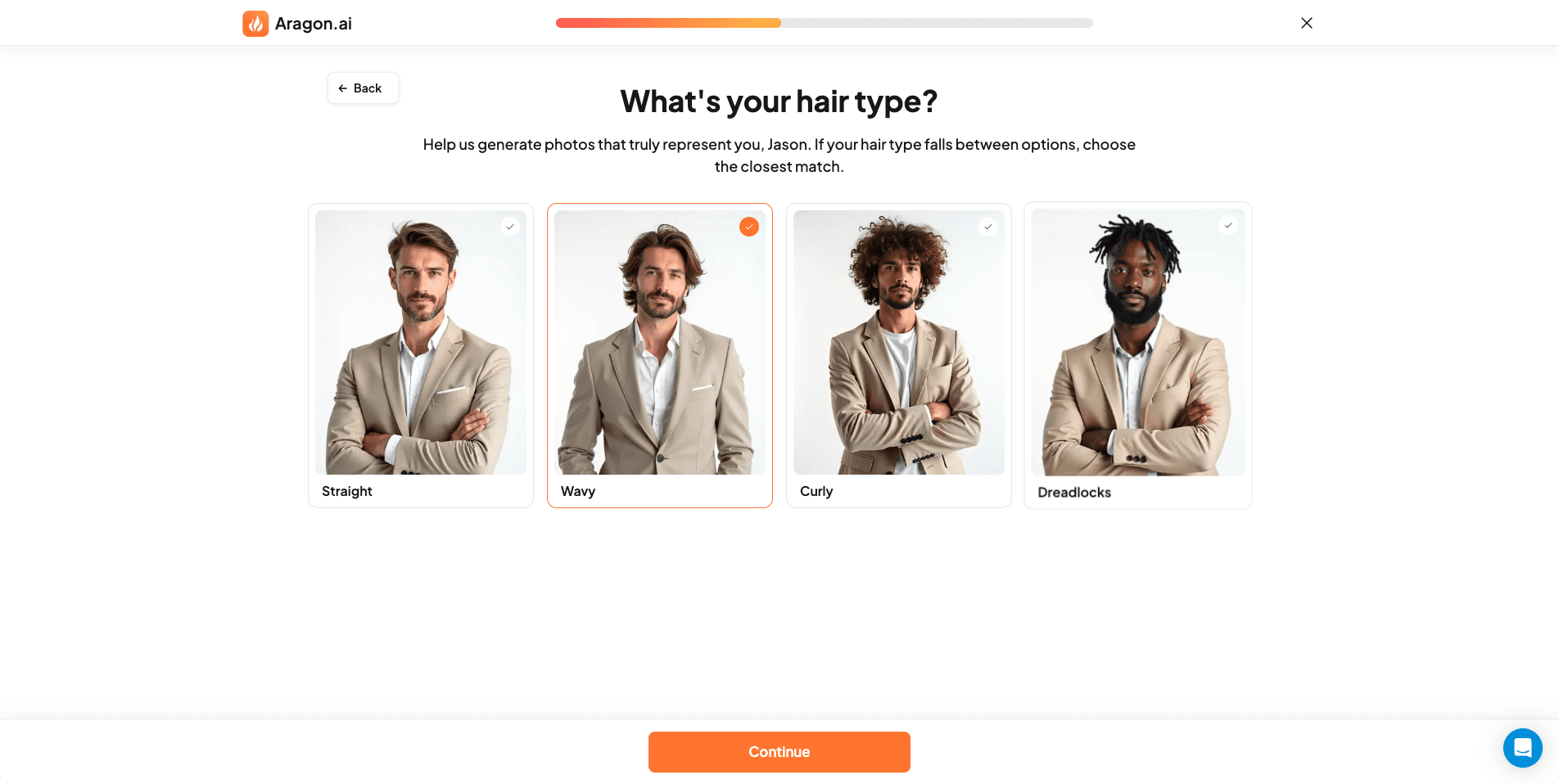 Hair type selection (straight, wavy, curly) influences silhouette and texture.
3) Ethnicity selection
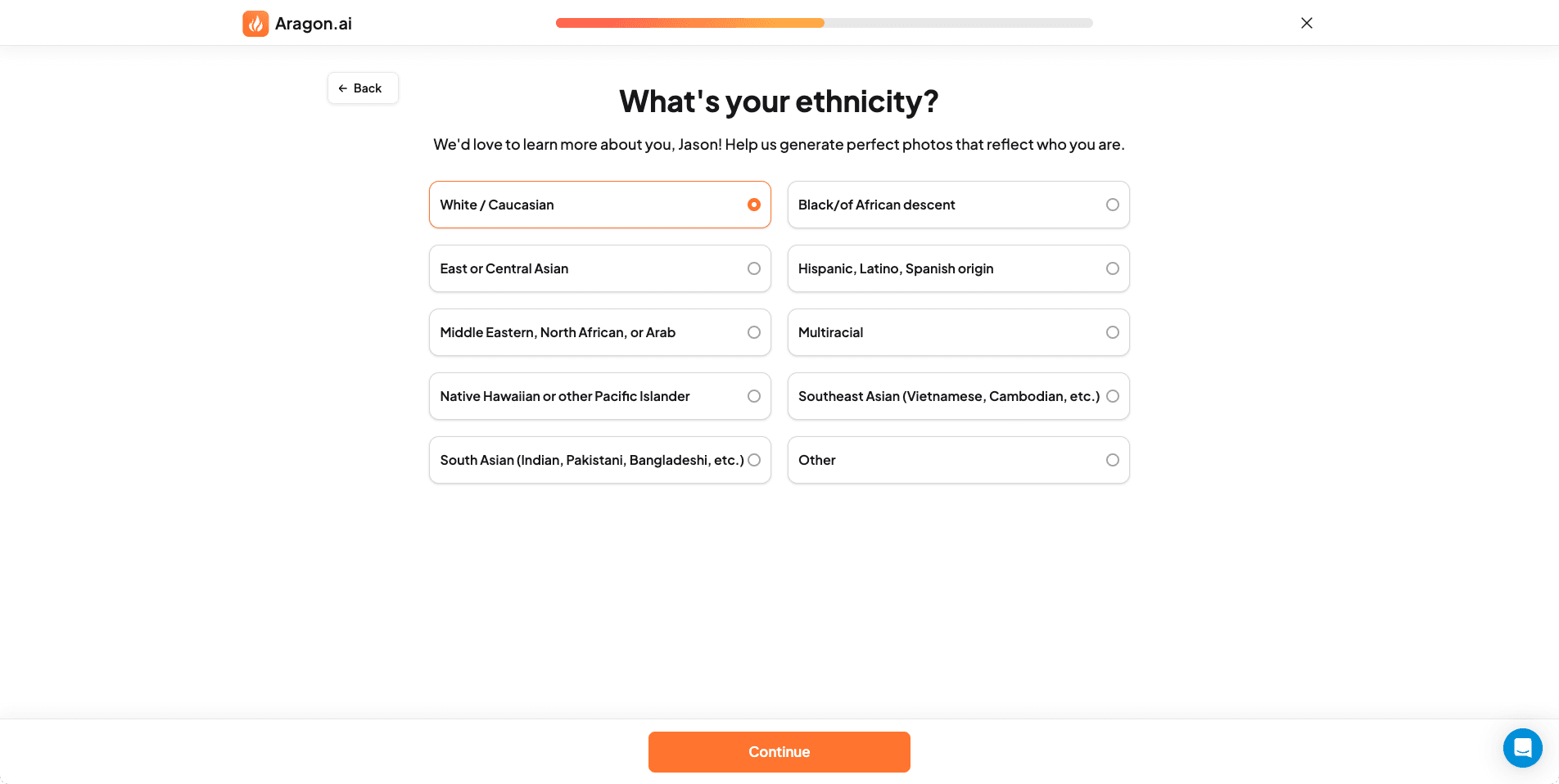 Ethnicity input is meant to reduce mismatches in skin tone and facial features.
4) Body shape selection
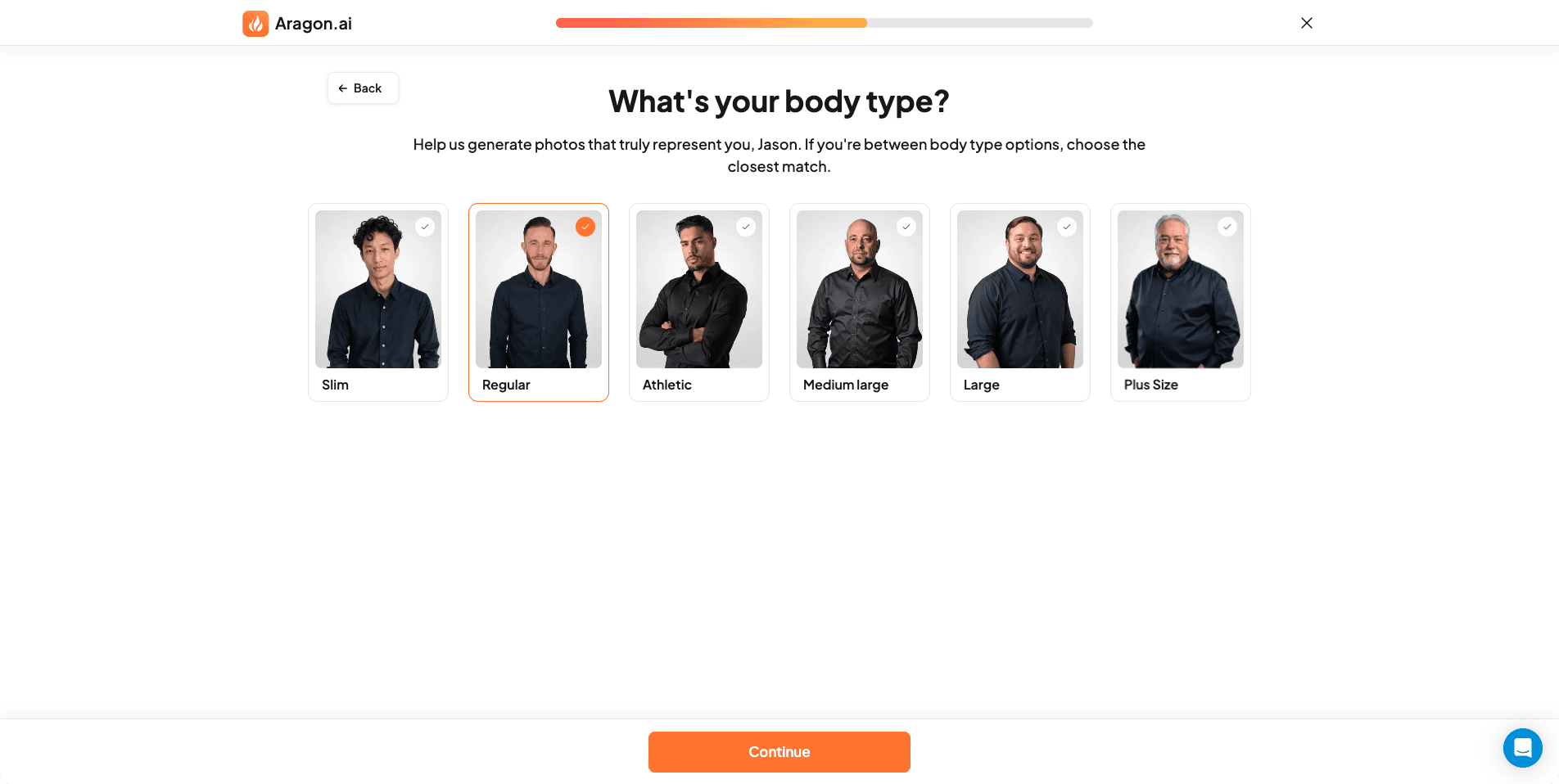 Aragon includes body shape inputs, but the final body composition can still drift.
5) Attire preferences
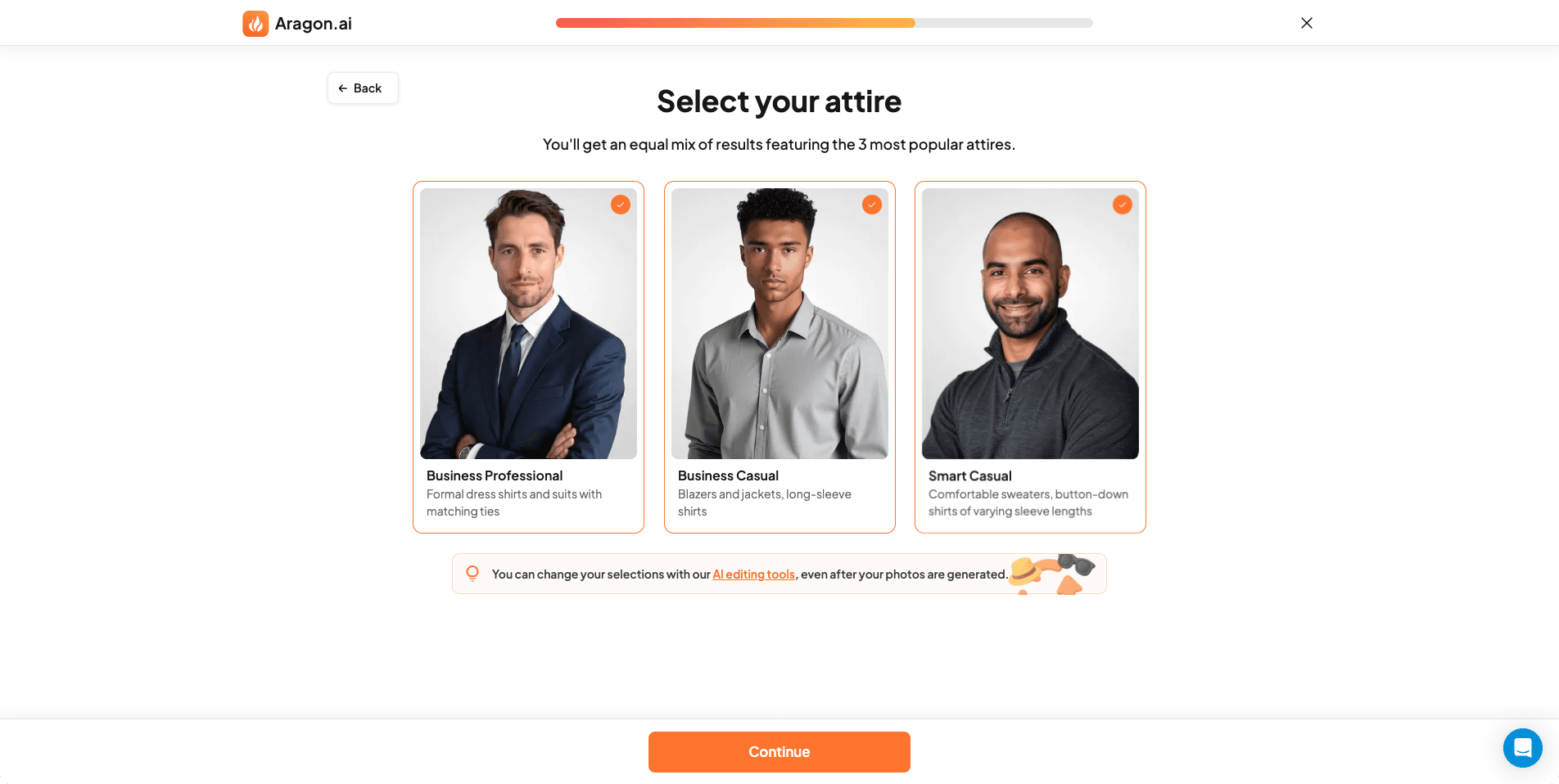 Outfit selection is one of the reasons Aragon outputs look consistently “styled.”
6) Background selection
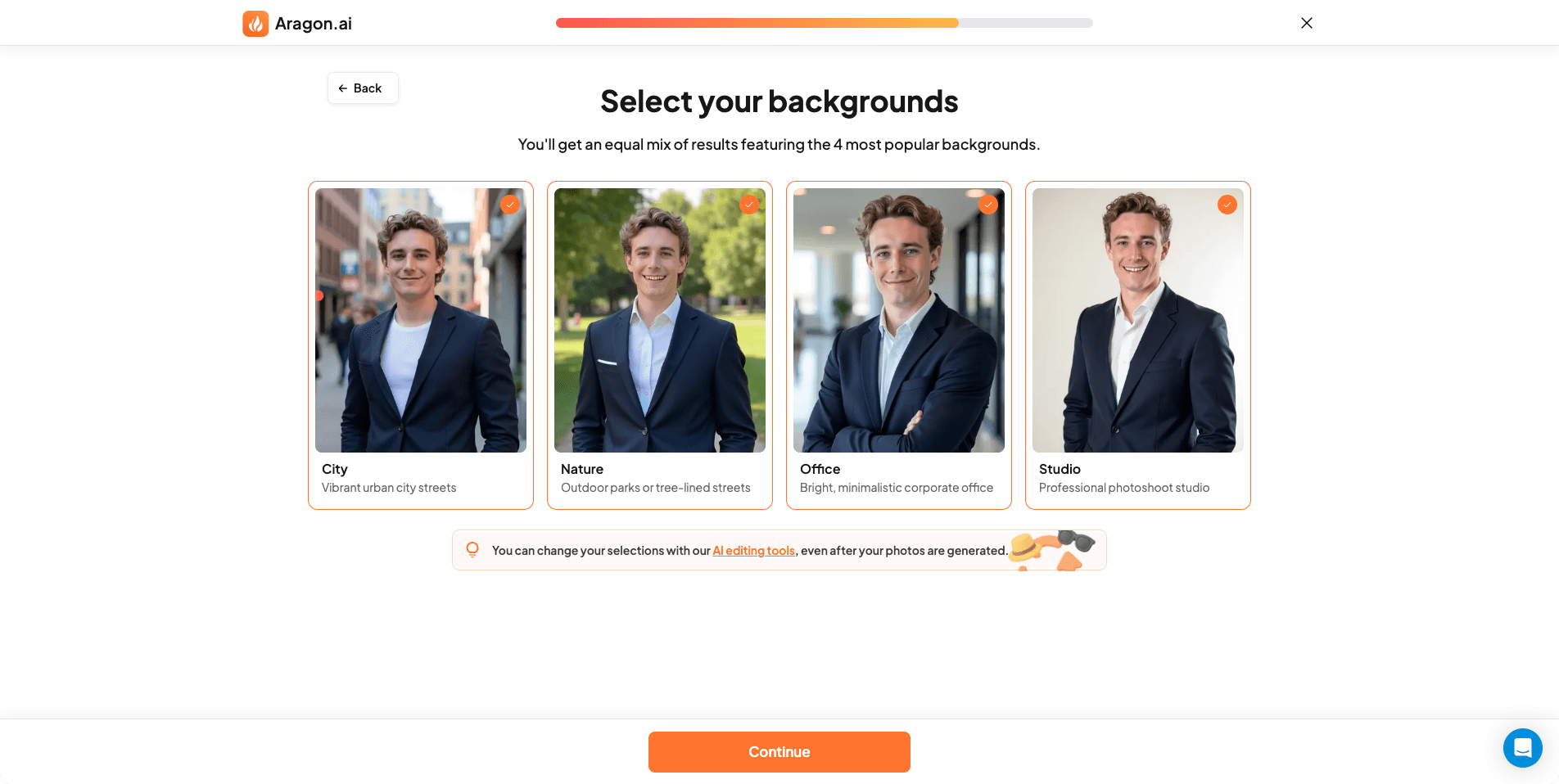 Background selection helps control context, but it can still produce studio-like scenes that feel slightly artificial.
7) Upload interface
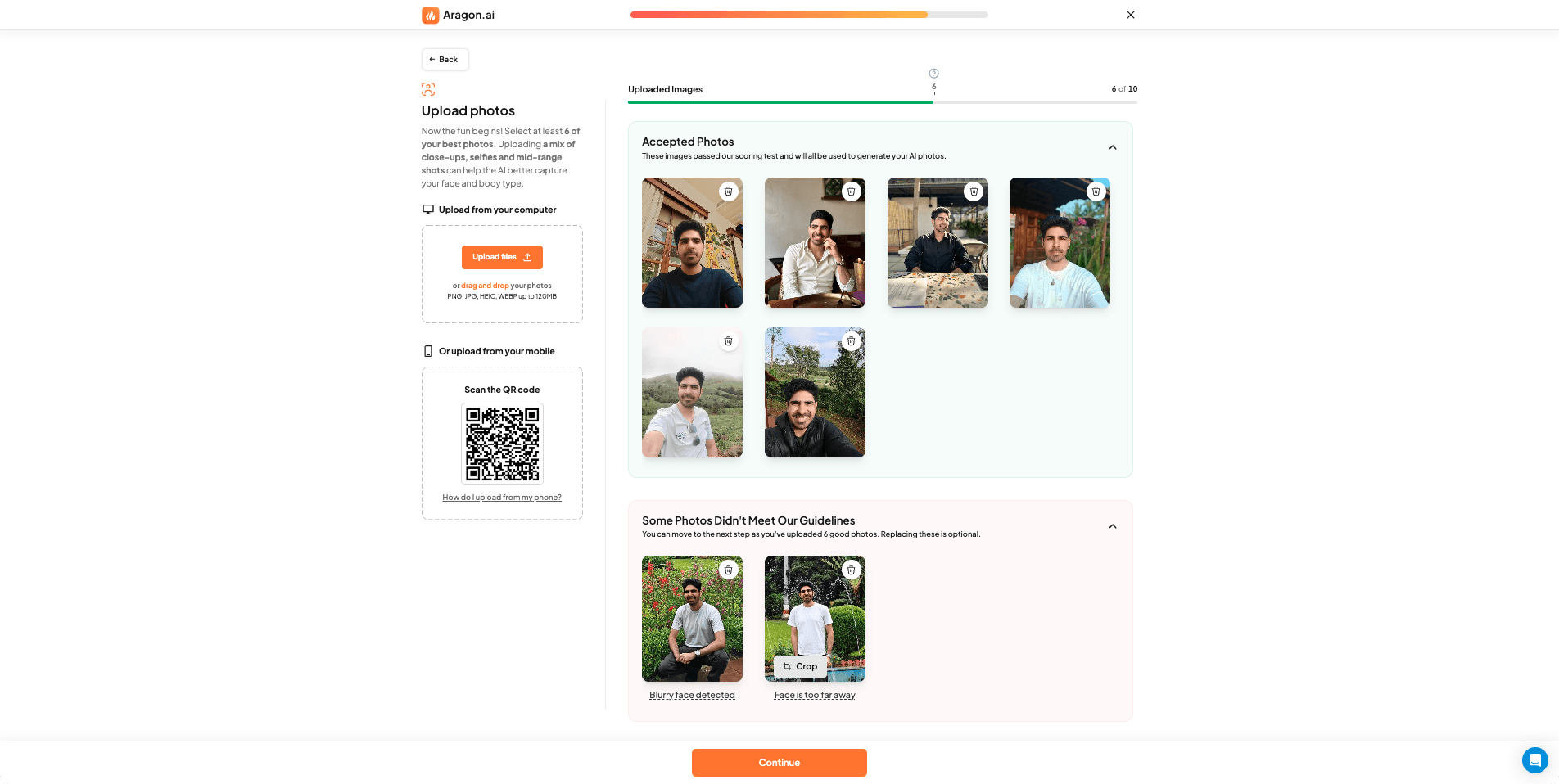 Uploading photos is straightforward, with clear UI and status feedback.
8) Upload guidelines
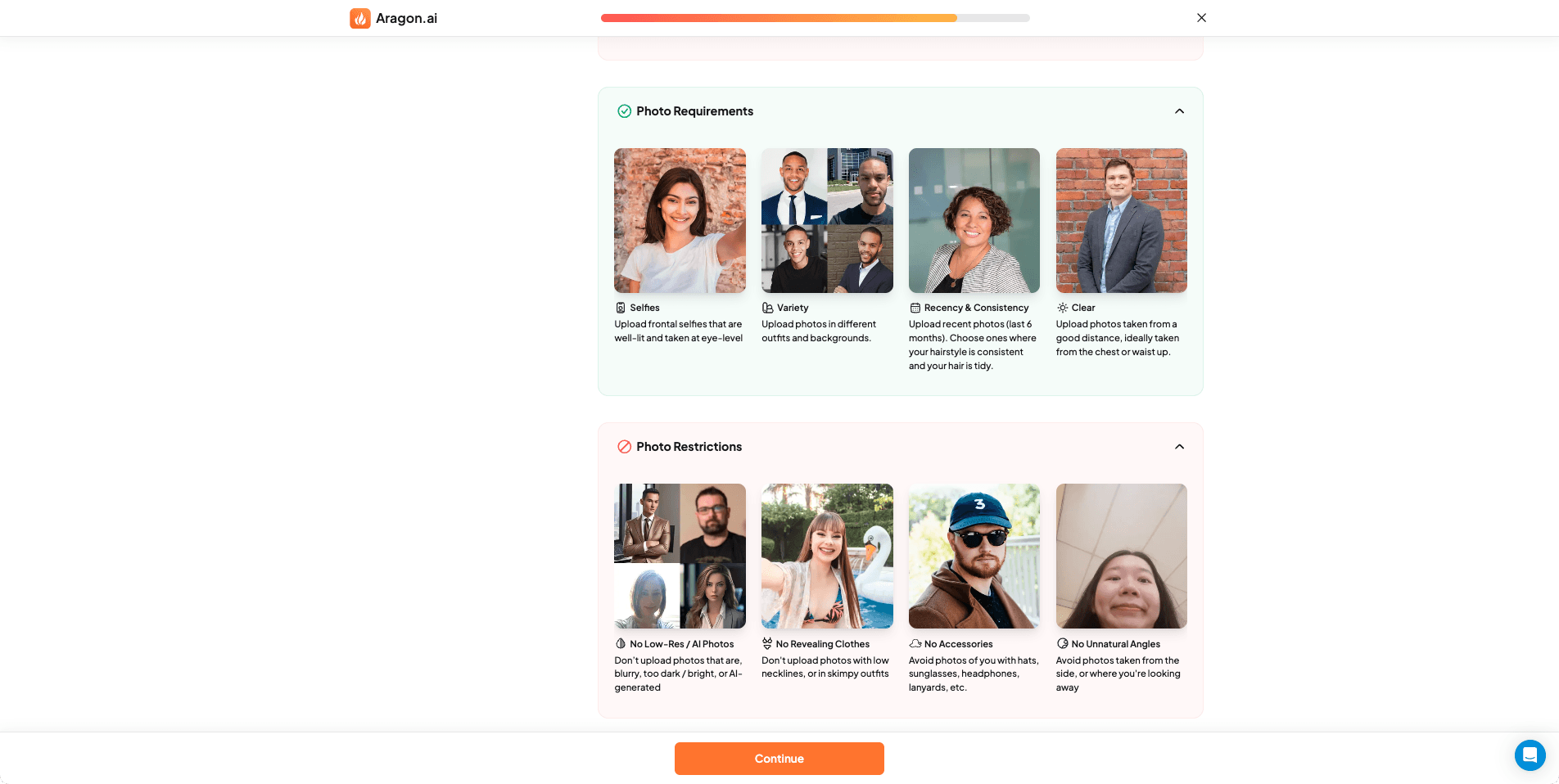 Guidelines exist, but refund eligibility still feels unclear (more on that later).
9) Glasses preferences
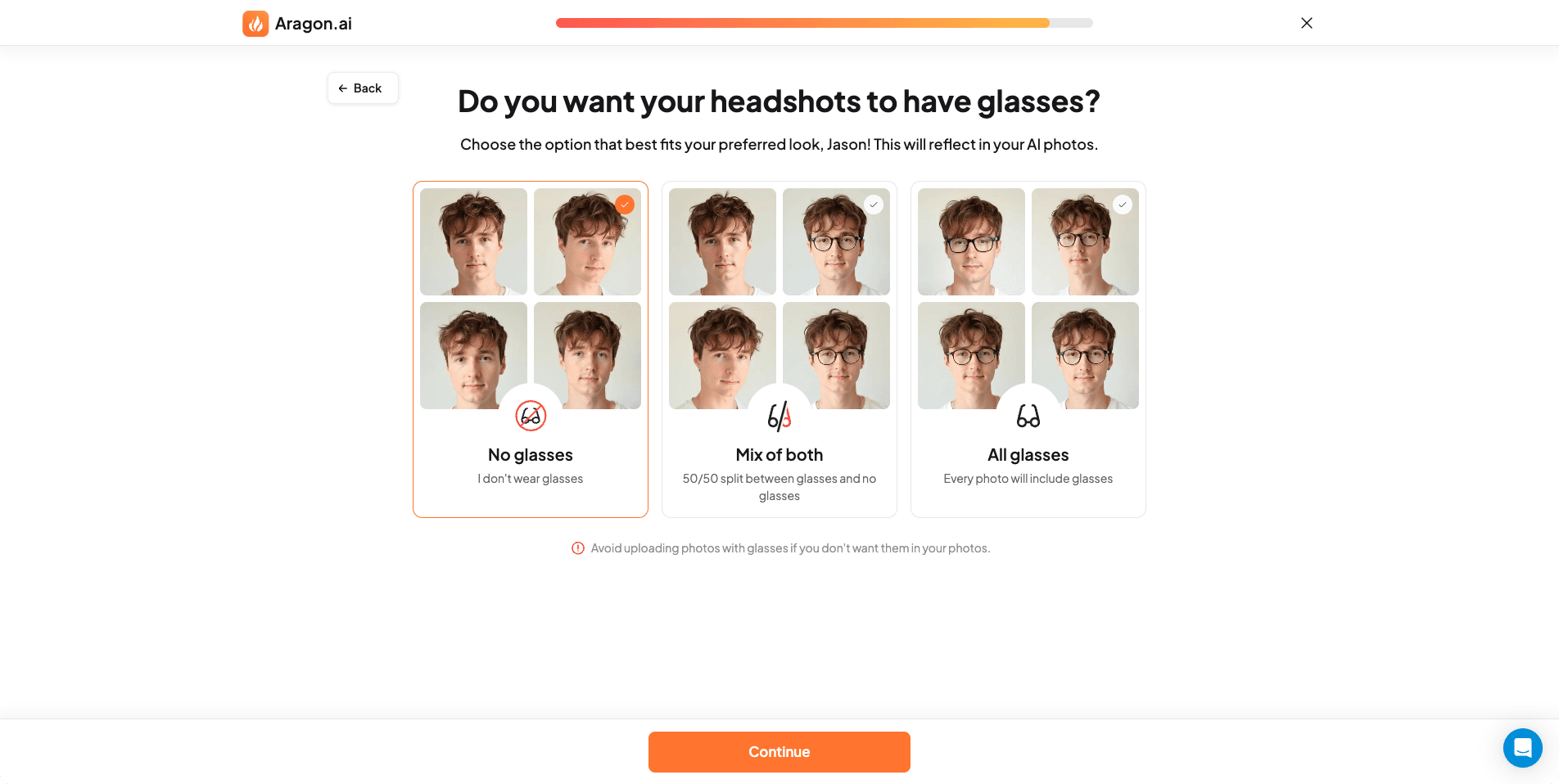 This is a good detail-glasses are often mishandled by AI tools.
10) Review and confirm
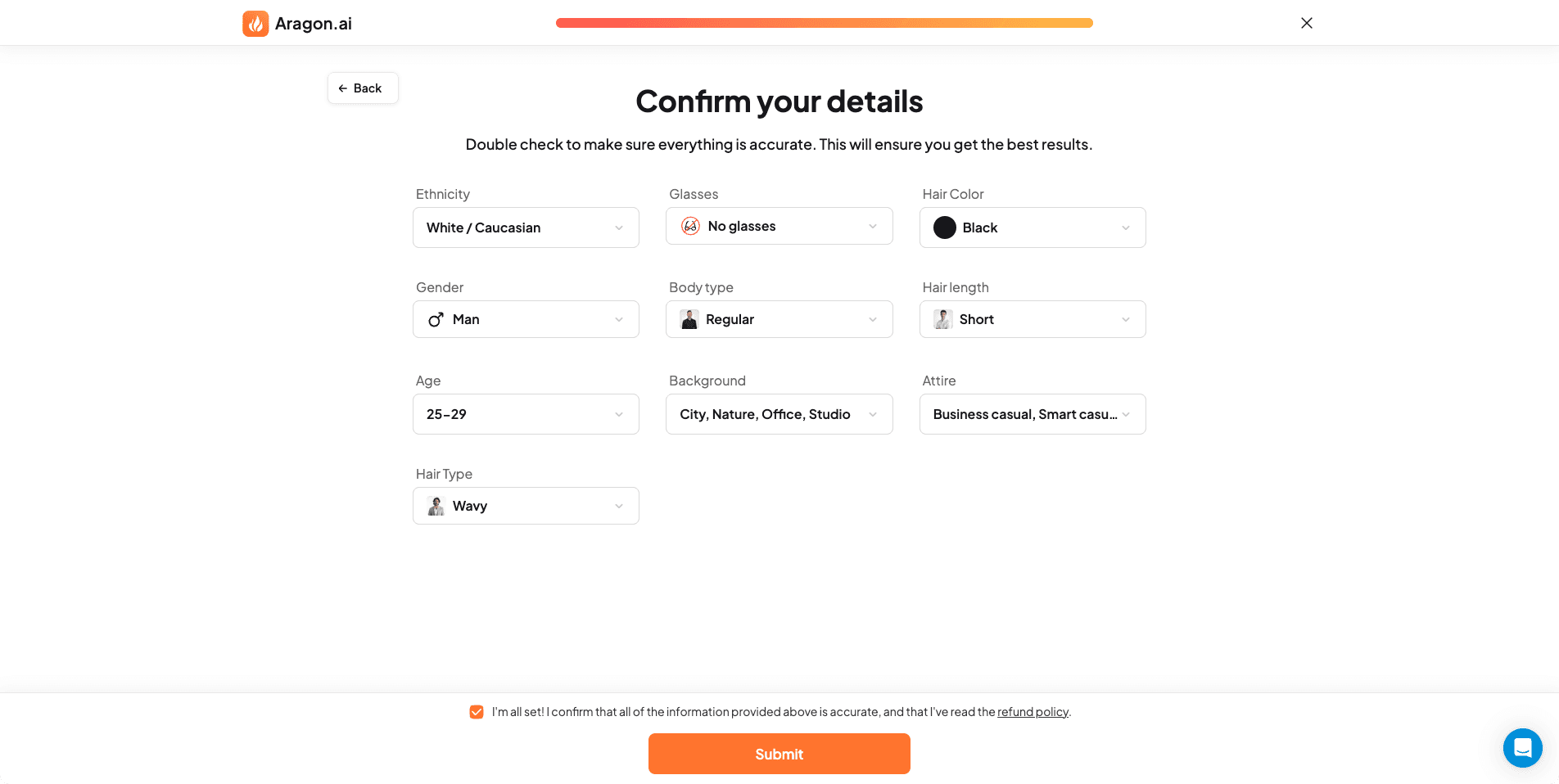 Before generation starts, Aragon summarizes your inputs, which reduces mistakes.
11) Refund policy page
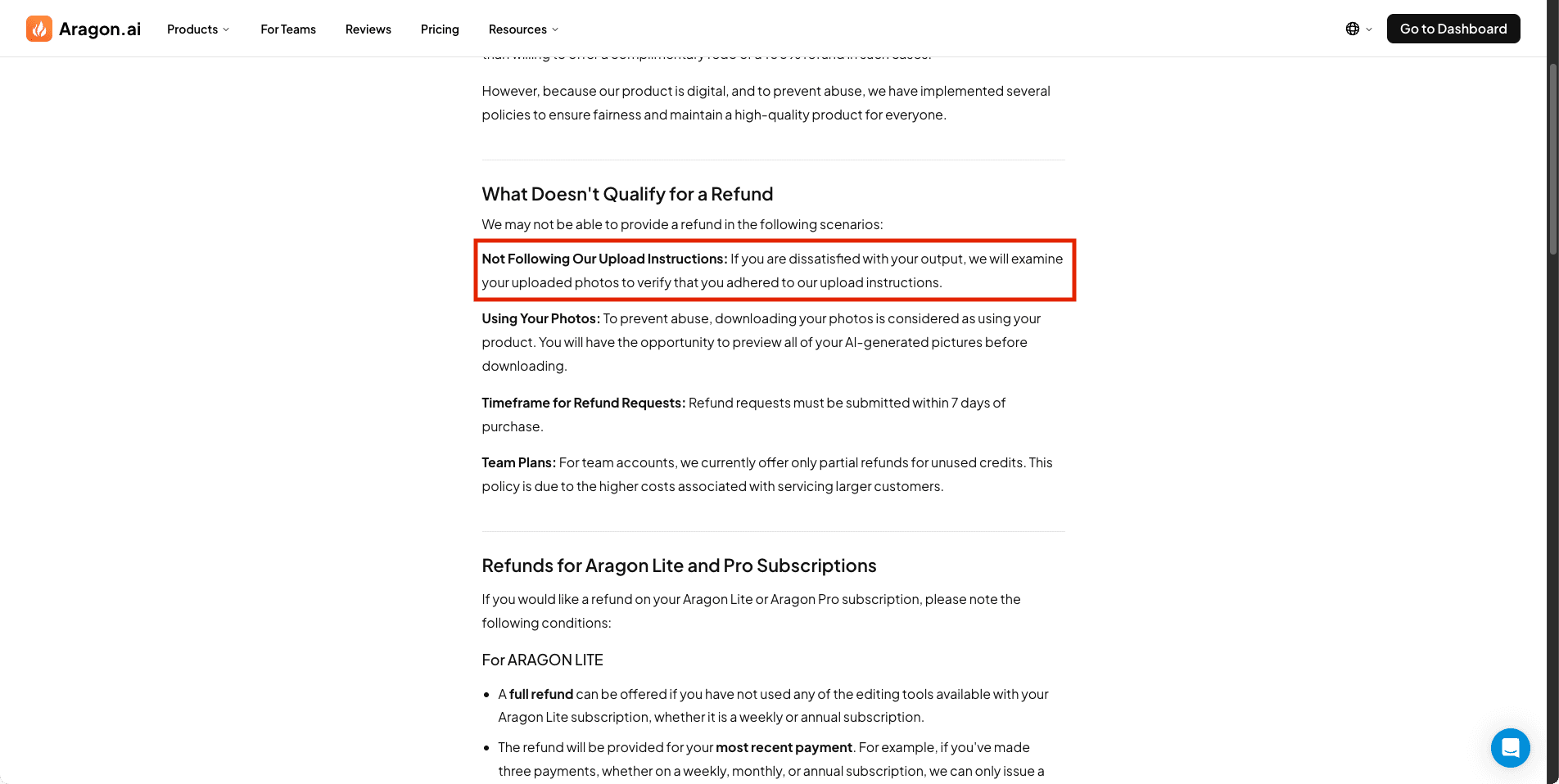 Refund policy exists, but the practical eligibility criteria may feel vague.
12) Pricing plans
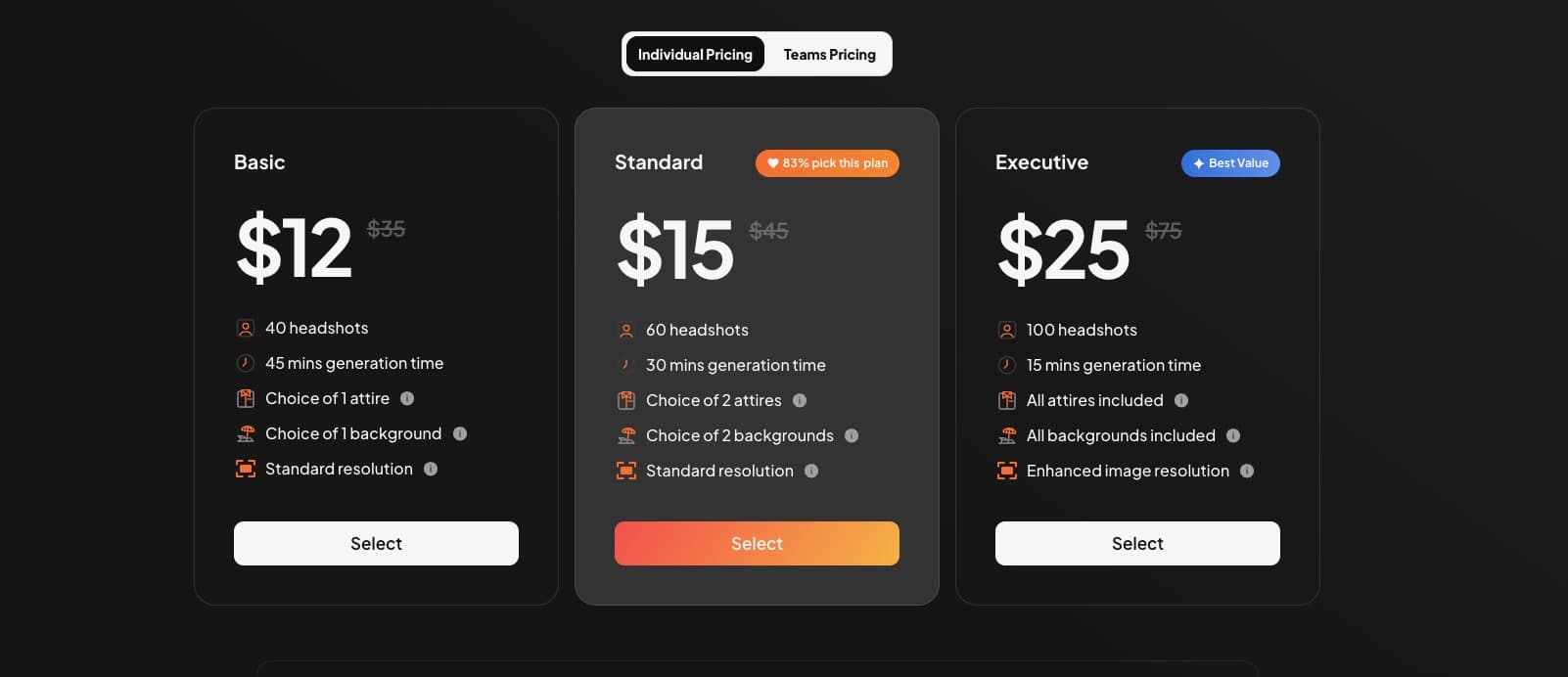 Aragon pricing varies by plan and can include local pricing adjustments.
13) Built-in AI editor
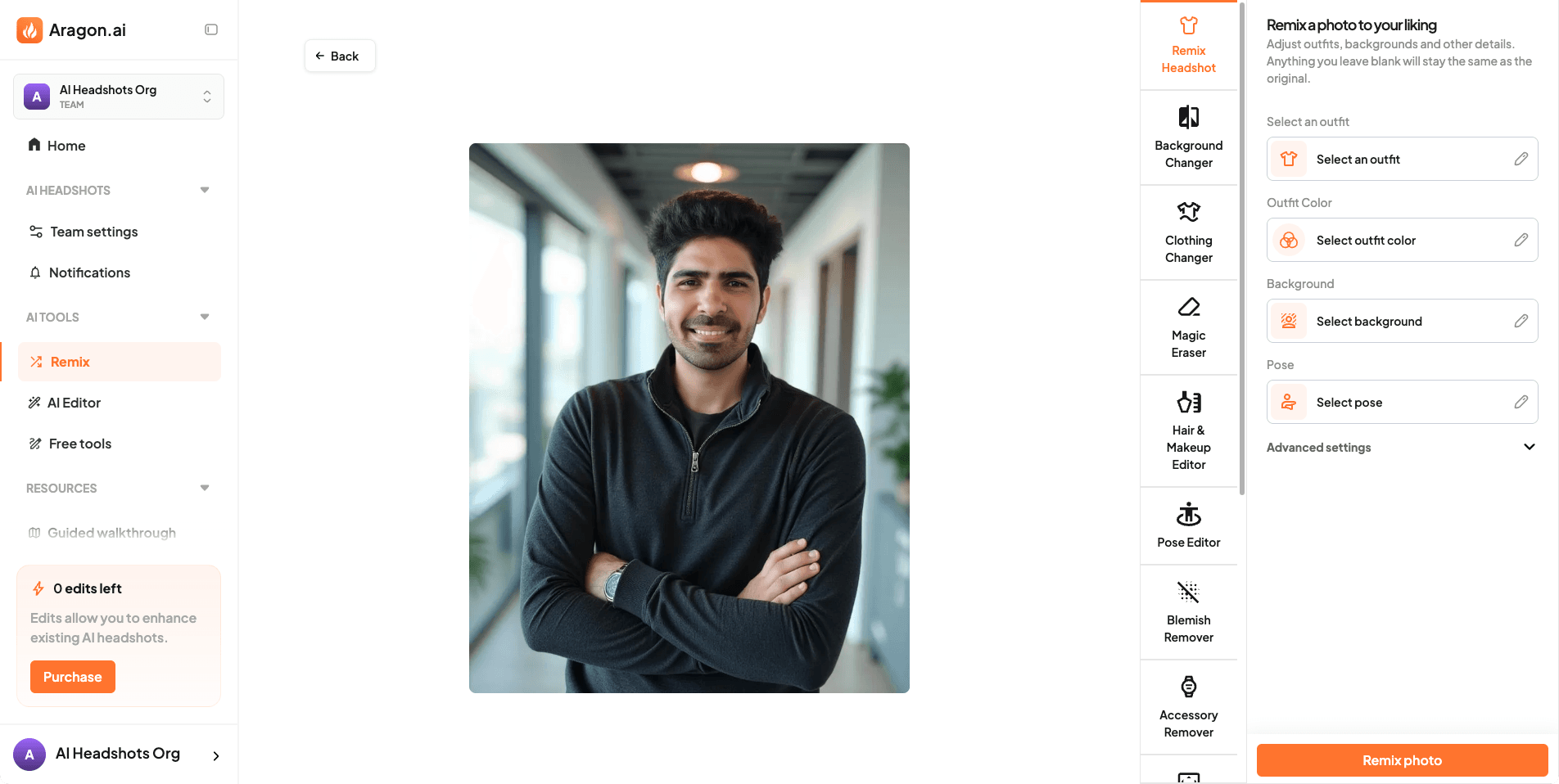 Aragon’s editor is one of its biggest advantages-style changes after generation are rare in this category.
14) Results dashboard
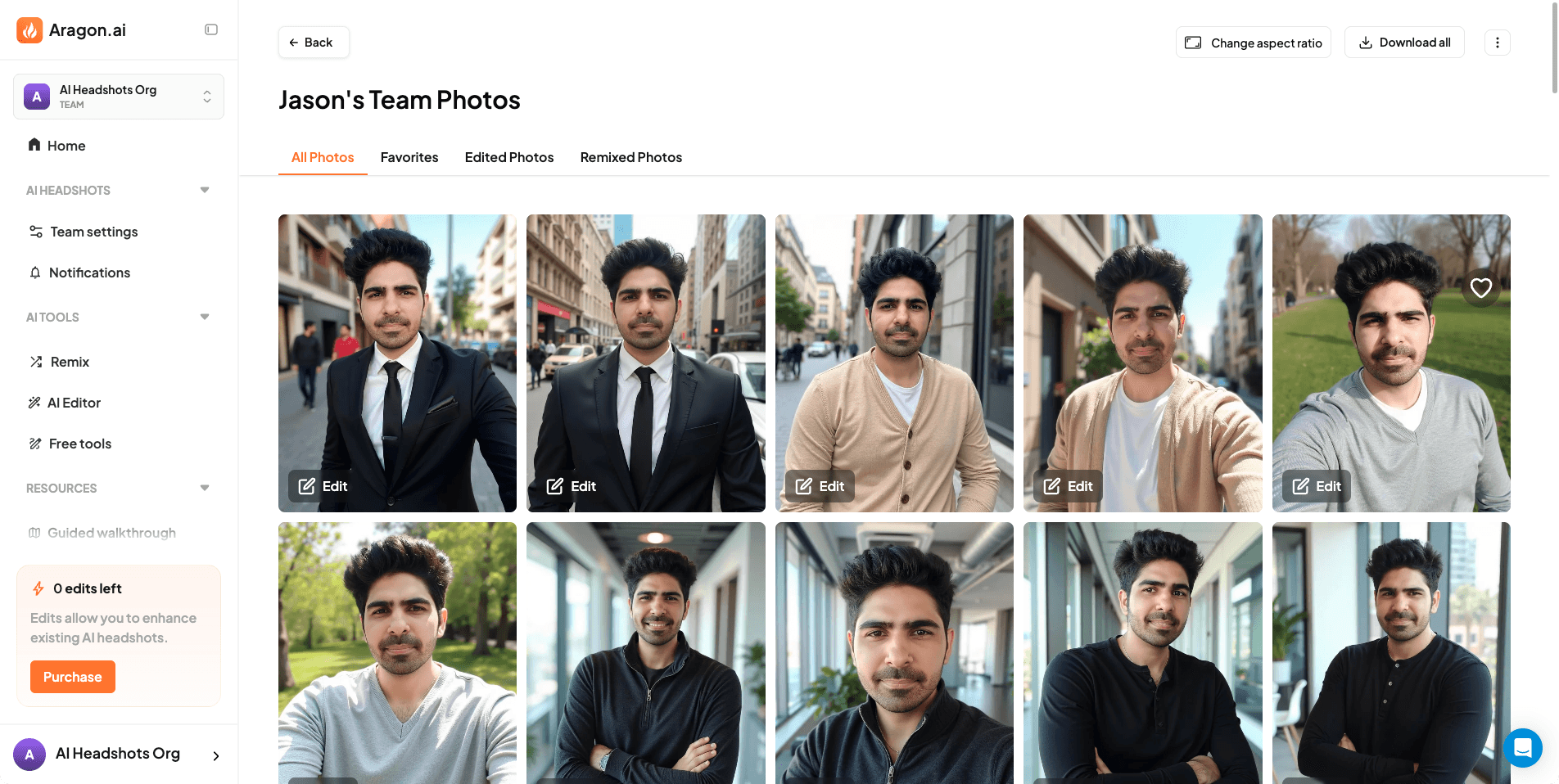 The results dashboard is clean and makes it easy to favorite, download, and iterate.
How Long Does Aragon AI Take?
Based on my test run, Aragon AI was fast.
- From upload to results: around ~10 minutes (this will vary by queue/load)
For a paid tool, that turnaround is impressive. Many competitors take significantly longer because they treat the process more like a training job.
Aragon AI Headshot Quality
If you only look at the thumbnails, Aragon looks amazing.
The headshots are:
- confident poses
- stylish outfits
- clean backgrounds
- generally “expensive-looking” presentation
But headshots aren’t only about looking good.
They’re about identity.
If you’re using the photo for professional contexts (LinkedIn, speaker bio, resume), the number one requirement is that people recognize you.
This is where Aragon becomes more mixed.
Face Likeness: Does Aragon AI Actually Look Like You?
In my testing, Aragon’s face likeness is below average compared to the best “identity-first” tools.
That doesn’t mean it’s unusable.
It means the outputs often land in this zone:
- “Yes, that’s probably me”
- but not always “That is definitely me”
Why this matters
For dating/social use, slight drift can be acceptable-even desirable-because it looks like an enhanced version of you.
For professional use, subtle facial drift can be a deal-breaker:
- coworkers may not instantly recognize you
- recruiters may feel something is “off”
- the image can look like an idealized variant rather than a true headshot
Common areas where drift shows up
- jawline shape
- cheek volume
- eye spacing
- smile/teeth shape
- skin texture being overly smooth
Skin Texture: Why Some Outputs Look “Plasticky”
One of the biggest visual tells in AI headshots is skin texture.
Aragon tends to “beautify” aggressively. That means:
- fewer natural pores
- softer shadows
- a slightly airbrushed look
This can be great for social photos.
But for a realistic corporate headshot, it can look a bit artificial-especially if you’re comparing it to a real photo or professional photography.
Body Composition: A Real (and Frequent) Weakness
Aragon has a body-shape selection step, so you’d expect body framing to stay consistent.
In reality, body composition can still drift.
In my set, one repeated issue was athletic body composition showing up even when the “Regular” body shape was selected.
That mismatch matters because it can make the photo feel like it’s not really you-especially if you’re using the headshot on a workplace profile.
My Aragon AI Results
Here are example results from my batch, with a practical breakdown of what went right and what went wrong.
Example 1: My favorite result
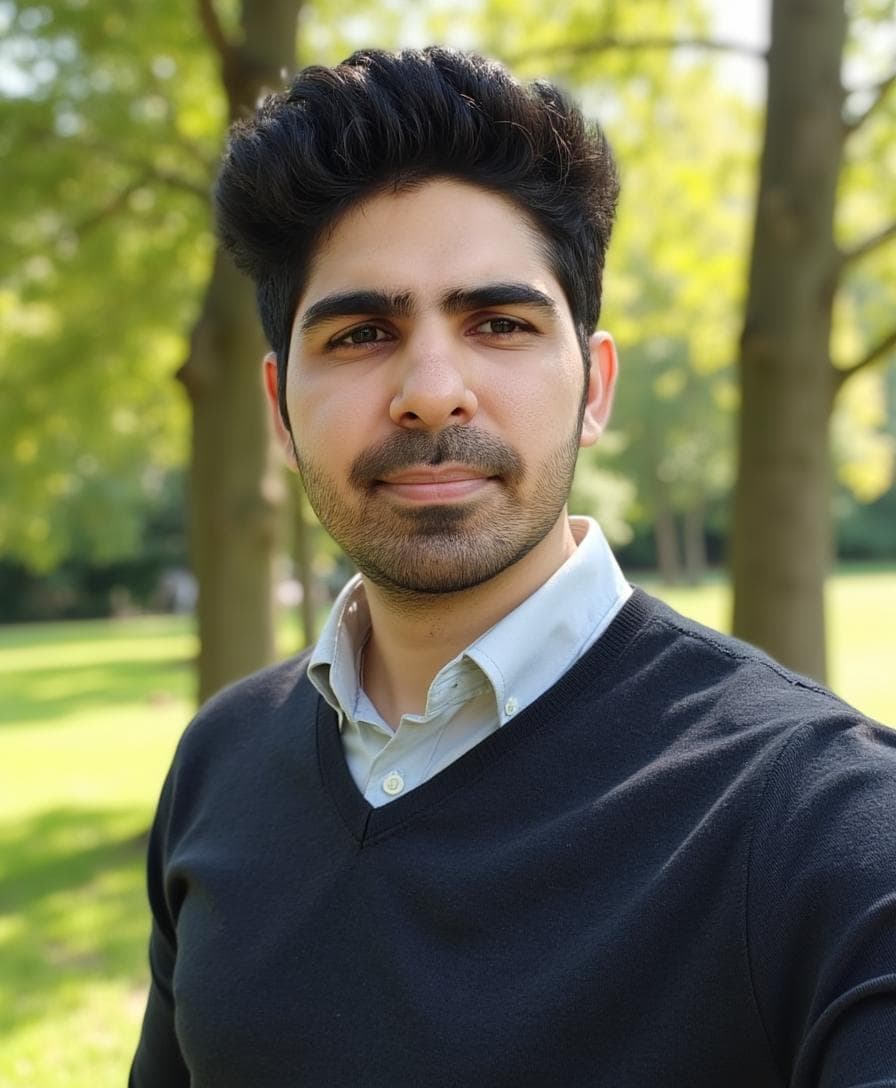 This is my favorite from the Aragon batch. Strong styling and a confident overall look.
Why it works:
- looks premium and well-framed
- outfit/background feel intentional
- the face is close enough for many casual use cases
Example 2: Small clothing artifact (fixable)
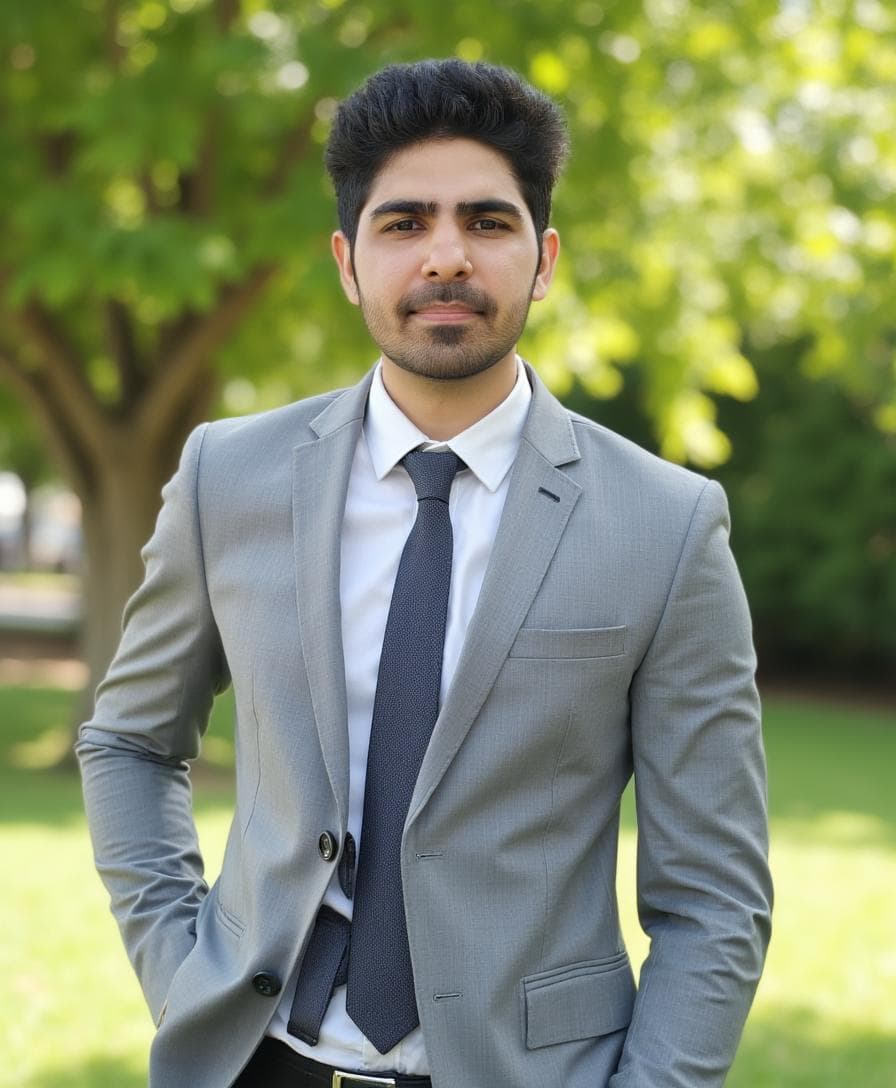 Good overall image, but you can see artifacts around the waist area. The editor can often help here.
Why it matters:
- small outfit artifacts are common in AI headshots
- Aragon’s editor is a real advantage because it gives you a rescue path
Example 3: Body shape drift (frequent)
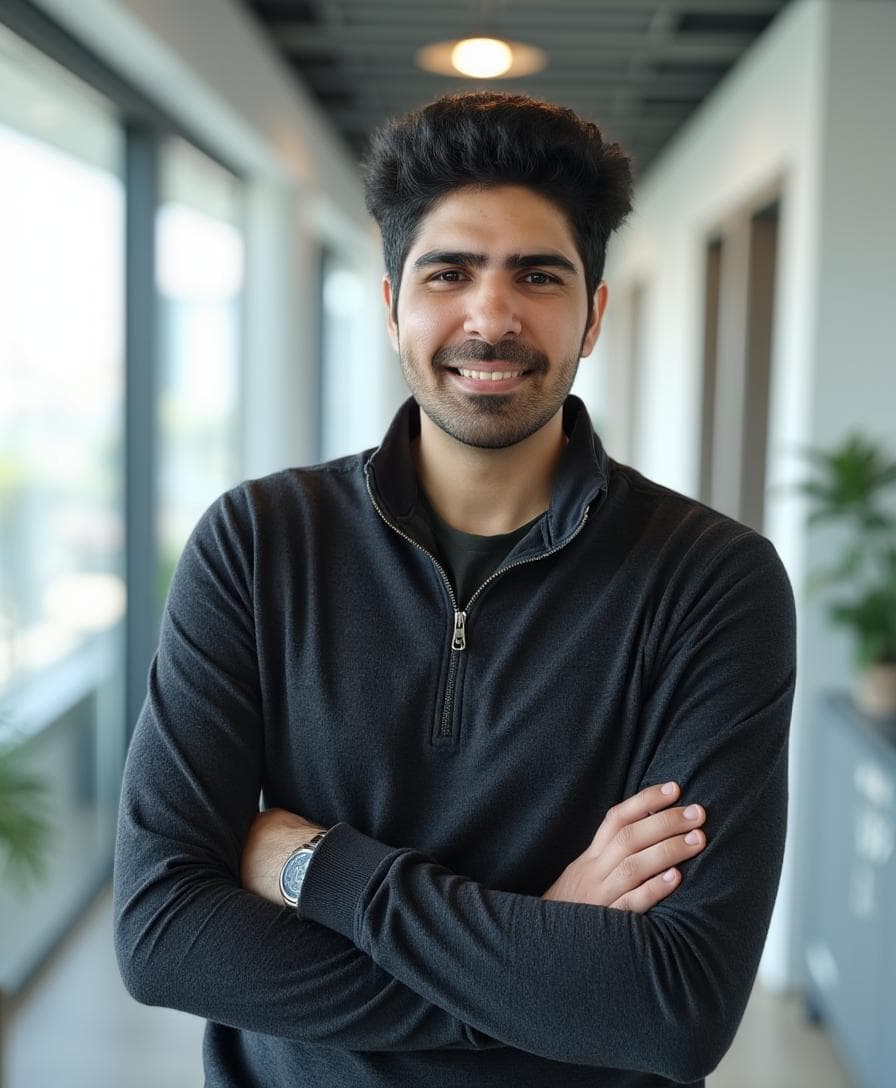 This shows the “athletic body composition” effect. Even with a regular body selection, Aragon sometimes renders a different frame.
What to take away:
- this is one of Aragon’s most frequent failures in my batch
- body framing drift reduces identity trust
Example 4: Teeth + likeness issues (harder to fix)
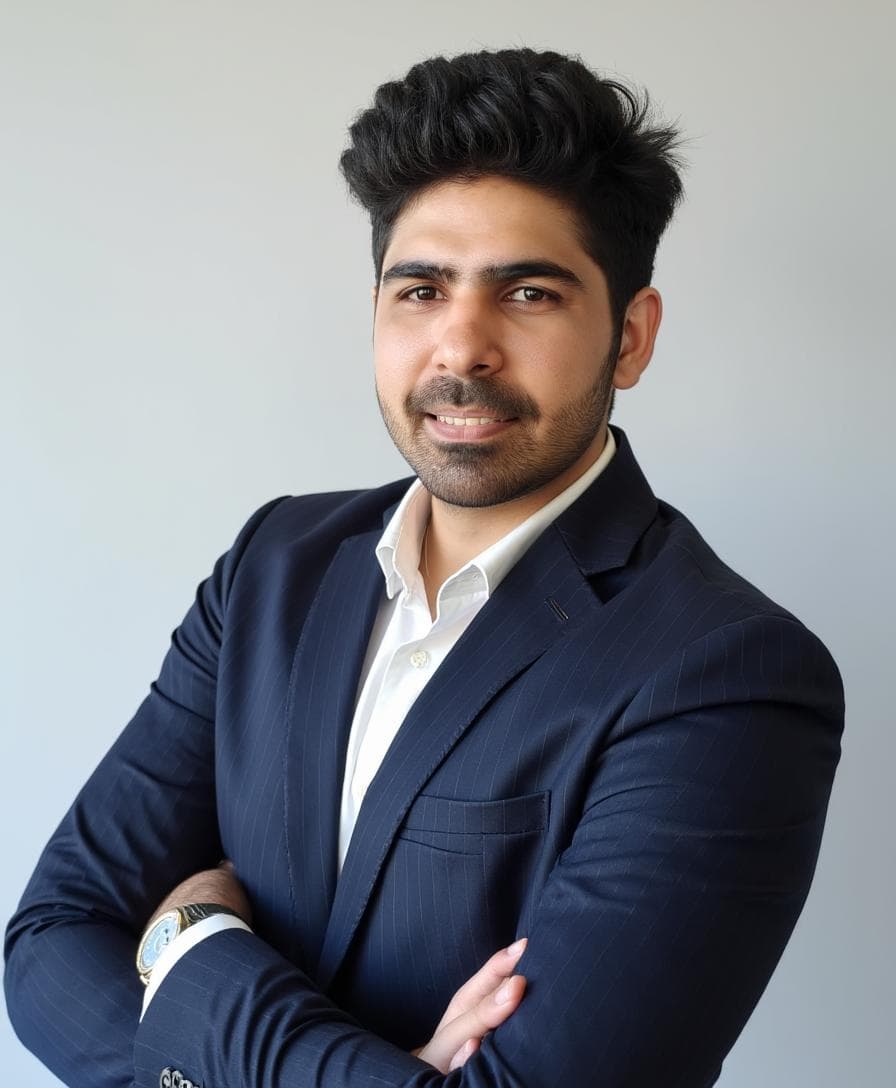 Teeth artifacts plus weaker likeness made this one unusable for me.
In general:
- teeth edits are difficult for most AI tools
- once the face drifts too far, styling can’t save the image
Aragon AI Editor: The Best Part of the Product
If you asked me what Aragon does better than most competitors, I’d say:
post-generation control.
Many tools generate a batch and that’s it.
Aragon lets you iterate:
- change outfits
- adjust background vibe
- refine pose direction
- keep the same general look but upgrade the presentation
This is huge because AI headshots are naturally inconsistent. The editor doesn’t solve everything (it won’t magically restore perfect identity), but it helps you turn “almost good” images into “usable” images.
Aragon AI Pricing
Pricing changes over time, but based on the plan screen I captured:
Pricing tiers vary by output quantity and included features.The main points:
- pricing is not the cheapest, but you’re paying for the product experience and editor
- Aragon supports local pricing / PPP adjustments, which can make it more reasonable outside the US
Is it worth paying for?
It depends on your goal:
- If you want glamorous, styled photos with easy iteration: often yes.
- If you want “this looks exactly like me” professional identity headshots: maybe not.
Refund Policy: What I Don’t Love
Refund policies are important for AI headshot tools because results can vary massively depending on input photos.
Aragon does provide a refund policy page:
Refund criteria exists, but it may not feel clear in practice.The problem is that eligibility can feel subjective (for example: if your photos don’t meet guidelines, do you lose refund rights?). Some photos can also be rejected during upload, which makes the refund conditions feel less predictable for first-time users.
My advice:
- read the refund terms before paying
- use the best input photo set possible (more on that below)
Privacy and Security: Is Aragon AI Safe?
Aragon publicly claims strong compliance and security practices, including:
- SOC 2 compliance
- AES-256 encryption
- GDPR compliance
That’s a positive signal compared to smaller tools that don’t publish anything about how they handle photos.
Still, the common-sense rule applies:
- only upload photos you’re comfortable sharing with a service
- avoid uploading anything sensitive in the background
Pros and Cons
Pros ✅
- Excellent onboarding and user experience
- Stylish, confident poses and outfits
- Strong background + styling consistency
- Built-in AI editor that actually adds value
- Solid security posture
- Local pricing adjustments can help
Cons ❌
- Face likeness is weaker than expected
- Skin texture can look overly smoothed
- Wrong body composition appears in many images
- Teeth artifacts show up in some outputs
- Refund policy clarity is not ideal
Who Should Use Aragon AI? (Use Case Guide)
Aragon AI is a good fit if you want:
- Dating profile photos that look polished
- Instagram/social images where style matters more than strict realism
- a fast workflow with minimal frustration
- the ability to iterate with an editor instead of starting over
Aragon AI is not the best fit if you need:
- corporate headshots where coworkers must instantly recognize you
- strict “identity-first” photos for LinkedIn/headshots on team pages
- extremely natural skin texture (no airbrushed feel)
Tips to Get Better Aragon AI Headshots
Your results depend heavily on your input photos.
If you want your Aragon AI headshots to look more realistic and more like you, use these guidelines:
1) Use variety (not duplicates)
- include different angles
- include different lighting
- include both close-ups and mid shots
2) Avoid extreme filters
If your input photos are already heavily filtered, you’re training the system on a distorted version of your face.
3) Keep facial hair and glasses consistent
If half your photos include glasses and half don’t, expect inconsistency.
4) Don’t “over-optimize” with studio photos only
Ironically, mixing in normal photos can help the AI generalize your identity better.
Is Aragon AI Good for LinkedIn Headshots?
It can be, but only if you select outputs that:
- don’t have obvious skin smoothing
- don’t drift too far from your real face
- have a professional outfit/background
If you use a slightly “too glamorous” shot for LinkedIn, it can look out of place.
My suggestion:
- choose the most natural-looking images from your batch
- avoid overly stylized backgrounds
- avoid overly airbrushed skin
Alternatives (If Aragon Isn’t Right for You)
If your main goal is professional identity accuracy, you may want a tool that prioritizes face likeness and realism more than glamour.
In my testing, ProShoot is the clearest alternative when your priority is:
- highest face likeness
- realistic skin texture (less “airbrushed” look)
- profile photos that still look like you on LinkedIn
It’s not perfect either, but if you’re trying to optimize for “people recognize me instantly,” ProShoot is a better fit than Aragon.
Use promo code AIHEADSHOT to get additional 10% off.
And if you want to use images or dating and social purpose Aragon does wonders:
Use promo code AIHEADSHOT to get additional 15% off.
FAQs
Is Aragon AI legit?
Yes. Aragon AI is a real product with a polished onboarding workflow, pricing tiers, and a results dashboard.
How long does Aragon AI take to generate headshots?
In my test, it took about 10 minutes from upload to results (timing can vary).
Does Aragon AI produce realistic headshots?
The styling can look realistic at a glance, but skin texture is often smoothed and face likeness can drift. Realism depends on the specific output you pick.
Do Aragon AI headshots look like you?
Usually “close,” but not always “exact.” If you need high identity accuracy, this is the main limitation.
Is Aragon AI good for professional headshots?
It can work for professional use if you select conservative outputs. But for strict corporate identity requirements, it may fall short.
If face likeness is the deciding factor for you (for example, LinkedIn or a company team page), you may want to consider a tool like ProShoot, which tends to prioritize realism and identity more consistently.
Does Aragon AI have an editor?
Yes, and it’s one of the best parts of the product. It allows post-generation changes to outfit/background/pose in a way most tools don’t.
Is Aragon AI worth it?
It’s worth it if you care about presentation, styling, and editing flexibility. If your top priority is exact face likeness, it may not be the best use of money.
Final Verdict
Aragon AI is a premium-feeling AI headshot generator with excellent product design and one of the strongest editing experiences in the category.
If your goal is to look polished for social profiles or dating, Aragon can deliver extremely attractive headshots quickly.
If your goal is strict professional identity accuracy, Aragon’s face drift, skin smoothing, and occasional body composition mismatch can be limiting.
If you’re on the other side of that tradeoff (you want the most realistic results with the highest face likeness for LinkedIn), a tool like ProShoot is typically a better fit.
In other words Aragon AI is:
- Best for: style-first headshots
- Not best for: identity-first corporate headshots
If you want to explore explore our all ai headshot generator compared together, check out our Best AI Headshot Generators of 2026 guide.