- Published on
ProShoot AI Headshot Generator Review (Real Results for Face Likeness + LinkedIn)
Quick Navigation
- Introduction
- TL;DR Verdict
- What Is ProShoot?
- How I Tested ProShoot (Same Dataset, Same Standard)
- ProShoot User Experience (Screenshots)
- ProShoot Headshot Quality
- My ProShoot Results (Examples + What I Learned)
- Body Composition (The “Not Perfect” Side of ProShoot)
- Editing Tools: What ProShoot Can and Cannot Fix
- Pricing: What It Actually Costs
- Refunds and Policies
- Privacy and Data Handling
- Turnaround Time
- Pros and Cons
- Who ProShoot Is Best For
- Alternatives (If ProShoot Isn’t Right for You)
- FAQs
- Final Verdict
Introduction
ProShoot is the AI headshot generator that consistently impressed me the most for one reason that actually matters in real life:
face likeness.
A lot of AI headshot tools can generate something that looks “professional.” Fewer tools can generate something that looks like you - the version of you that your coworkers and friends recognize instantly.
In this ProShoot AI headshots review, I’ll break down what I saw after testing ProShoot using the same input dataset I use across my other reviews. I’ll show the screenshots, the real results, the common failures, and who ProShoot is actually best for.
If you want the full list compared, start here:
👉 Best AI Headshot Generators of 2026
If you are deciding specifically for LinkedIn, this guide is the most direct next read: Best AI LinkedIn photo generators.
If you want the workflow first (what to upload, how to curate, and what mistakes to avoid), start with How to make AI headshots.
TL;DR Verdict
If you want the quick answer:
- ProShoot is best for
- LinkedIn headshots where people must recognize you
- company team pages
- resumes and professional bios
- anyone optimizing for realism over glamour
- ProShoot is not best for
- users who want “magazine-like” polish more than realism
- users who prefer style over face likeness
The honest tradeoff:
- ProShoot often gives you the highest face likeness.
- But the images can sometimes feel too real - you’ll see outfit wrinkles and imperfect lighting.
What Is ProShoot?
ProShoot is a paid AI headshot generator that focuses on realistic headshots with strong identity preservation.
Instead of locking you into a small set of styles, ProShoot lets you build your own style pairs by combining:
- outfits
- backgrounds
It’s powerful, but the interface can feel confusing the first time.
How I Tested ProShoot (Same Dataset, Same Standard)
I used the same input dataset I use across my reviews to keep the evaluation consistent.
The dataset belongs to my friend Jason, who agreed to let me use his photos specifically for these tests.
Jason input photo dataset
To keep things transparent, here are the exact photos from Jason's dataset that I used while testing ProShoot:

img-20250215-wa0030.jpg

img-20250727-wa0035.jpg

img20240827165746.jpg

img20240827172659.jpg

img20241123200716.jpg

img20250503182919.jpg

img20251003083002.jpg

img20251004131001.jpg
My evaluation criteria stays the same:
- face likeness
- realism and skin texture
- professional usability (LinkedIn vs “looks cool”)
- artifacts (clothing edges, buttons, background seams)
- body composition consistency
- editing usefulness
ProShoot User Experience (Screenshots)
ProShoot’s process starts out simple and becomes more “power user” once you start building styles.
Attributes step
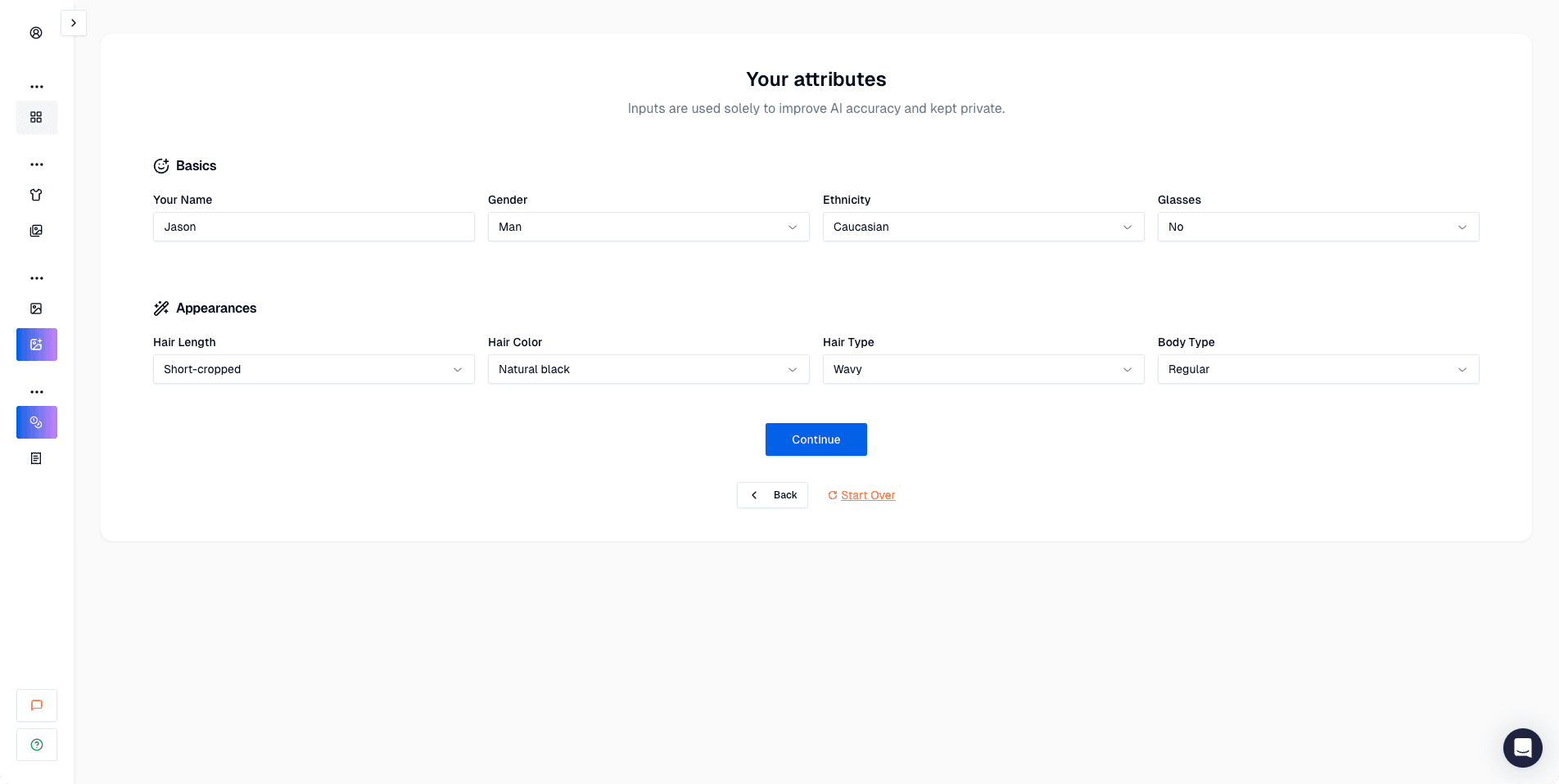 You select basic attributes (hair, ethnicity, glasses, body type). Easy and familiar.
Outfits + backgrounds (style building)
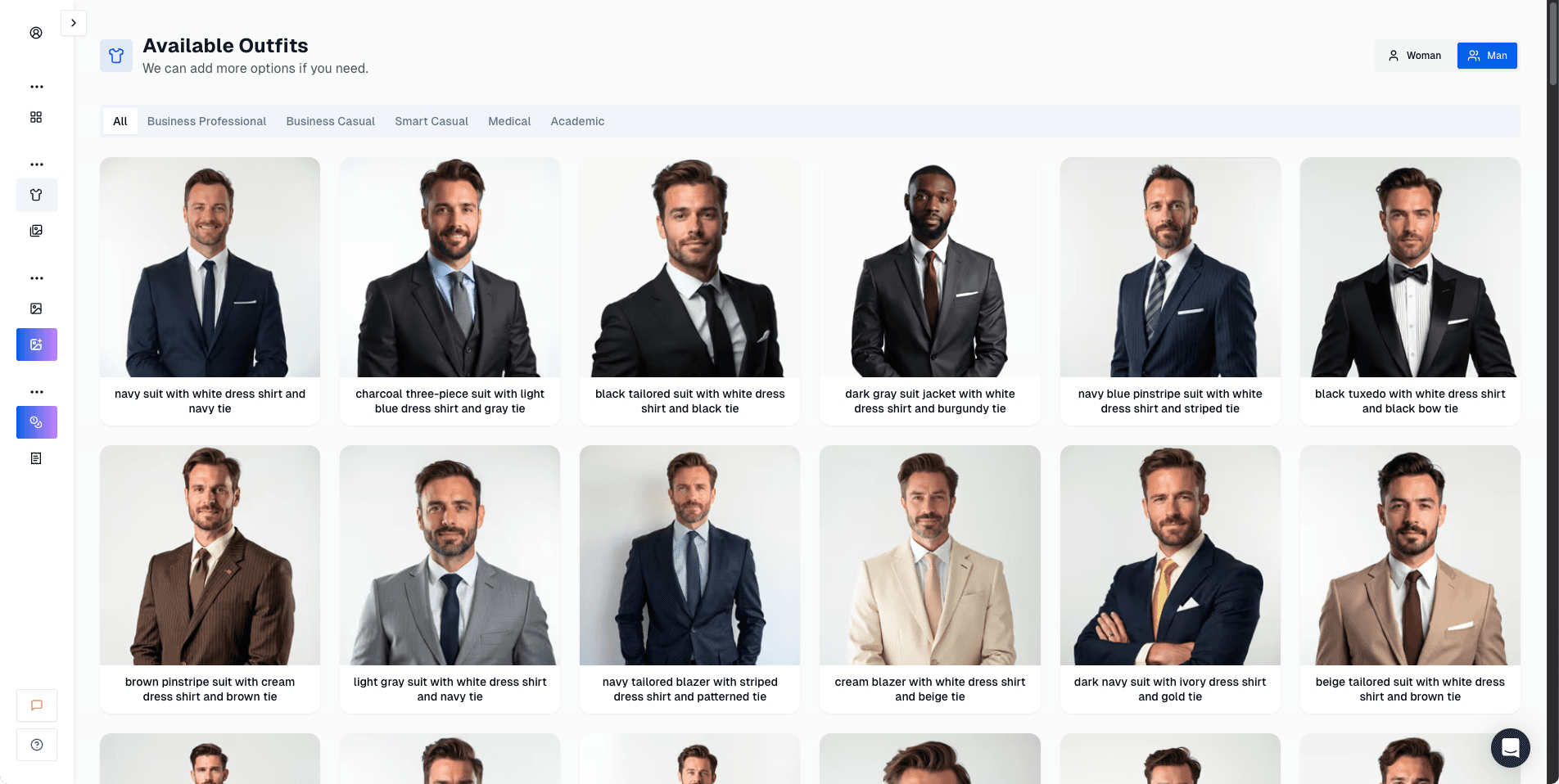 The outfit library is big, and the variety is good.
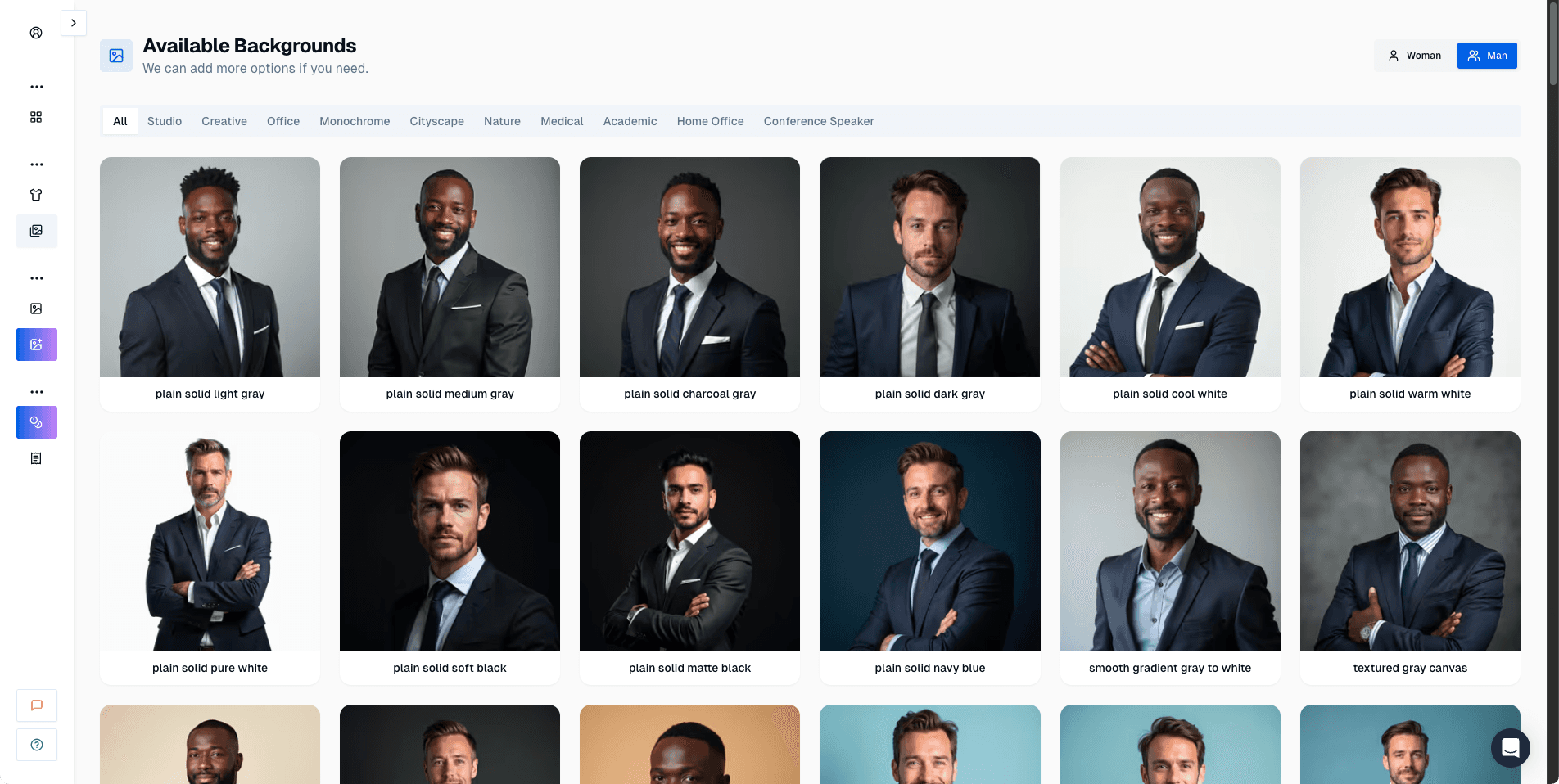 You can choose backgrounds separately, which is where the system becomes powerful.
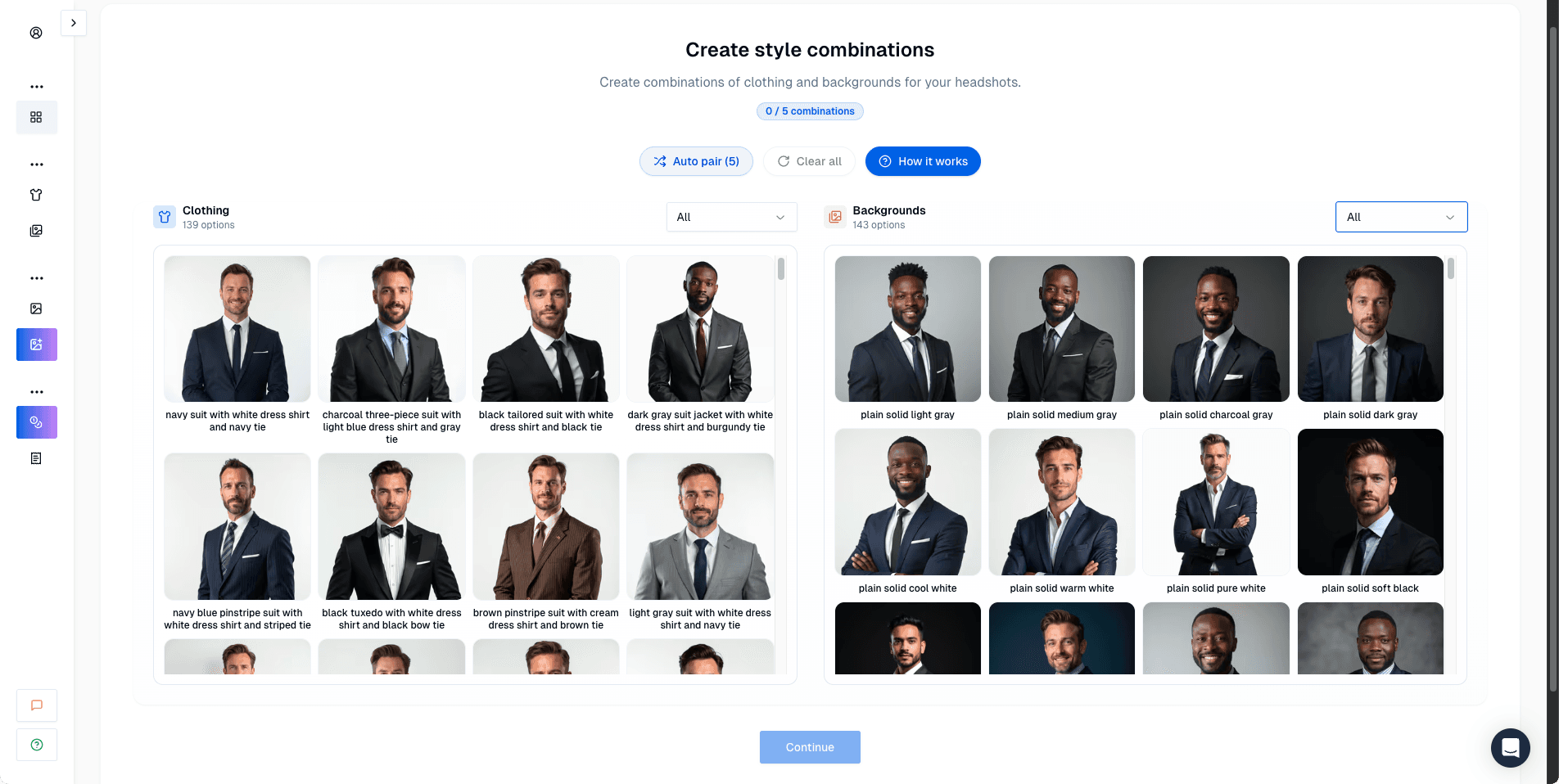 This is the key concept: you build style pairs. It’s flexible, but the UI doesn’t teach it well.
Upload guidelines
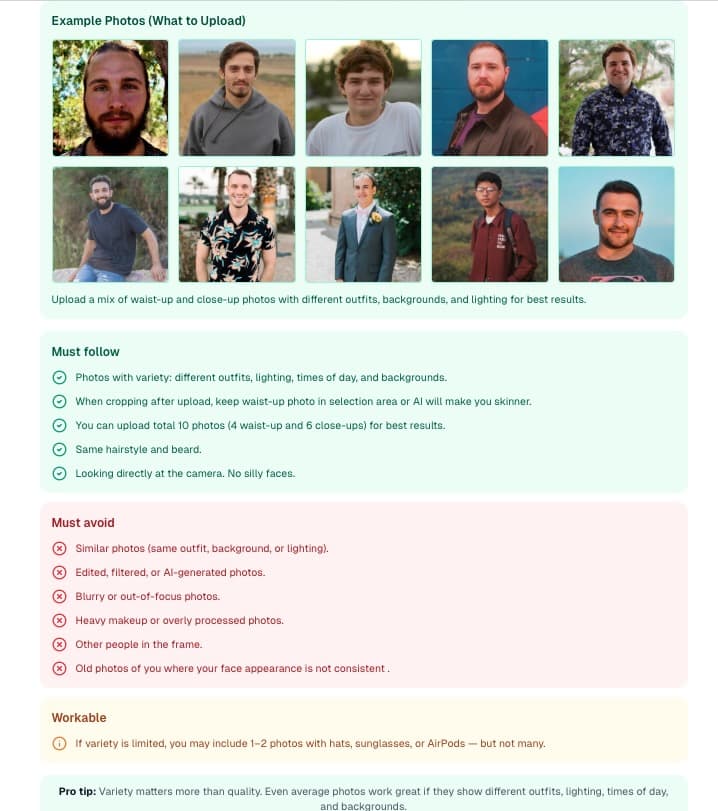 The upload guidance is useful. Your results still depend heavily on the dataset quality.
Pricing page
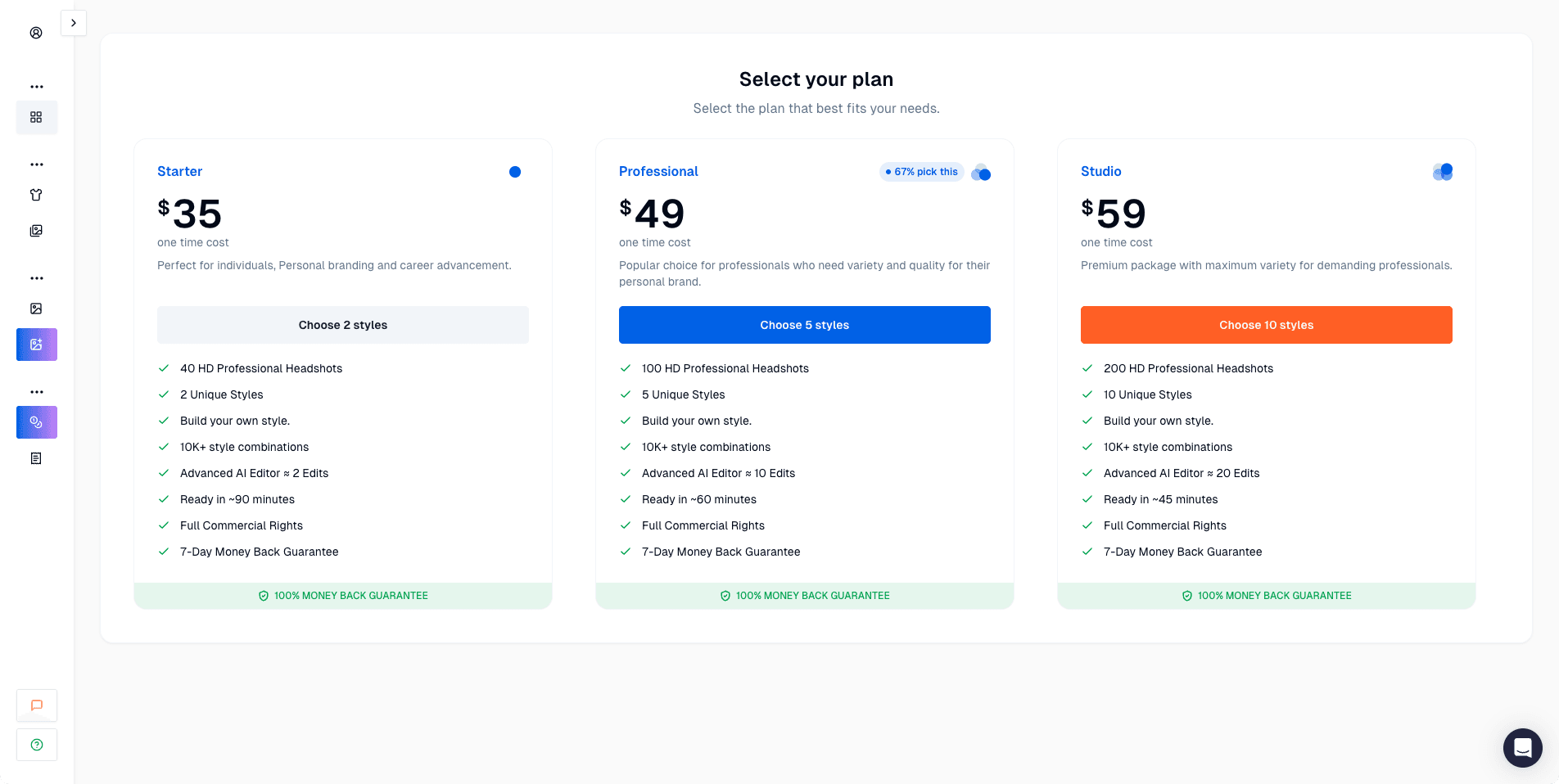 Pricing starts in the premium range and can get expensive with add-ons.
Results dashboard + editor
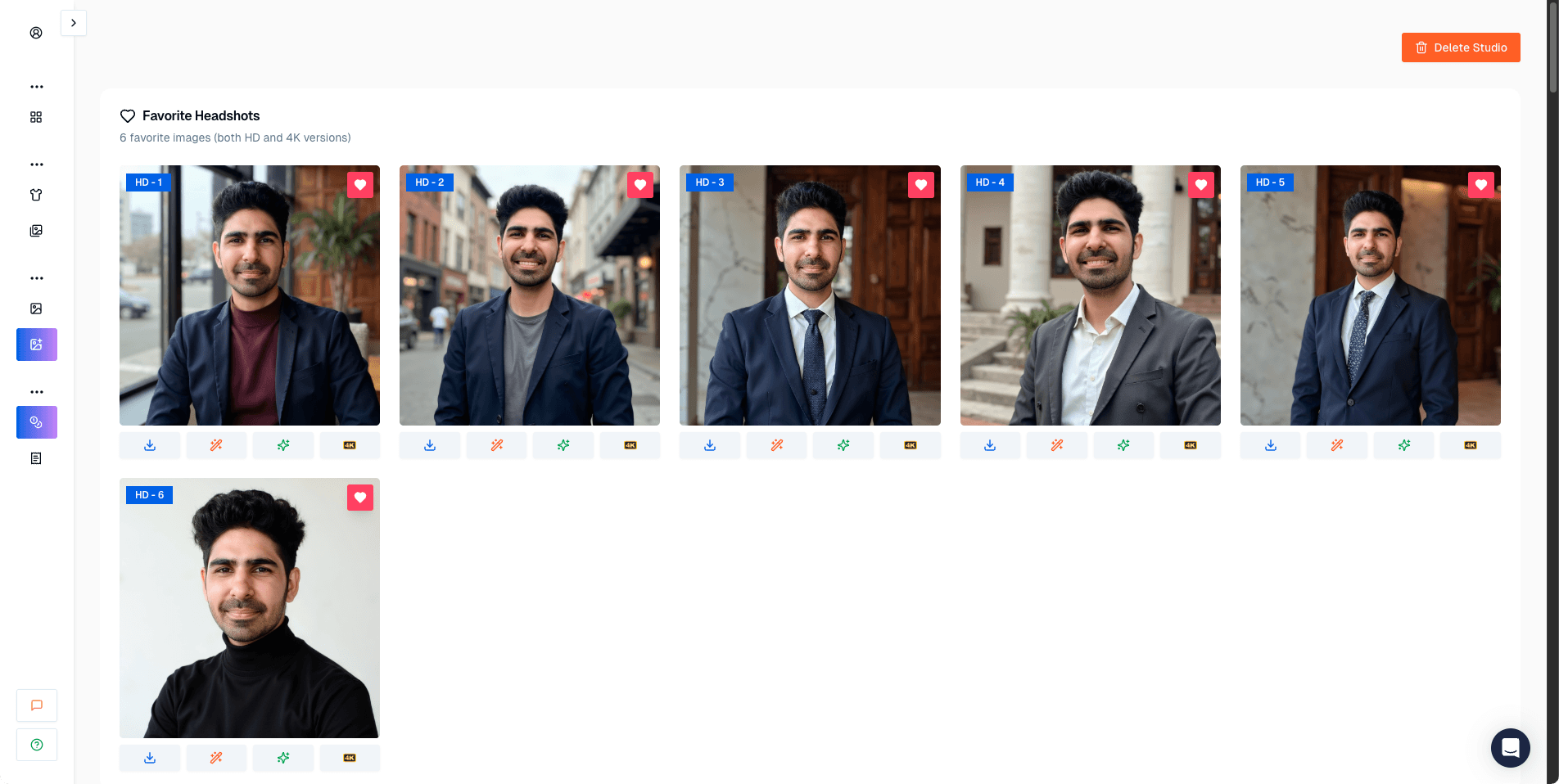 The favorites workflow is good. You’ll need it because you will get near-misses.
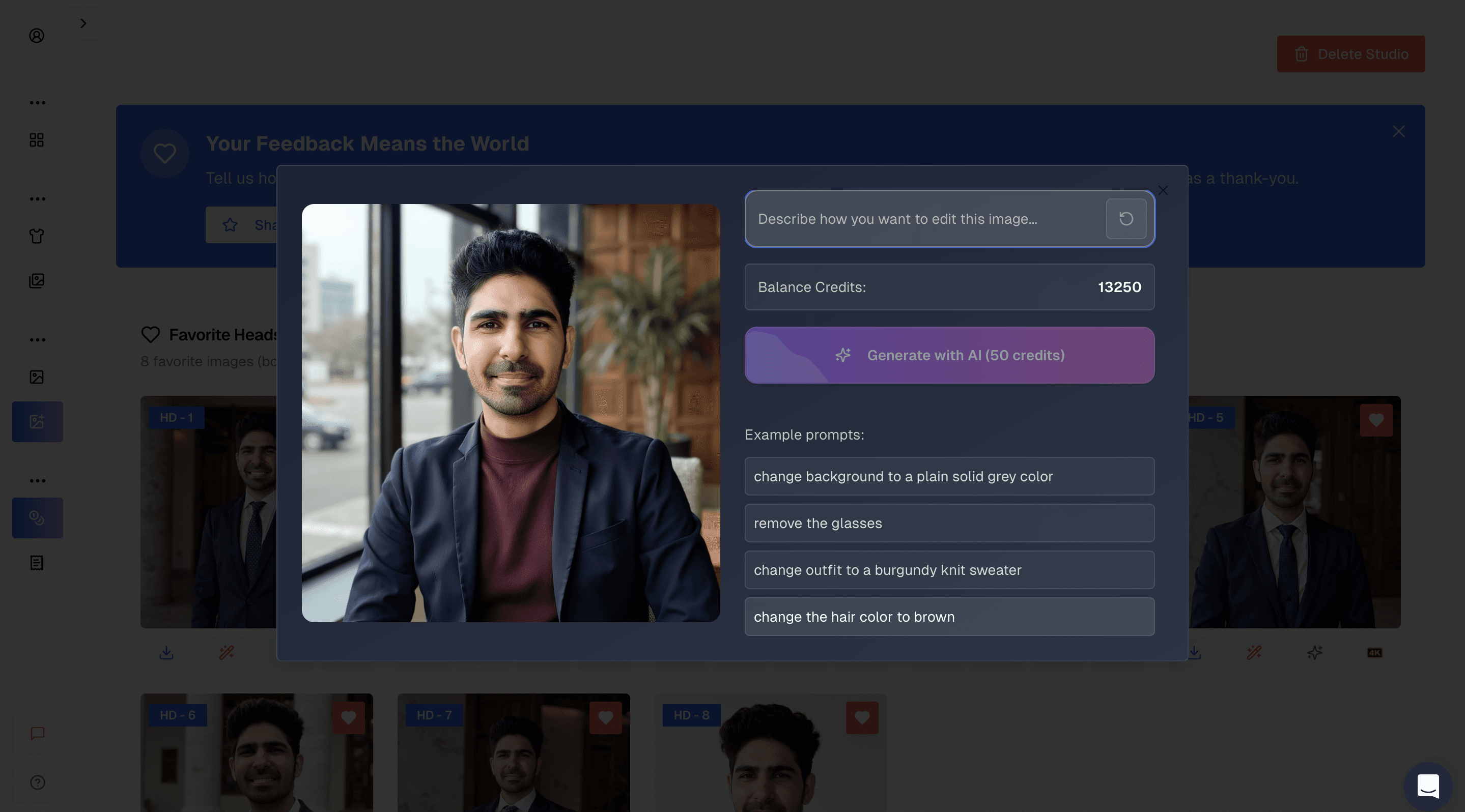 “Before” edit example.
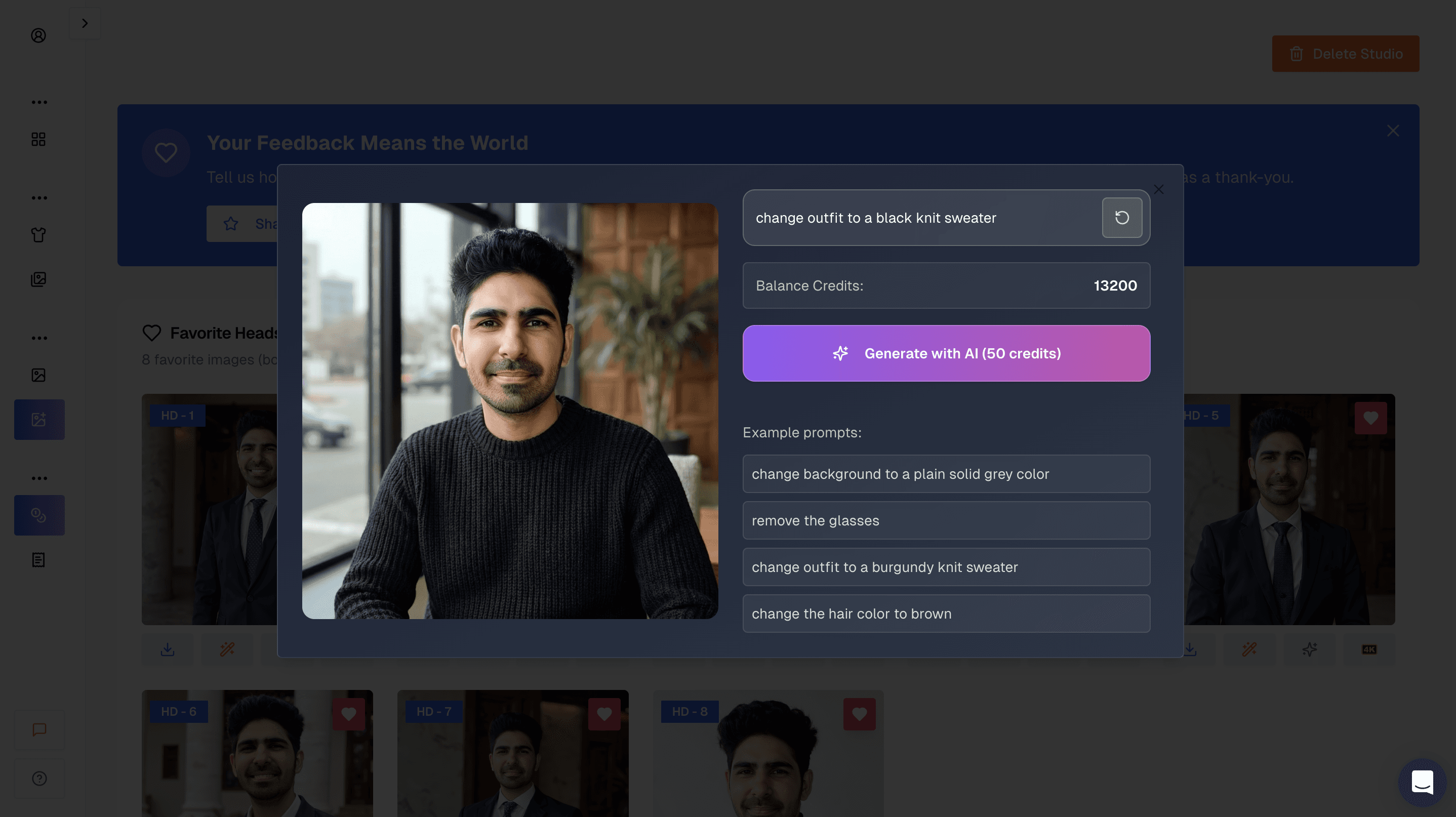 “After” edit example. Like most tools, non-face edits are more reliable than face edits.
ProShoot Headshot Quality
Face likeness
ProShoot’s strongest trait is that it preserves identity better than most tools.
In many outputs, the face shape, proportions, and overall “recognizability” are strong enough that:
- friends and family would recognize you instantly
- the image still feels like the same person across multiple headshots
This is the exact thing that breaks for many other generators.
Realism and skin texture
ProShoot tends to avoid the overly airbrushed look. Skin texture often looks more natural.
But realism comes with a tradeoff:
- clothing wrinkles show up
- lighting sometimes feels home-shot instead of studio-shot
In other words: it can look realistic, but not always “perfect.”
My ProShoot Results (Examples + What I Learned)
Here are the ProShoot results I included in the main guide, with the same practical analysis.
 This is my favorite from all the tools because it has accurate face and body composition.
 The face likeness is great again, but the outfit presentation is less polished.
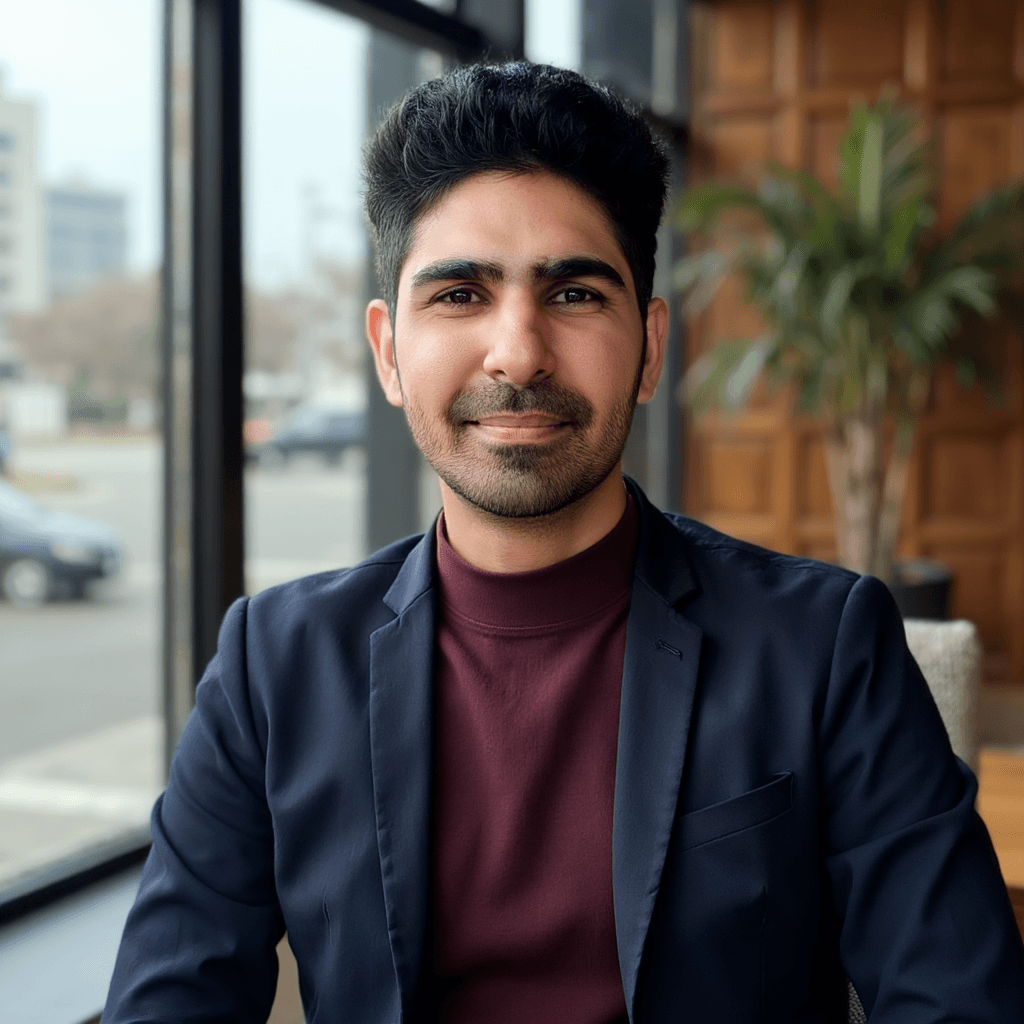 Good face likeness, but the blazer looks not polished. This is the kind of image the editor can help salvage.
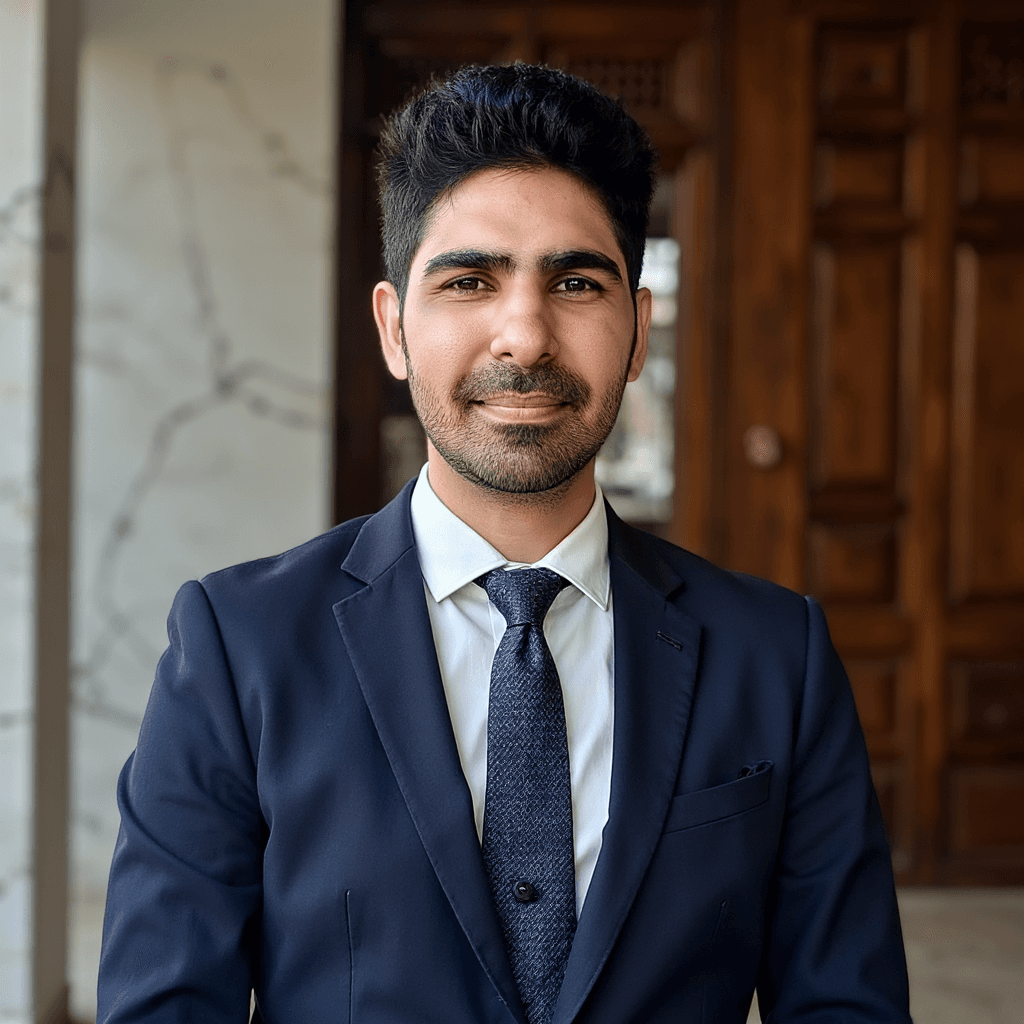 Another strong face, but you can see a small artifact (button/tie area).
Body Composition (The “Not Perfect” Side of ProShoot)
ProShoot generally keeps the face accurate, but body composition can drift.
The most common pattern I noticed:
- the person can look slightly skinnier than real life
It’s not always a deal-breaker, but it’s worth knowing if you care about full-frame accuracy.
Editing Tools: What ProShoot Can and Cannot Fix
ProShoot’s editor is useful for:
- background adjustments
- outfit tweaks
- small presentation improvements
But like every tool I tested:
- face-specific editing (teeth, eyes, exact facial identity) is still unreliable
That’s not a ProShoot-only weakness. It’s a category-wide limitation.
Pricing: What It Actually Costs
ProShoot pricing starts around $35 for 40 headshots, which is already in the premium range.
A few cost details that matter:
- additional headshots add cost
- 4K exports can be priced in a way that feels expensive per image
My opinion:
- If you just need a profile photo, you probably don’t need 4K exports.
- A good base-size image is enough for LinkedIn and most professional uses.
Refunds and Policies
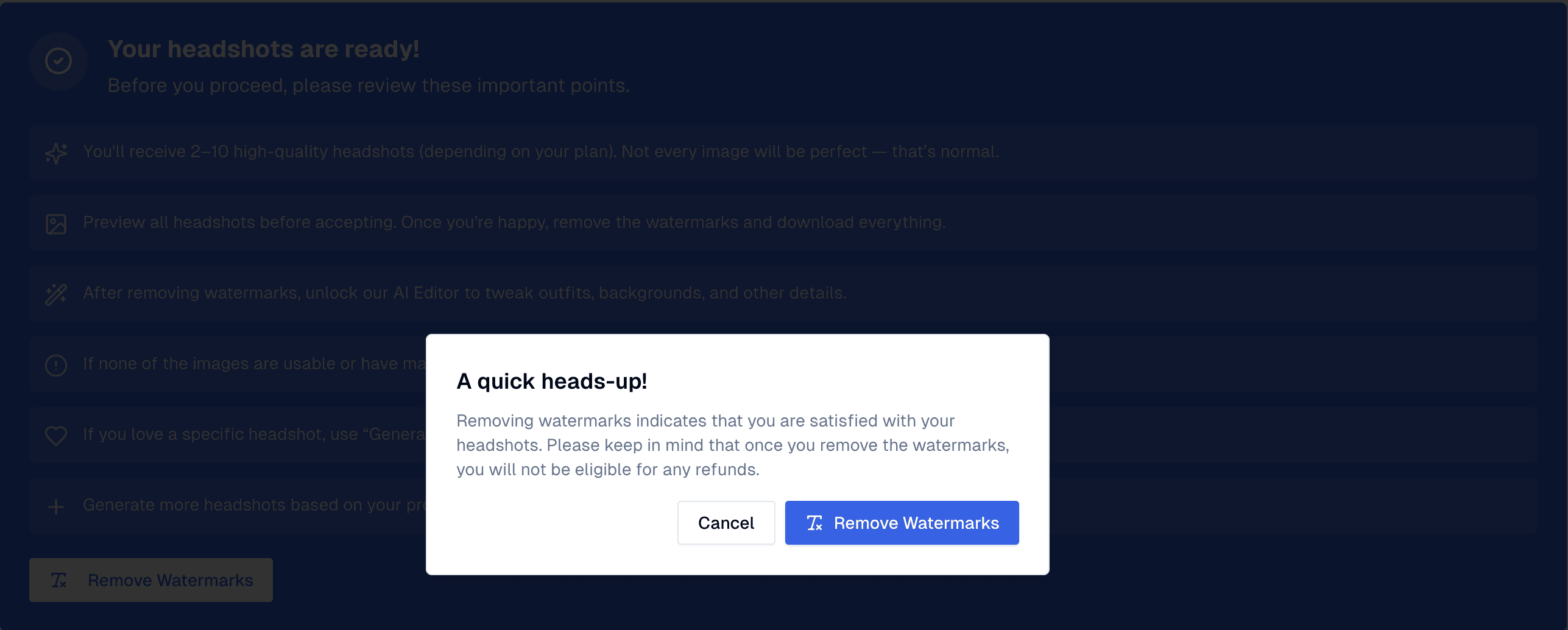 Refund warning: watermark removal can affect eligibility. Read the policy before you do anything irreversible.
My practical advice here:
- treat refund terms as part of the product
- don’t assume every AI tool refunds “bad results” automatically
Privacy and Data Handling
ProShoot states:
- generated images are deleted after 30 days
- uploaded images are deleted after 7 days
- manual deletion is available
If privacy matters to you, I still recommend deleting your data after you download what you need.
Turnaround Time
In my testing, the full process took about 45 minutes.
It’s not slow in an absolute sense, but compared to faster tools, it’s on the slower side.
Pros and Cons
Pros ✅
- Best face likeness among the tools I tested
- Strong photorealism
- Very recognizable outputs
- Flexible style system
- Useful editor for non-face refinements
Cons ❌
- Style builder UI is confusing at first
- Some outputs look DIY rather than studio-polished
- Higher overall cost compared to most tools
- Body composition can drift
Who ProShoot Is Best For
ProShoot is a great fit if:
- you want LinkedIn-ready headshots that still look like you
- you’re optimizing for realism over glamor
- you don’t mind spending time selecting styles
ProShoot is not a great fit if:
- you want a quick “one-click” experience
- you want high glamour polish more than realism
Alternatives (If ProShoot Isn’t Right for You)
If ProShoot feels too expensive or you might prefer a tool that prioritizes presentation and styling.
Two options that often make sense depending on your goal:
- For more glamorous and editable results: Aragon AI
- For minimal-input workflow with decent professional styling: DreamWave AI
FAQs
Is ProShoot good for LinkedIn headshots?
Yes. If your top priority is looking like yourself, ProShoot is one of the best options I tested. It tends to keep facial structure and overall identity more consistent than most generators, which is exactly what you want for LinkedIn and team pages.
Does ProShoot look realistic or does it look AI-generated?
Most outputs look realistic, especially in skin texture and lighting. The tradeoff is that ProShoot can sometimes look too real, meaning you may see outfit wrinkles, imperfect lighting, or small imperfections that more “beauty-style” tools smooth out.
How many photos do you need for ProShoot?
Minimum 8 photos are required.
How much does ProShoot cost?
In my testing, pricing started around $35 for 40 headshots. Costs can increase with add-ons like extra images and higher-resolution exports.
Does ProShoot have a credit system?
Yes. ProShoot uses credits for certain exports and add-ons (for example, higher-resolution downloads). If you only need a strong profile photo for LinkedIn, you often don’t need the highest-resolution option.
How long does ProShoot take to generate headshots?
In my testing, it took about 45 minutes end-to-end.
Can ProShoot fix teeth, eyes, or face details with editing?
ProShoot’s editor is useful for non-face improvements (like outfit/background tweaks). But like every tool I tested, face-specific edits (teeth, eyes, identity corrections) are still unreliable.
Does ProShoot offer refunds?
Yes but always read the refund policy. (for example, watermark removal can affect eligibility).
What happens to my photos after I upload them?
ProShoot states that uploaded images are deleted after 7 days and generated images are deleted after 30 days, and they provide manual deletion from the dashboard.
Final Verdict
ProShoot is the easiest recommendation if your goal is simple:
get the highest face likeness possible from an AI headshot generator.
It’s not flawless. The UI needs work, the photos can sometimes look a bit too “real,” and body composition can drift.
But if you’re choosing a tool for LinkedIn, a company bio, or any scenario where identity matters, ProShoot consistently performs where many tools fail.
Use promo code AIHEADSHOT to get additional 10% off.