- Published on
Best AI Profile Picture Generators (Realistic PFPs + Selfies for 2026)
Quick Navigation
- Introduction
- TL;DR (Fast Picks)
- How I tested these tools
- Quick Comparison (Profile Picture Focus)
- Before You Use Any AI Profile Picture Generator
- Best AI Profile Picture Generators (Full Breakdown)
- Common Mistakes That Make AI Profile Pictures Look Bad
- How to Choose the Best AI Profile Picture Generator (Cheat Sheet)
- FAQs
- Final Verdict
Introduction
If you are searching for the best AI profile picture generator, you probably want a profile photo that looks like you on a good day.
Not a cartoon. Not a hyper-polished AI face. Just a profile picture that feels real enough to use.
The tricky part is that “profile picture” means different things:
- LinkedIn profile pictures are about trust and face likeness.
- Dating profile pictures are about vibe, presentation, and looking your best.
- Creator/social profile pictures can be more stylized as long as it still feels like you.
So this guide is not a random list.
It is based on actual testing using the same dataset across tools so results are comparable.
If you want our main comparison page, start here:
If you want the step-by-step workflow first (what to upload, what to avoid, and how to curate results), start with How to make AI headshots.
Also, if you specifically want a dating-focused guide or a LinkedIn-focused guide, these two are useful companion reads:
TL;DR (Fast Picks)
If you want the quick answer:
| Tool | Best For | Quick verdict |
|---|---|---|
| ProShoot | Face likeness | ✅ Most recognizable results, ✅ realistic skin texture |
| Aragon AI | Dating and social | ✅ Best styling and customization, ❌ face likeness can drift |
| DreamWave | Low-friction workflow | ✅ Easy workflow, ✅ polished styles, ❌ likeness is not top tier |
| PortraitPal | - | ❌ Weak control, ❌ inconsistent results for the price |
If you want a longer, tool-by-tool breakdown with screenshots, keep reading.
How I tested these tools
I tested these tools using the same input dataset across reviews.
The dataset belongs to my friend Jason, who agreed to let me use his photos specifically for these tests.
Jason input photo dataset

img-20250215-wa0030.jpg
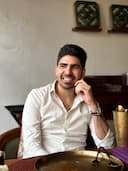
img-20250727-wa0035.jpg

img20240827165746.jpg

img20240827172659.jpg

img20241123200716.jpg

img20250503182919.jpg

img20251003083002.jpg

img20251004131001.jpg
What we scored
For profile pictures, I care about a slightly different mix compared to pure corporate headshots:
- Face likeness (do you still look like you?)
- Realism (skin texture, lighting, shadows)
- Profile usability (does it work for real accounts, not just a thumbnail?)
- Artifacts (teeth, hair edges, clothing seams)
- Control (styles, outfits, backgrounds)
Quick Comparison (Profile Picture Focus)
These are the same tools and the same dataset, just framed around profile picture goals.
| Tool | Face likeness | Style and presentation | Editing control | Best for |
|---|---|---|---|---|
| ProShoot | ✅ highest | ✅ realistic, less “glamour” | ✅ (non-face edits) | LinkedIn, high-trust profiles |
| Aragon AI | ❌ weaker than best | ✅ best styling | ✅ strong editor | Dating and social profiles |
| DreamWave | ✅ acceptable | ✅ polished | ✅ strong editor | Fast, low-friction profile pics |
| PortraitPal | ❌ inconsistent | ❌ behind modern tools | ❌ | Testing only |
Before You Use Any AI Profile Picture Generator
These two rules matter more than people think:
Rule 1: Do not upload AI-generated photos as input
If you upload AI images back into a generator, you can compound artifacts. It is one of the fastest ways to get weird results.
Rule 2: Your input photos decide your output
If your uploads are 20 nearly identical selfies, the model has very little signal.
Best AI Profile Picture Generators (Full Breakdown)
1) ProShoot (Best for face likeness)
ProShoot impressed me the most when it comes to face likeness.
If your top priority is looking like yourself, this tool stands out immediately.
What ProShoot is best for:
- LinkedIn and high trust profiles
- profile pictures where recognizability matters more than glamour
- people who want outputs that still feel like real photos
One detail that matters: ProShoot lets you build your own style pairs by combining outfits and backgrounds. It gives you flexibility, but it can feel confusing the first time.
👉 Read the full ProShoot review
Walkthrough screenshots
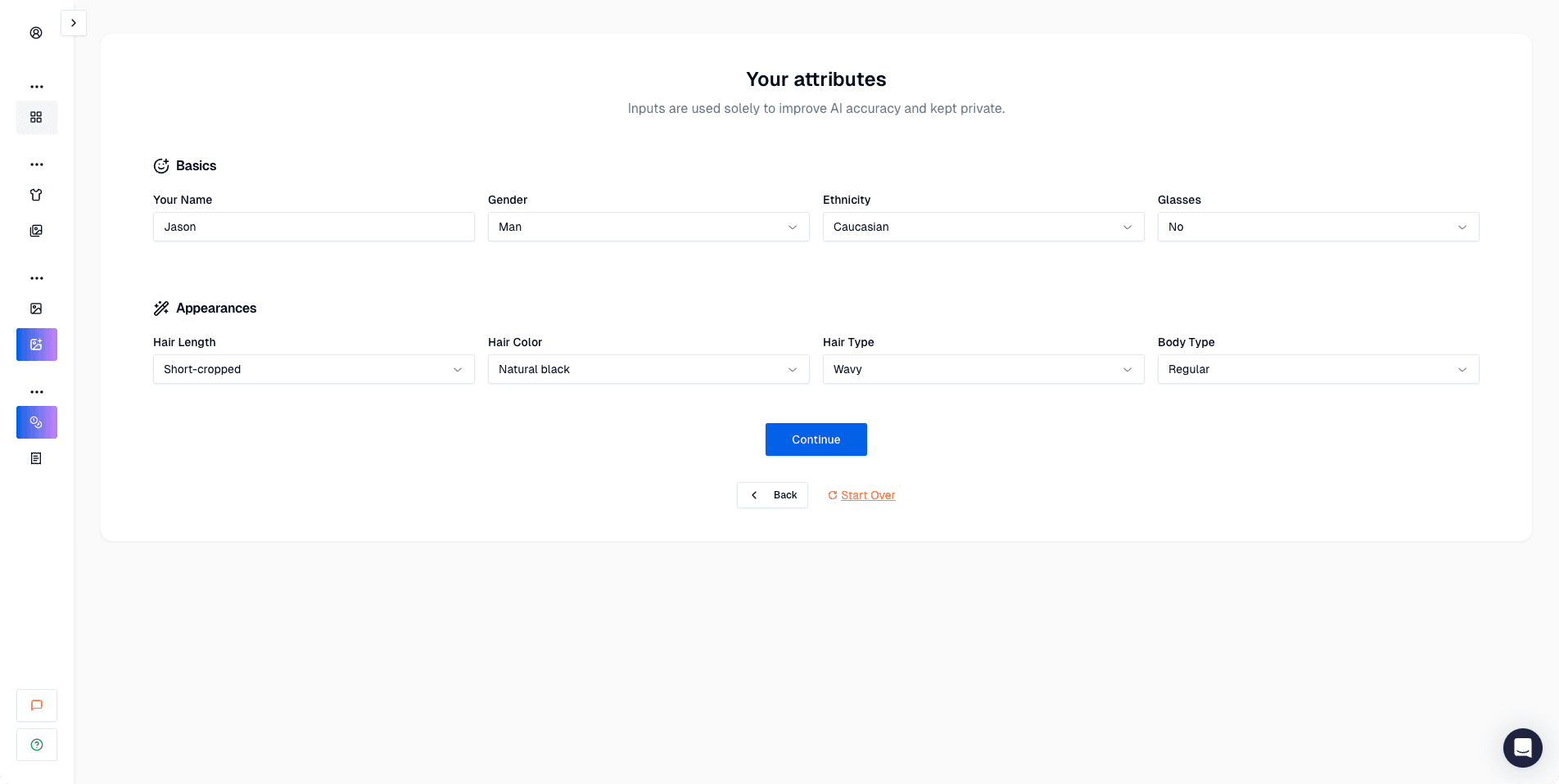 Attributes step. You set baseline details like hair, ethnicity, glasses, and body type.
 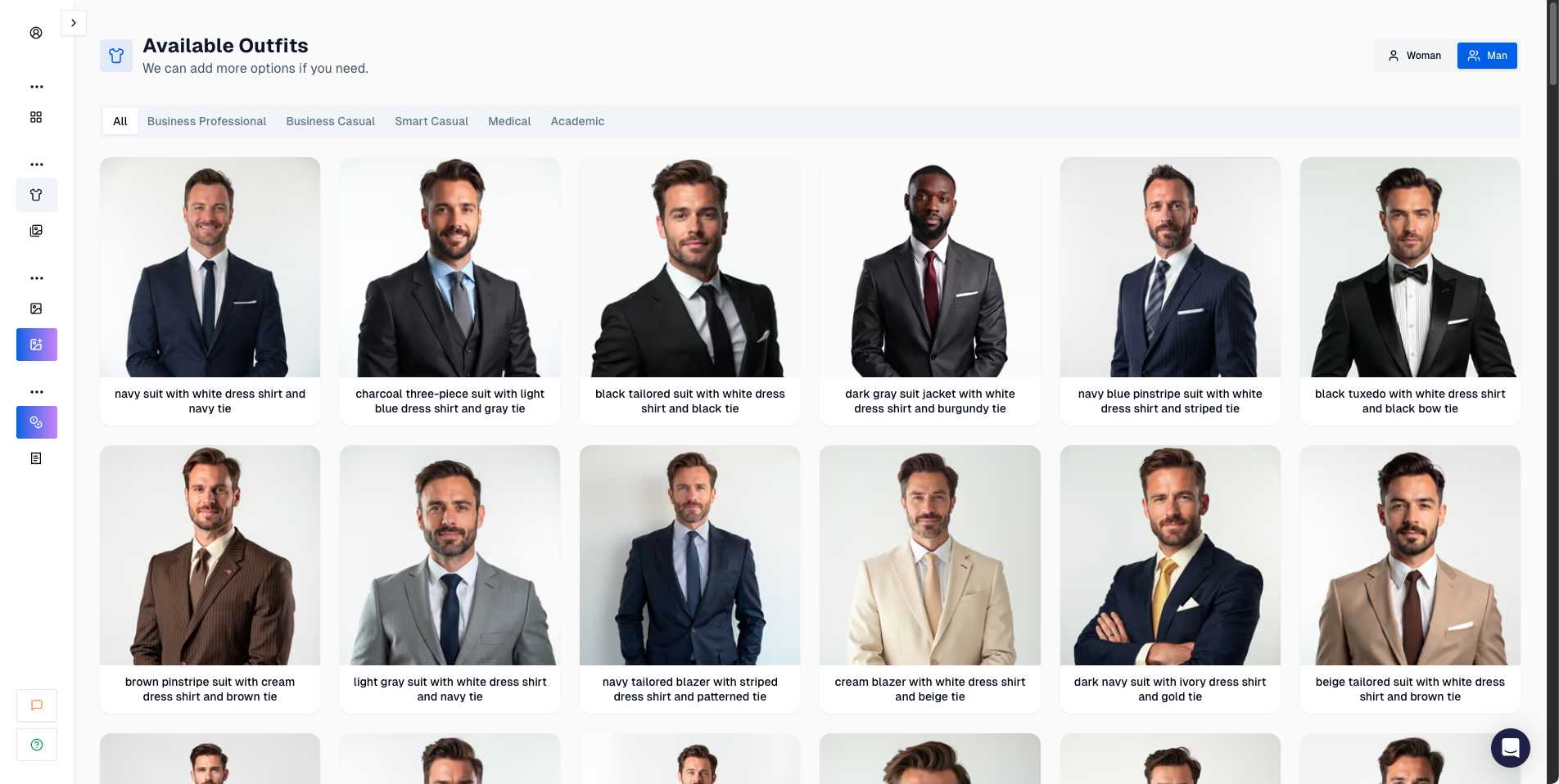 Outfit library. You choose the clothing options you want to generate.
 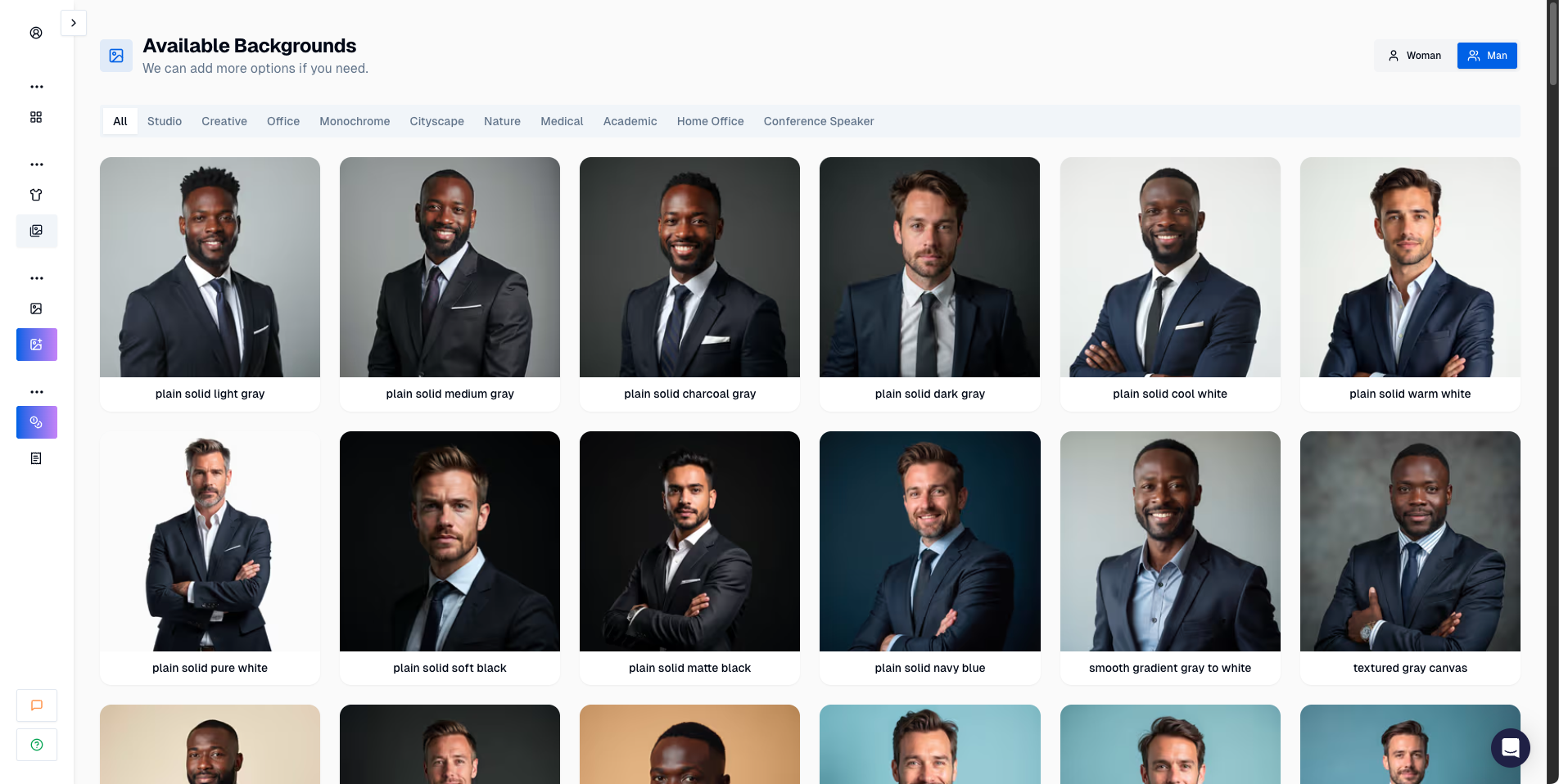 Background library. You can pick clean, realistic backdrops for profile use.
 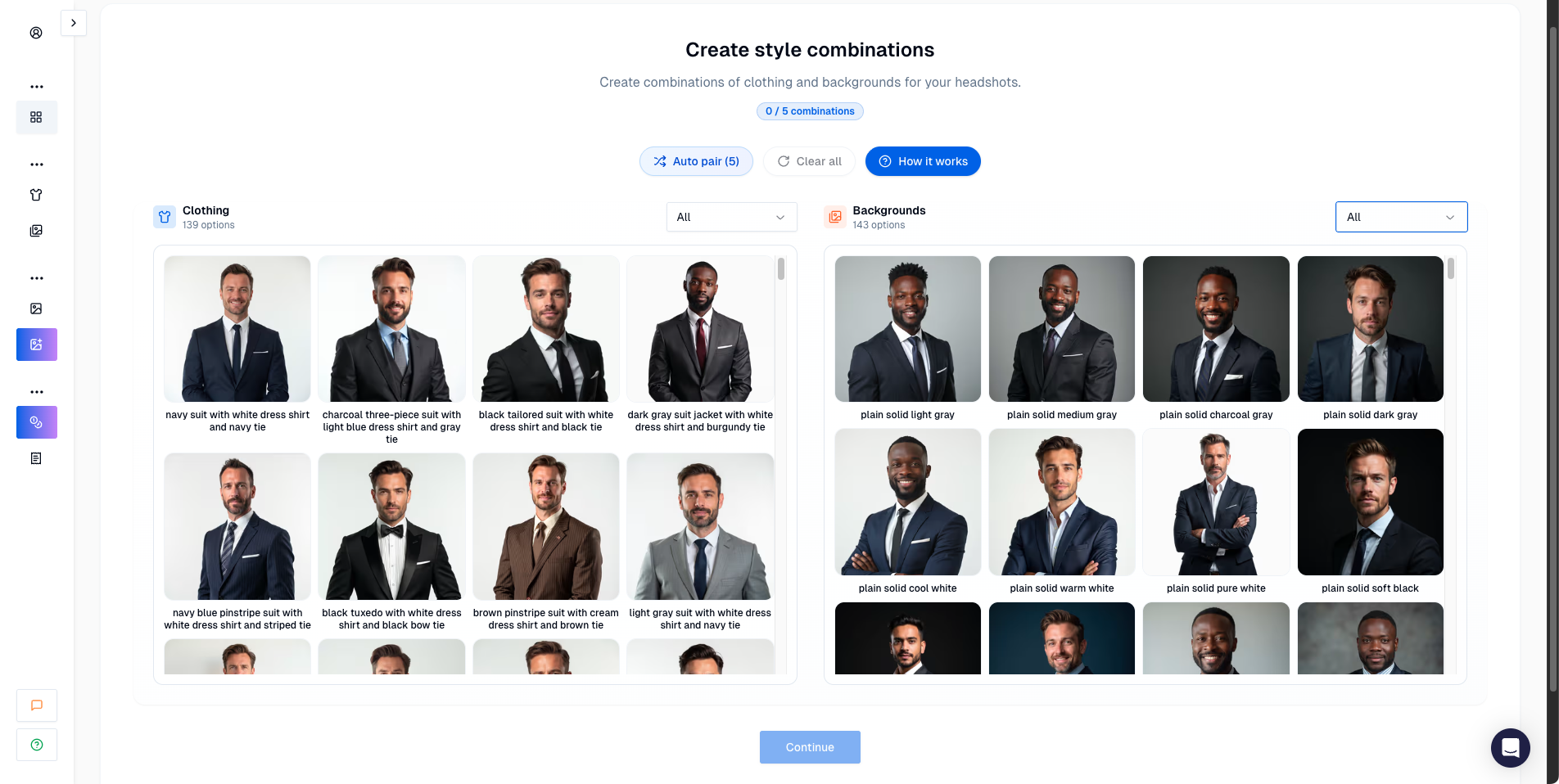 Style pairs. This is where ProShoot becomes powerful: combine outfits and backgrounds to generate multiple looks.
 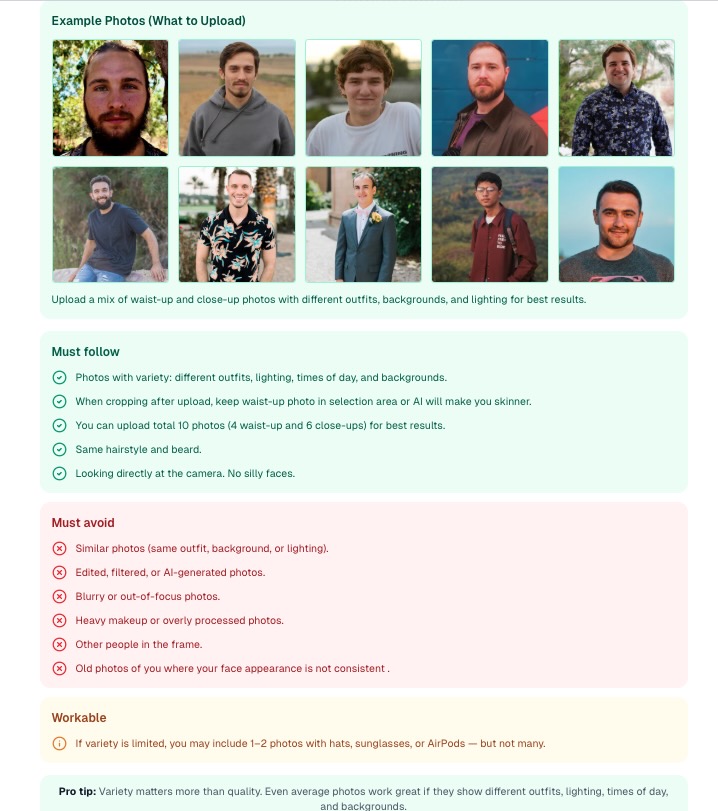 Upload guidelines. This is worth reading because your dataset quality drives your results.
Results (what I actually saw)
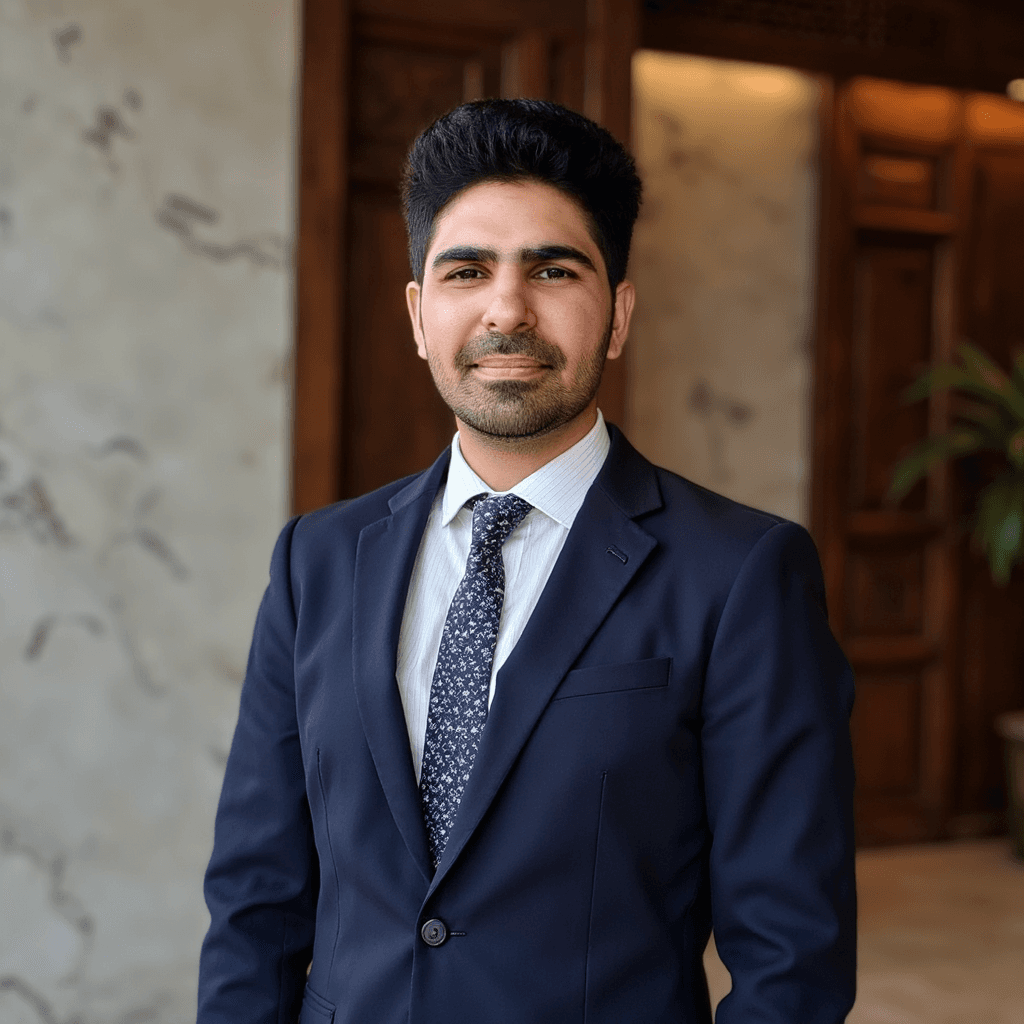 My favorite ProShoot result. Strong face likeness and believable overall look.
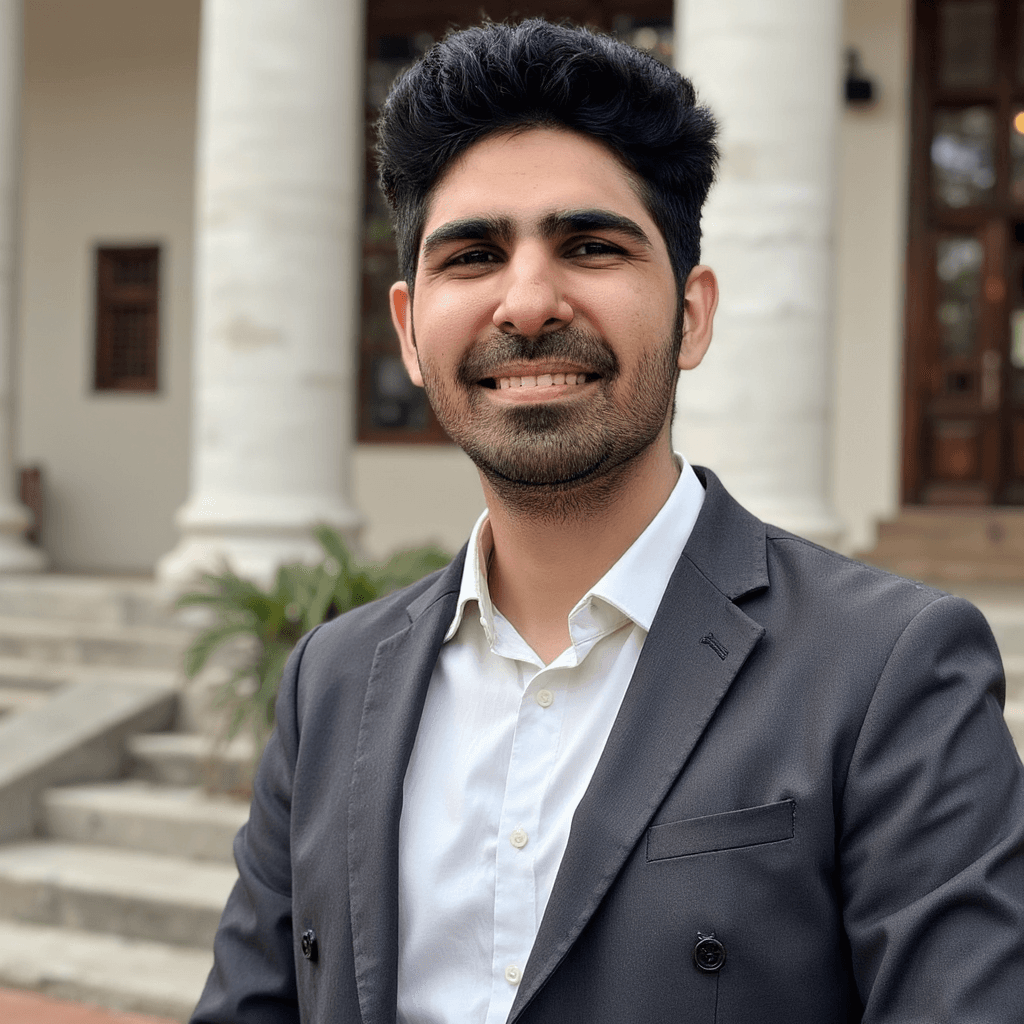 Great face likeness again, but the outfit presentation is less polished.
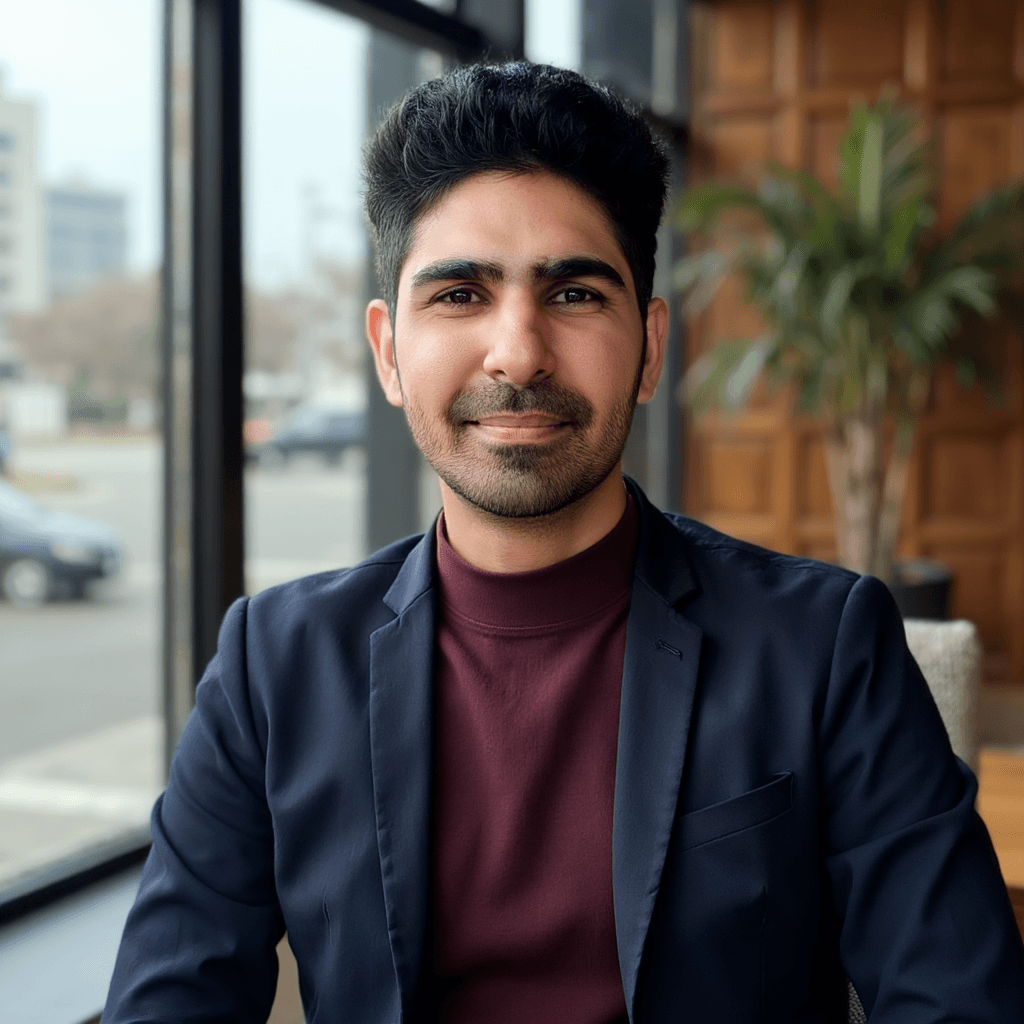 Good face likeness, but the blazer looks not polished. This is a good example of a near-miss.
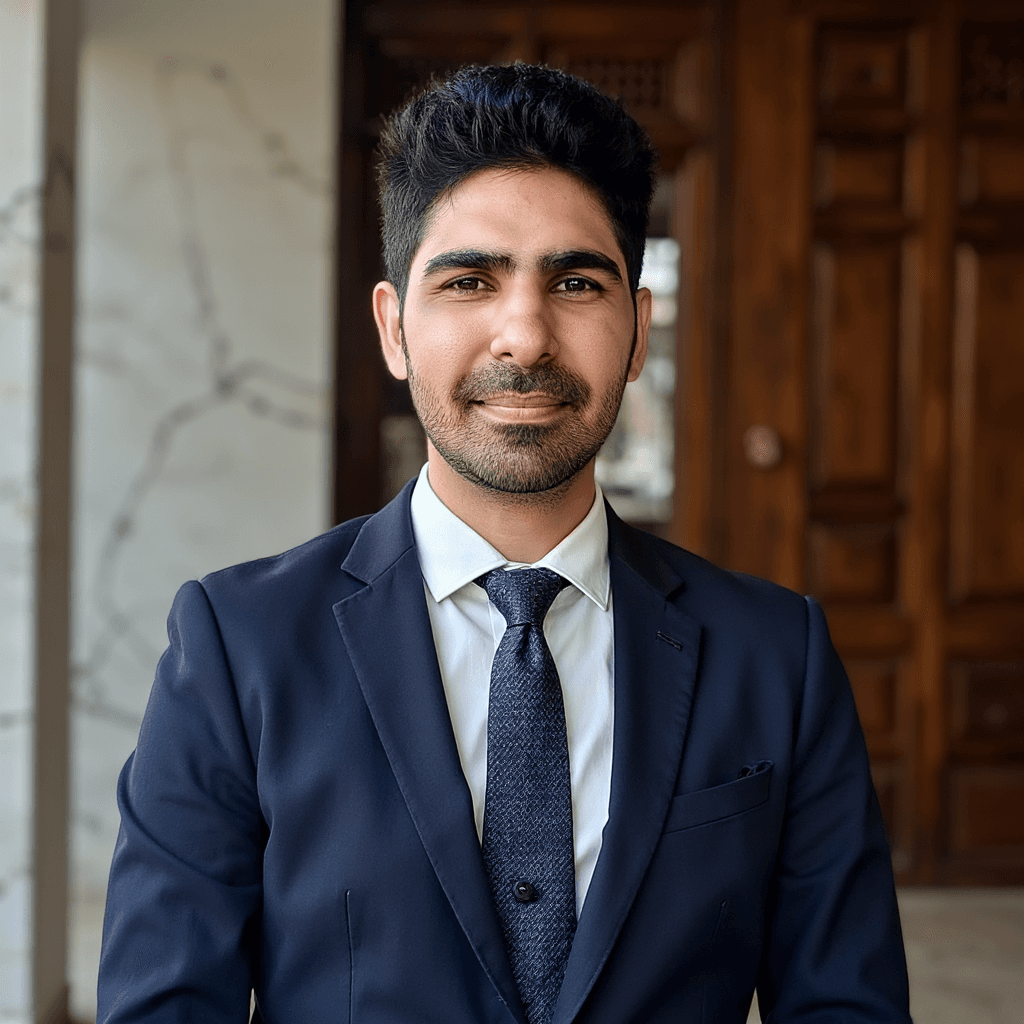 Another strong face, but you can see a small artifact around the button on tie area.
Pros ✅
- best face likeness among the tools I tested
- realism and natural skin texture
- results that feel like real photos, not AI beauty filters
Cons ❌
- some images look less studio-polished
- body composition can drift (the person can look slightly skinnier)
Pricing and editing notes:
- ProShoot pricing starts around $35 for 40 headshots.
- The editor is most useful for non-face adjustments like backgrounds and outfit tweaks. Face-specific fixes like teeth are still unreliable across tools.
Use promo code AIHEADSHOT to get additional 10% off.
2) Aragon AI (Best for dating and social profile pictures)
Aragon AI is one of the most polished AI headshot tools I tested.
The core tradeoff is simple:
What Aragon does well:
- presentation and style
- strong customization and editing tools
Where Aragon can disappoint:
- face likeness is weaker than the best identity-first tools
- skin can look overly smooth
- teeth artifacts and body composition drift can appear
What Aragon does better than most tools:
- a guided onboarding that is beginner friendly
- a built-in editor that lets you tweak background, pose, and attire after generation
- fast turnaround in my test (around 10 minutes)
- strong security and compliance standards
- refund policy exists, but eligibility can feel unclear
👉 Read the full Aragon AI review
Walkthrough screenshots
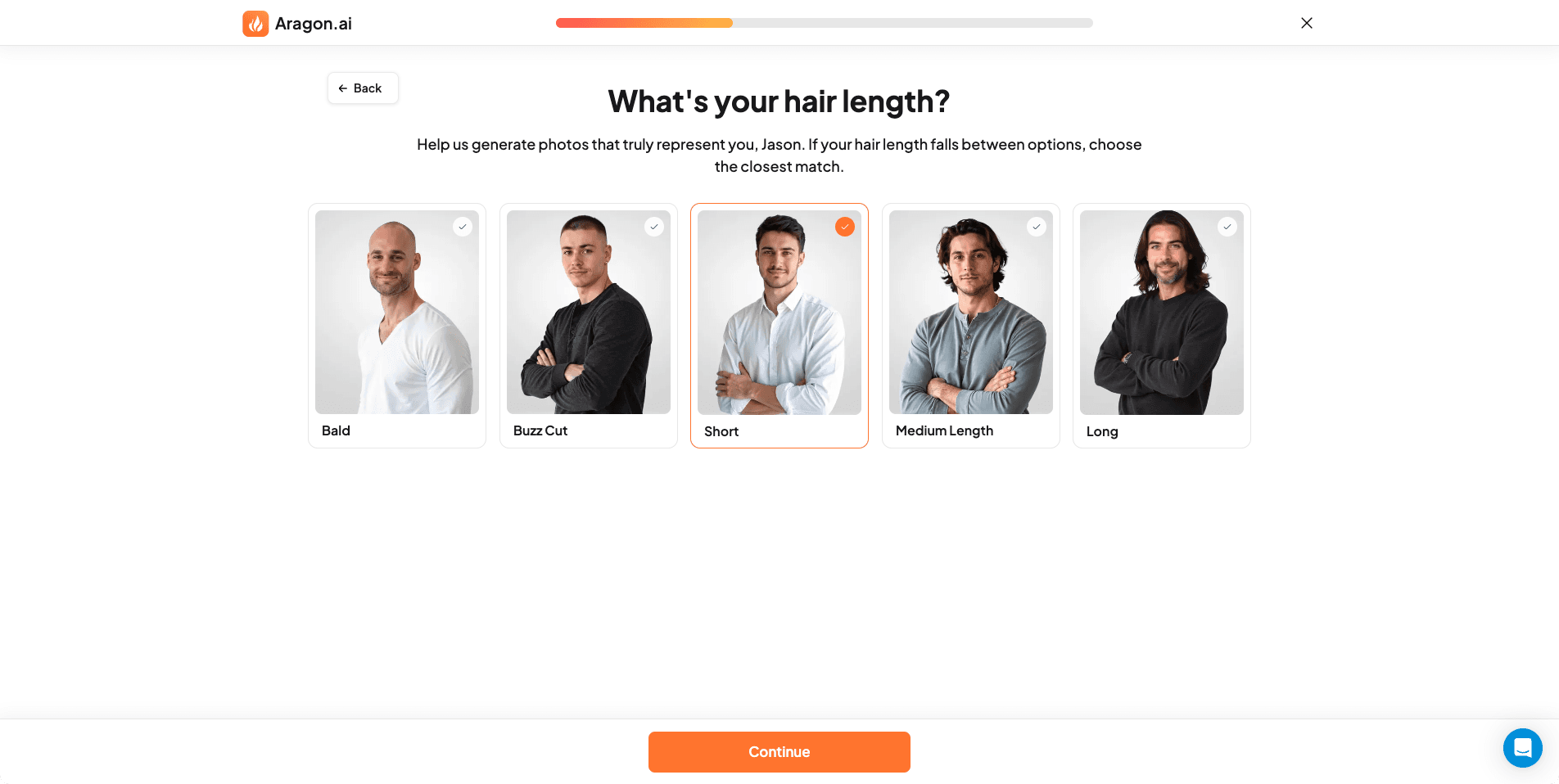 Hair length selection.
 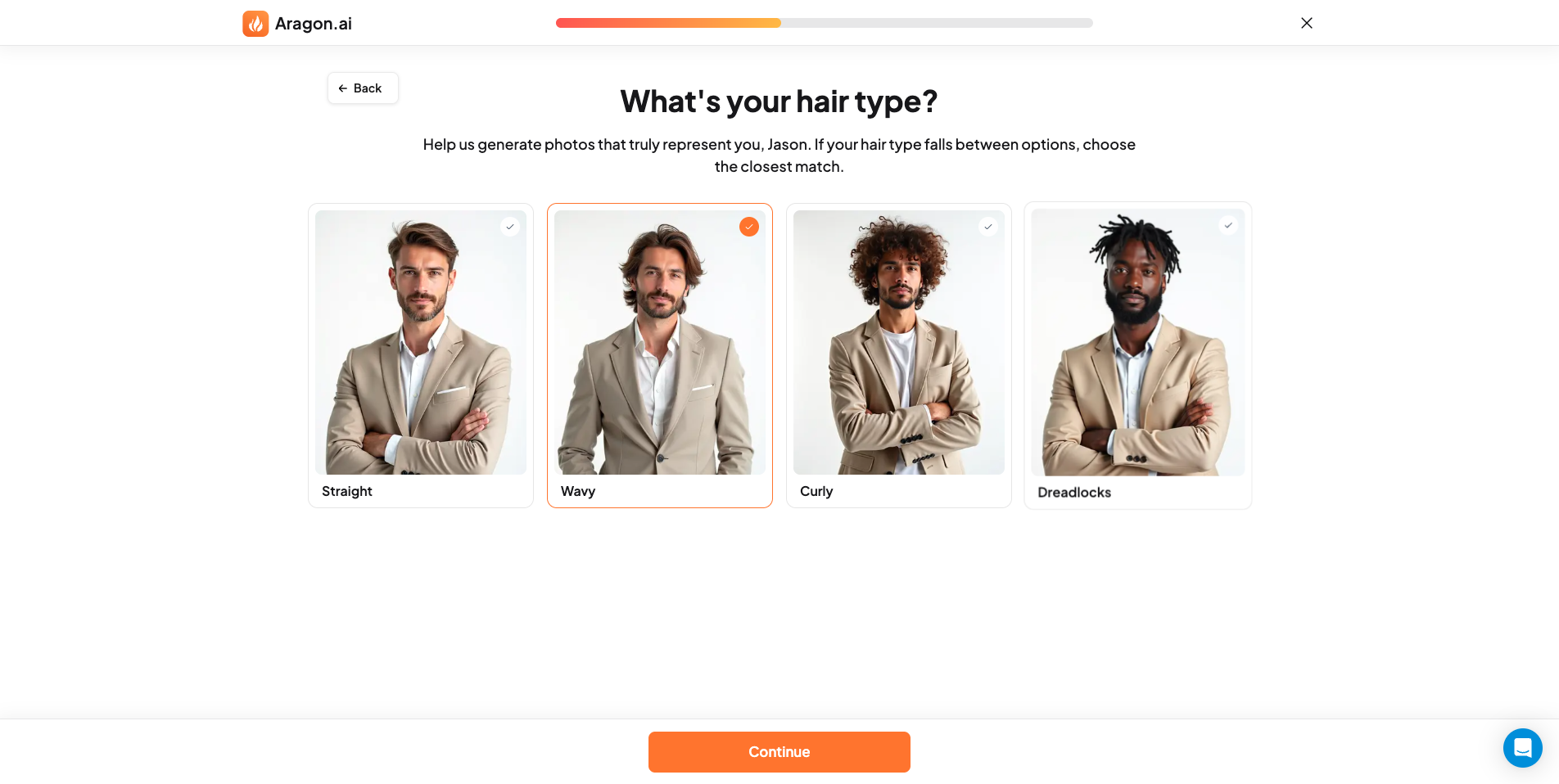 Hair type selection (straight, wavy, curly).
 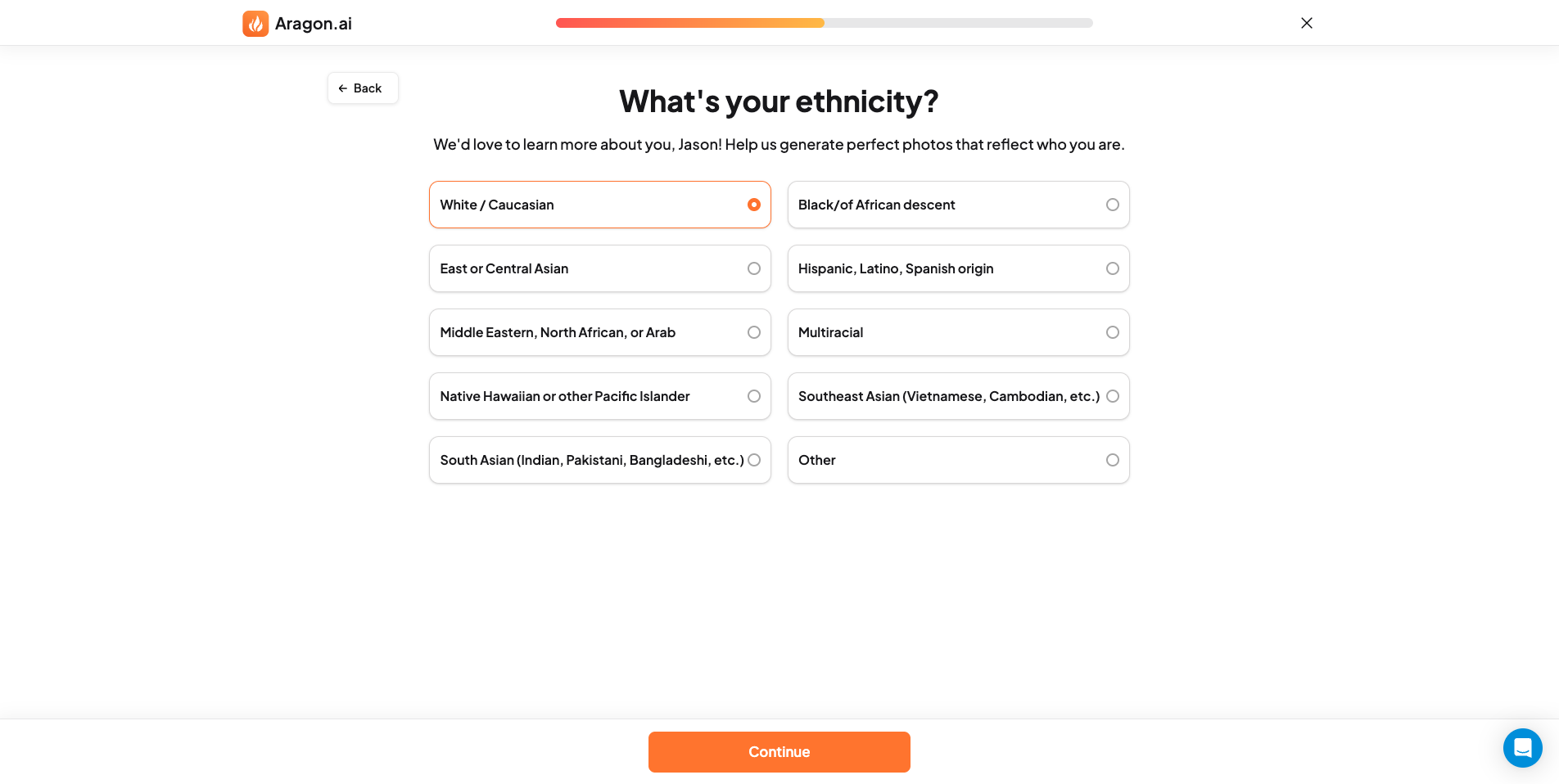 Ethnicity input is meant to reduce mismatches in skin tone and facial features.
  Attire selection is a big reason Aragon outputs look consistently styled.
 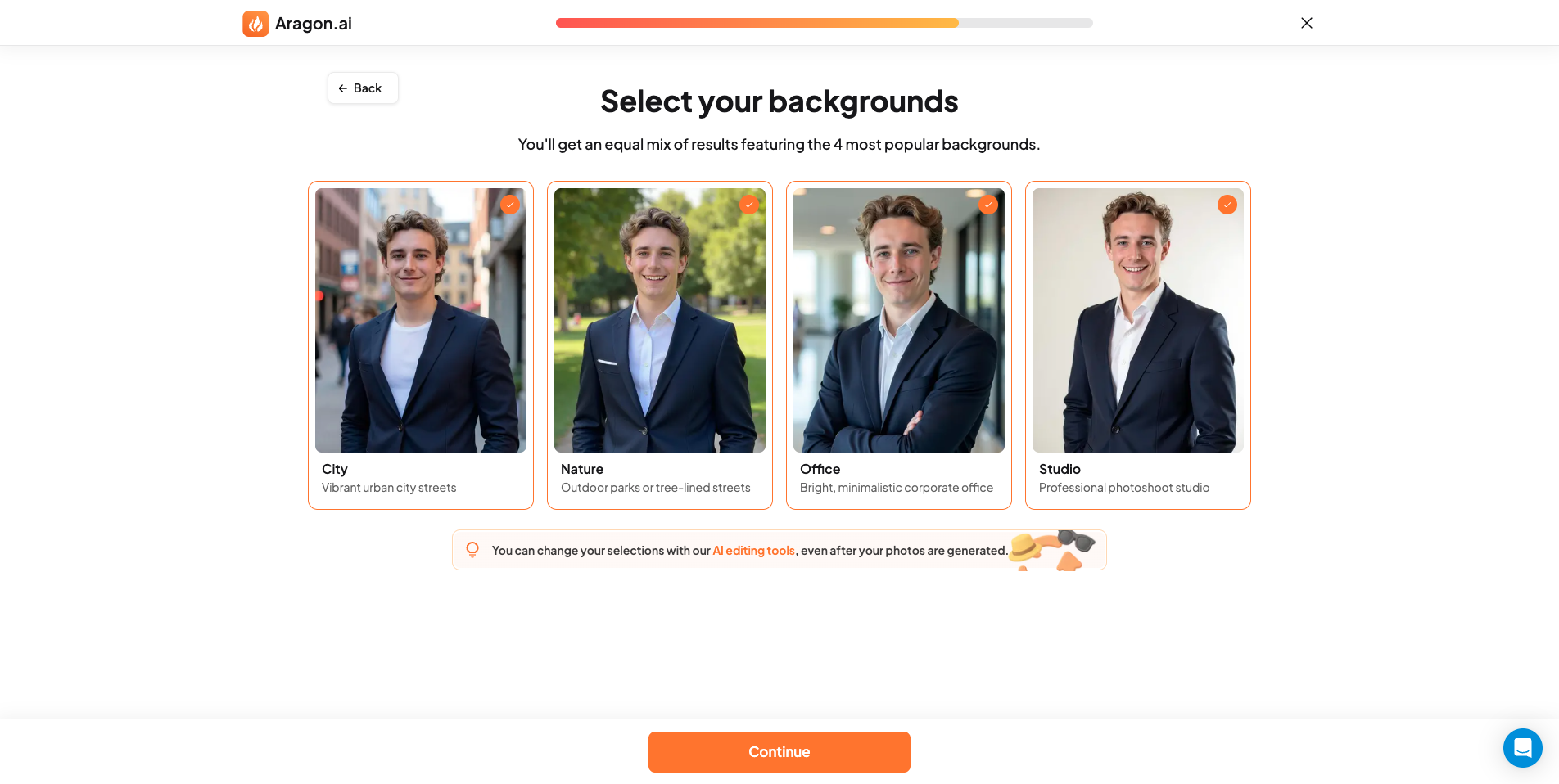 Background selection helps control context, but very studio-like scenes can feel a bit artificial.
 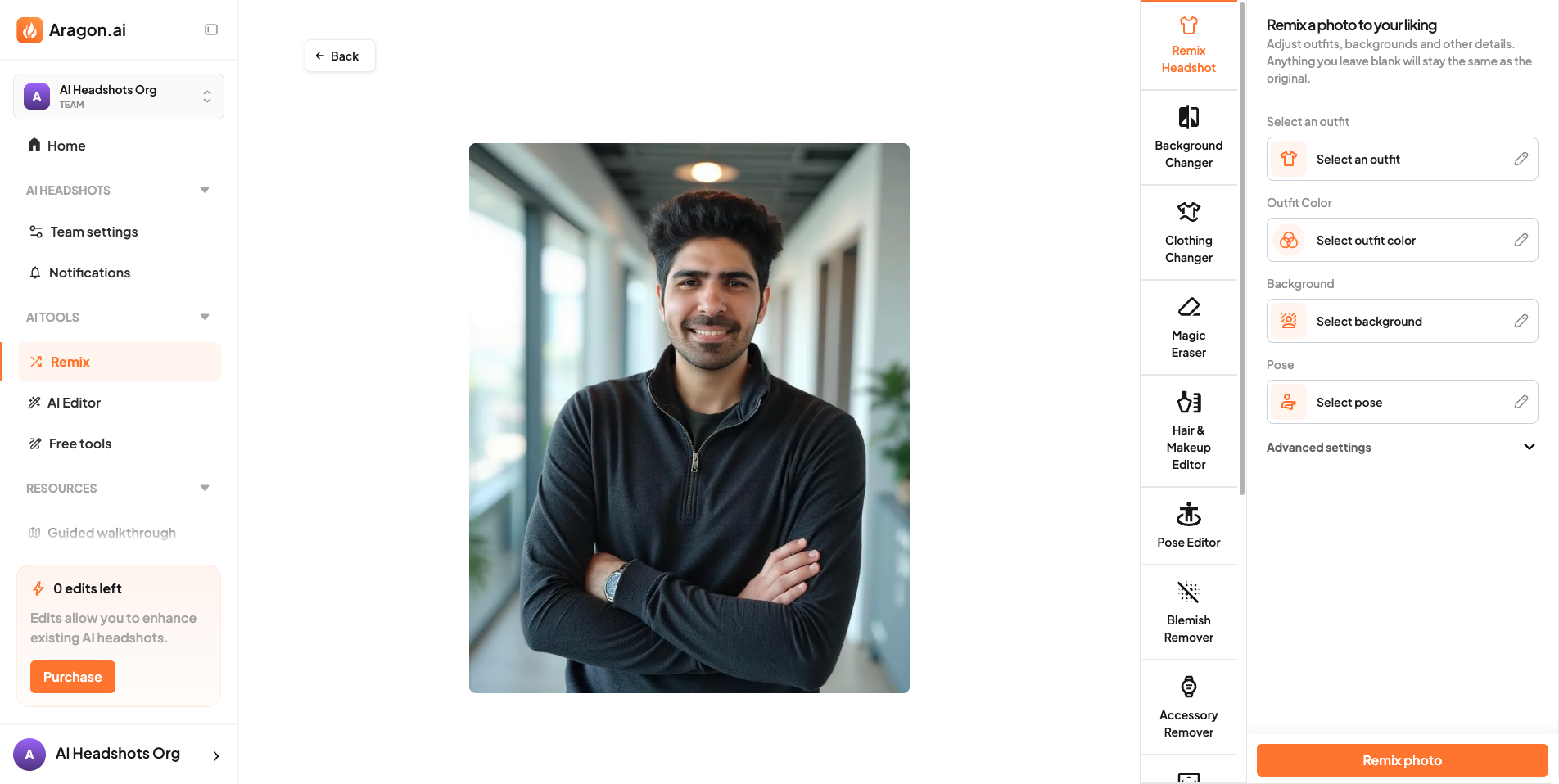 Built-in editor. Useful for rescuing near-miss images where the face is good but the outfit or background is not.
Results (what I actually saw)
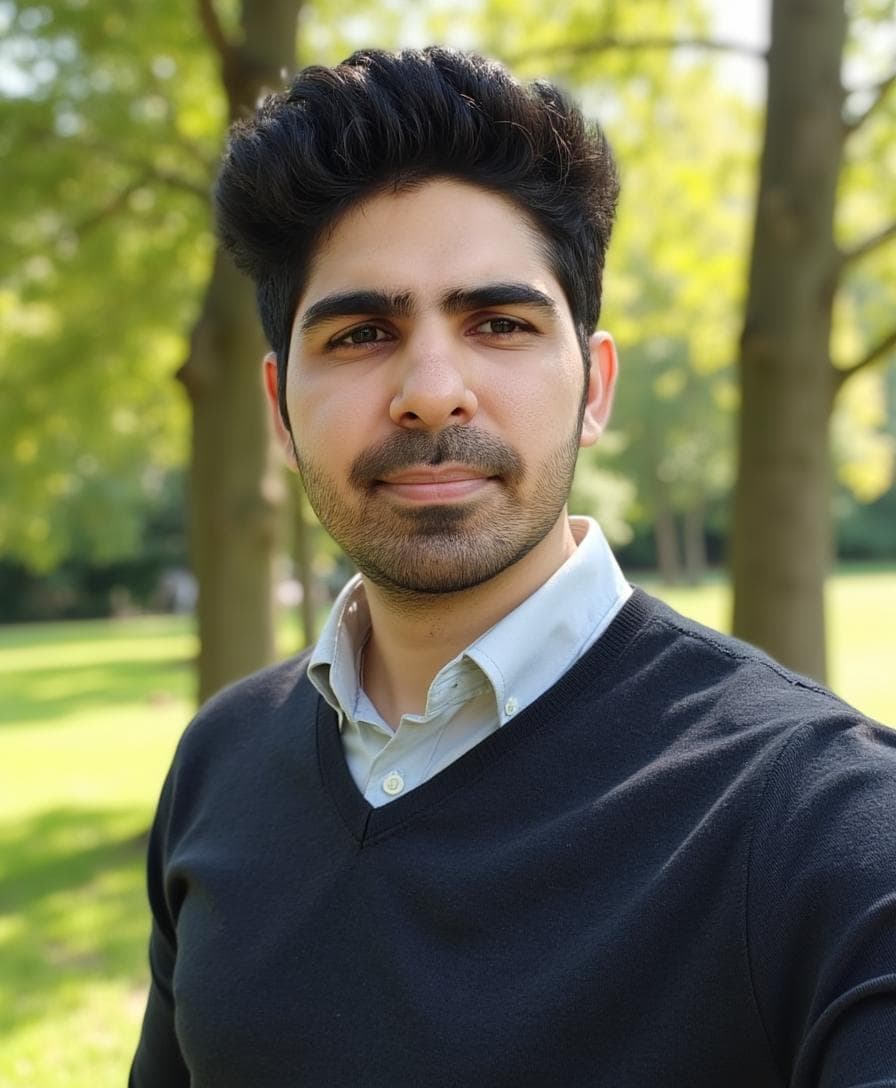 My favorite Aragon result. Styled, confident, and dating-ready.
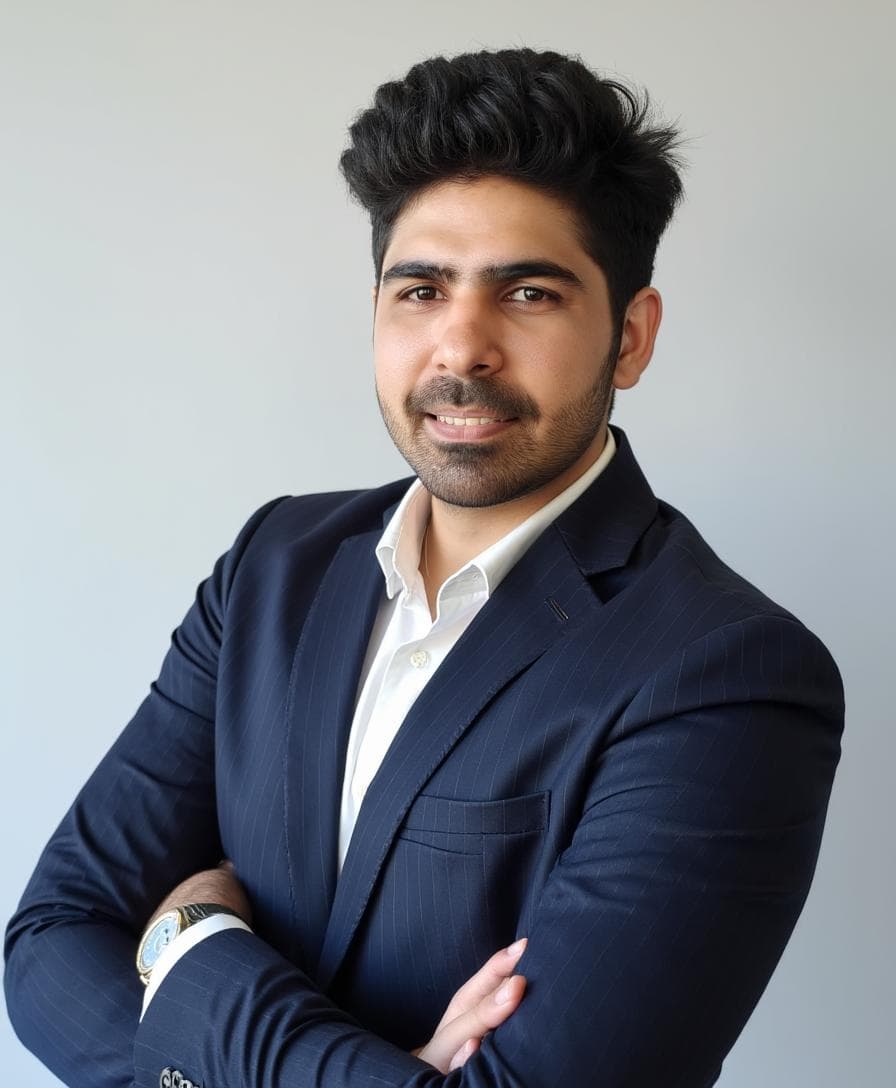 Teeth artifacts showed up often. This is one of the common failure modes.
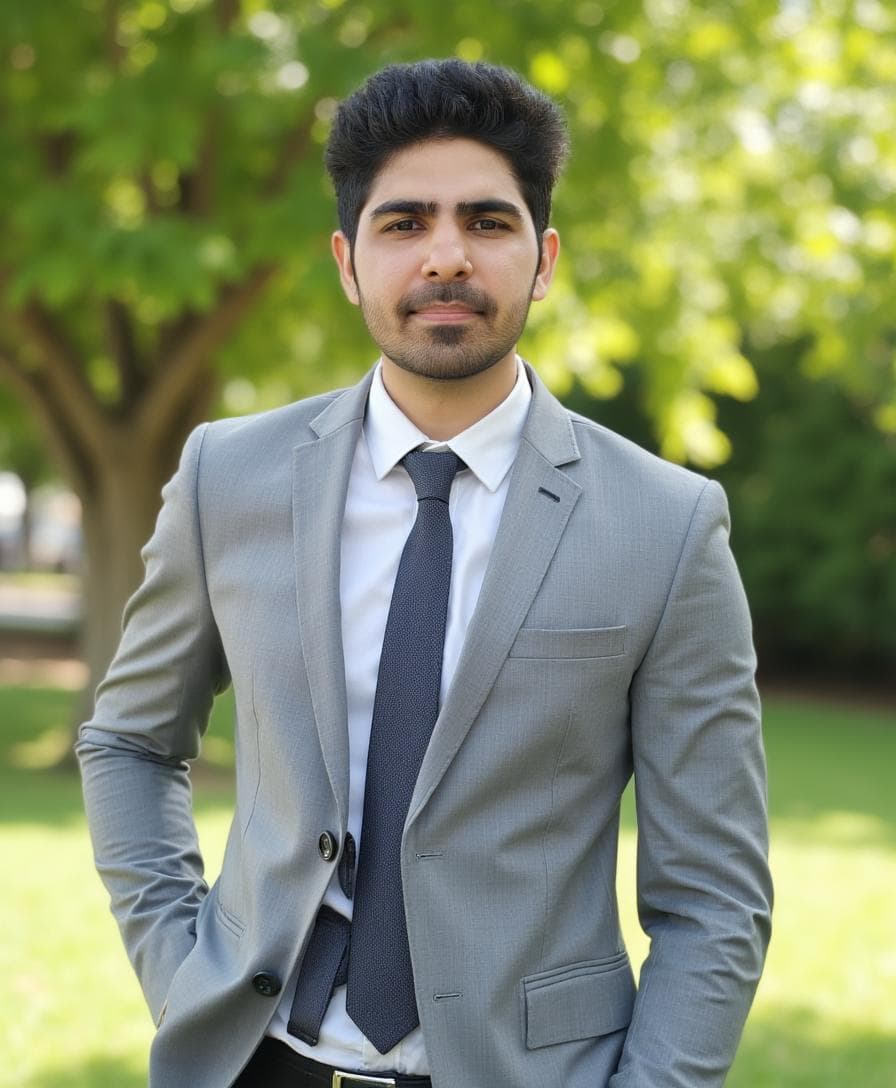 This is a good result if we ignore small clothing artifacts, which can often be fixed using Aragon’s editor.
Pros ✅
- excellent poses, outfits, and backgrounds
- strong customization and editing tools
- very polished “best day” vibe
Cons ❌
- face likeness can drift
- skin texture can look overly smooth
- teeth artifacts show up in many batches
Use promo code AIHEADSHOT to get additional 15% off.
3) DreamWave (Best low-friction workflow)
DreamWave takes a minimal-input approach.
It asks for fewer attributes, and the onboarding feels fast and privacy-friendly.
DreamWave’s biggest strength is the post-generation editor. It can help improve near-misses, but facial edits like teeth are still fragile.
👉 Read the full DreamWave review
Walkthrough screenshots
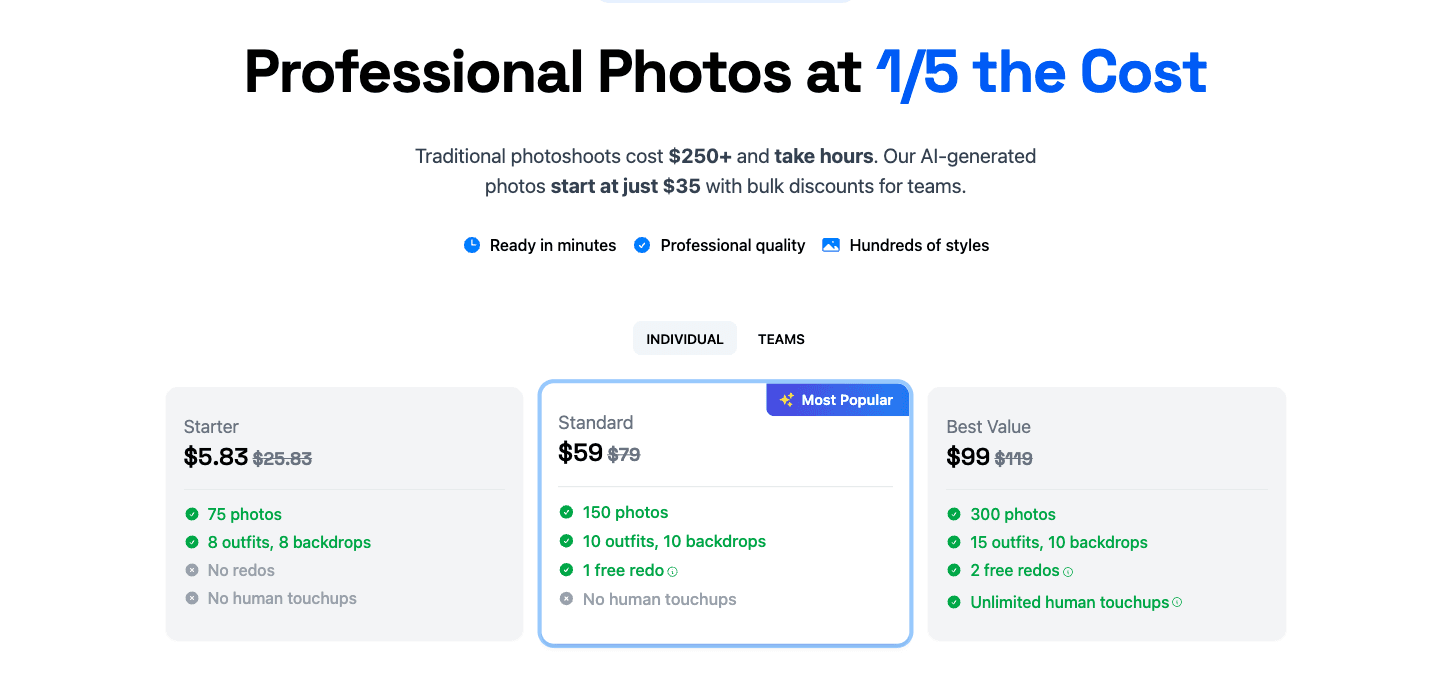 Pricing tiers scale by output volume and features.
 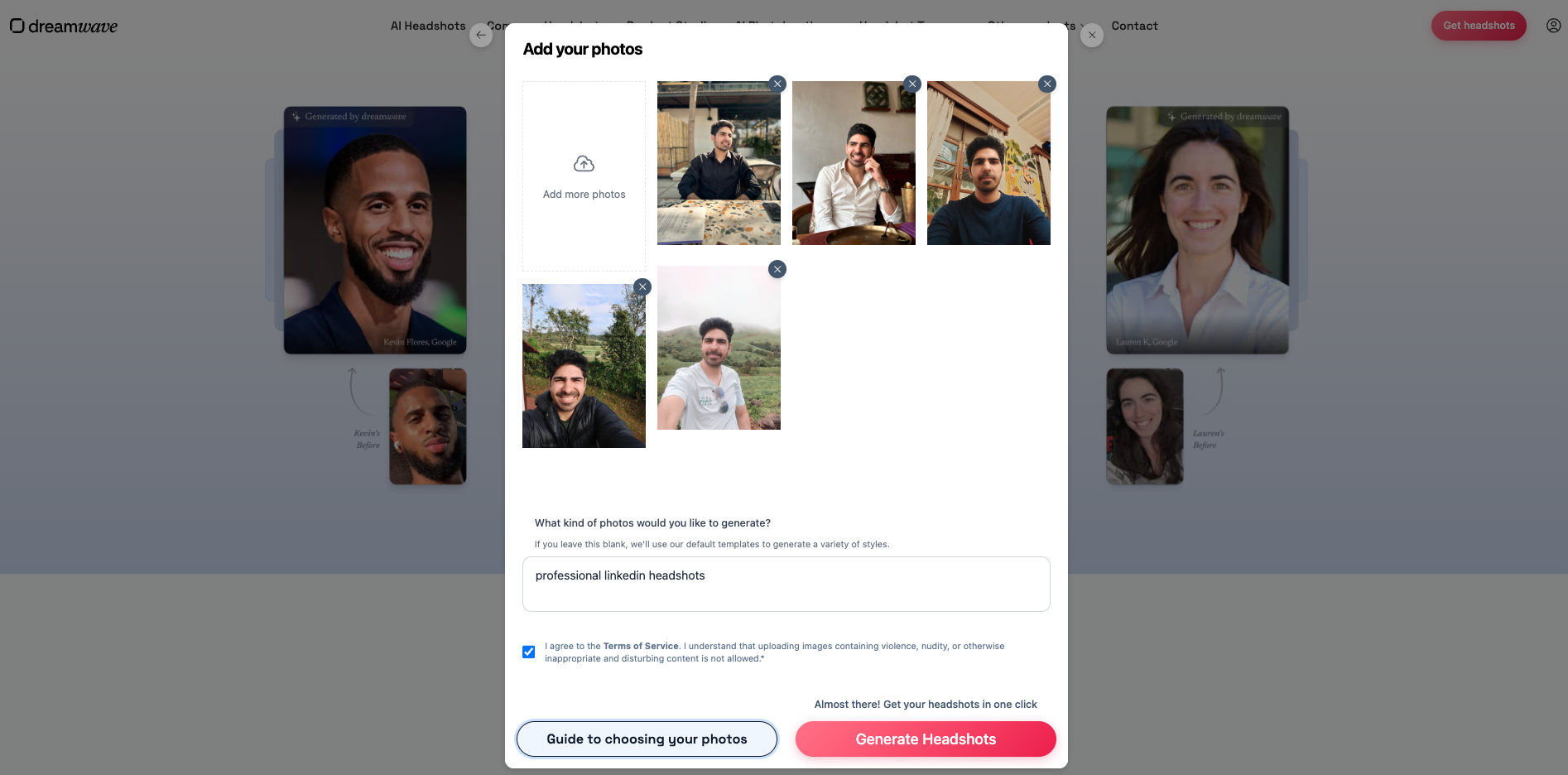 Upload interface. Very low friction compared to long onboarding flows.
 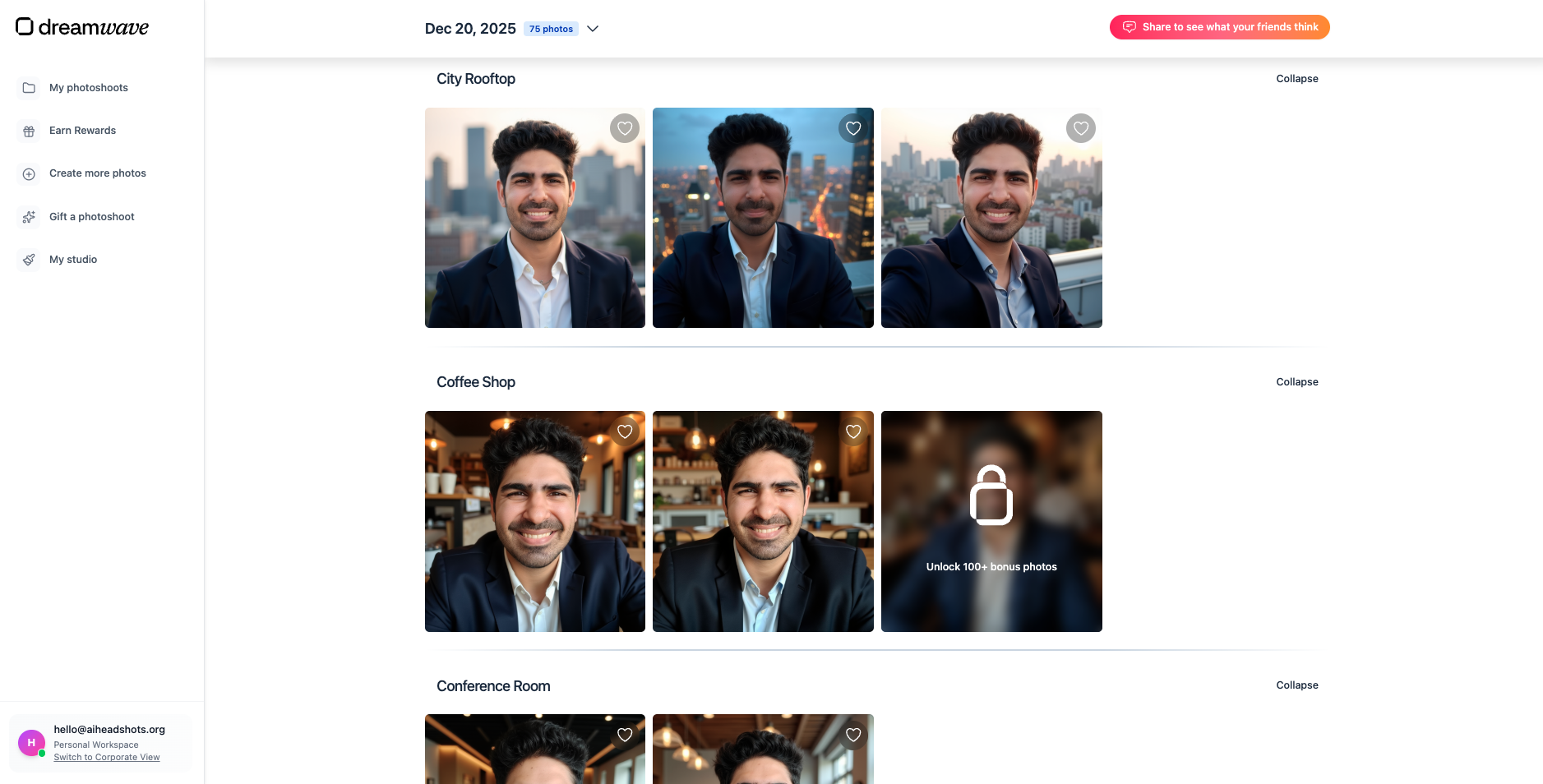 Results dashboard. Easy to browse and shortlist.
  Built-in editor. Helpful for improving near-miss images.
Results (including the selfie style)
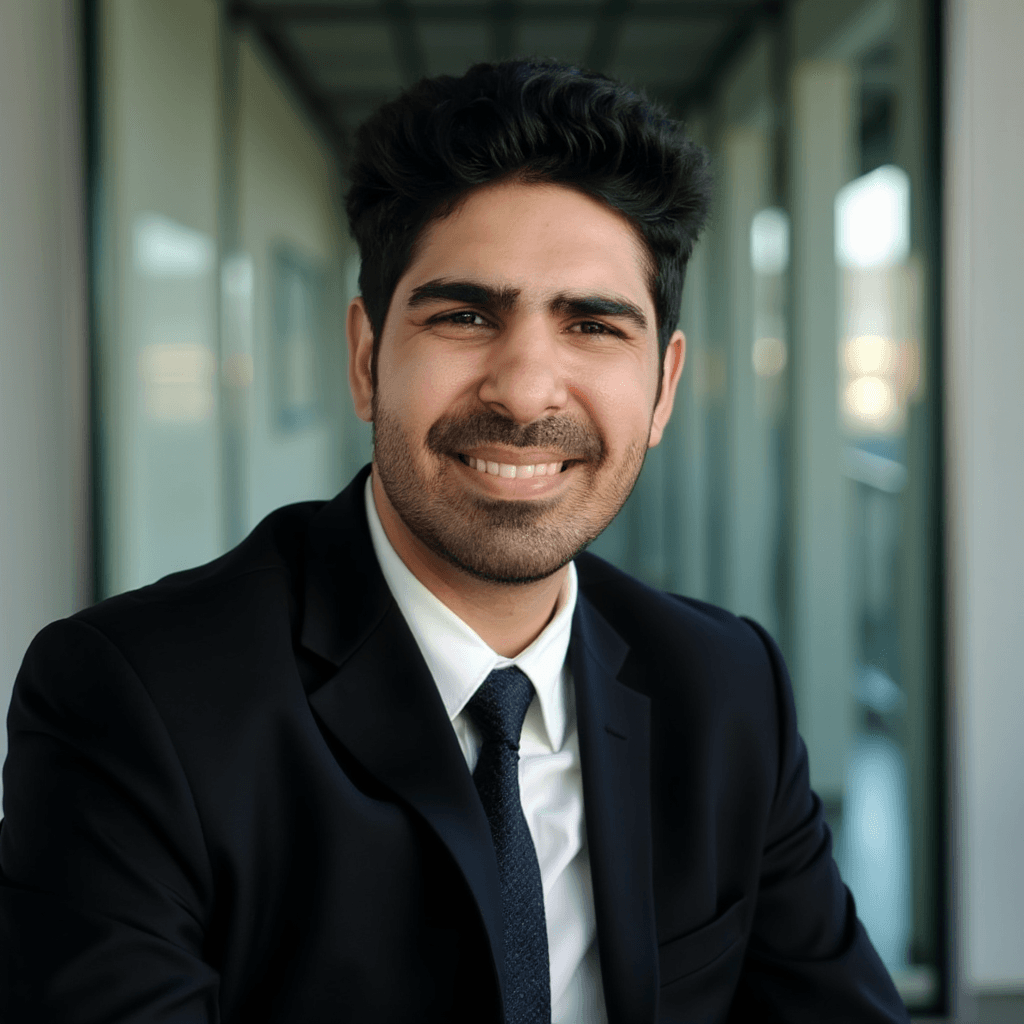 My favorite DreamWave result. Strong overall styling.
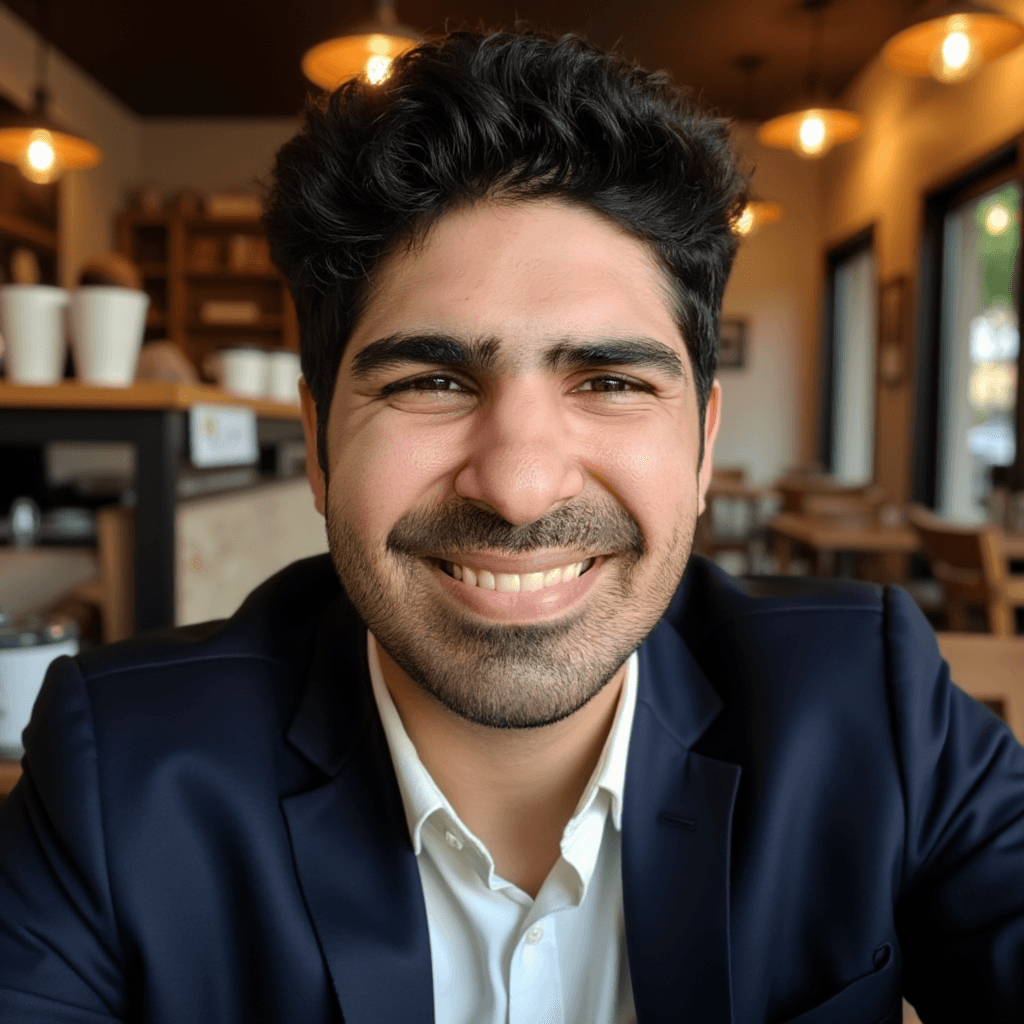 A good example of a “selfie style” output that looks less usable for professional contexts.
Pros ✅
- simple workflow
- polished styling and compositions
- good for users who do not want long forms and attribute steps
Cons ❌
- face likeness is average compared to the best options
- selfie styles can look weird or not professional
Pricing note:
- In my testing, DreamWave started around $35 and went up to $99 depending on plan and output volume.
4) PortraitPal (Not recommended)
PortraitPal is very simple.
Unfortunately, in my testing, the simplicity came with low control and low quality.
If you want details and screenshots:
What PortraitPal does well:
- minimal onboarding
Where PortraitPal fails:
- no real style control
- outputs often look clearly AI-generated
- teeth artifacts and plasticky skin show up frequently
Common Mistakes That Make AI Profile Pictures Look Bad
These show up across every tool:
- uploading too many similar selfies
- uploading AI-generated photos as input
- using heavily filtered photos
- choosing extreme styles that do not match your real life
How to Choose the Best AI Profile Picture Generator (Cheat Sheet)
Use this if you do not want to overthink it:
- If you want the profile picture to look like you: ProShoot
- If you want a dating-ready profile picture: Aragon AI
- If you want a simple workflow and decent results: DreamWave
FAQs
What is the best AI profile picture generator?
If face likeness matters most, ProShoot performed best in my testing. If you want styling and editability for social or dating use, Aragon AI is a strong pick.
What is the best AI selfie generator?
Most “AI selfie” outputs look better when you choose realistic backgrounds and avoid wide smiles. If you want the selfie to still look clearly like you, prioritize tools that preserve identity.
Are AI profile pictures acceptable?
Usually yes, if they still look like you and do not look obviously AI-generated. For high-trust contexts, choose the most recognizable option.
Why do AI profile pictures sometimes not look like me?
The most common reasons are weak input photos and tools that prioritize style over identity preservation. Teeth and skin texture issues are also common failure points.
Final Verdict
There is no single perfect AI profile picture generator.
But there are clear winners depending on your goal:
- ProShoot for face likeness
- Aragon AI for dating and social styling
- DreamWave for a simple workflow