- Published on
DreamWave AI Headshots Review (Honest Results After Testing)
Quick Navigation
- Introduction
- TL;DR Verdict
- What Is DreamWave AI?
- How I Tested DreamWave AI (Same Dataset, Same Standard)
- DreamWave AI User Experience (Screenshots)
- Editing Tools: DreamWave’s Biggest Strength
- DreamWave Headshot Quality (What You Actually Get)
- My DreamWave Results (Examples + What They Show)
- Realism: Does DreamWave Look Fake?
- Pricing: What to Expect
- Privacy and Data Footprint
- Turnaround Time
- Pros and Cons
- Who DreamWave Is Best For
- Alternatives (If DreamWave Isn’t Right for You)
- FAQs
- Final Verdict
Introduction
DreamWave AI is a popular AI headshot generator that takes a noticeably different approach from many competitors.
Instead of asking for a long list of personal attributes (ethnicity, hair type, eye color, body type, etc.), DreamWave keeps the onboarding minimal. That makes it feel faster, more privacy-friendly, and less annoying - especially if you’ve tried tools that feel like you’re filling out a passport application before you can even upload photos.
But minimal onboarding raises the real question:
Does DreamWave still generate headshots that look like you?
In this DreamWave AI headshots review, I’ll show what I experienced after testing DreamWave using the same dataset I use across my other reviews, so the comparison stays fair.
If you want the bigger list of tools compared together, this is the main hub:
👉 Best AI Headshot Generators of 2026
If you are picking based on use case, these two guides help:
TL;DR Verdict
Here’s the short version:
- DreamWave is best for
- people who want a simple workflow
- users who don’t want to share lots of personal attributes
- professional-looking styling with minimal effort
- users who want strong editing tools after generation
- DreamWave is not best for
- “highest face likeness” use cases (LinkedIn where identity accuracy matters most)
DreamWave can deliver good-looking headshots, but if your #1 goal is maximum face likeness, there’s a better choice (I’ll cover that in Alternatives).
What Is DreamWave AI?
DreamWave AI is an AI headshot generator that focuses on:
- quick onboarding
- style selection up front
- a clean dashboard experience
- extensive post-generation editing tools
The overall product feels polished and modern. It’s not trying to be the most “technical” tool - it’s trying to be the tool that gets you usable headshots without friction.
How I Tested DreamWave AI (Same Dataset, Same Standard)
I used the same input dataset I use across my reviews to keep the evaluation consistent.
The dataset belongs to my friend Jason, who agreed to let me use his photos specifically for these tests.
Jason input photo dataset
To keep things transparent, here are the exact photos from Jason's dataset that I used while testing DreamWave:

img-20250215-wa0030.jpg

img-20250727-wa0035.jpg

img20240827165746.jpg

img20240827172659.jpg

img20241123200716.jpg

img20250503182919.jpg

img20251003083002.jpg

img20251004131001.jpg
When I evaluate DreamWave, I focus on:
- face likeness (does the person still look like themselves?)
- realism (skin texture, lighting, “AI polish”)
- professionalism (LinkedIn suitability)
- artifacts (teeth, eyes, clothing edges)
- body composition consistency
- editor usefulness (what can be realistically fixed?)
DreamWave AI User Experience (Screenshots)
DreamWave’s workflow is minimal: pick a plan, pick styles, upload photos, wait for results.
Pricing
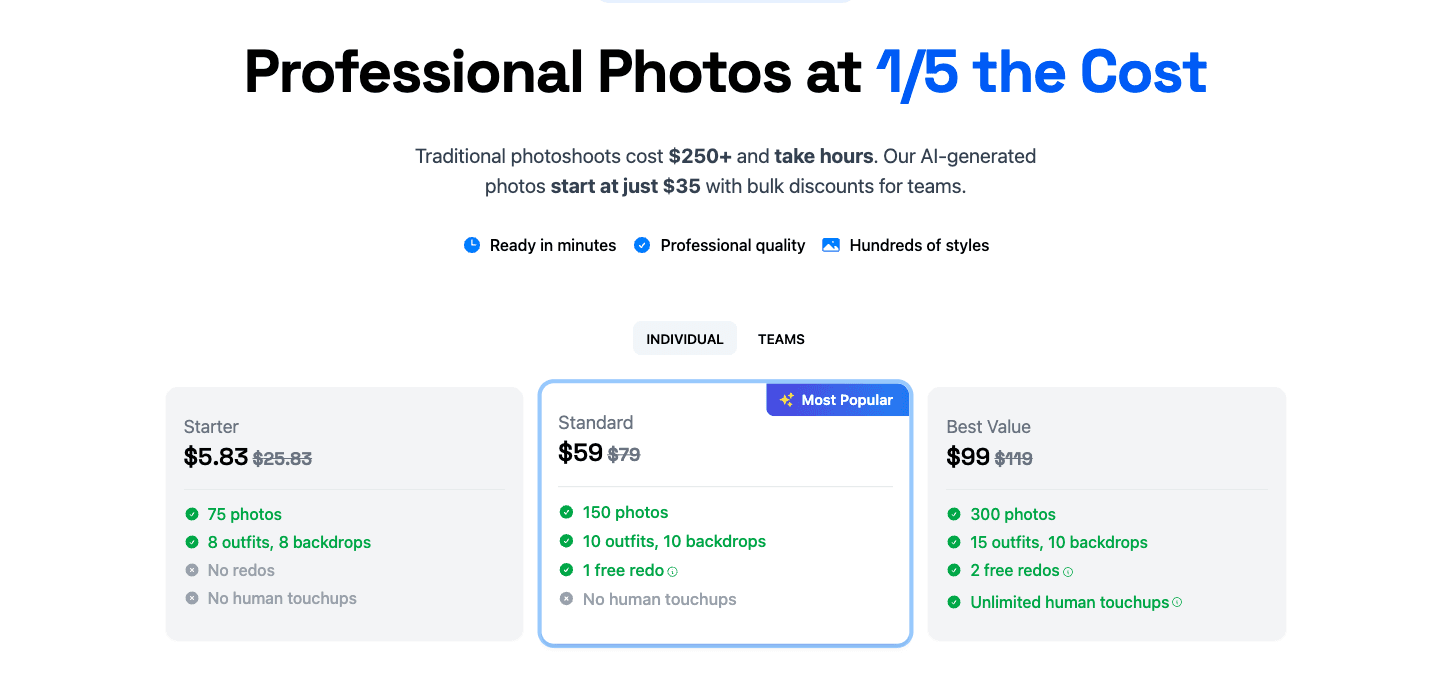 The plans scale by output volume and features. The entry price is similar to other premium tools.
Upload flow
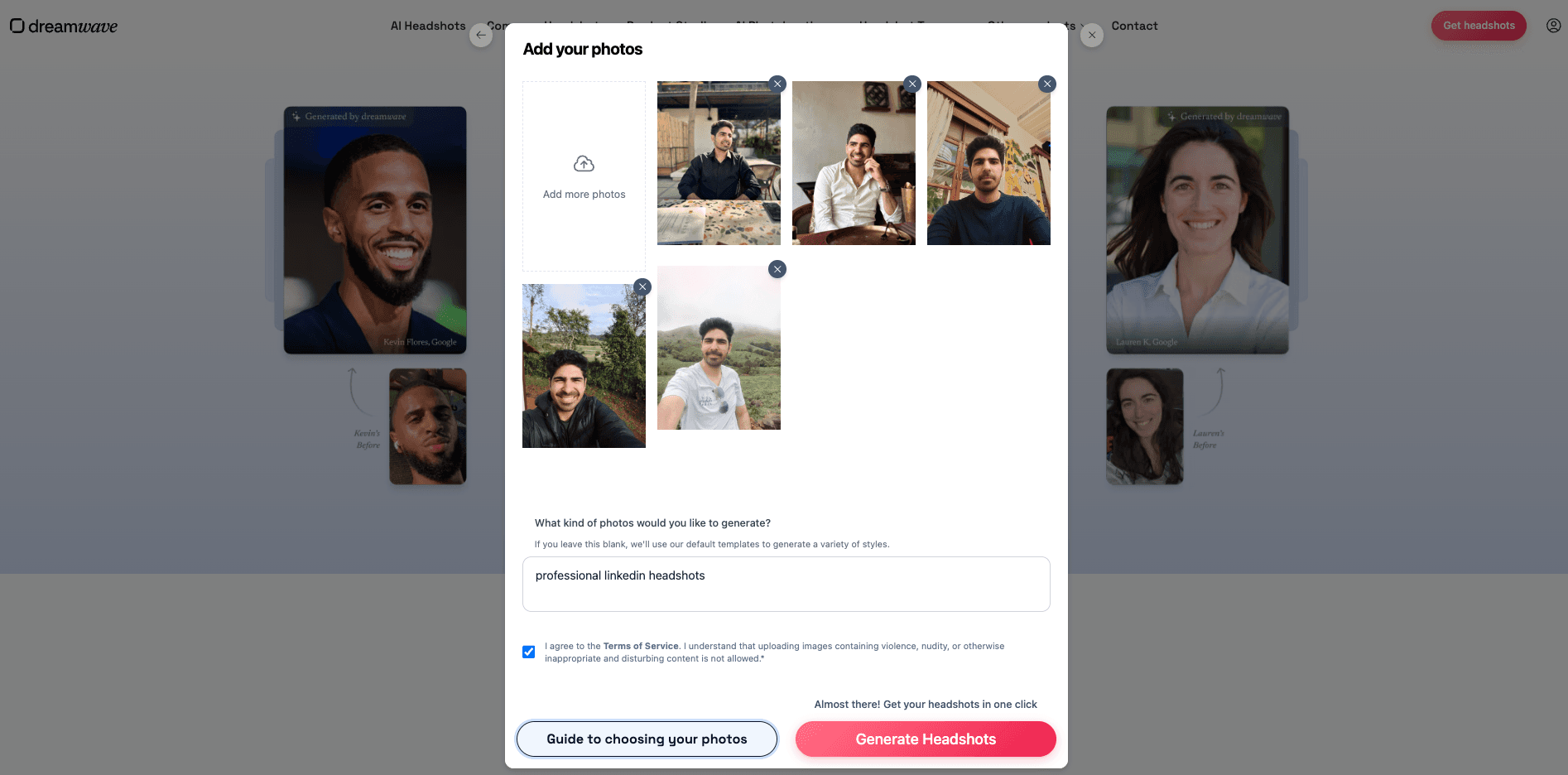 The upload UI is clean and simple. Low friction, which is a big part of DreamWave’s appeal.
Payment
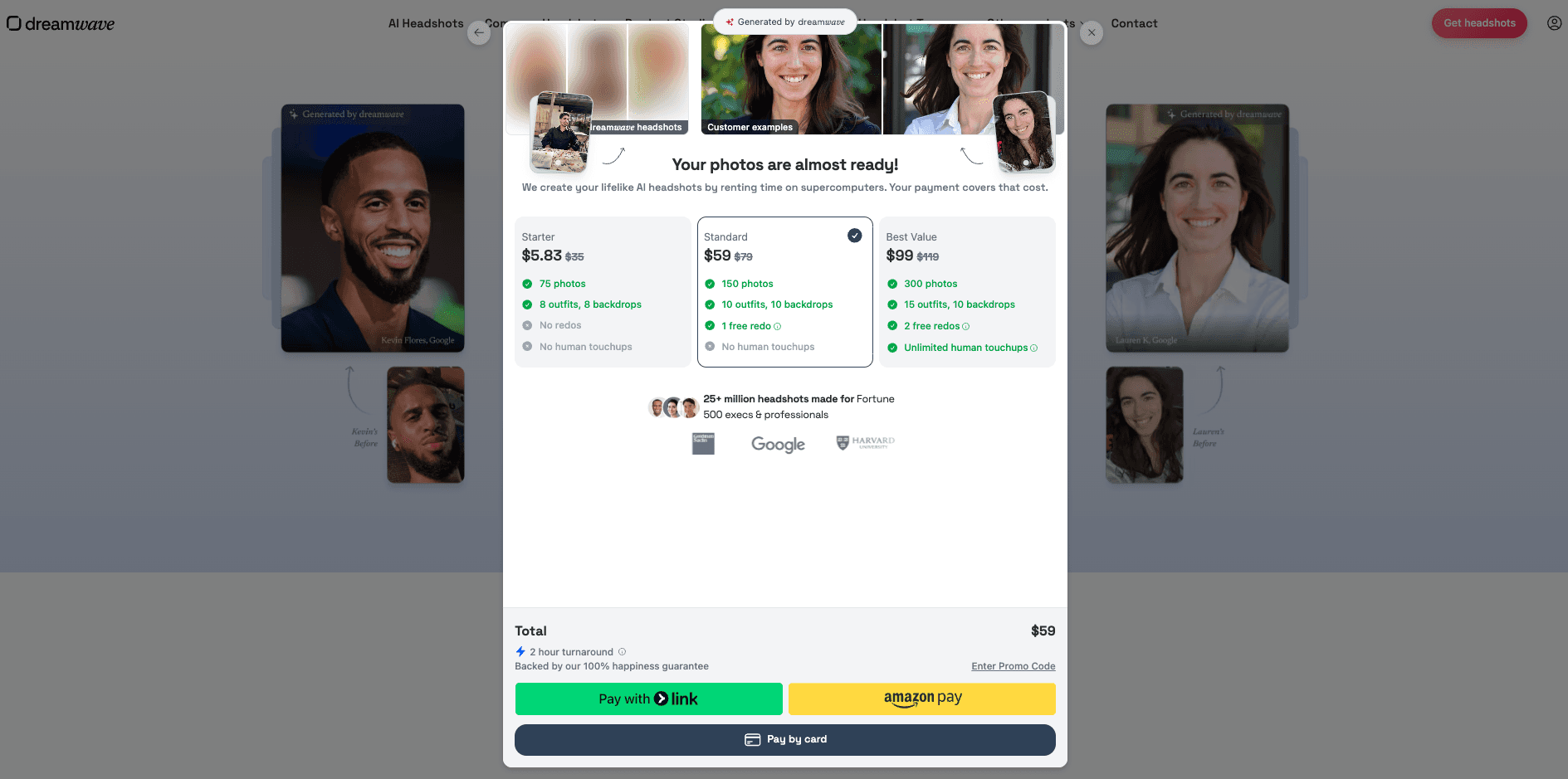 The checkout flow is straightforward.
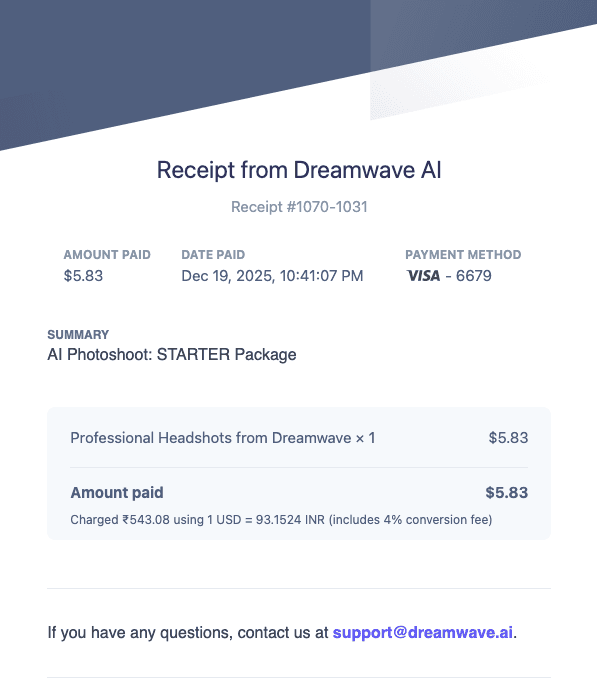 Stripe receipt confirmation after purchase.
Notifications + results dashboard
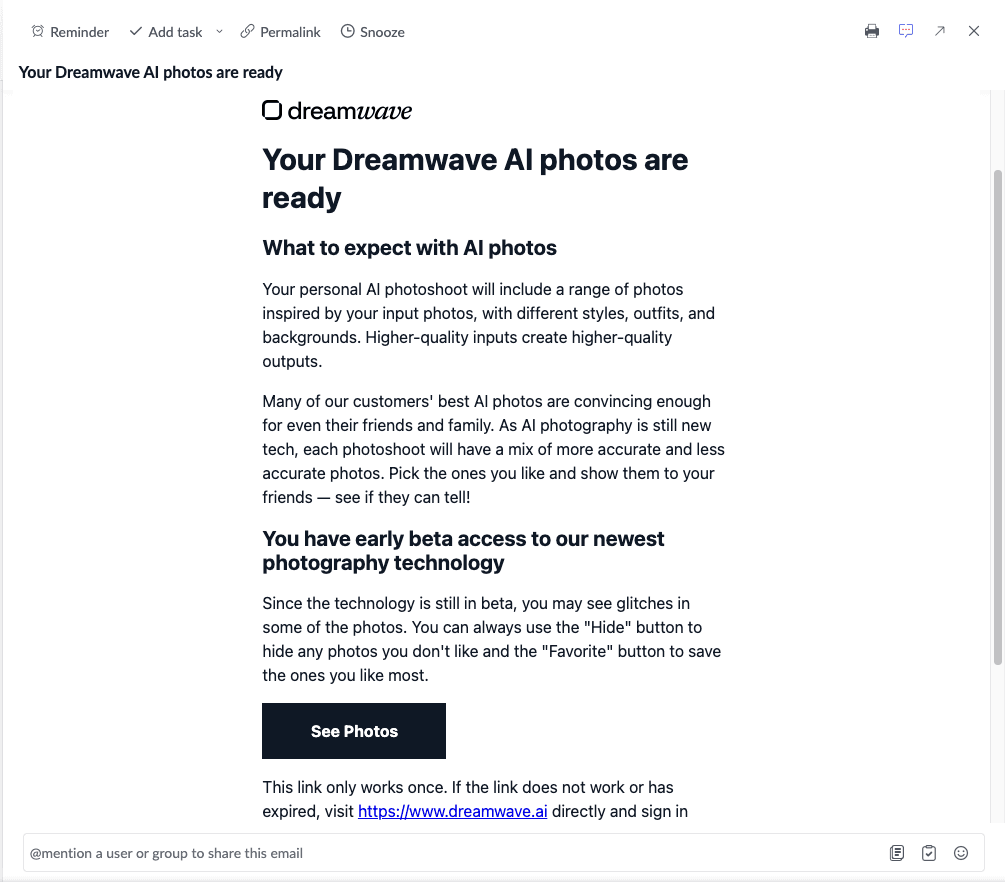 Email notification when results are ready.
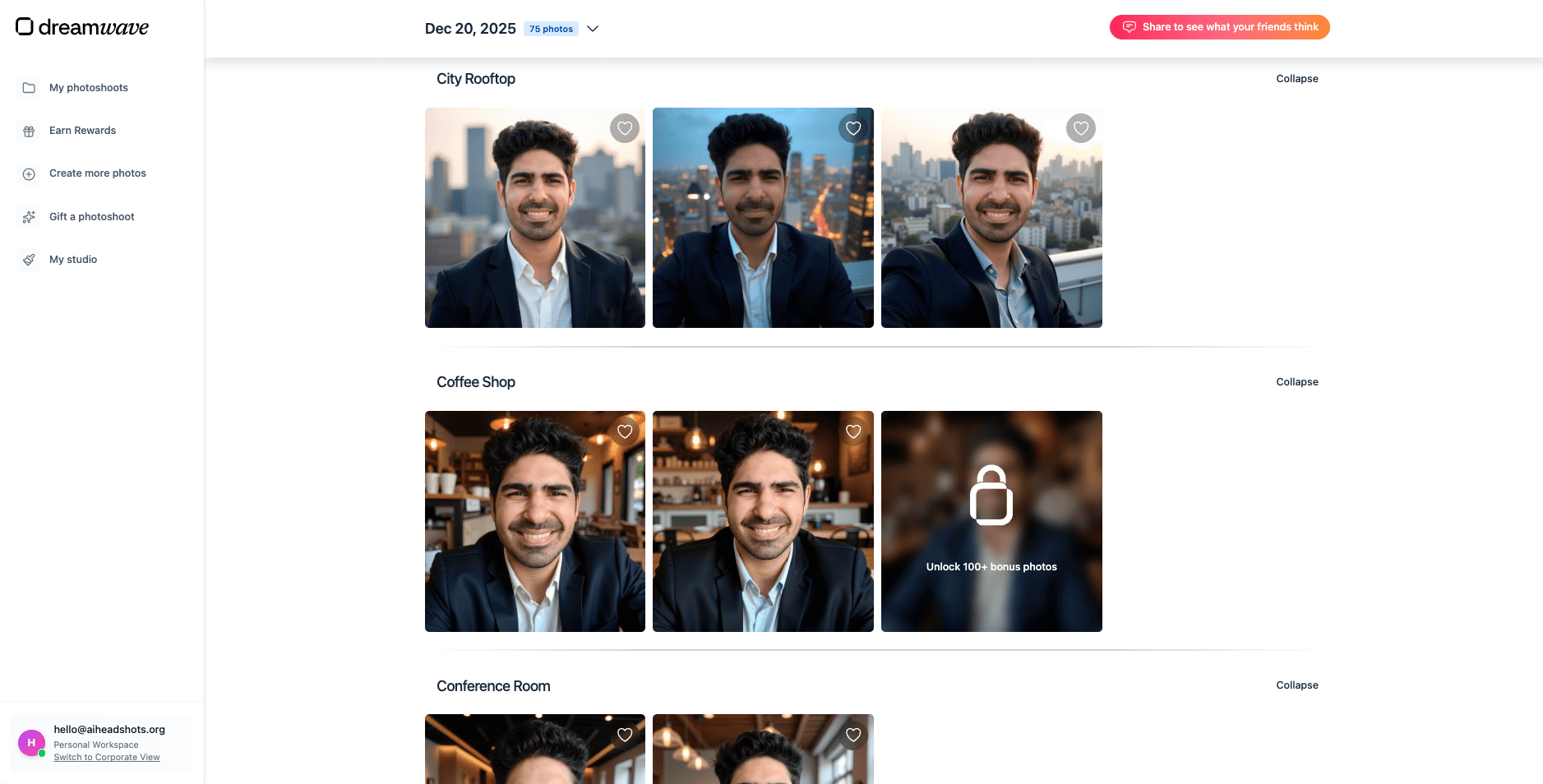 The results dashboard is clean and easy to browse.
Editing Tools: DreamWave’s Biggest Strength
DreamWave includes a strong set of post-generation editing tools.
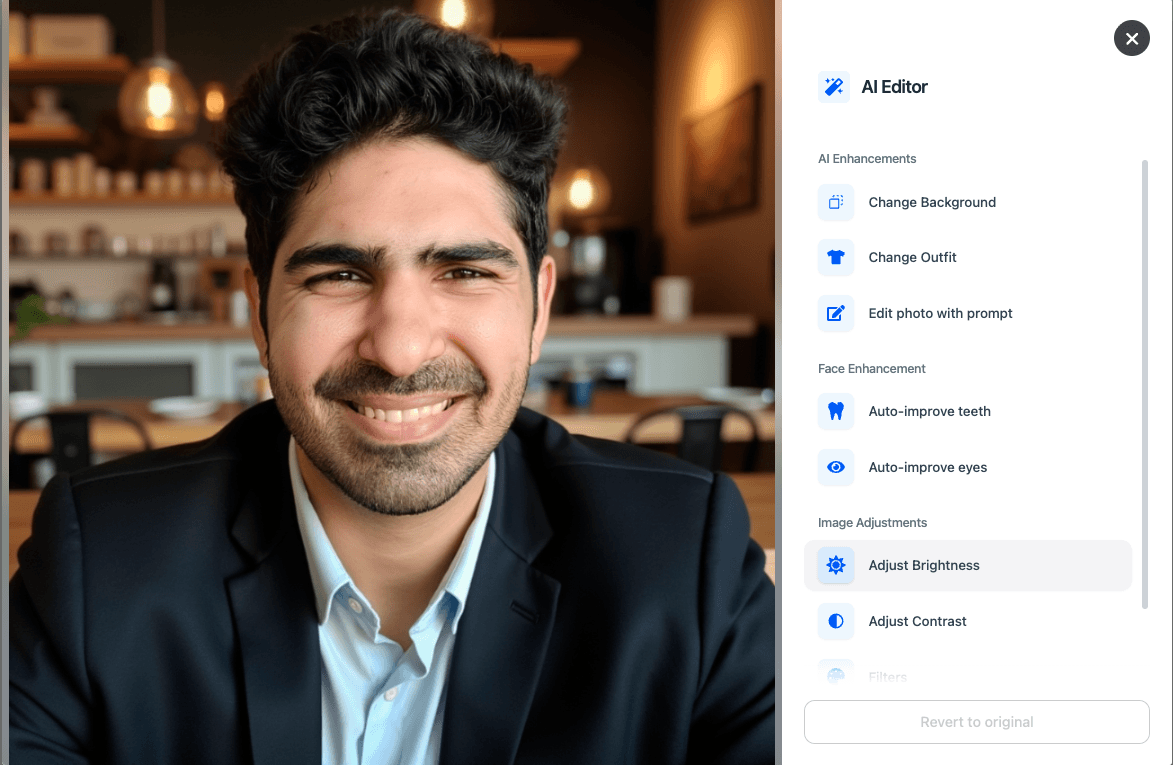 The editor is genuinely useful for improving near-miss images.
Auto eye edit
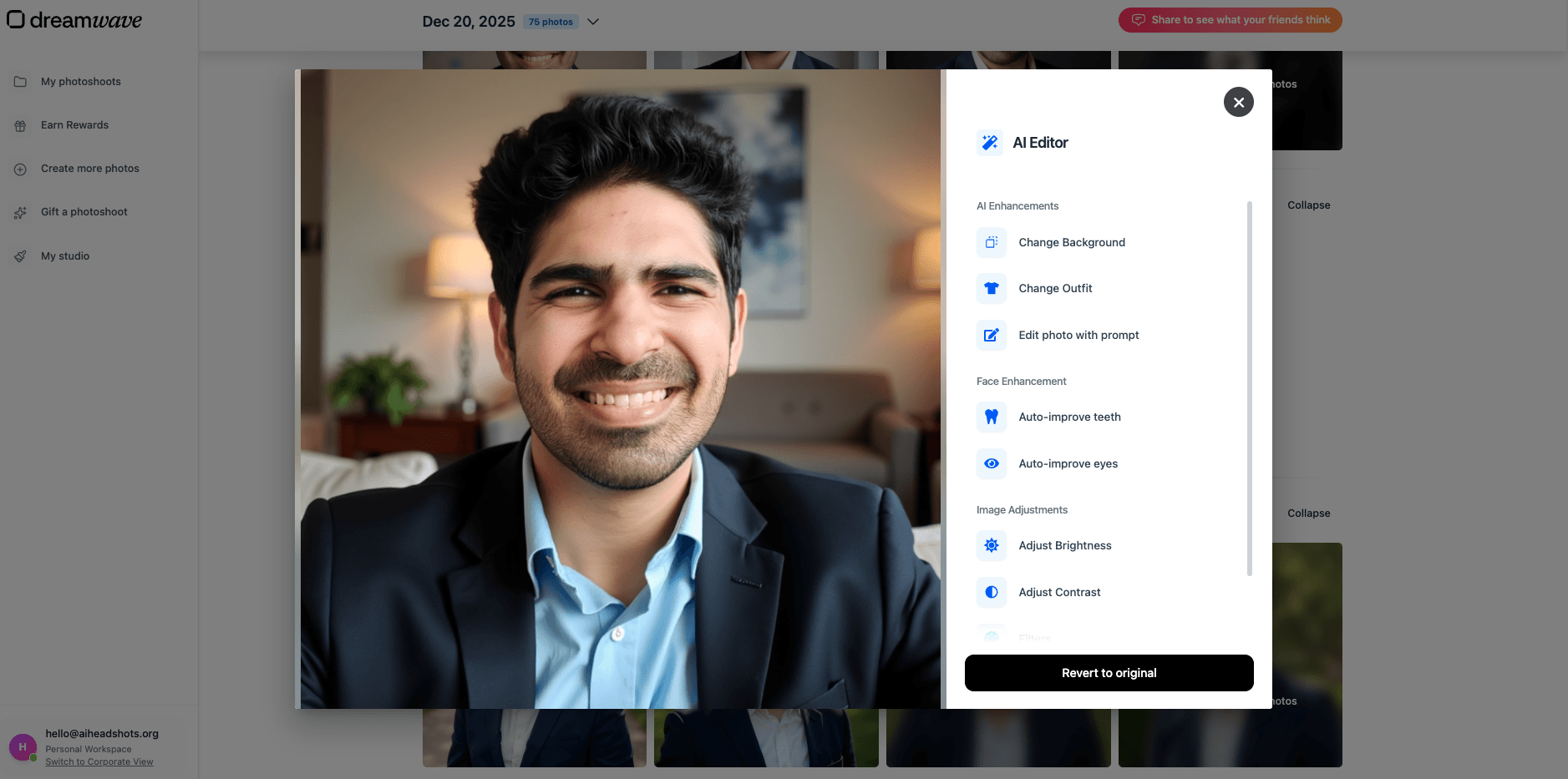 Auto eye improvements exist, but results can vary.
Auto teeth edit
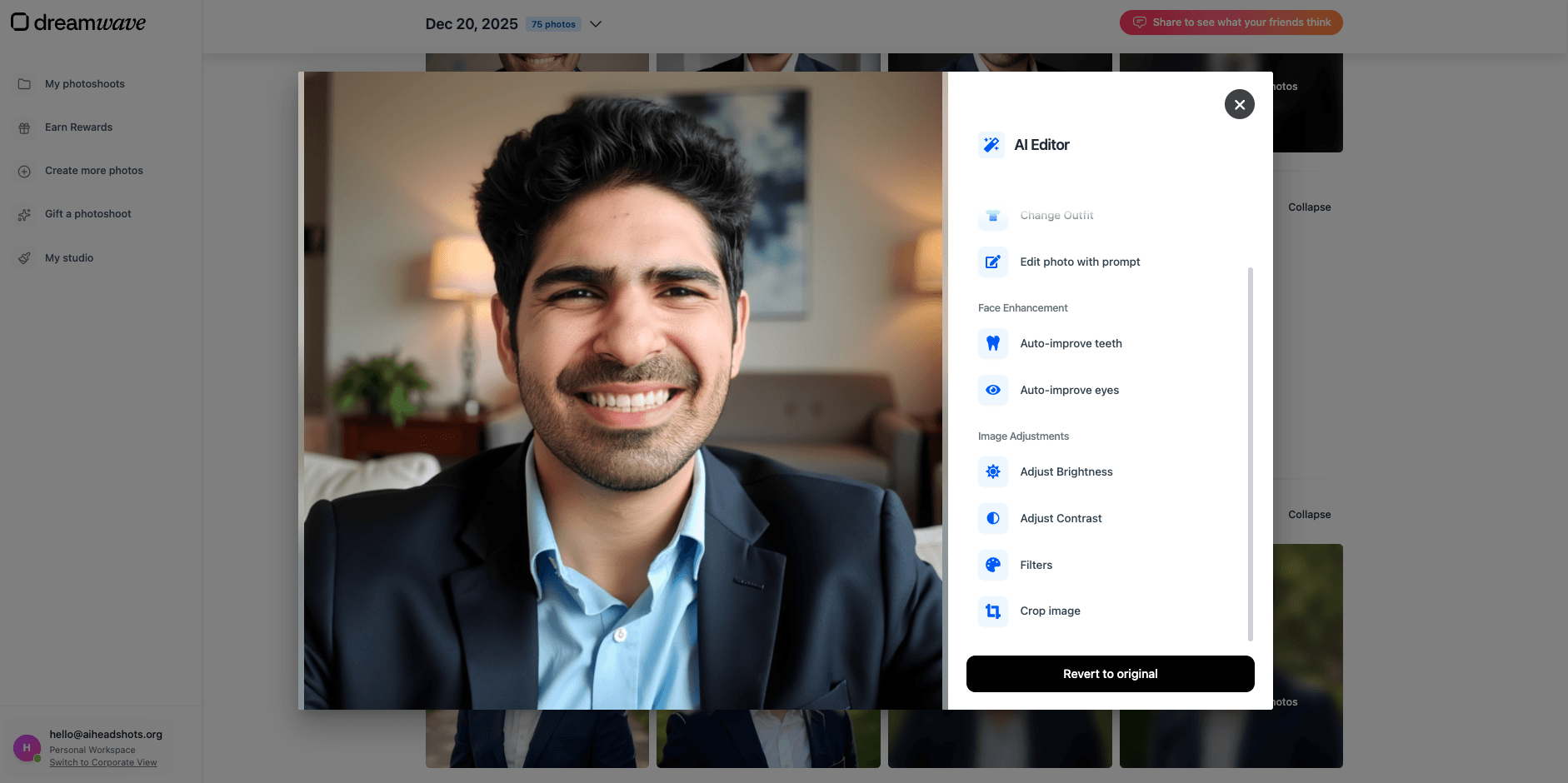 Teeth improvements are available, but they’re the most fragile kind of edit across all tools.
One important note (and this applies to every tool, not just DreamWave):
When you edit facial features like teeth or eyes, expect mixed results. These edits are often done in isolation, meaning the editing model doesn’t know what your real teeth/eyes should look like.
So yes: the editor helps, but it doesn’t magically fix identity problems.
DreamWave Headshot Quality (What You Actually Get)
DreamWave produces decent quality headshots that look professional at a glance.
The strengths are clear:
- good styling and composition
- outfits and backgrounds generally look coordinated
- outputs often look “ready” without heavy manual work
The weakness is also clear:
- face likeness is average
That means the outputs often land in the same zone:
- “this looks like the person”
- but not always “this is definitely the person”
For some users that’s fine.
For LinkedIn where recognition matters, that’s a problem.
My DreamWave Results (Examples + What They Show)
Here are the DreamWave results from the batch, with the same practical breakdown.
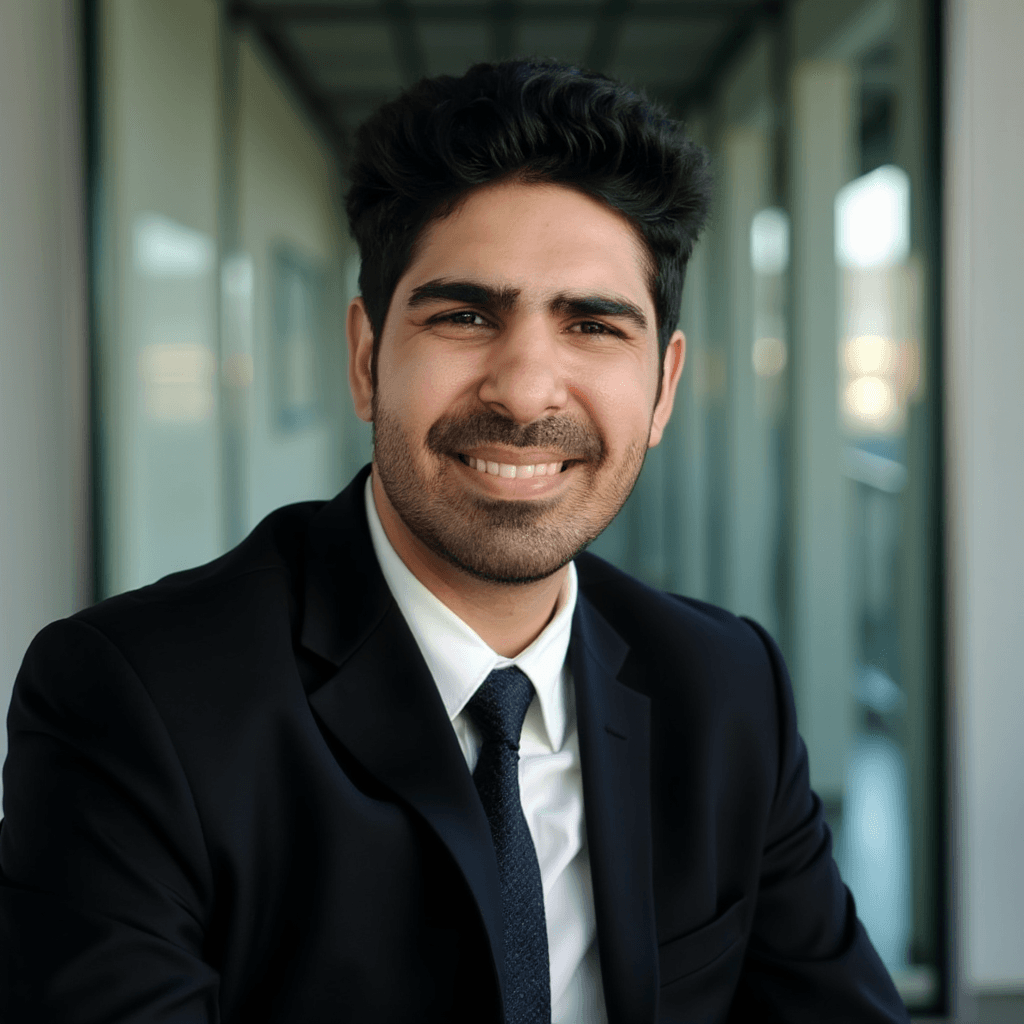 This was my favorite from the DreamWave batch. Strong overall styling.
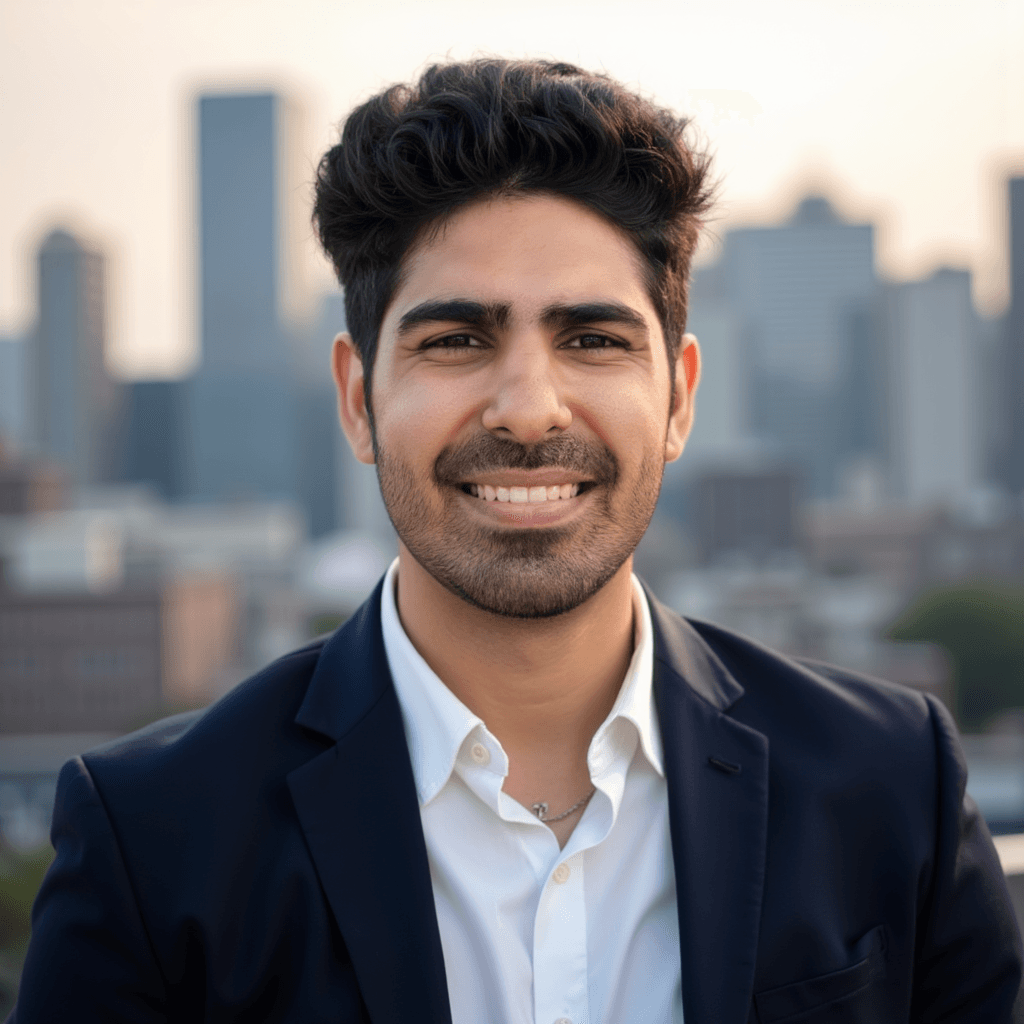 This is a good example of DreamWave’s styling choices, but likeness is poor.
 These “weird selfie” style outputs happened too often for my taste. They don’t feel professional.
 Solid style idea, but failed in both face resemblance and body composition.
Realism: Does DreamWave Look Fake?
DreamWave usually avoids the extreme “plasticky skin” look, but it can still appear slightly AI-polished depending on the output.
The realism is good enough for:
- basic professional profiles
- casual creator pages
- general online presence
But if you’re trying to replace a real photographer for a corporate headshot, DreamWave is not consistently there.
Pricing: What to Expect
DreamWave pricing (at least during my testing) started at $35 and went up to $99, with higher tiers offering more outputs.
One thing I noticed:
- discounts can appear occasionally
- at a heavy discount, DreamWave becomes very good value
At full price, it’s still reasonable, but it’s competing with tools that offer stronger face likeness.
Privacy and Data Footprint
DreamWave’s onboarding collects less personal information than many competitors, which I like.
Instead of asking for a full set of attributes, you basically:
- pick styles
- upload photos
That doesn’t automatically make it “more private,” but it reduces the amount of metadata you share.
As always:
- delete your uploads/results if you’re privacy sensitive
- avoid uploading sensitive photos
Turnaround Time
In my testing, DreamWave took a few hours.
It’s not instant, but it’s also not unusually slow for tools that generate a larger batch.
Pros and Cons
Pros ✅
- minimal input / privacy-friendly onboarding
- professional-looking styling
- good compositions and backgrounds
- strong post-generation editing tools
- can be great value during discounts
Cons ❌
- face likeness is average
- occasional selfie-like outputs that don’t look professional
- some outputs fail on both face + body composition
Who DreamWave Is Best For
DreamWave is a great fit if:
- you want a simple workflow
- you want professional-looking images without spending time tweaking attributes
- you like having editing tools to refine outputs
DreamWave is not a great fit if:
- you want the highest face likeness possible (LinkedIn identity-first)
Alternatives (If DreamWave Isn’t Right for You)
If your main goal is high face likeness and realistic LinkedIn-ready headshots, the best alternative is:
- ProShoot (highest face likeness + realism in my testing)
Use promo code AIHEADSHOT to get additional 10% off.
If you want more glamorous results and strong editing (more style-first), another option is:
- Aragon AI (great UX + editor, weaker likeness)
Use promo code AIHEADSHOT to get additional 15% off.
👉 You can also explore the full updated list here with all tools compared
FAQs
Is DreamWave AI good for LinkedIn headshots?
It can be, especially if you pick the most natural-looking outputs. But if your #1 goal is maximum face likeness (so people recognize you instantly), DreamWave is usually not the strongest choice.
Do DreamWave AI headshots look like you?
In my tests, likeness was average. Many outputs resemble the person, but there are also results where facial structure drifts.
Does DreamWave AI look fake?
Usually it looks fairly professional, but some images can still look AI-polished depending on the style. It’s not the worst offender for “plasticky skin,” but it’s not consistently photoreal either.
How long does DreamWave take?
In my testing, DreamWave took a few hours.
Does DreamWave have an AI editor?
Yes. DreamWave’s editor is one of its biggest strengths for refining near-miss images.
Can DreamWave fix teeth or eyes?
It can try, but face-specific edits (teeth/eyes) are the most inconsistent kind of edit across all headshot tools. Expect mixed results.
How much does DreamWave cost?
During my testing, pricing started around $35 and went up to $99 depending on the package. Discounts sometimes appear, and at a heavy discount DreamWave can be very good value.
Is DreamWave privacy-friendly?
DreamWave collects fewer personal attributes during onboarding (which I like). But you’re still uploading real photos, so the usual advice applies: download your results and delete data if you’re privacy-sensitive.
What’s the best alternative if I want higher face likeness?
If you’re optimizing for realism and face likeness for LinkedIn or team pages, ProShoot is the clearest alternative from my tests.
Final Verdict
DreamWave AI is a strong “low-friction” AI headshot generator.
It’s easy to use, it doesn’t ask for a lot of personal attributes, and it produces images that often look professional enough for general use. The editing tools are a real advantage, especially if you want to tweak outputs without leaving the platform.
But there’s one clear limitation:
- face likeness is not consistently top tier
So if you need a headshot where your identity accuracy matters most (LinkedIn, team pages, corporate bios), DreamWave can work - but ProShoot is usually the better fit.
Use promo code AIHEADSHOT to get additional 10% off.