The Best AI Headshot Generators of 2026 Compared
I tested every major tool to find the best AI headshot generator. This is the most comprehensive, honest review you’ll find on the internet.
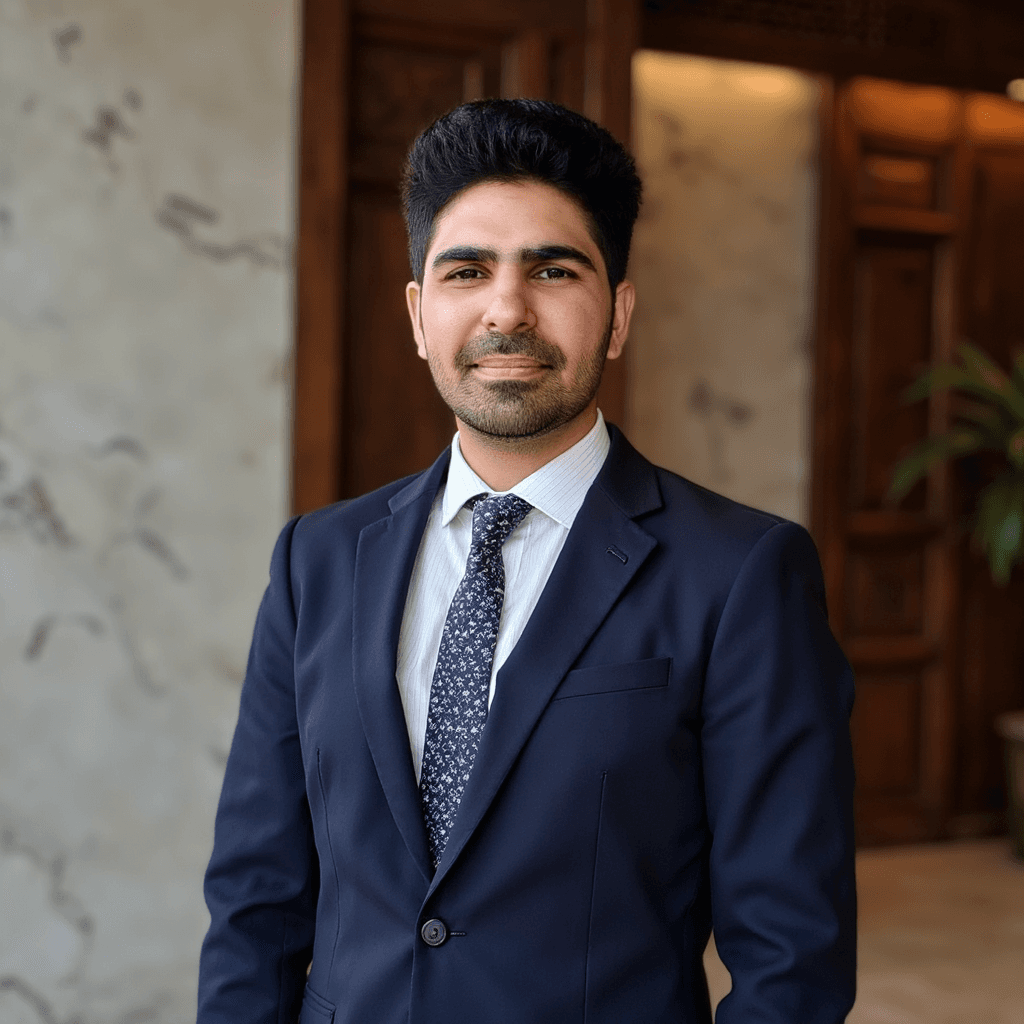
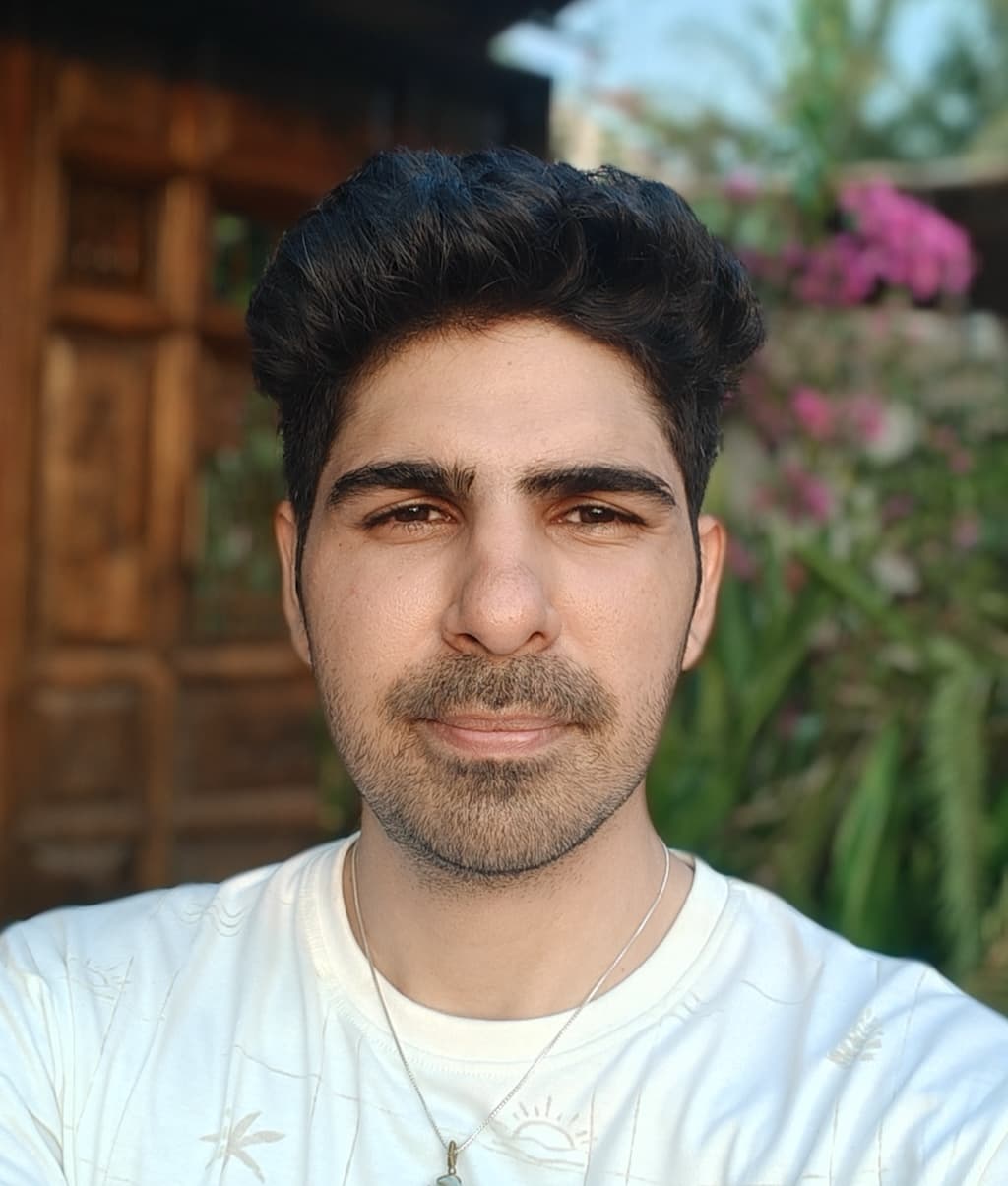
ProShoot
68/75This offers best face likeness & realism.
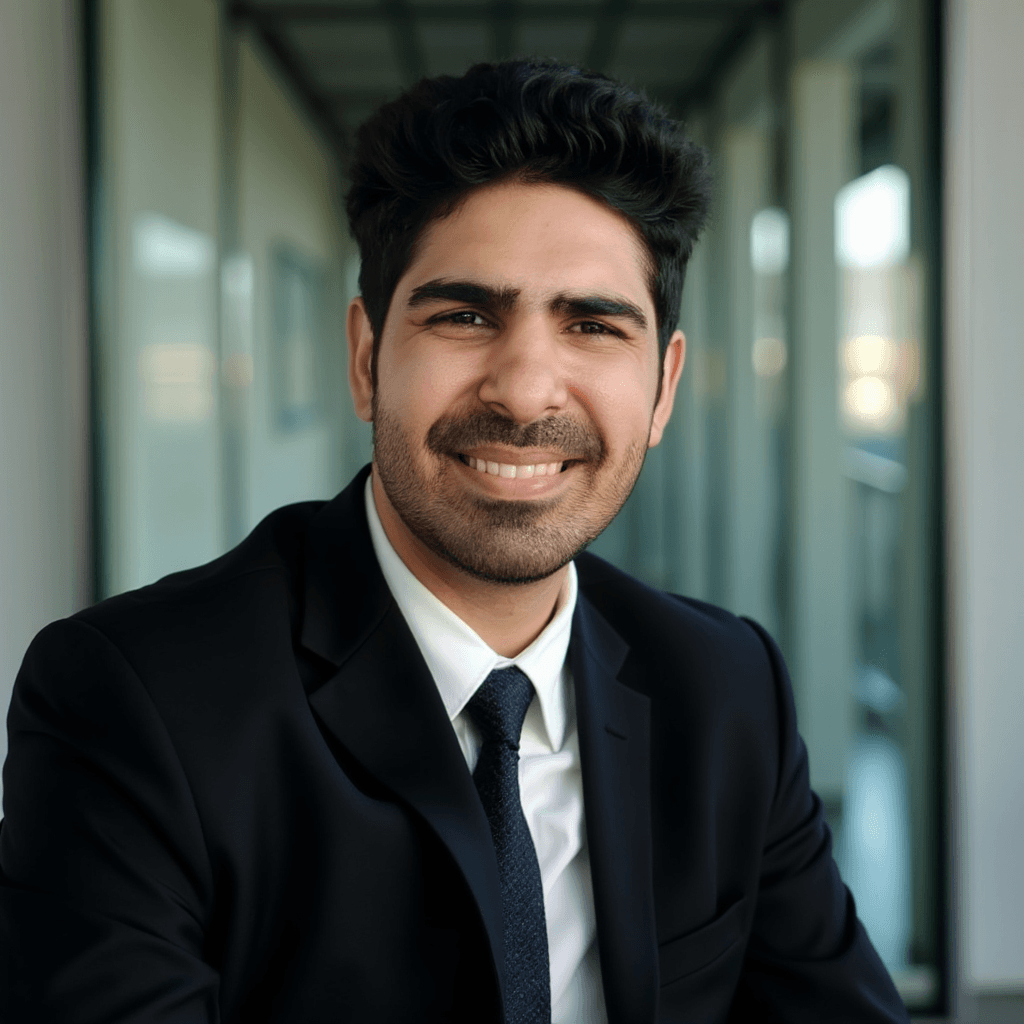
Dreamwave AI
65.5/75You will have plenty of good usable headshots.
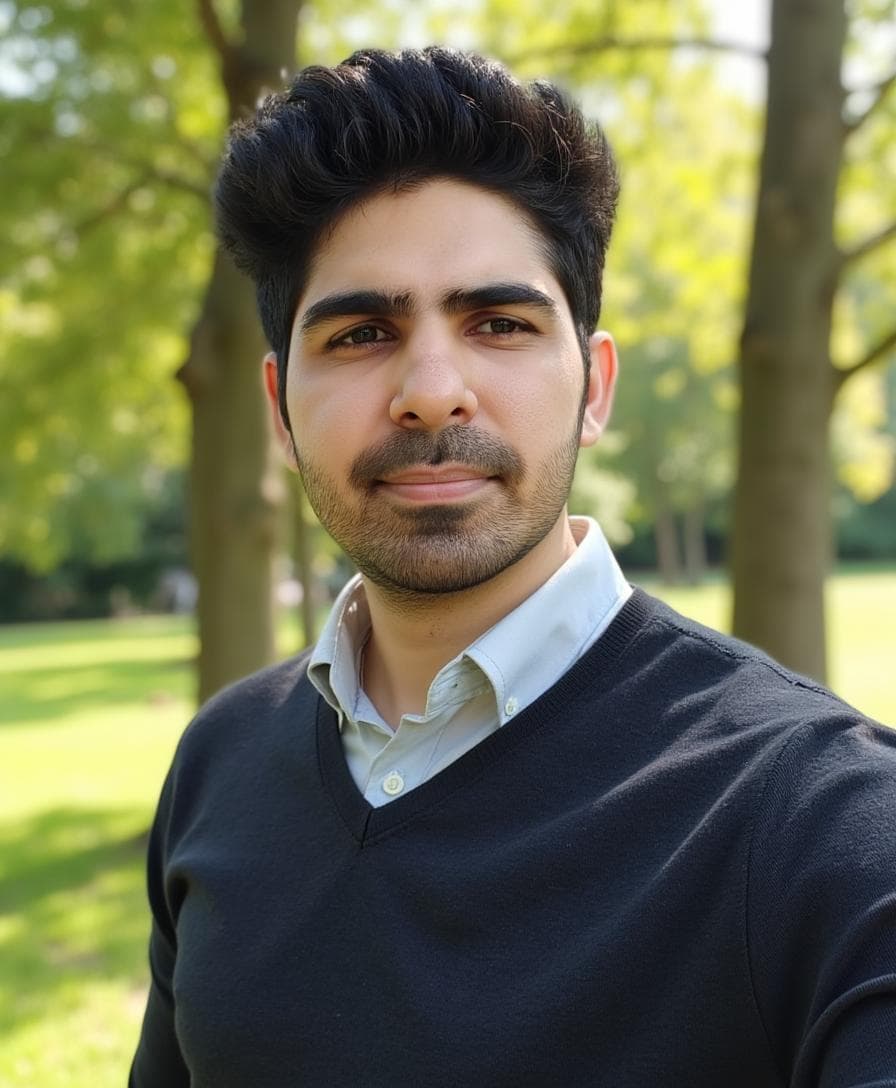
Aragon AI
59/75Best dating/glamorous photo generator.
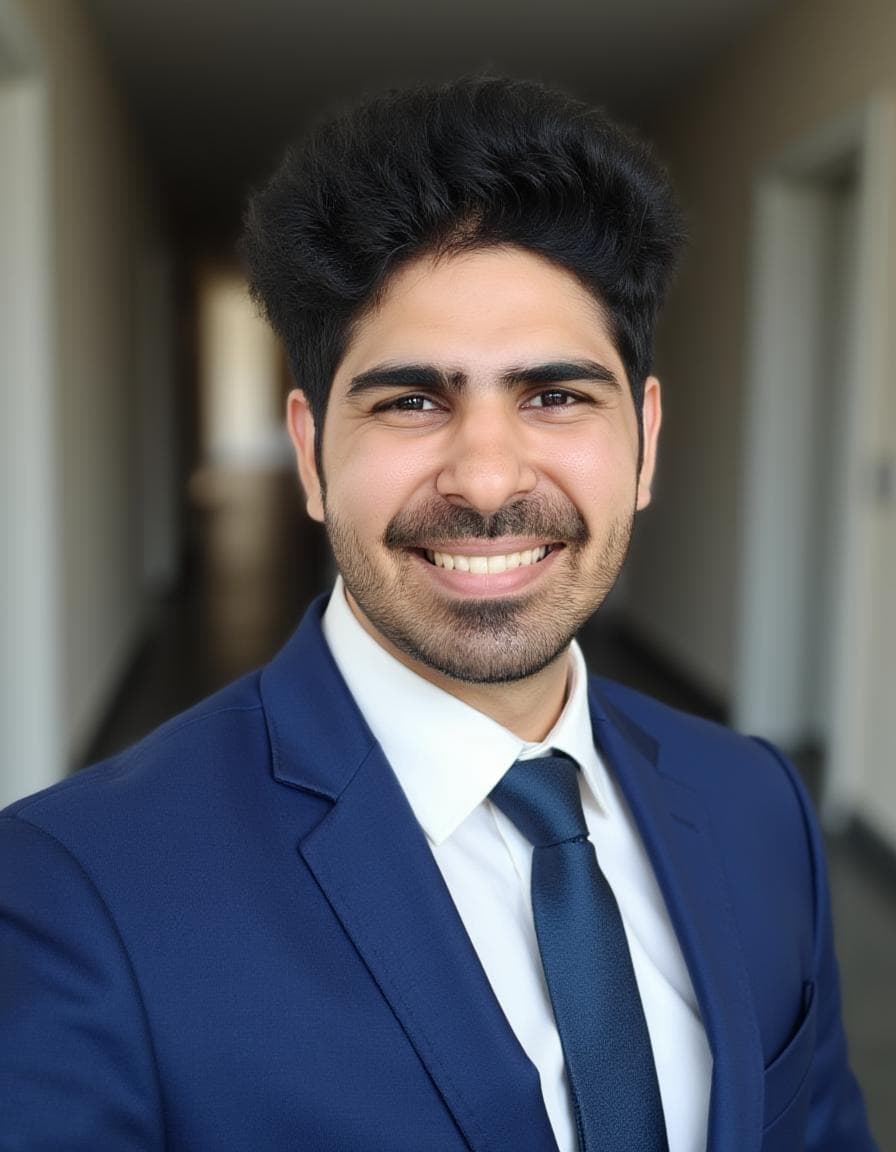
PortraitPal AI
47.5/75You will barely find any usable headshots.
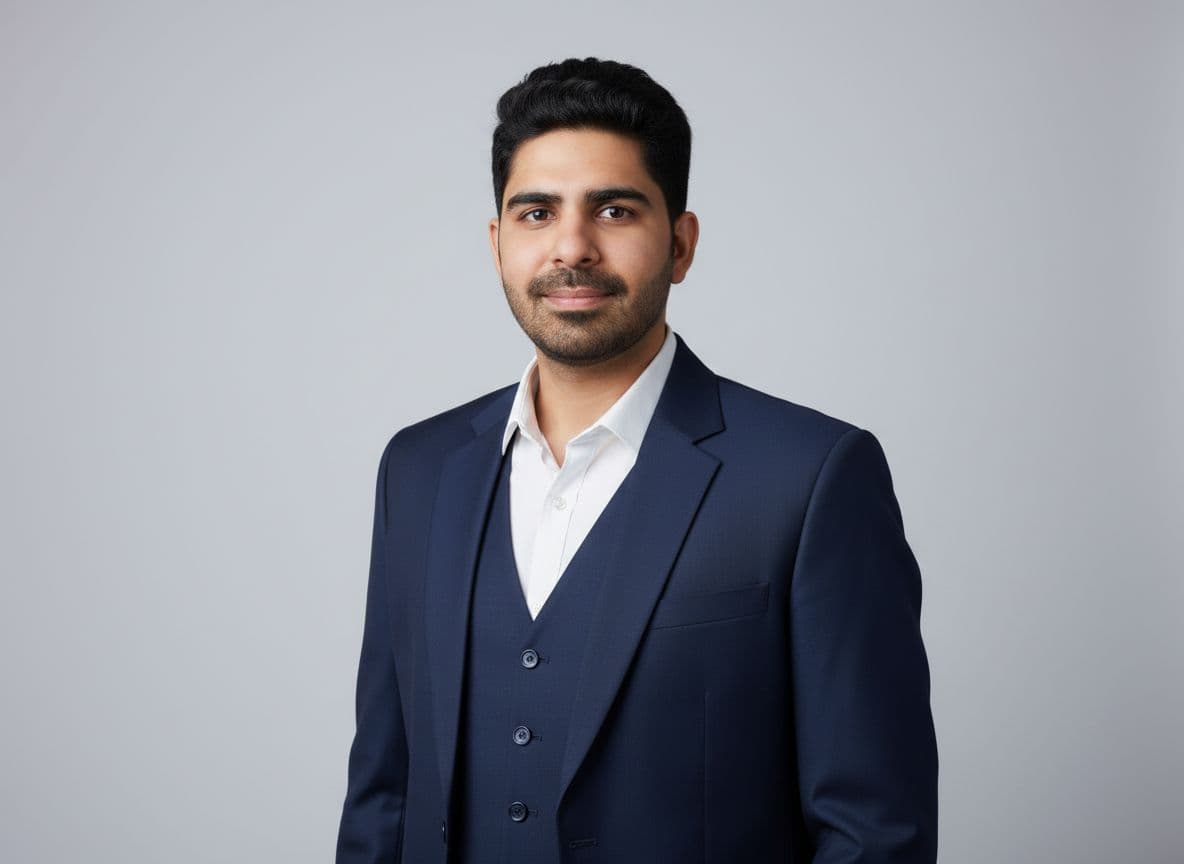
HeadshotMaster
45/75Can be used if you are on a budget
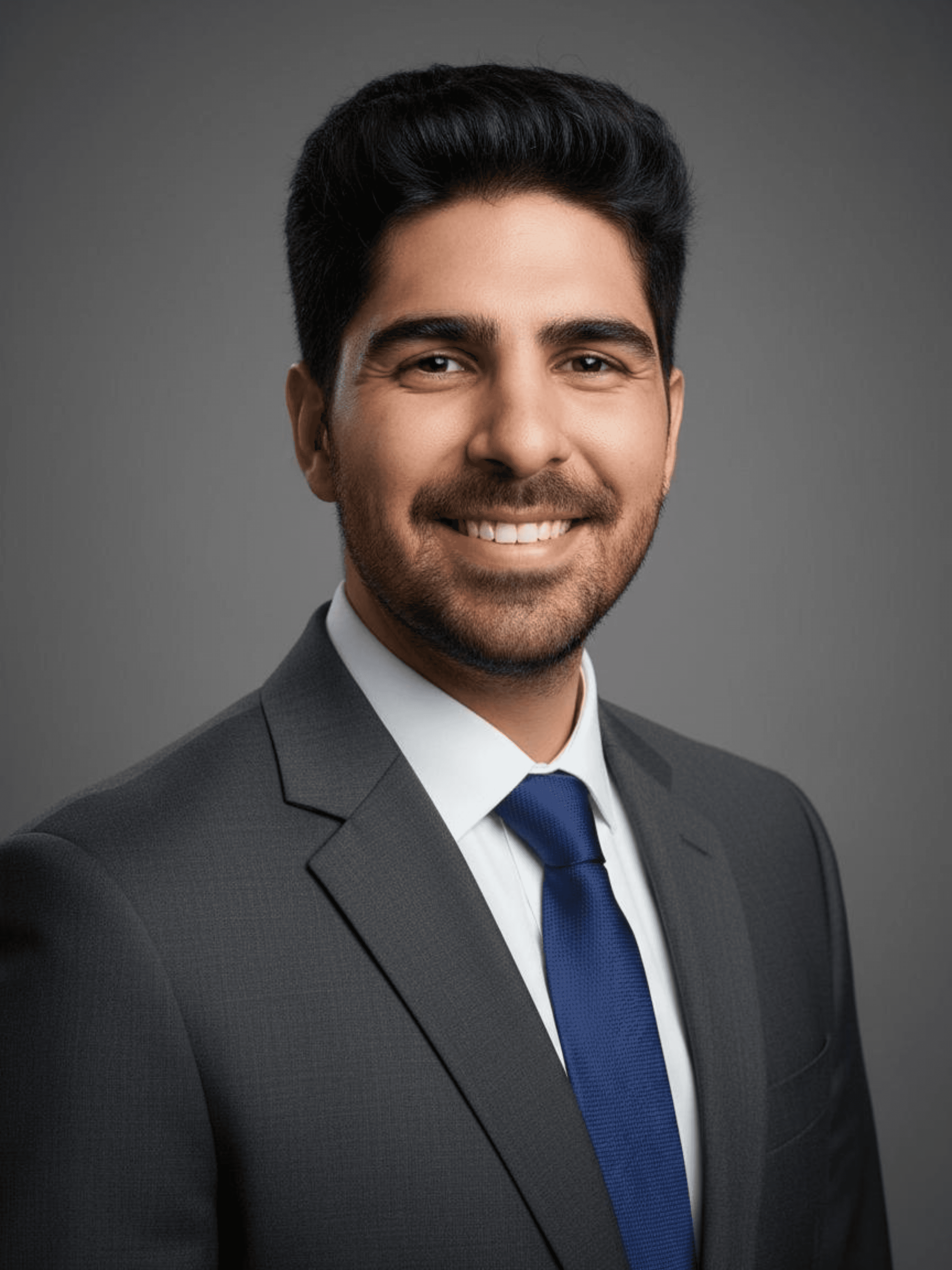
Canva
41/75Decent FREE AI headshots.
Quick Navigation
- Quick Heads-Up
- TL;DR
- Quick Comparison
- 1. Proshoot Review
- 2. DreamWave AI Review
- 3. Aragon AI Review
- 4. PortraitPal AI Review
- 5. HeadshotMaster Review
- 6. Canva Review
- How AI Headshot Generators Actually Work
- How I Tested These AI Headshot Generators
- How I Scored Tools
- AI Headshots vs Traditional Photography
- How to Get Better Results
- Privacy, Data, and Safety Considerations
- Frequently Asked Questions
- Tools I Couldn’t Test (Yet)
- Final Thoughts
Quick Heads-Up
I’ve reviewed these tools to the best of my knowledge and with genuine care for accuracy and usefulness. Some of the links on this page are affiliate links, which means I may earn a small commission at no extra cost to you if you choose to purchase through them. This support helps me maintain and grow this website, and I sincerely appreciate it. 👏
TL;DR
⏱️ Short on time? Here's my honest take after testing these AI headshot generators 👇
| Tool | Best For | Quick Verdict |
|---|---|---|
| ProShoot | Face likeness | ⭐ Most authentic, minor clothing artifacts |
| DreamWave AI | Best posed headshots | ⭐ Creative look, less natural realism |
| Aragon AI | Social / dating profiles | ⭐ Glamorous look, weak face resemblance |
| PortraitPal | - | ⭐ Inconsistent outputs, low realism for a paid tool |
| HeadshotMaster | No-signup + Free | ⭐ Best free option, instant results |
| Canva | Quick & Free | ⭐ Instant results, requires login |
ProShoot - Best option if face likeness is your top priority. The images look realistic and people can recognize you instantly. Some outputs do show slightly unpolished details like wrinkles in clothing or less formal outfits and skinnier body composition, but overall it delivers the most authentic looking results.
DreamWave AI - A strong contender for stylized, creative professional headshots. While it sacrifices some realism for aesthetic appeal, the results are visually striking and polished.
Aragon AI - Works best for dating profiles and social use. The photos look glamorous and polished, almost magazine like. Face likeness is below average, so I would not rely on it for strict professional or corporate use.
PortraitPal - Offers a half-cooked product, delivering inconsistent outputs with low realism. It's not a reliable choice for standard professional headshots.
HeadshotMaster - The best frictionless option. No signup required, completely free, and extremely fast. Perfect for testing AI headshots without commitment.
Canva - Ideal if you already use Canva and need something quick and free. It requires a login but integrates well if you're already using Canva.
Quick Comparison
This table gives you a high level comparison of all the AI headshot generators covered in this guide.
You can 🔗 bookmark this section and come back to it while reading individual reviews.
Each tool is scored using the same criteria explained in how I scored tools section below, with higher weight given to face likeness, realism, and professional usability.
AI Headshot Generator Comparison
| Tool | Face Likeness (/25) | Realism (/20) | Professionalism (/15) | Privacy (/5) | Pricing (/10) | Total (/75) | Best Use Case | Notes |
|---|---|---|---|---|---|---|---|---|
| Proshoot | 24 | 19 | 13 | 4 | 8 | 68 | Highest face likeness | Very recognizable results, minor outfit artifacts |
| DreamWave AI | 22 | 17 | 14 | 4.5 | 8 | 65.5 | Stylized headshots | Creative look, less natural realism |
| Aragon AI | 19 | 15 | 12 | 5 | 8 | 59 | Dating and glamorous photos | Polished and stylish, slightly lower likeness |
| PortraitPal | 15 | 12 | 12 | 3.5 | 5 | 47.5 | ❌ | inconsistent outputs, ❌ realism |
| HeadshotMaster | 10 | 5 | 15 | 5 | 10 | 45 | No-signup Free | Best free option, fast generation |
| Canva | 8 | 4 | 15 | 4 | 10 | 41 | Simple professional headshots | Reliable but not standout |
Key Takeaways
- Proshoot ranks highest overall due to strong face likeness and realistic results.
- DreamWave AI ranks second overall due to polished results and creative look.
- Aragon AI is better suited for dating or creative profiles.
- HeadshotMaster is the best starting point for a completely free, no-signup experience.
👀 Still reading? The sections below go into each tool with image analysis, some tips (I really hope they are useful 🤞).
The next section breaks down each tool individually so you can understand why they scored the way they did.
1. Proshoot Review
Proshoot is the AI headshot generator that impressed me the most when it comes to face likeness.
If your top priority is looking like yourself, this tool stands out immediately.
That said, this strength comes with a few tradeoffs that are worth understanding before choosing it.
User Experience
The process starts by selecting a plan. Pricing begins at $35 for 40 headshots, which puts Proshoot in the paid and more premium category right away.
After selecting a plan, the tool asks for a series of personal attributes:
- hair type, color, and length
- ethnicity
- body type or shape
- glasses preference
All of this feels familiar and easy to complete.
The most interesting and also the most confusing part comes next.
Proshoot allows you to build custom styles by choosing backgrounds and attire separately from a large style catalog. These styles are grouped by themes, which is helpful, but the interface is not very clear at first.
I initially tried selecting multiple styles at once, assuming they would be applied together. In reality, styles work one by one, not in bulk. Once you understand this, it makes sense, but the UI does not explain it well. It took me multiple attempts to get it right.
Walkthrough Screenshots
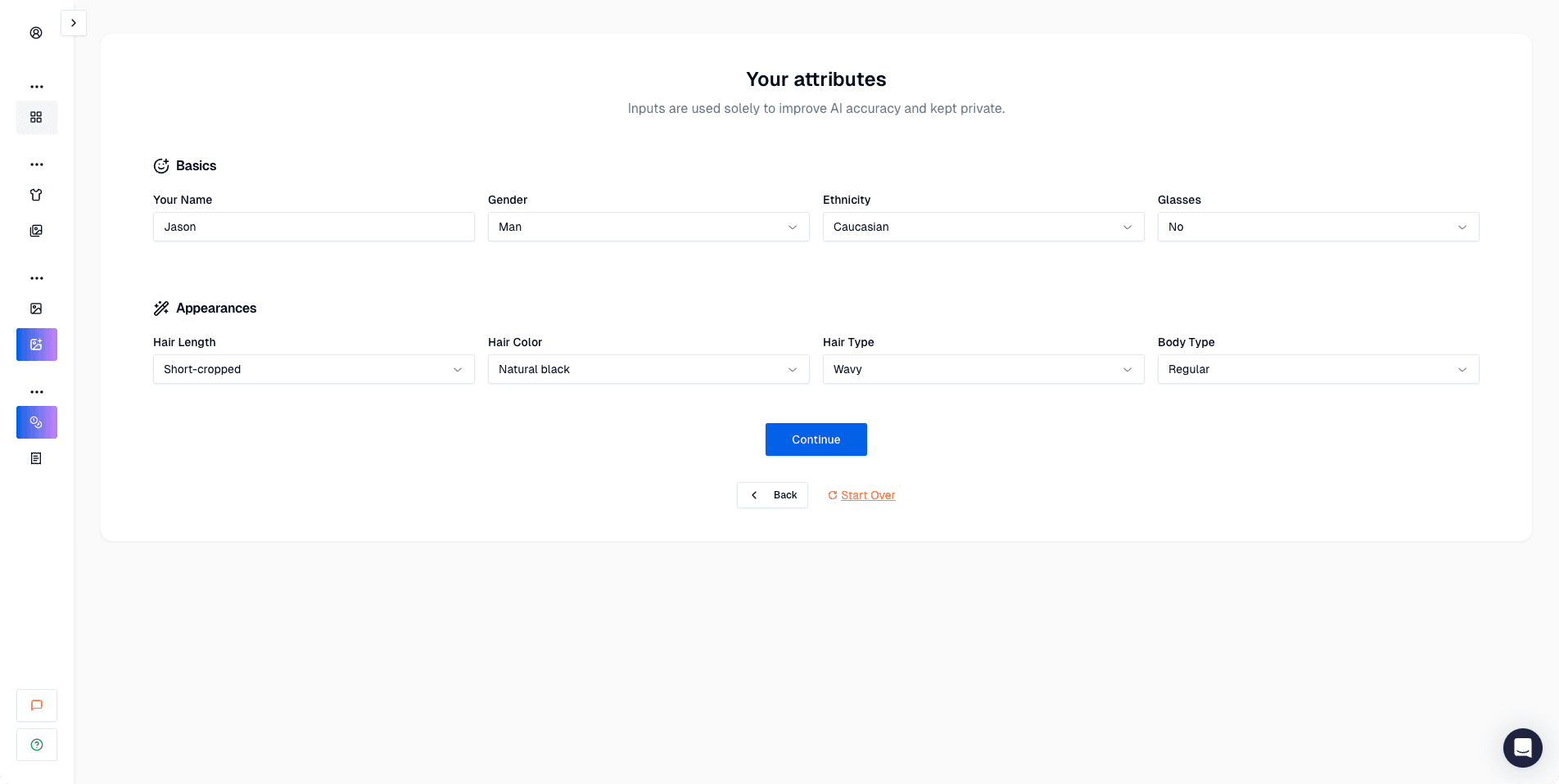 Screenshot of Proshoot website where users input personal attributes like hair color, hair type, ethnicity, body type, and glasses preference to customize AI headshot generation.
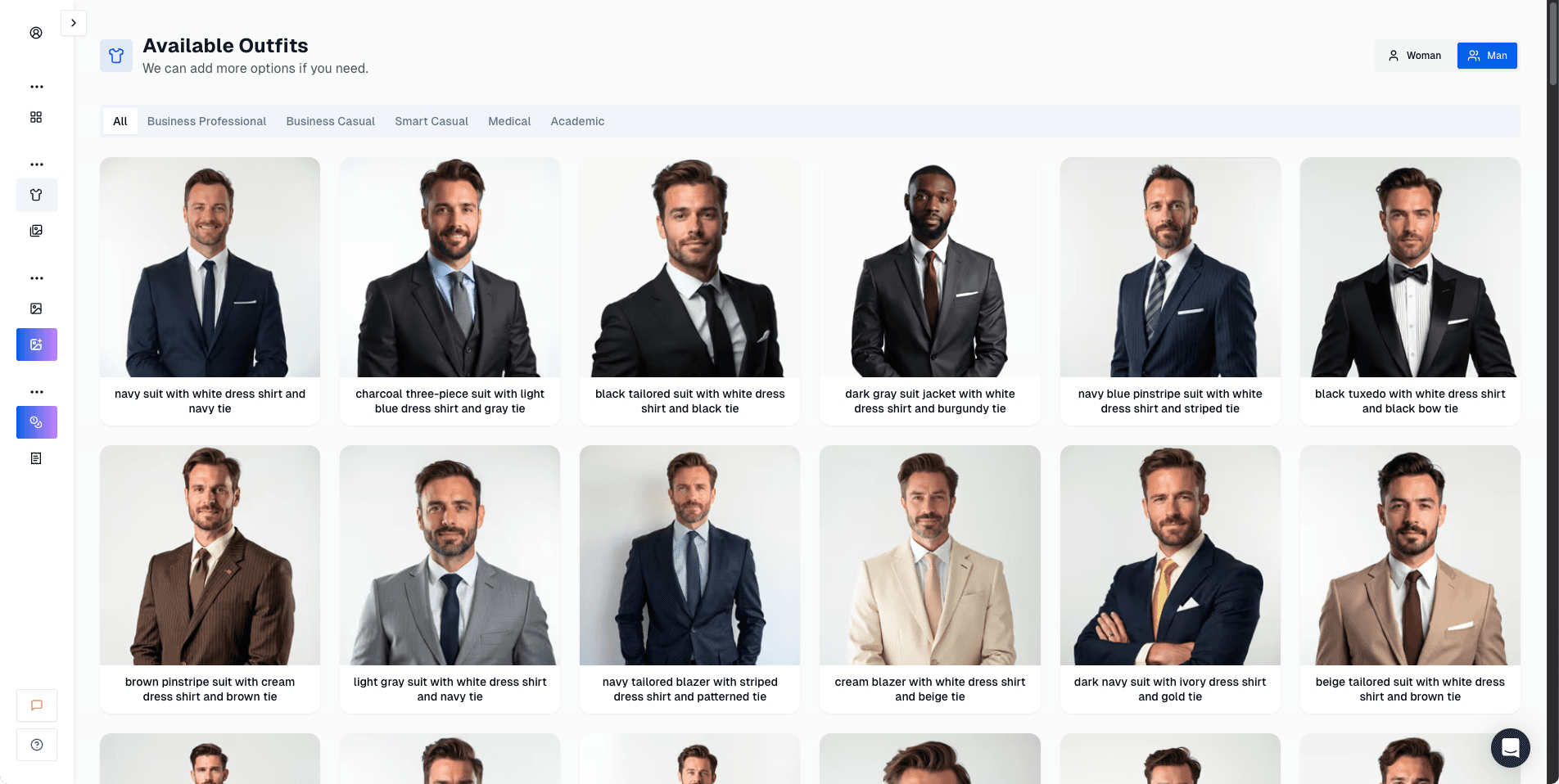 Screenshot of Proshoot website displaying the available outfit styles library where users can browse and select professional attire for their AI-generated headshots.
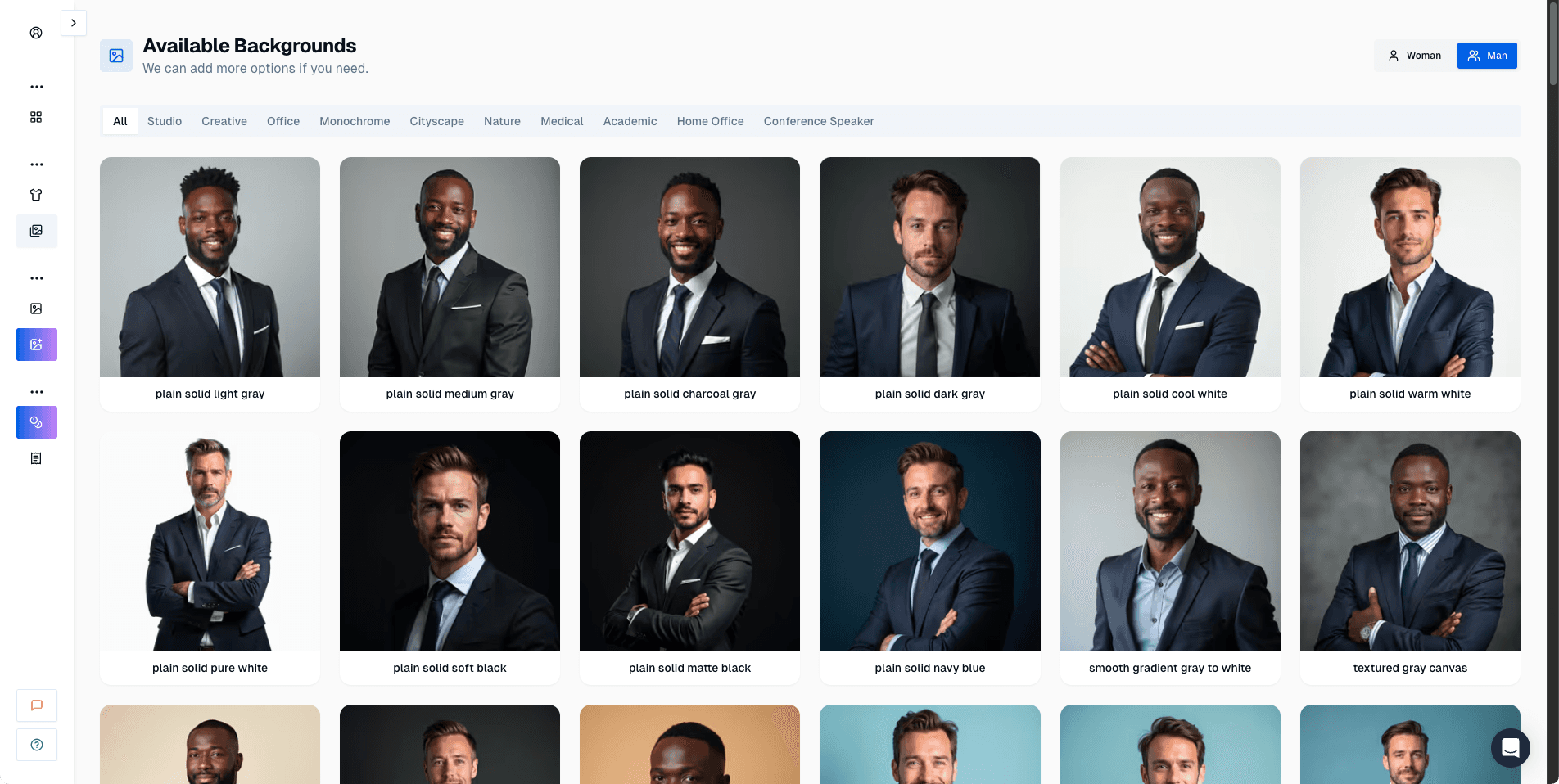 Screenshot of Proshoot website where users choose background options to pair with their selected outfits for professional headshot styles.
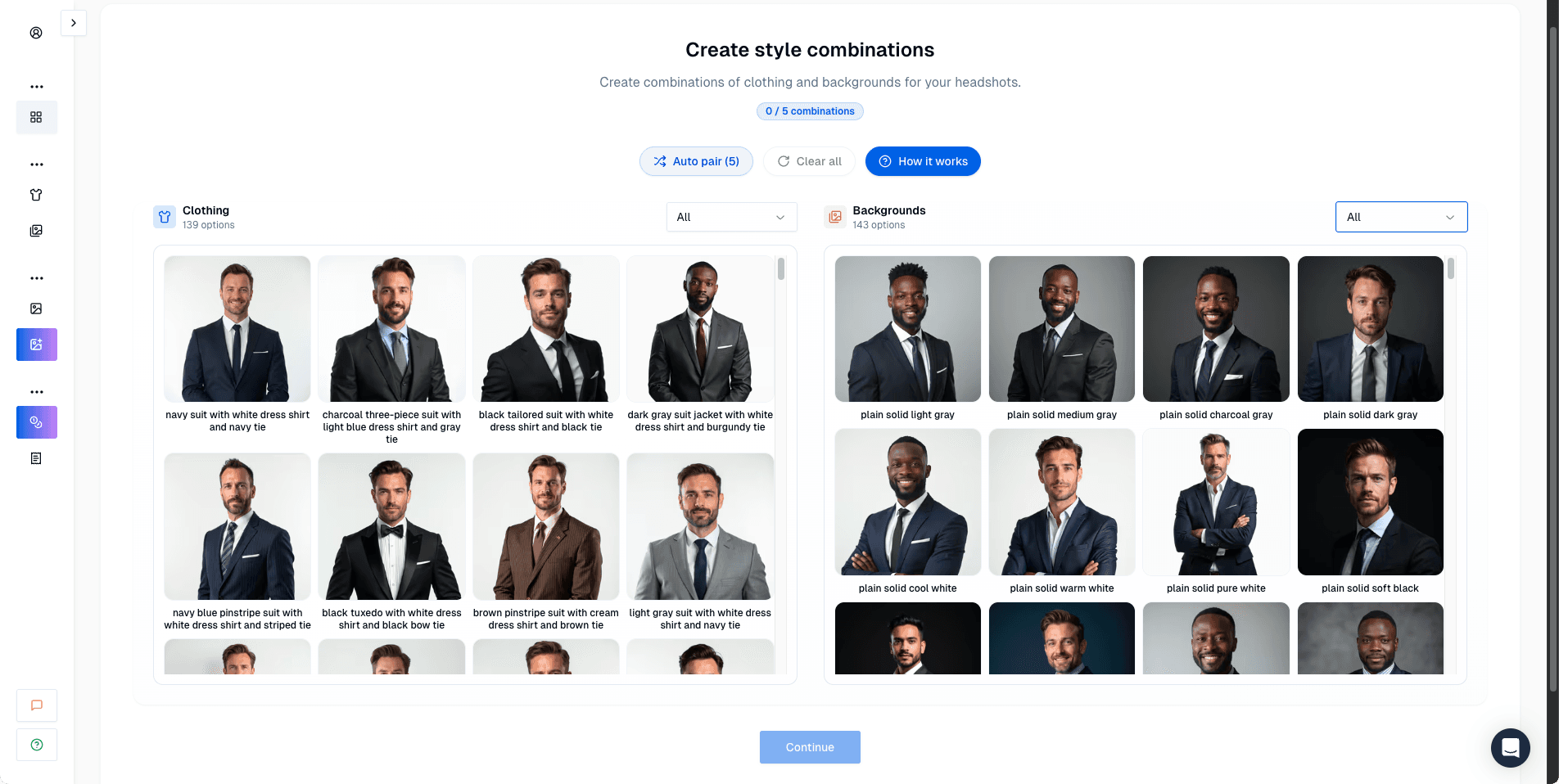 Screenshot of Proshoot website demonstrating how to create style pairs by combining selected outfits with chosen backgrounds for custom headshot looks.
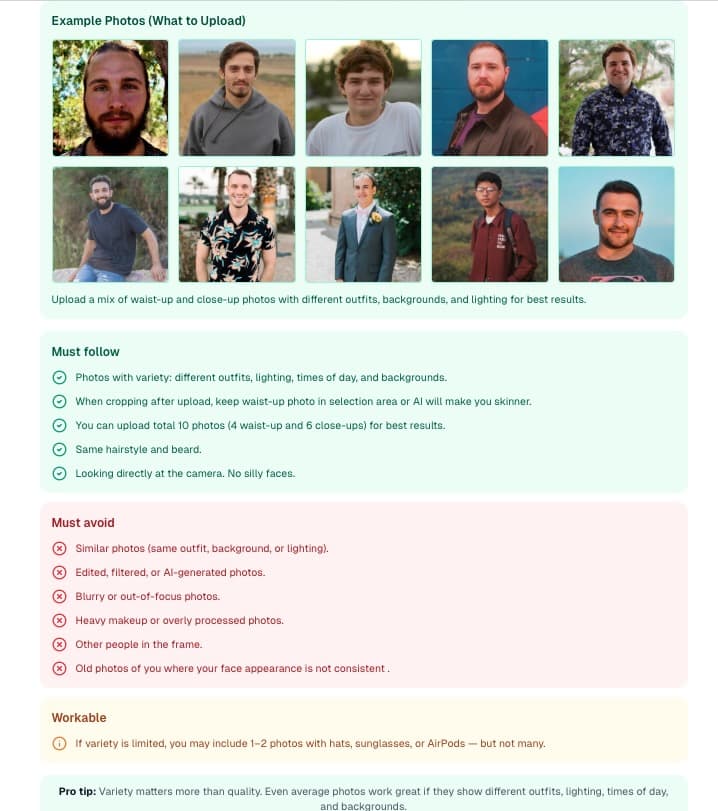 Screenshot of Proshoot website showing image uploading guidelines and photo requirements to achieve optimal face likeness and realism in AI headshots.
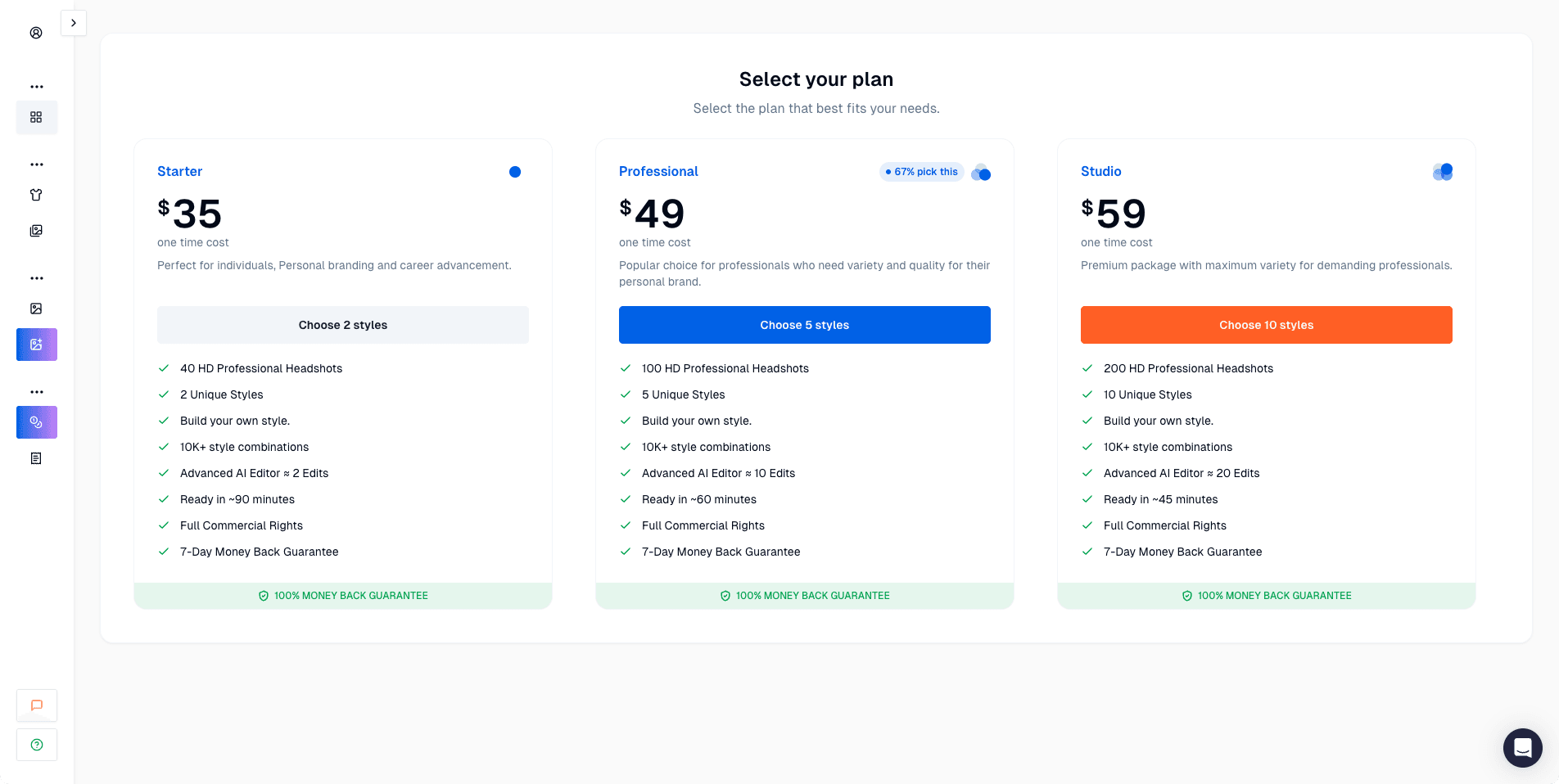 Screenshot of Proshoot website displaying pricing plans and payment options for AI headshot generation packages and credit system.
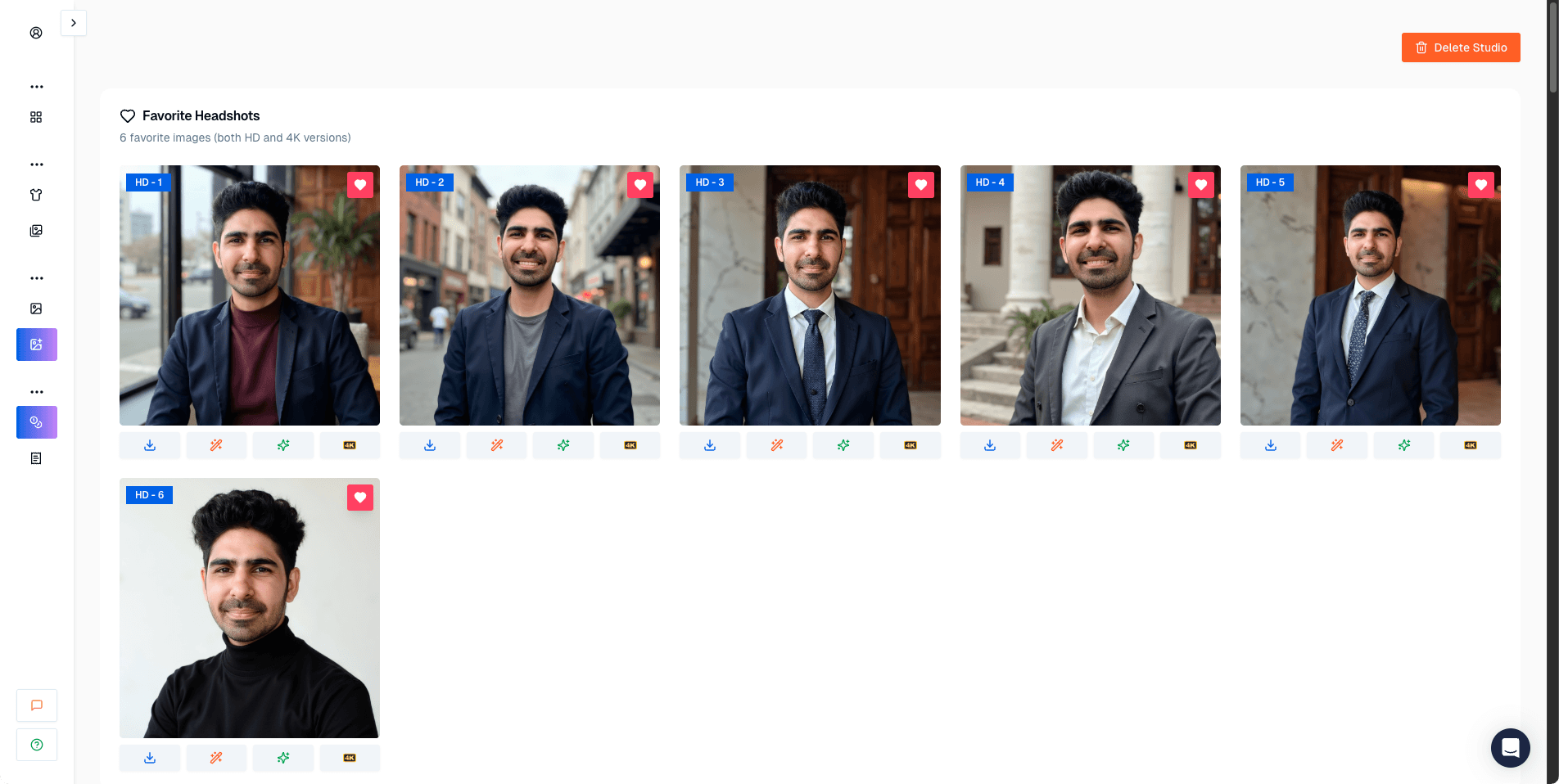 Screenshot of Proshoot website showing the favorites section where users can save and organize their best AI-generated headshots for easy selection.
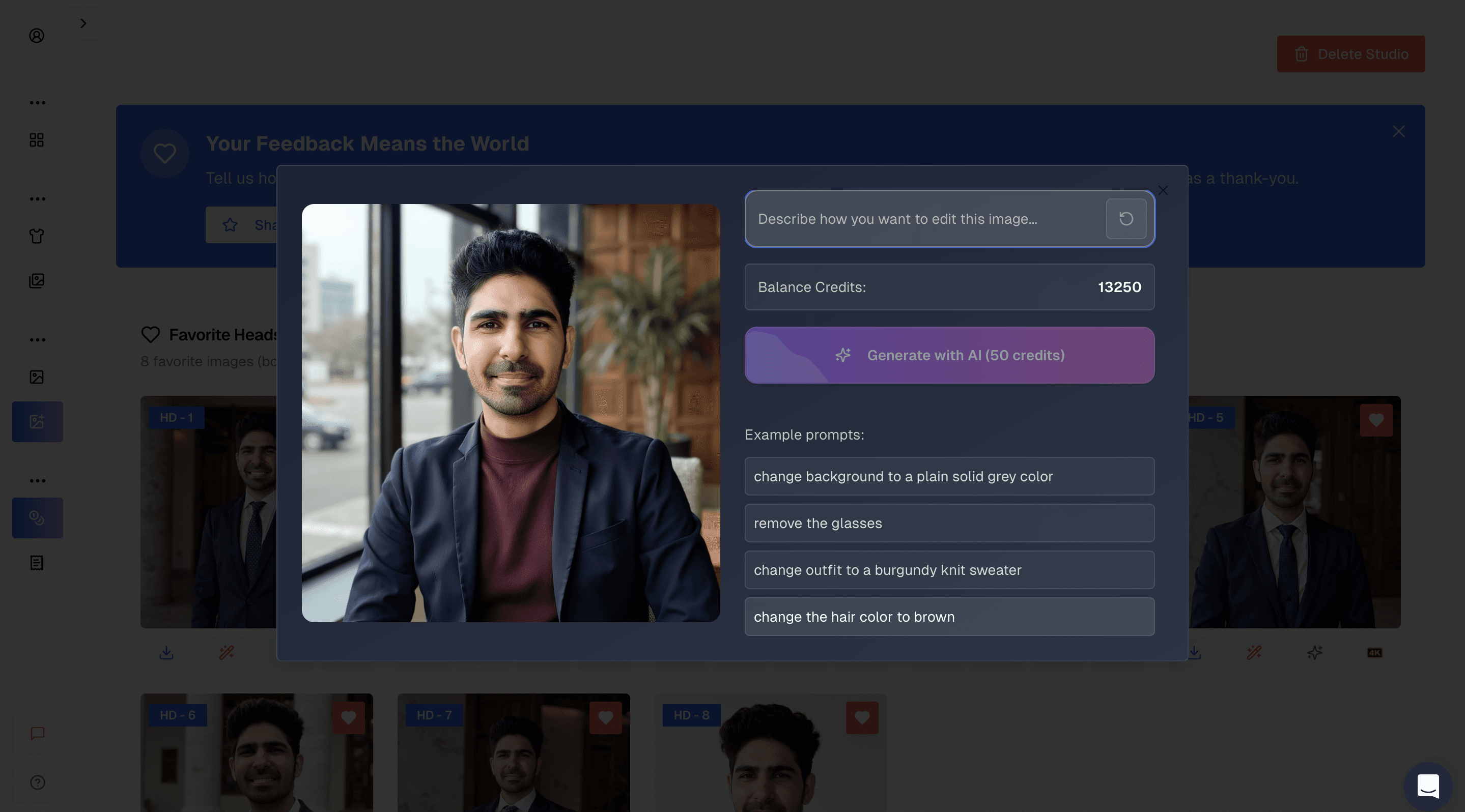 Screenshot of Proshoot website displaying before AI edit.
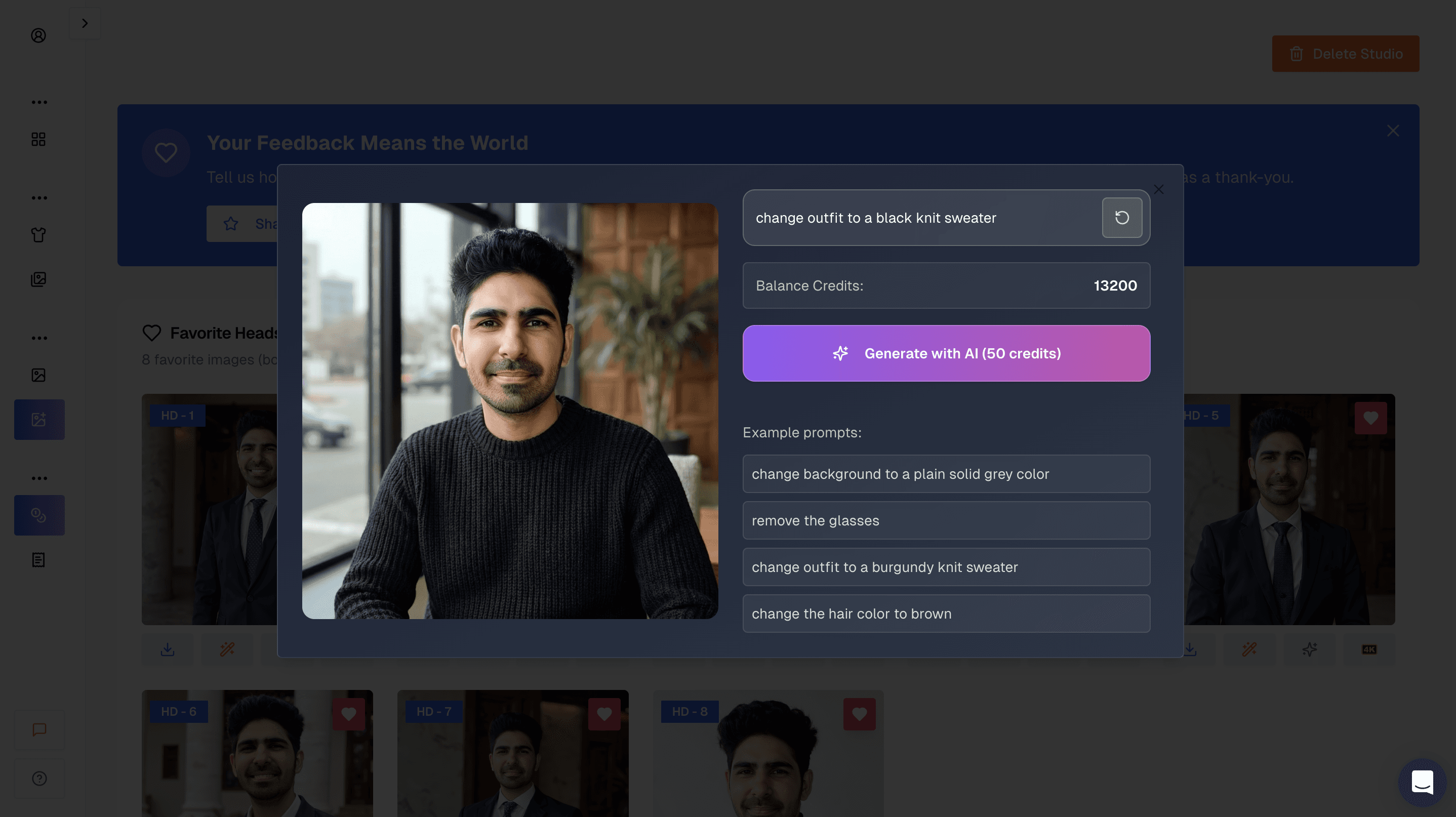 Screenshot of Proshoot website showing after AI edit. more on this later why these ai editor has limitations
Headshot Quality and Results
Face likeness is excellent. In many results, the face structure, proportions, and overall identity are preserved extremely well. Friends and colleagues would recognize you instantly 😄.
Photorealism is also strong. The images do not feel overly polished or artificial. Lighting and skin texture look natural, and the faces do not suffer from the plasticky look seen in some other tools.
However, there is a tradeoff.
Many headshots feel very realistic, sometimes too realistic. Small imperfections like wrinkles in clothing, uneven shadows, or slightly casual looking outfits appear more often. This gives some images a DIY feel rather than a studio polished look.
Another tradeoff is the body composition. In some images Jason looked skinnier than he is in real life.
I wish looking slimmer was that easy 🏋️
Image Results Explained
When I reviewed Proshoot’s results, I had mixed but mostly positive reactions.
The face looked like the real person. That part was impressive and consistent across outputs. Facial structure stayed intact, and expressions felt natural.
At the same time, some images looked like they were taken at home rather than in a professional studio. Clothing wrinkles, lighting inconsistencies, and subtle shadows were visible.
It felt like Proshoot intentionally prioritizes realism and likeness over cosmetic perfection. Sometimes that works beautifully. Other times, it makes the image feel less professional than expected.
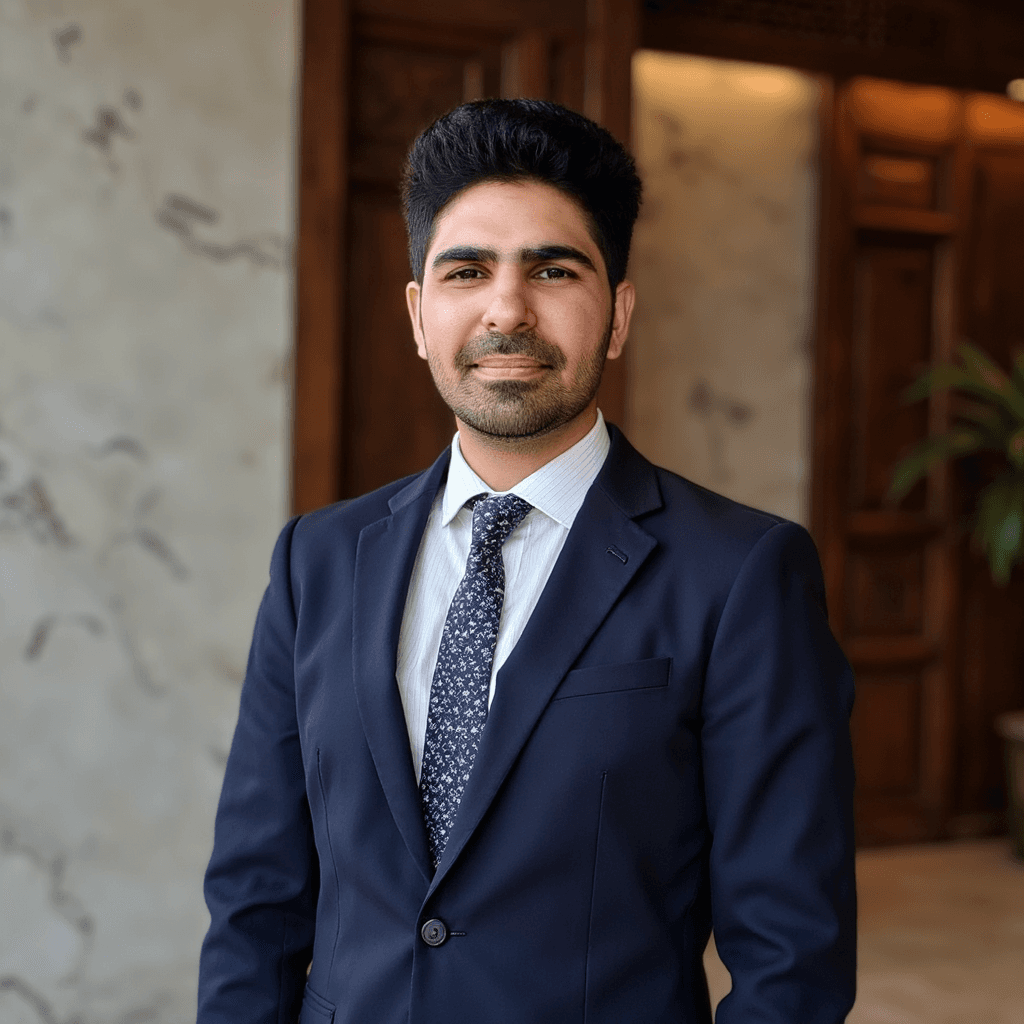 This is my favorite image from all the tools because it has accurate face and body composition. If you see images created by Proshoot, you will realize that most of the images have good facial likeness, but many fail due to bad body composition, as you can see in the video.1
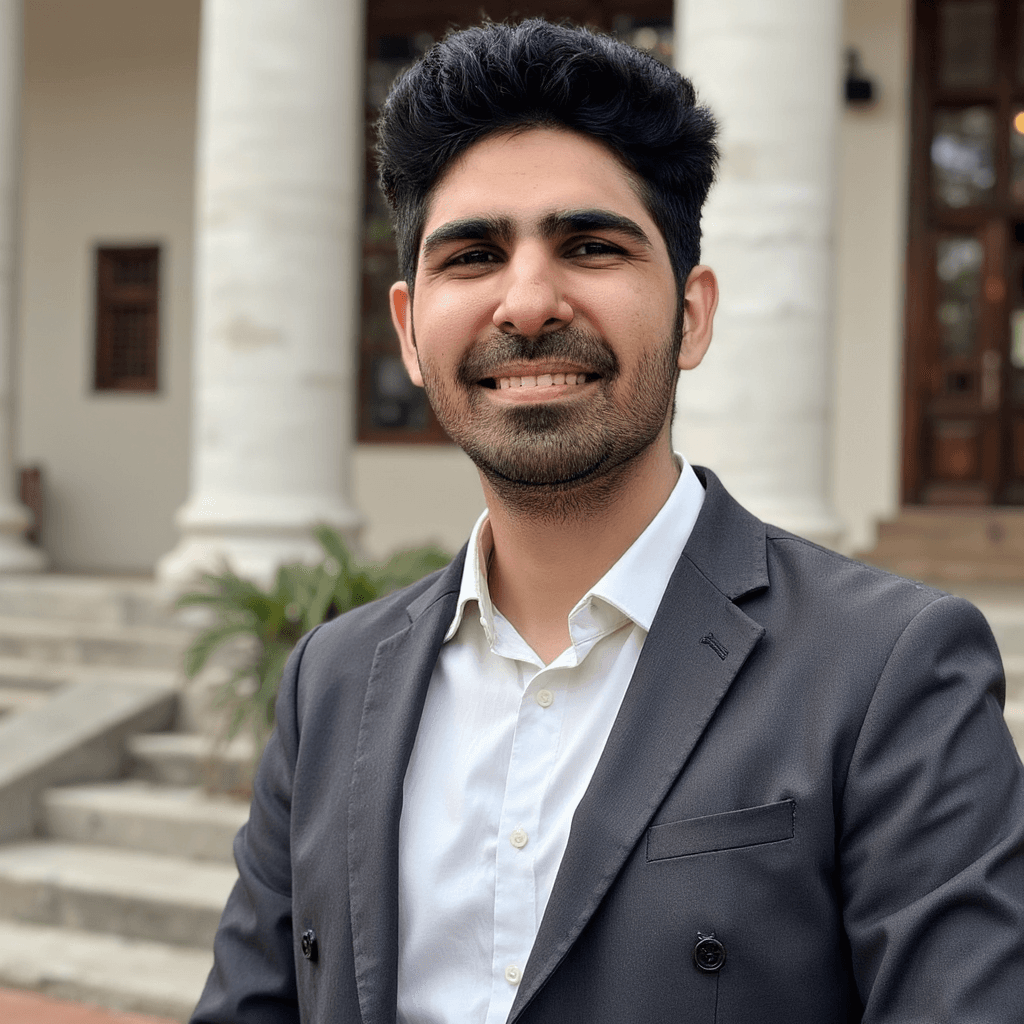 If you see this image again, the face likeness is perfect, but this time the outfits are not looking polished.
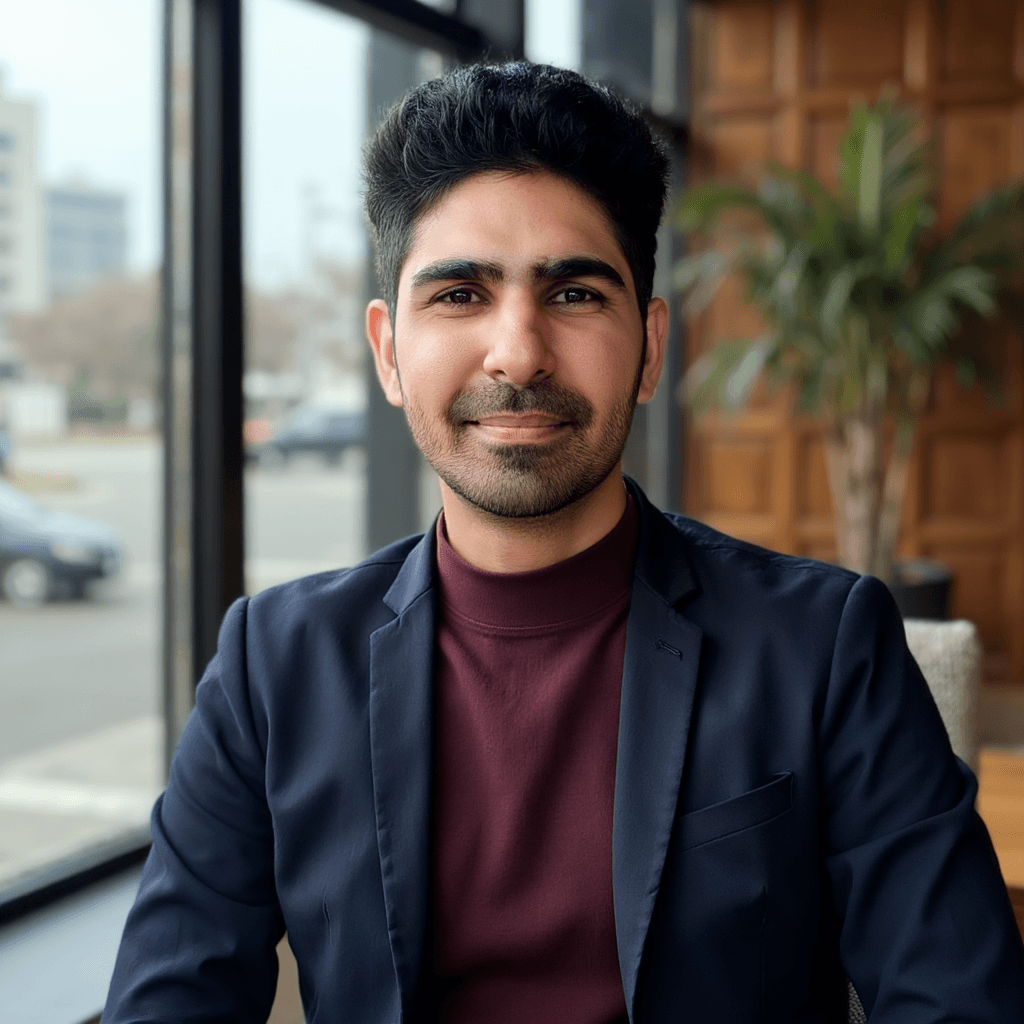 This one is really good when it comes to face likeness but the blazer looks not polished [this is the reason why i edited this image to change the outfit].
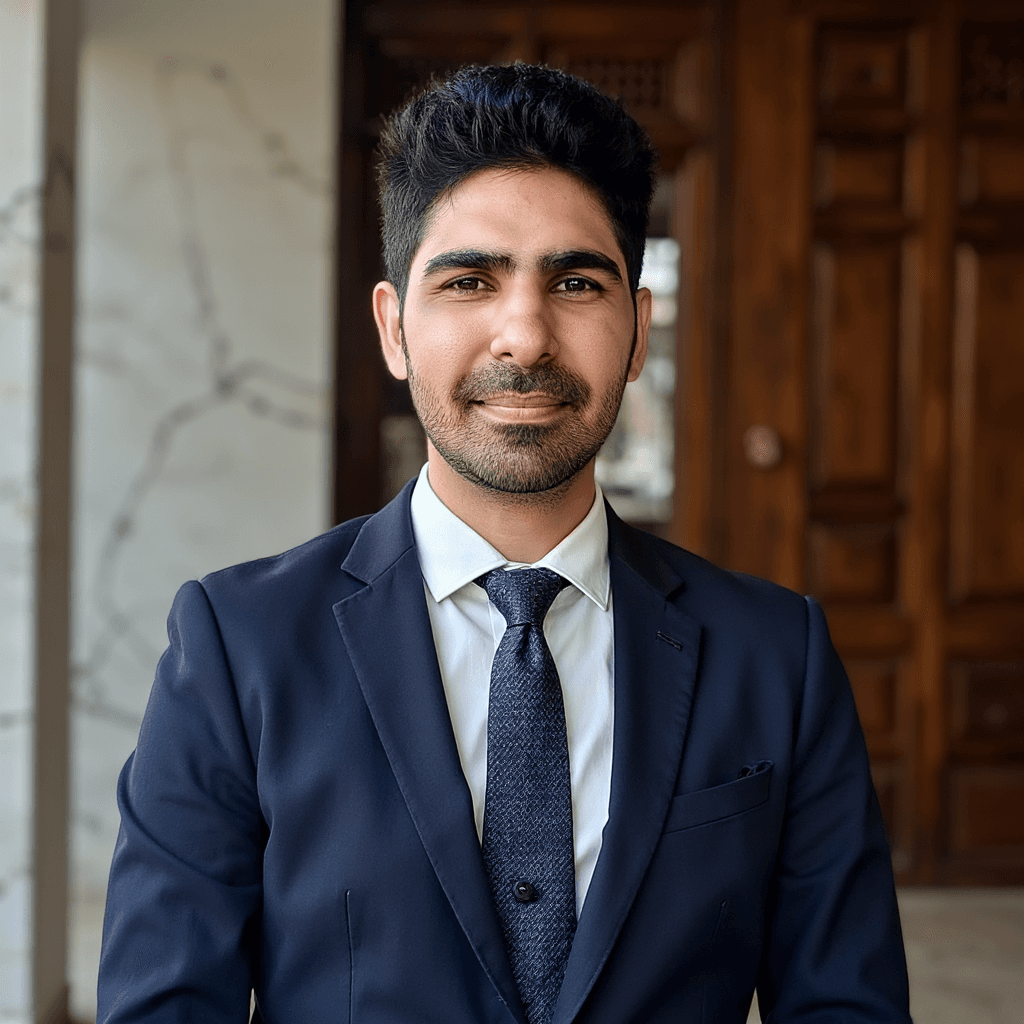 This one is also good but it has a artifact (button on the tie) .
Styles and Customization
Proshoot offers one of the most flexible style systems I’ve seen by letting users create custom styles.
You can:
- choose backgrounds independently
- select attire separately
- mix and match styles from a large catalog
This level of control is powerful, but the UI makes it harder than it should be. Once you understand how it works, the system feels logical.
Proshoot also includes an AI editor that lets you make final tweaks. This editor is genuinely useful for non-face tweaks (like background and attire) and helps improve images that are almost right but need small adjustments.
Pricing Clarity
Proshoot’s pricing is on the higher side.
Key points:
- $35 starting plan for 40 headshots
- 4K headshots cost 400 credits per image, which works out to about $4 per image
- additional headshots cost around $1 per image
In my opinion, the 4K pricing is steep. Many users can upscale images using free or inexpensive tools, so paying extra for 4K may not be necessary.
Compared to Aragon AI, Proshoot’s entry plan can be similar, but add-ons like 4K exports and extra images can make it more expensive overall. However, this pricing is partially justified by the strong face likeness.
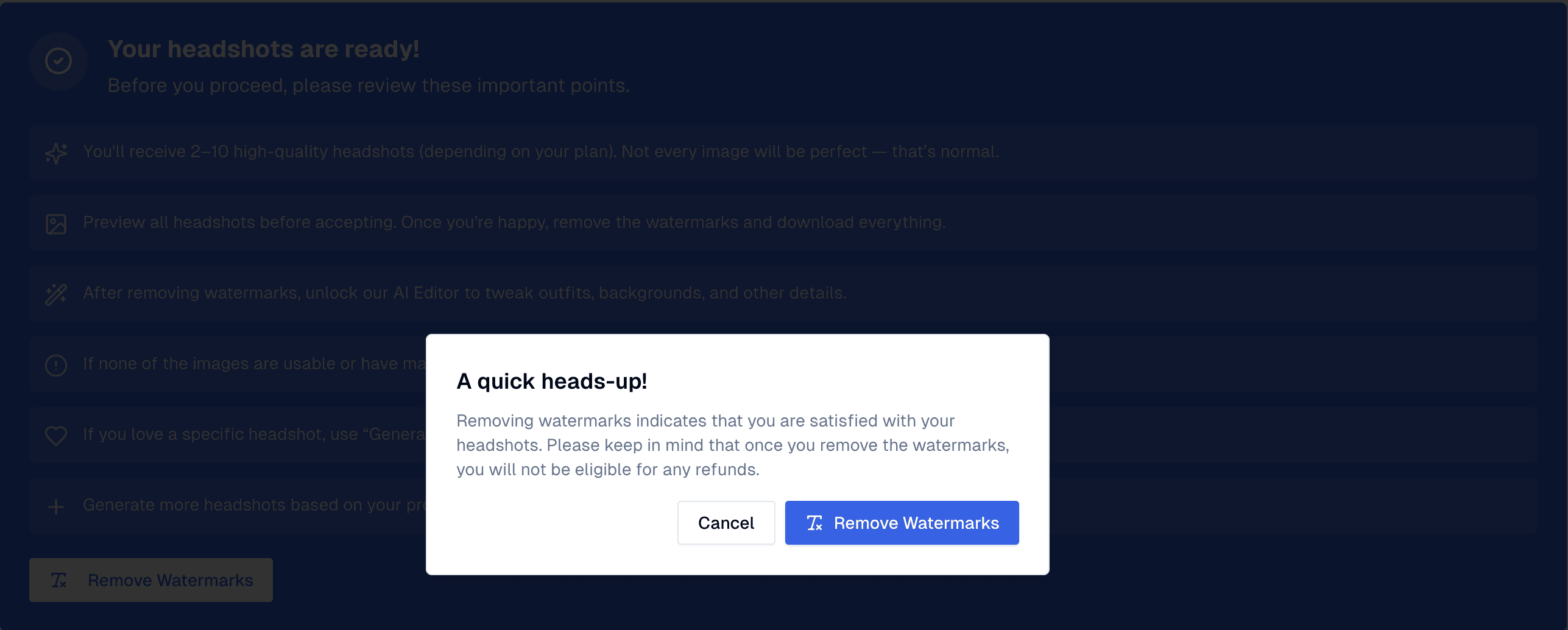 *Proshoot refund warning. If you remove watermarks, you will not be eligible for any refund.*
Privacy and Security
Proshoot follows standard industry practices for data handling. Images are processed securely, and while they don't heavily market their security features like some enterprise-focused tools, they provide clear terms regarding image usage.
Their website mentions
- All generated images are deleted after 30 days
- All uploaded images are deleted after 7 days
- Manual deletion is available for all users from dashboard
- They don't use you data to impove their product
As with most AI headshot generators, it is recommended to delete your data after you have downloaded your results if you have privacy concerns.
Turnaround Time
The full headshot generation process took about 45 minutes in my testing, making it one of the slower tools I tested from our current list.
Pros and Cons
Pros ✅
- Best face likeness among all tools tested
- Strong photorealism
- Very recognizable results
- Flexible custom style system
- Useful AI editor for refinements
Cons ❌
- UI for style selection is confusing
- Some headshots look DIY rather than studio polished
- Expensive 4K and extra image pricing
- Higher overall cost compared to most competitors
- Body composition could be improved
Short Verdict
Proshoot is the best choice if face likeness matters more than anything else.
It consistently produces images that look like the real you, even if that realism sometimes exposes imperfections. If you are comfortable refining (especially attires) results and accept that not every image will look studio perfect, Proshoot delivers something most tools struggle with.
It is not the cheapest option, and the interface needs improvement, but when it comes to identity preservation and realism, Proshoot earns its place at the top.
Use promo code AIHEADSHOT to get additional 10% off.
2. DreamWave AI Review
DreamWave AI takes a very different approach compared to most AI headshot generators. Instead of asking for a long list of personal attributes, it keeps the process minimal and focused, which makes the experience feel fast and privacy friendly.
This simplicity is one of its strongest points.
User Experience
Creating headshots with DreamWave is straightforward and refreshingly simple.
After selecting gender, the platform immediately lets you pick your preferred styles. It does not ask for detailed personal information like ethnicity, hair color, eye color, or body type. Once styles are selected, you upload your images and move straight to generation.
This minimal input approach reduces friction and feels more respectful of user privacy. You spend less time filling forms and more time crafting your AI vs Real quiz 🧩.
The overall flow is clean and intuitive, even for first time users.
Walkthrough Screenshots
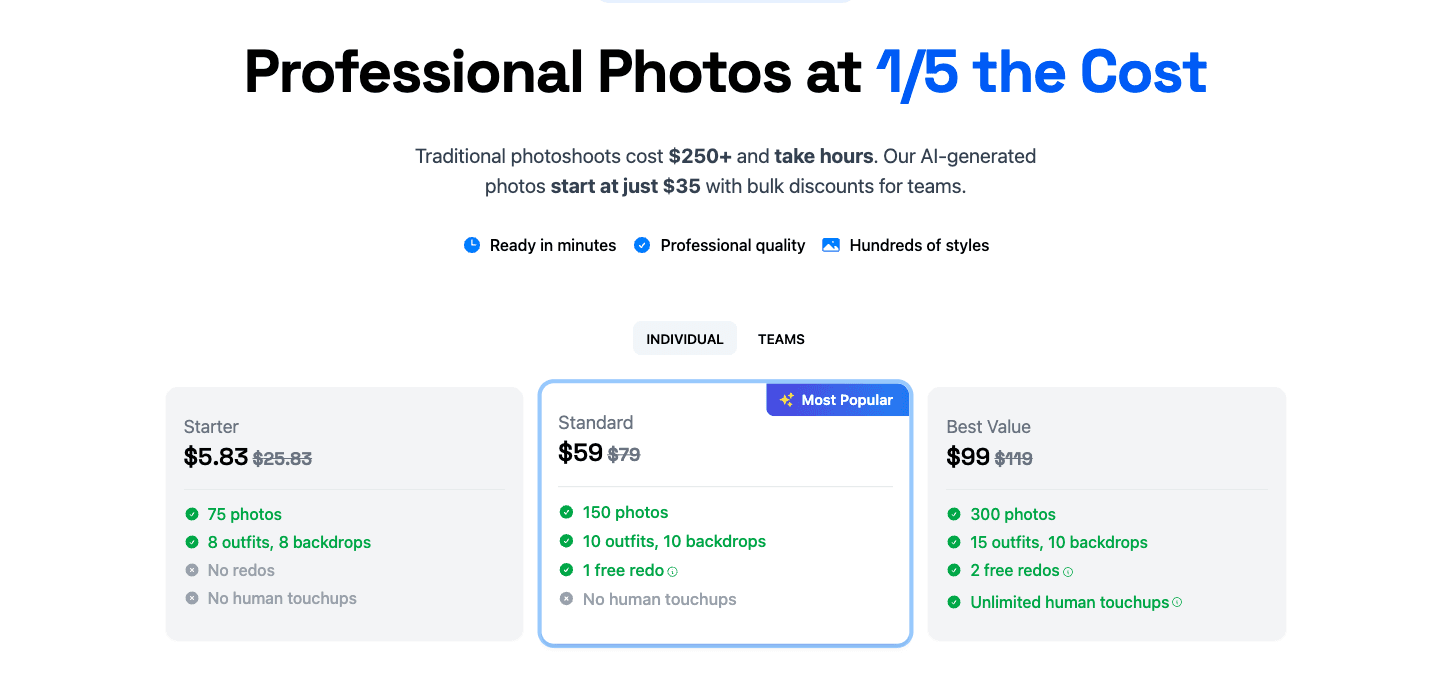 Screenshot of Dreamwave AI website displaying pricing plans and subscription options for AI headshot generation services.
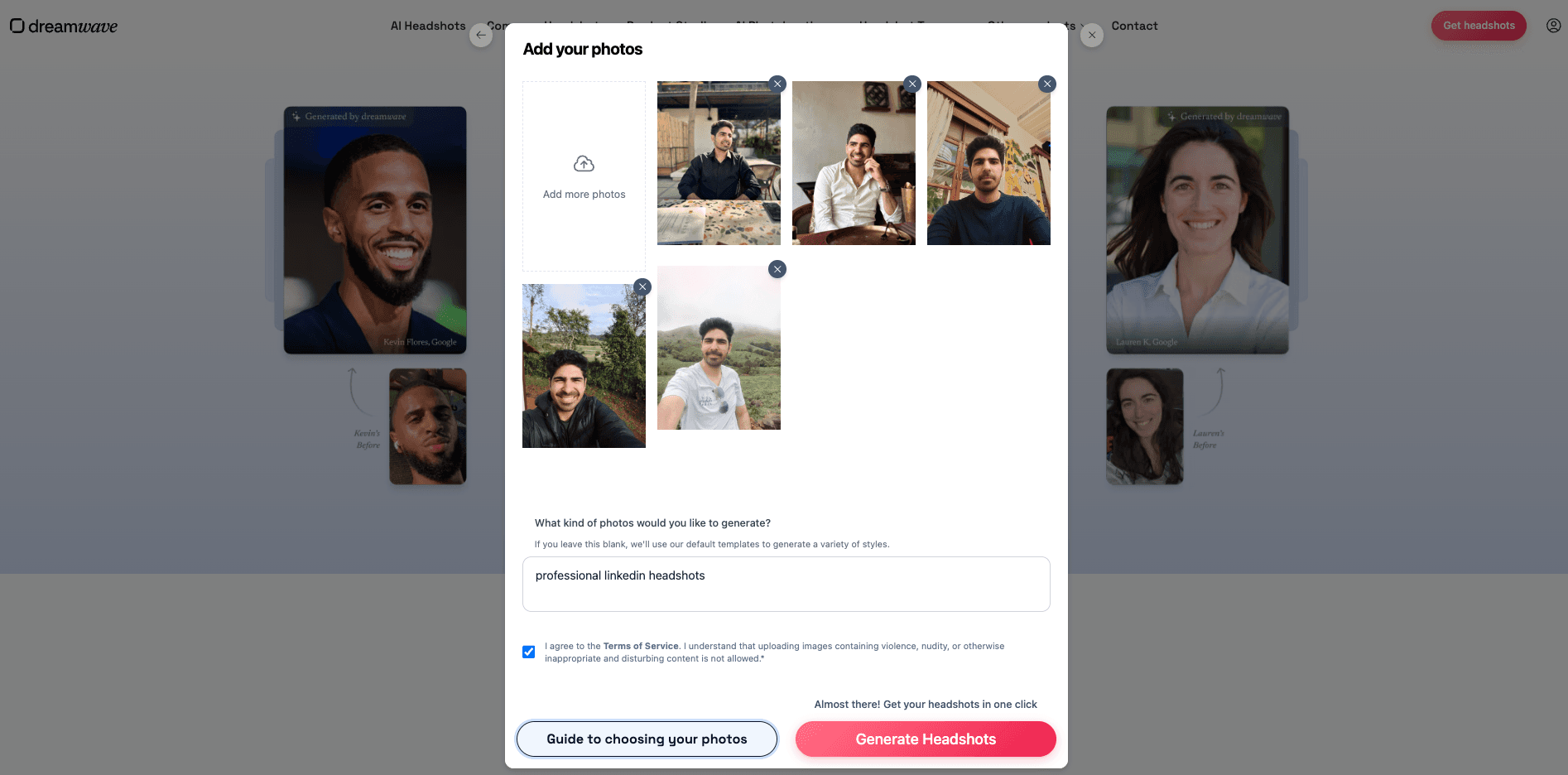 Screenshot of Dreamwave AI website showing the clean drag-and-drop photo upload interface for submitting training images.
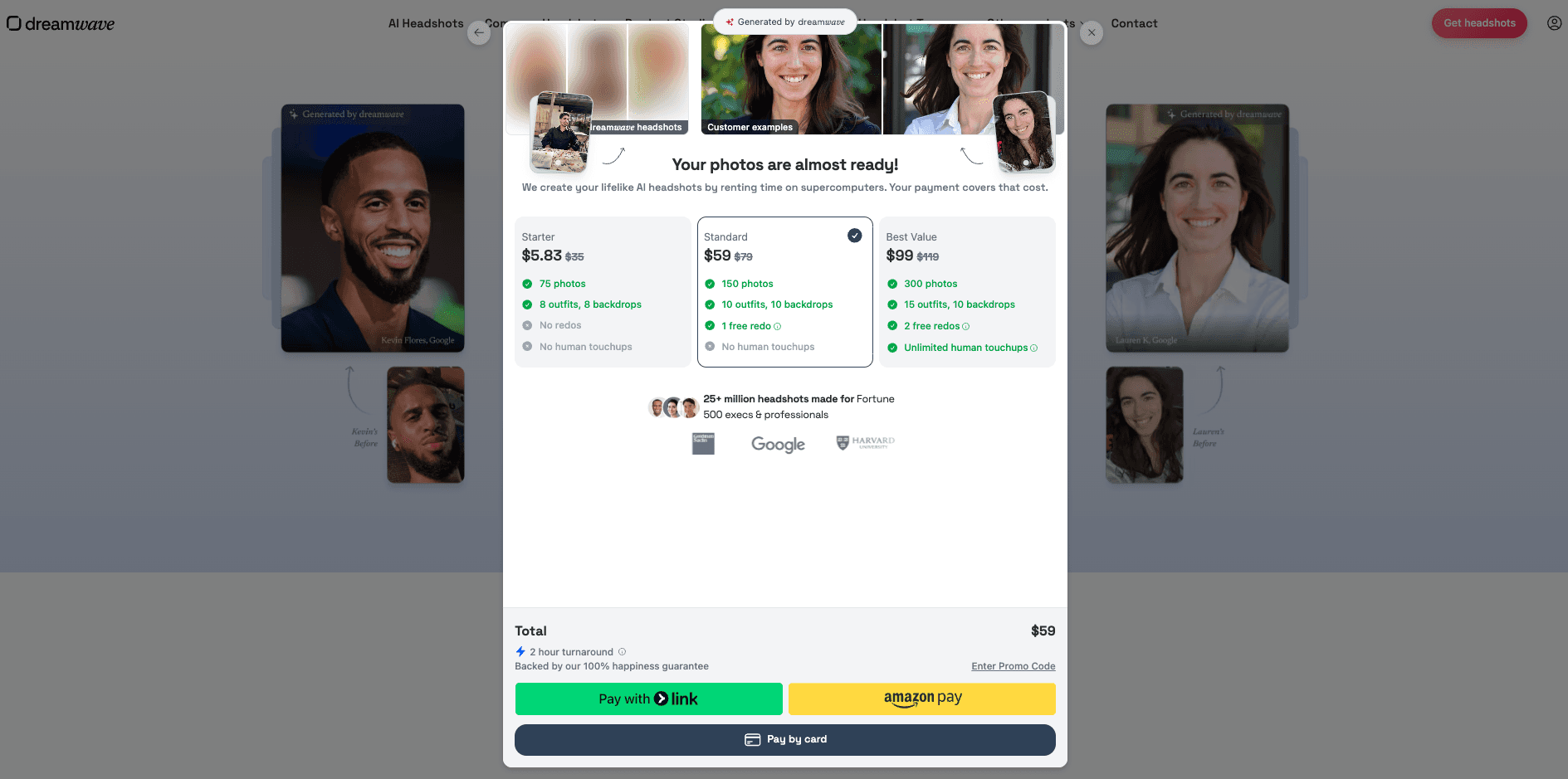 Screenshot of Dreamwave AI website displaying the secure payment confirmation modal for completing purchase.
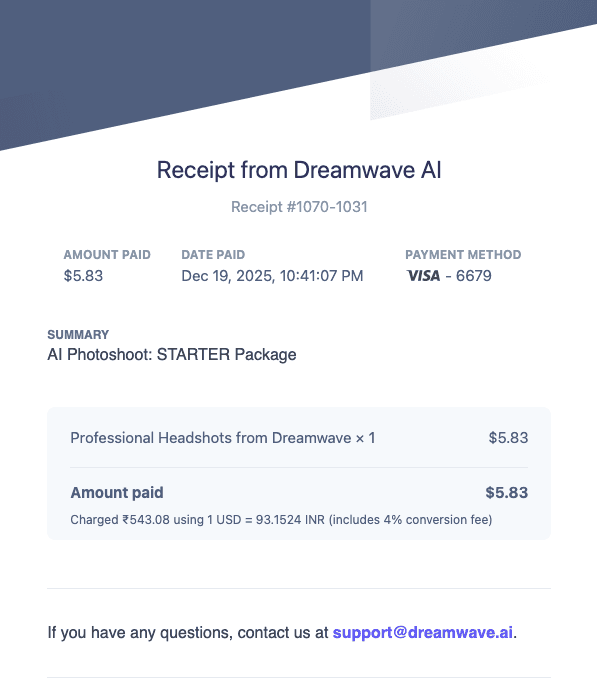 Screenshot of Dreamwave AI website showing the Stripe payment receipt and transaction confirmation after successful payment.
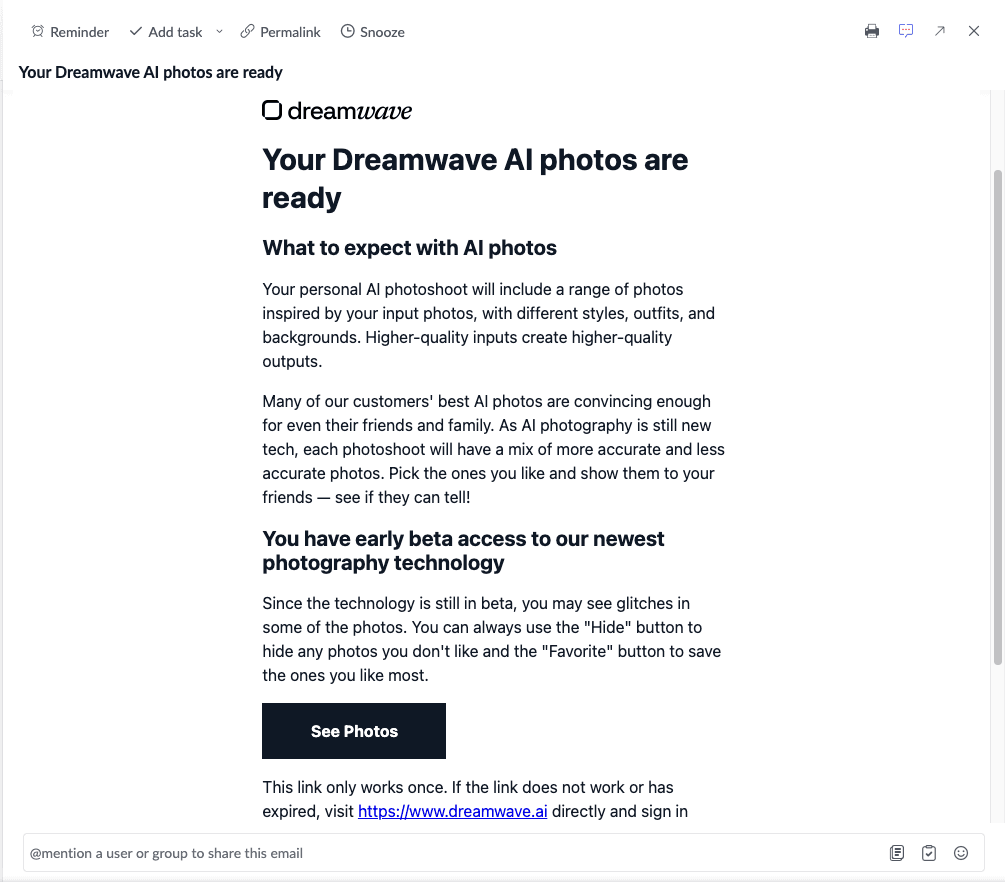 Screenshot of Dreamwave AI email notification informing users that their AI-generated headshots are ready for viewing.
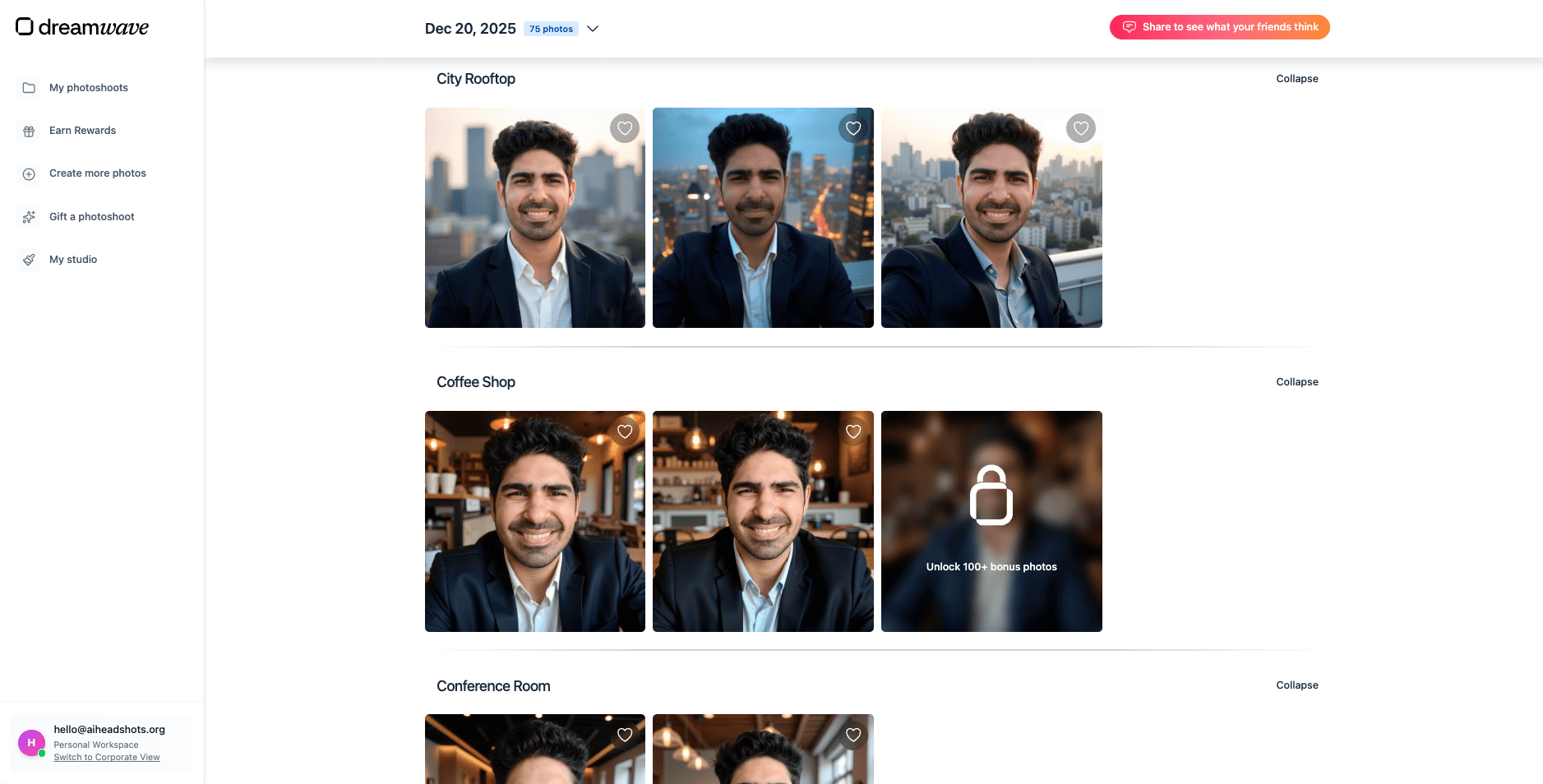 Screenshot of Dreamwave AI website showing the clean results dashboard where users browse and download their AI headshots.
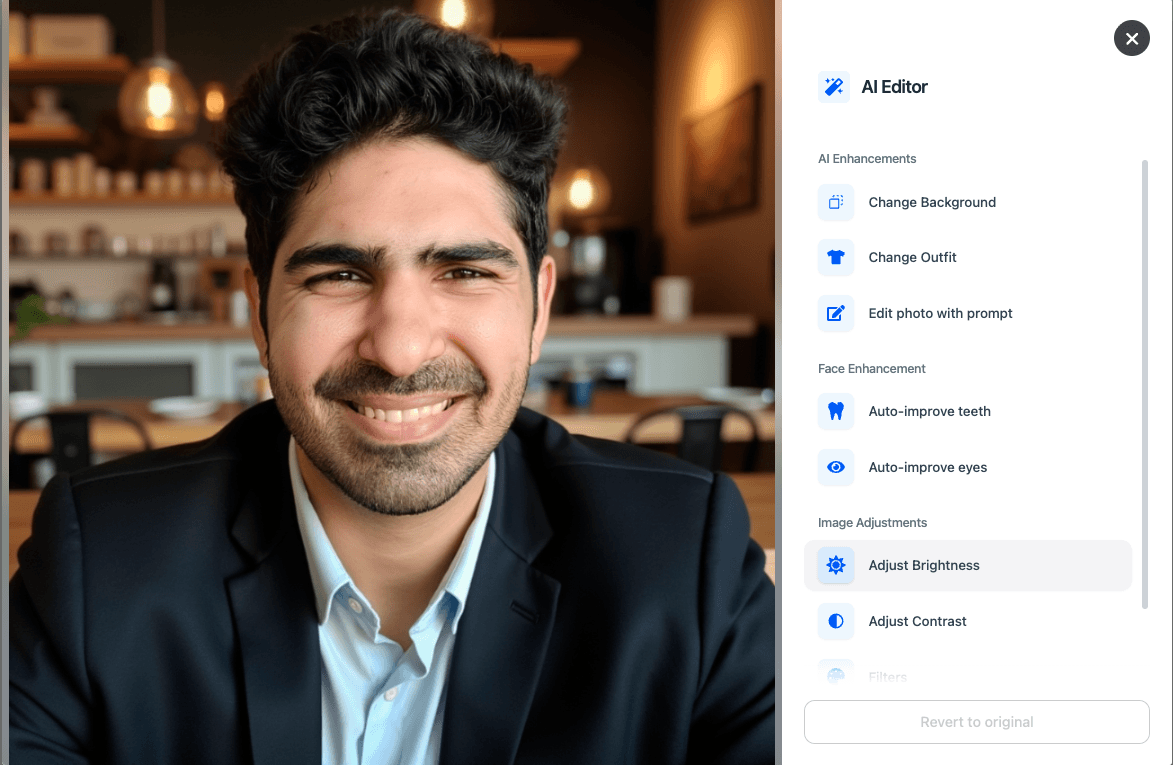 Screenshot of Dreamwave AI website demonstrating the built-in AI editor tools for refining and enhancing generated headshots.
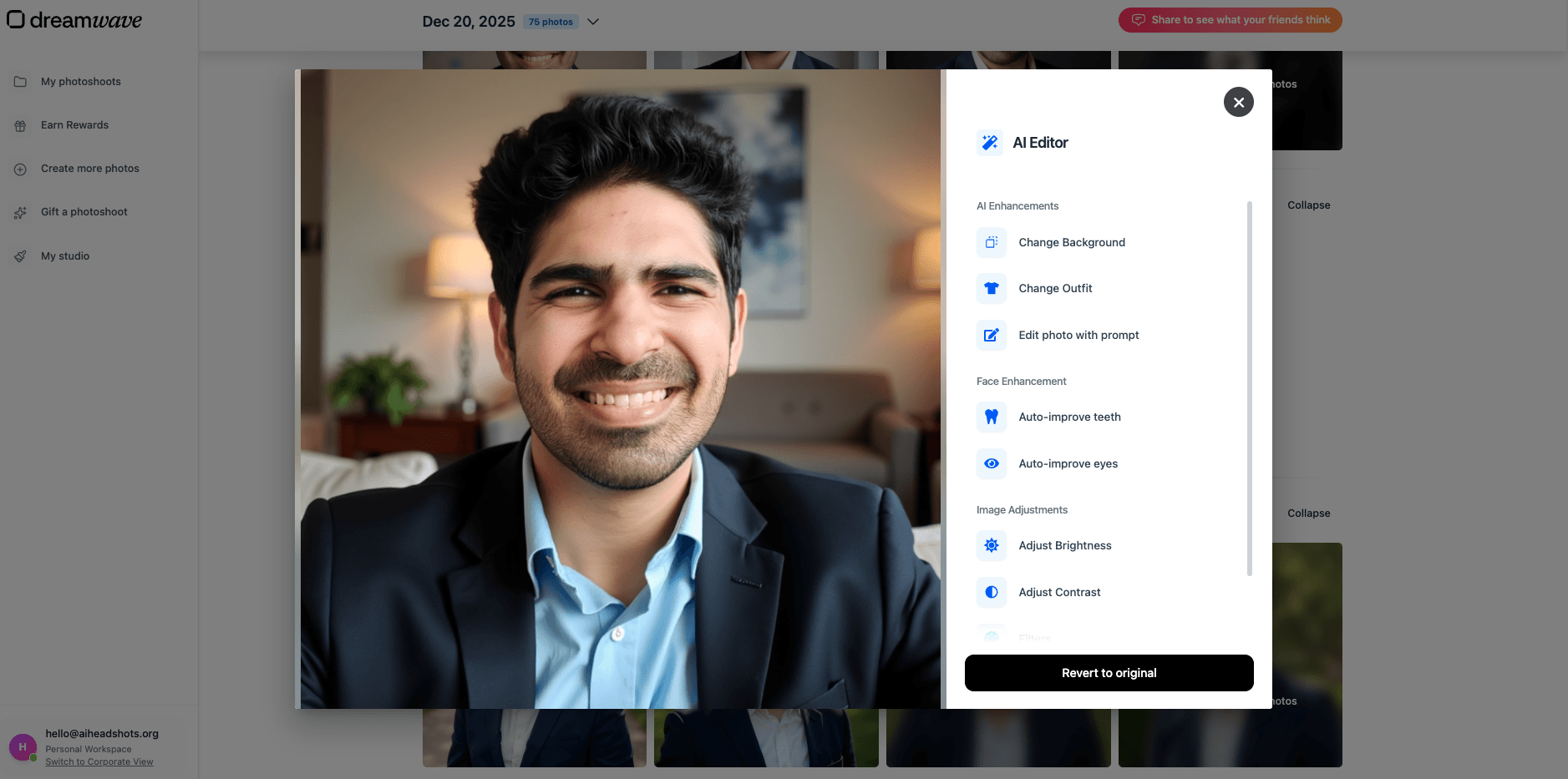 Screenshot of Dreamwave AI website showing the automatic eye enhancement feature to improve realism in AI headshots.
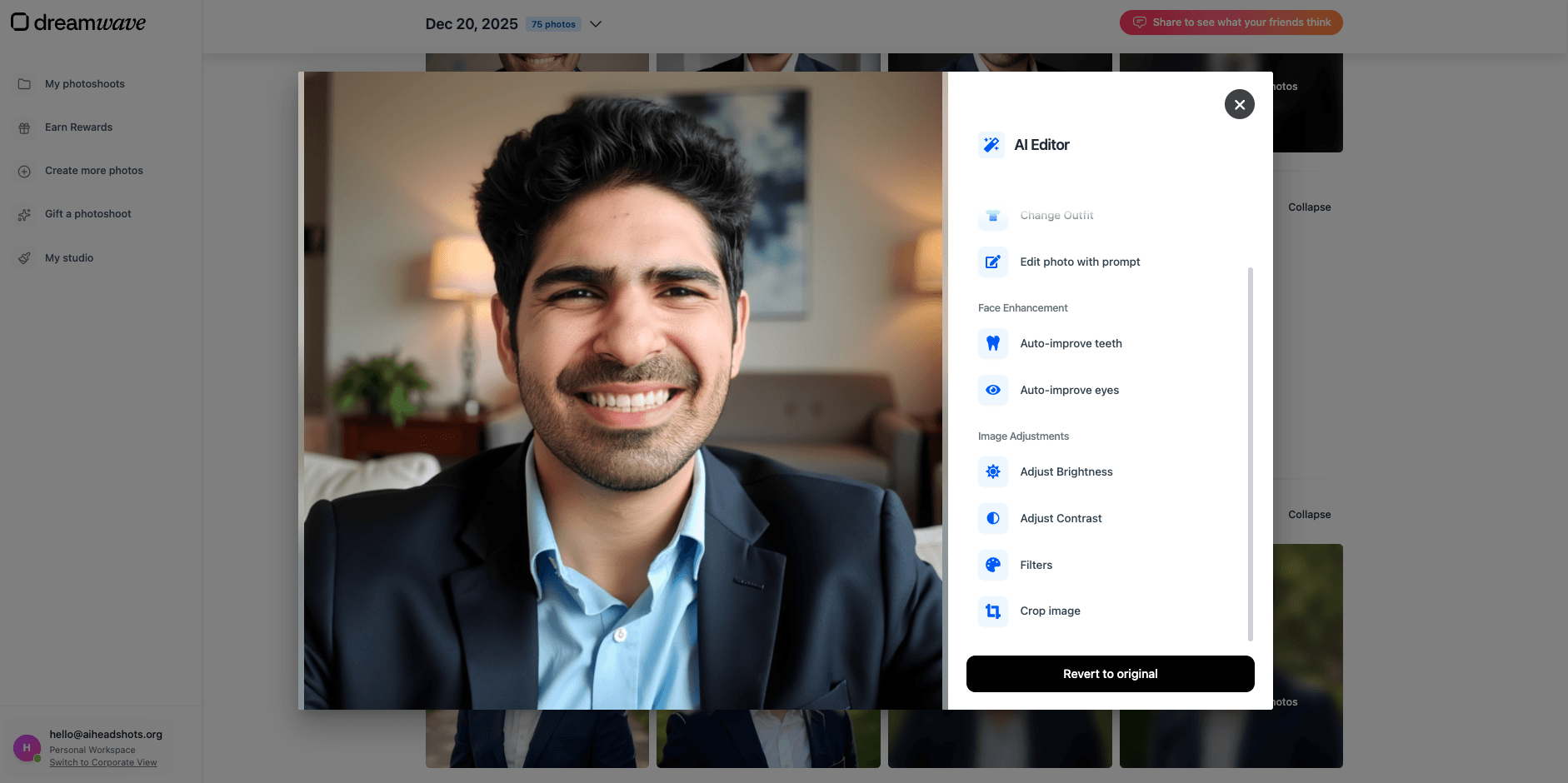 Screenshot of Dreamwave AI website displaying the automatic teeth improvement tool for fixing dental issues in headshots.
⛔️ When you edit facial features like teeth or eyes (or any other face-specific edit), expect mixed results. These edits are often done in
isolation- meaning the editing model doesn't know what your real face, eyes, or teeth look like. The above DreamWave screenshot is a classic example, but this limitation applies to every tool, not just DreamWave.
Headshot Quality and Results
DreamWave produces decent quality headshots that look professional.
The styles, compositions, attire, and backgrounds are well chosen and visually appealing. Many outputs look suitable for professional use without much effort.
Face likeness is acceptable but not great. In some images, facial features drift slightly, and there are occasional artifacts. However, these issues are less distracting than in lower quality tools.
The platform clearly prioritizes presentation and polish over perfect facial accuracy.
Image Results Explained
When reviewing DreamWave’s outputs, I found the images generally pleasant to look at.
The overall composition feels professional, and the outfits and backgrounds are well coordinated. Lighting is consistent, and poses look natural enough for corporate or profile use.
That said, when I looked closely, I noticed small artifacts and slight inconsistencies in facial structure. The face usually looks like the person, but not always perfectly.
These images work well for general professional profiles, even if they fall short of top tier likeness accuracy.
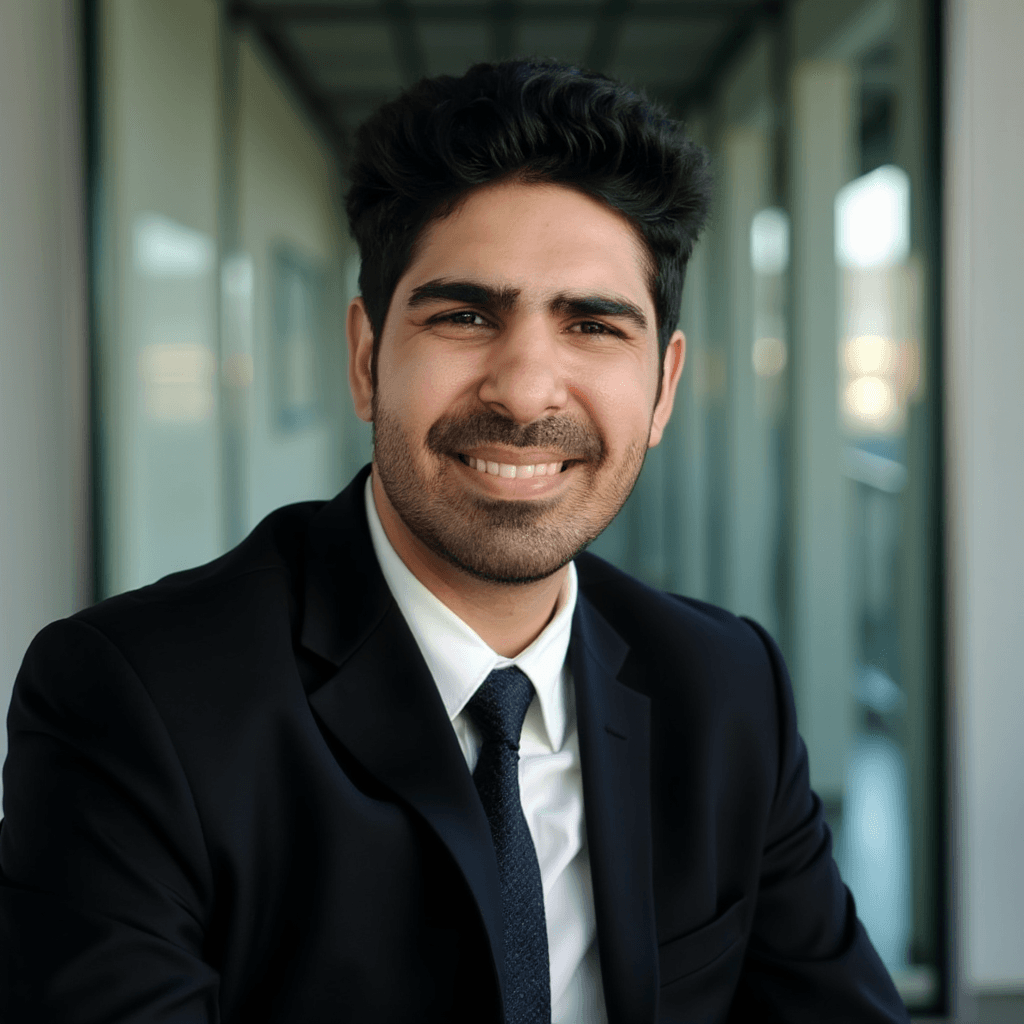 *This is my favorite from the DreamWave batch. tbh I really liked this image if we ignore the nose.👃*
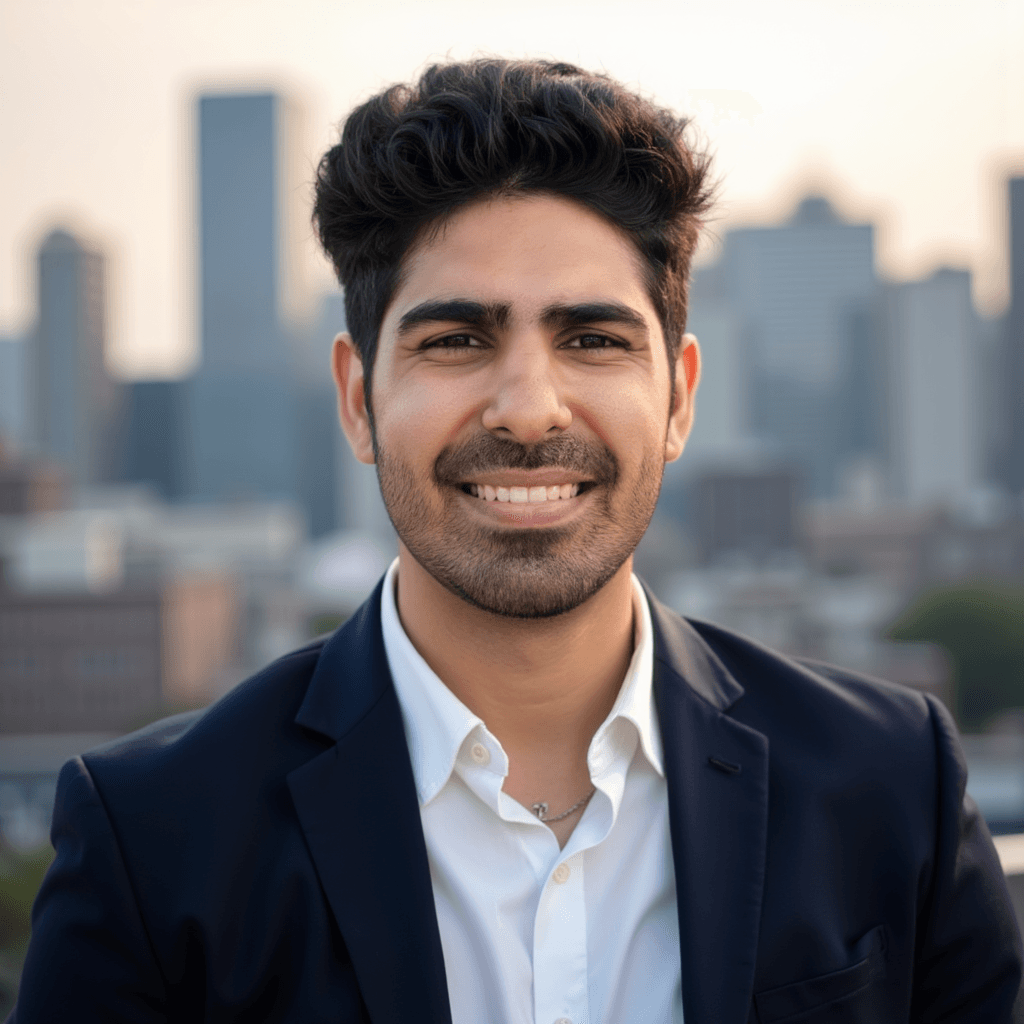 A good example of DreamWave's strong styling choices, though the likeness is POOR.
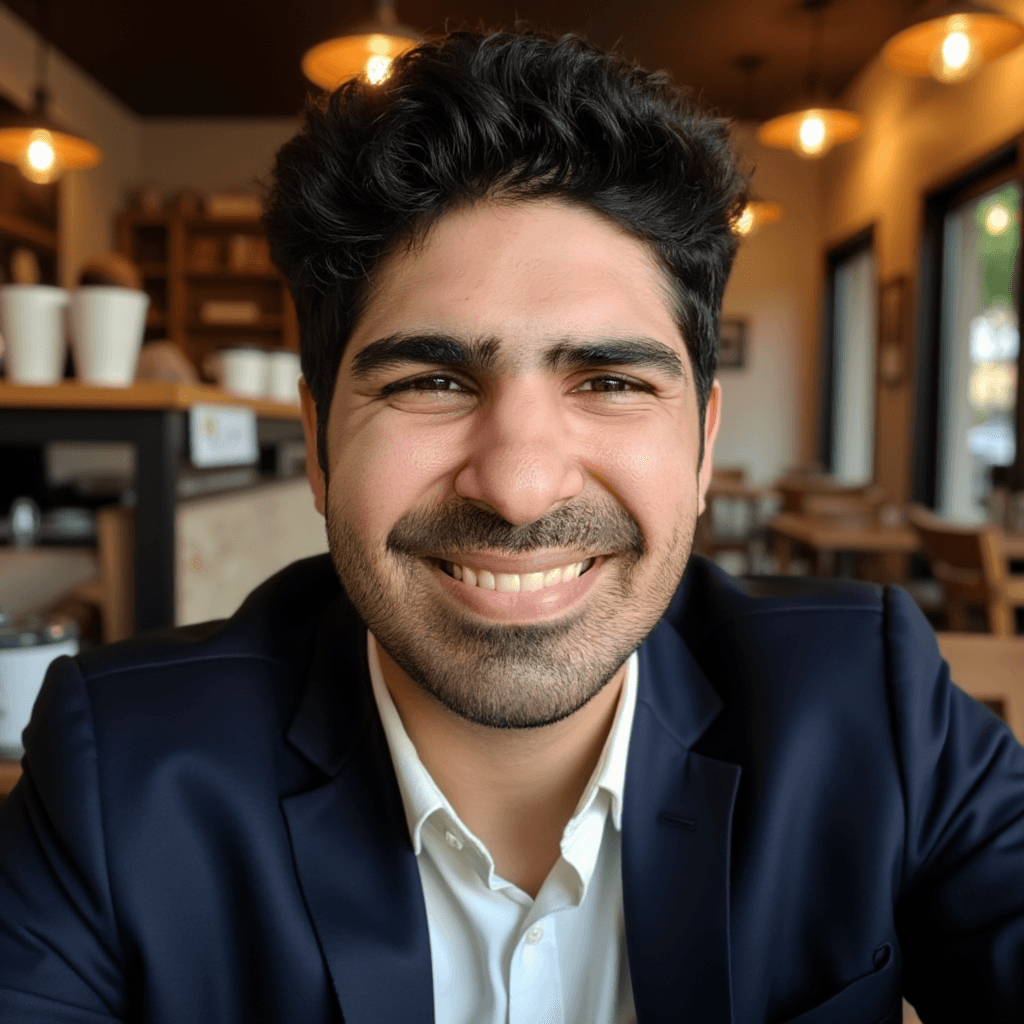 I got many selfies like this and these don't look professional at all. These are weird selfies.
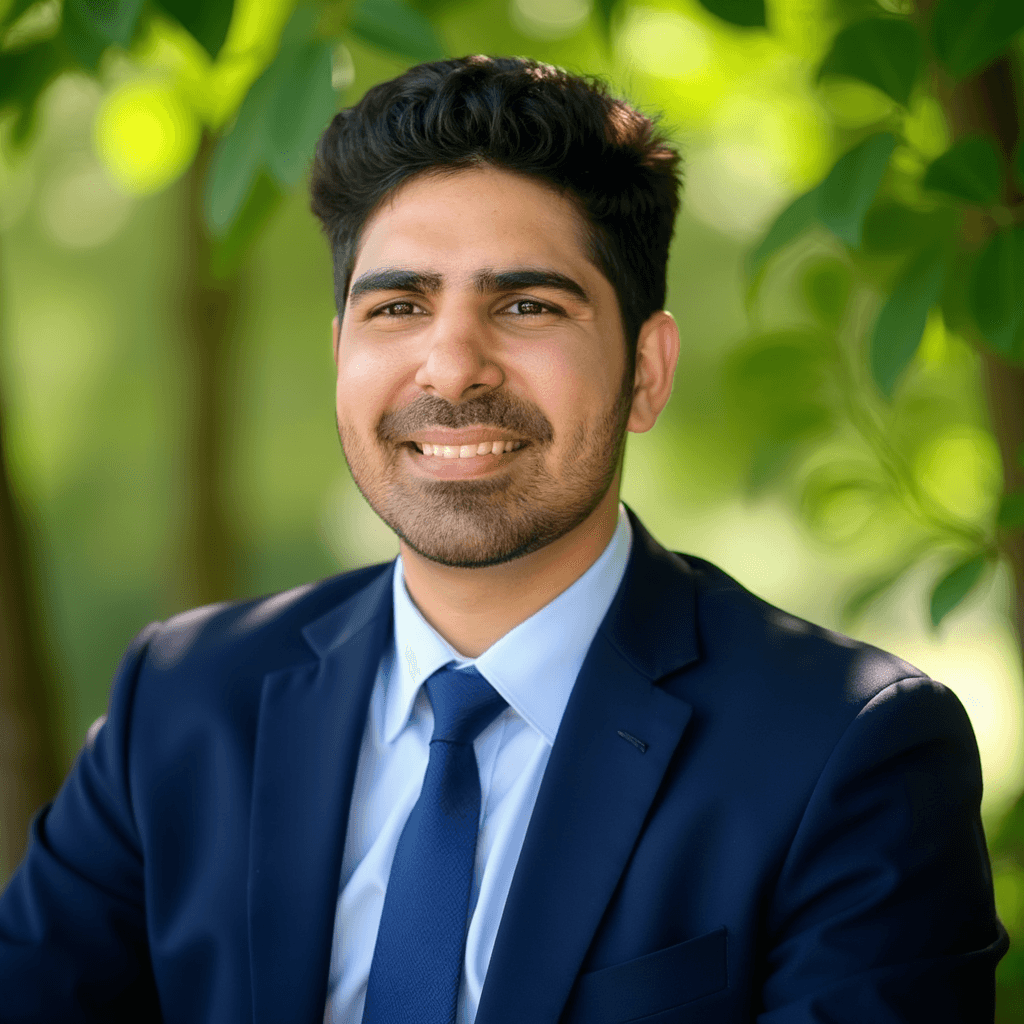 Another solid style, but failed in face resemblance and body composition.
Styles and Customization
DreamWave offers a solid range of styles that cover both professional and casual looks.
Beyond generation, the platform includes extensive editing tools, which genuinely impressed me. Depending on the plan, you get access to:
- AI based editing tools
- filters and enhancements
- cropping and framing adjustments
- human editing services on higher tier plans
This level of post generation control makes it easy to refine images without leaving the platform.
Pricing Clarity
DreamWave’s pricing starts at $35 and goes up to $99, with the highest tier offering up to 300 headshots.
During my testing, I encountered a limited time discount where the price dropped to around $5.83, which was extremely affordable compared to other paid tools. This appeared to be a temporary promotion, possibly tied to a holiday sale 🧑🎄.
At standard pricing, DreamWave sits in the higher range, but the volume of outputs and included tools help justify the cost.
Privacy and Security
DreamWave emphasizes a privacy-first approach. By minimizing the amount of personal data collected during onboarding (no detailed physical descriptions required), they reduce the data footprint.
Images are processed securely, and the platform aligns with standard data protection practices. As always, users should delete their data after downloading their headshots if they wish to ensure maximum privacy.
Turnaround Time
The generation process typically takes a few hours. While not instant, the wait time is standard for high-quality model training and inference.
Pros and Cons
Pros ✅
- Minimal input requirements
- Privacy friendly onboarding
- Professional looking styles and compositions
- Strong editing and refinement tools
- Human editing available on higher plans
- Good value when discounts are available
Cons ❌
- Face likeness is average
Short Verdict
DreamWave AI is a strong option if you want a simple, privacy conscious workflow with professional looking results.
It may not deliver the highest face likeness, but it compensates with polished styling, solid compositions, and excellent post generation editing tools. For users who prefer minimal setup and flexible refinement options, DreamWave is a capable and well rounded choice.
3. Aragon AI Review
Aragon AI is one of the most polished(how good it's built) AI headshot generators I tested, not just in terms of results, but also in how enjoyable the entire process feels. From the first step, it’s clear that a lot of thought has gone into making this tool accessible to non technical users.
User Experience
Aragon AI’s headshot creation process is intuitive and genuinely pleasant to use.
Every step is clearly explained, with helpful guidance on what each input means and how it affects the final result. You are guided through selections such as:
- hair type, color, and length
- body shape
- attire preferences
- background selection
- glasses and facial hair preferences
Because everything is explained in simple language, this tool works very well for beginners who may not understand this whole AI process.
One standout feature is Aragon’s built in AI editor, which allows you to tweak background, pose, and attire after generation. If you like the face but dislike the outfit or background, you can refine those elements without starting over. This level of flexibility is rare and very useful (but face-specific edits like teeth fixes are still unreliable across tools).
Walkthrough Screenshots
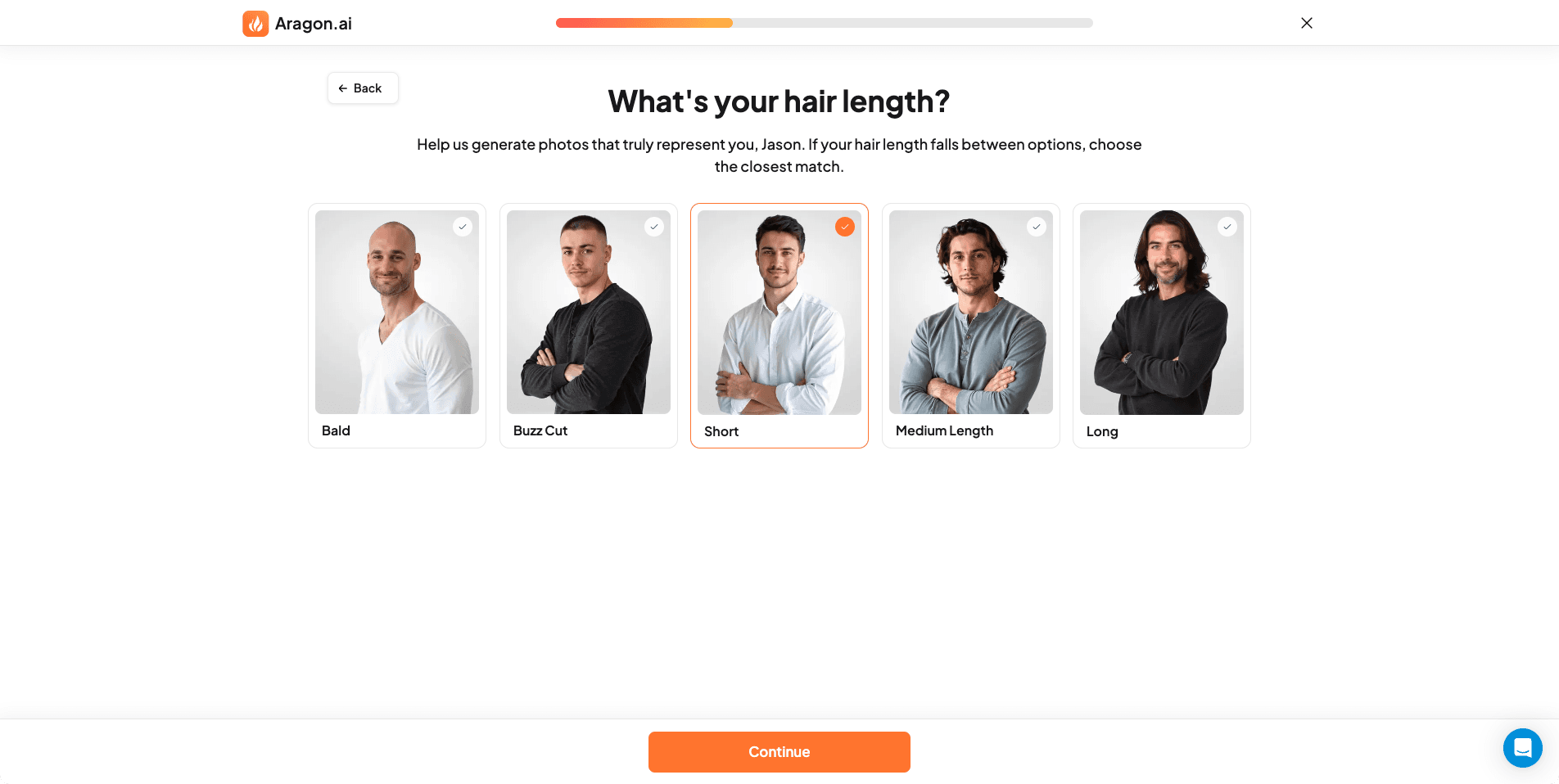 Screenshot of Aragon AI website where users select hair length options to help the AI generate accurate professional headshots.
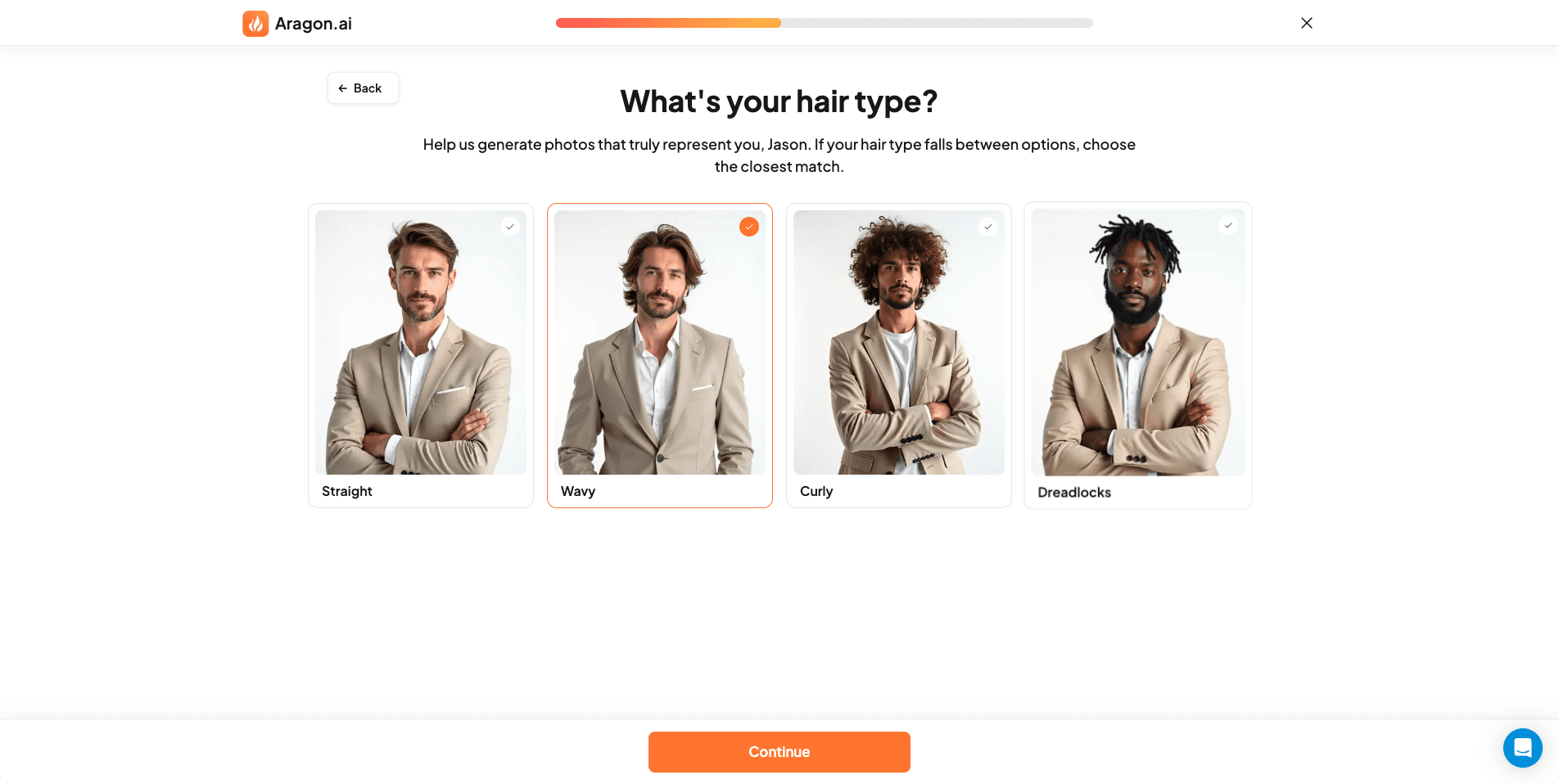 Screenshot of Aragon AI website showing hair type selection (straight, wavy, curly) to guide AI styling for realistic headshot generation.
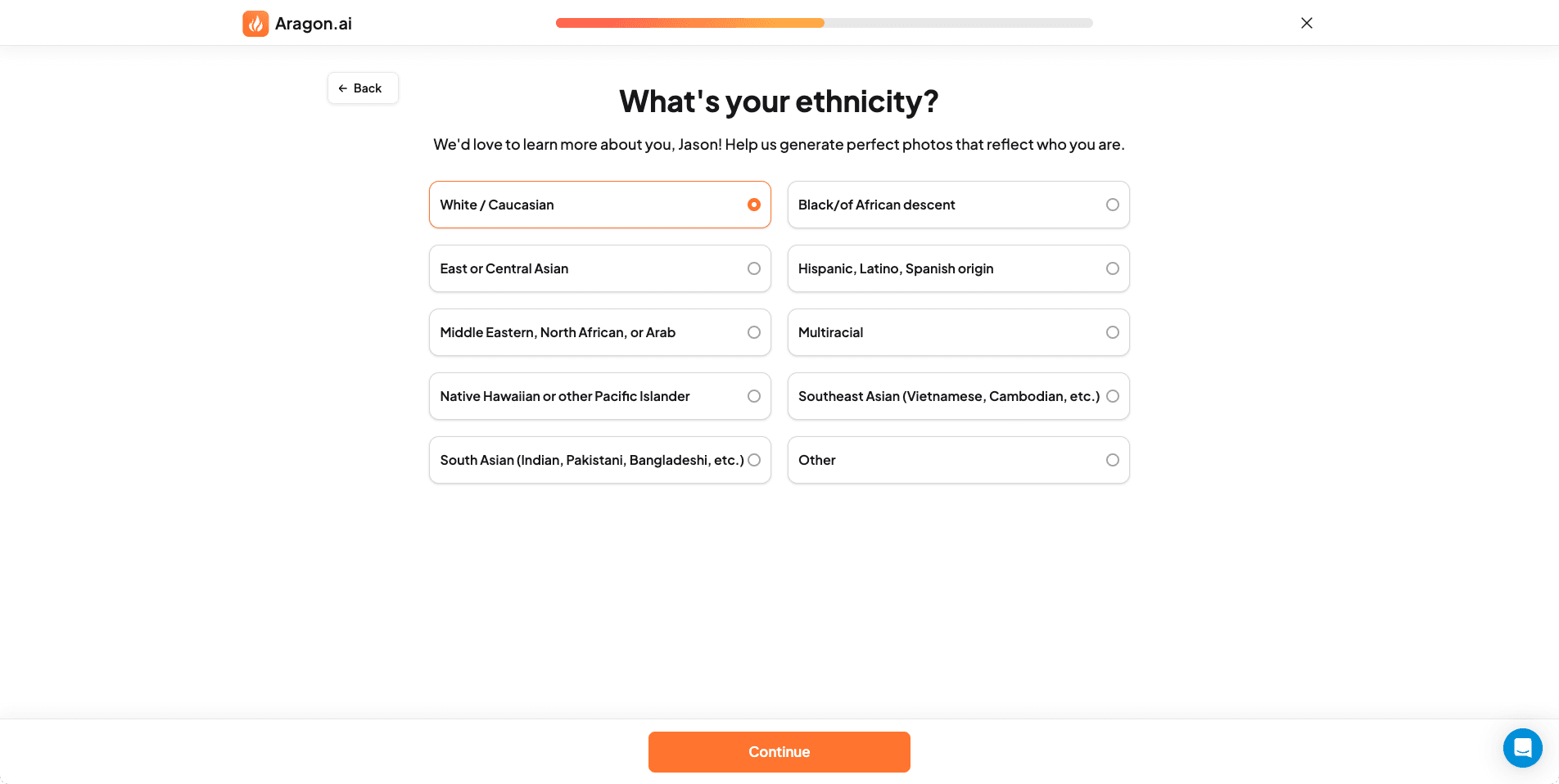 Screenshot of Aragon AI website where users select ethnicity to ensure AI-generated headshots have appropriate facial features and skin tones.
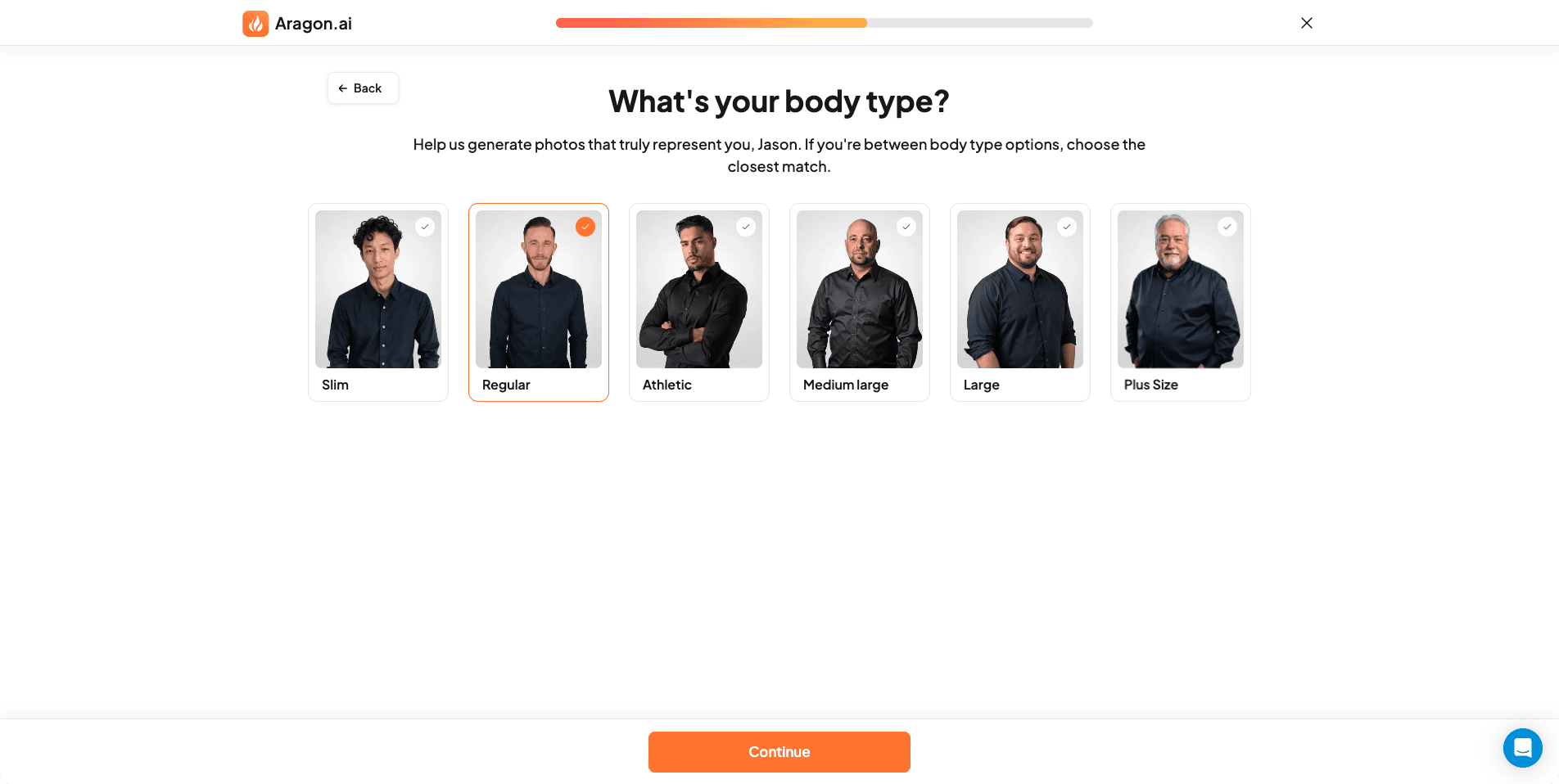 Screenshot of Aragon AI website showing body shape preferences selection to influence AI headshot framing and proportions.
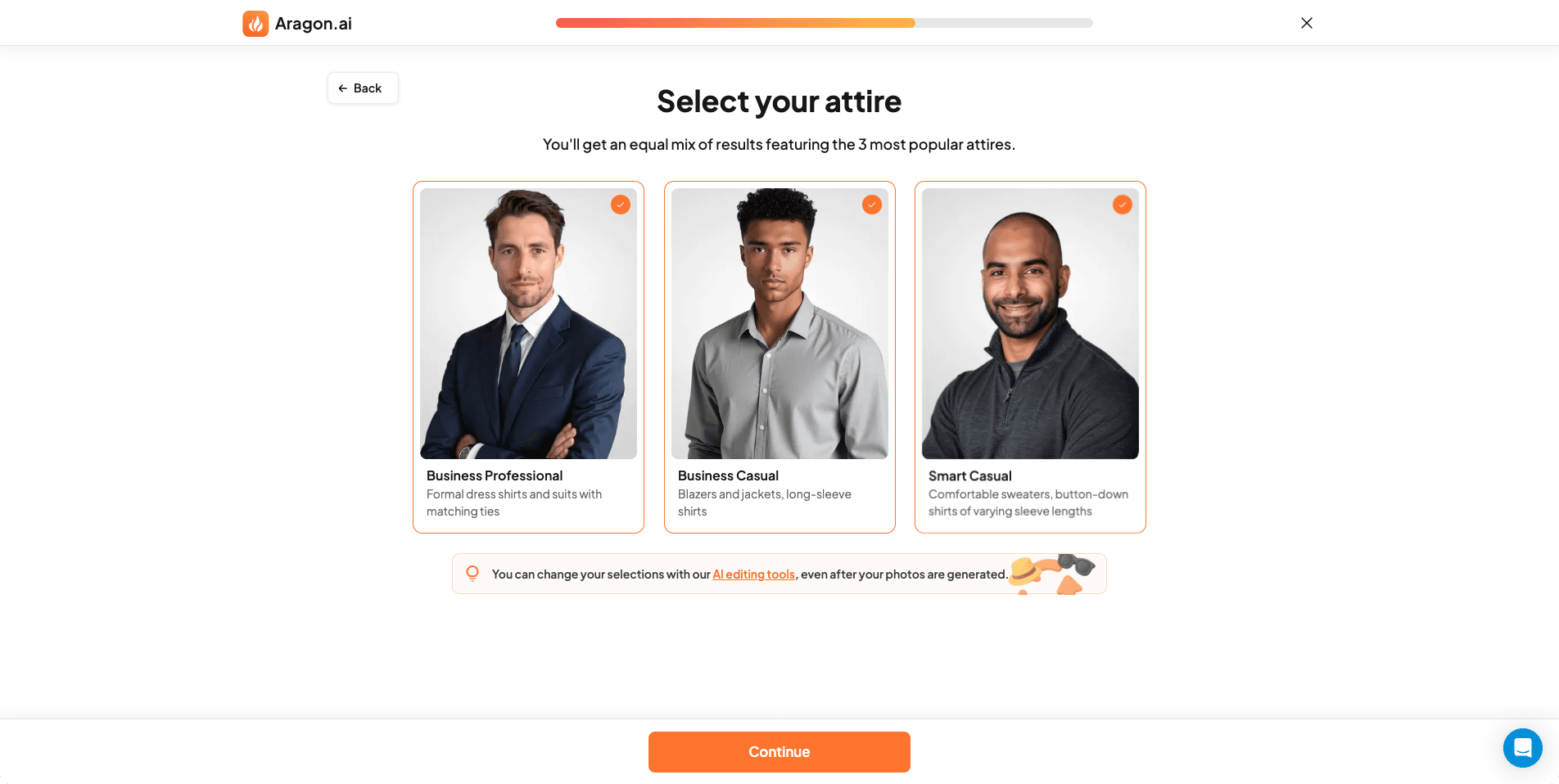 Screenshot of Aragon AI website displaying outfit and attire selection options for different professional contexts in AI headshots.
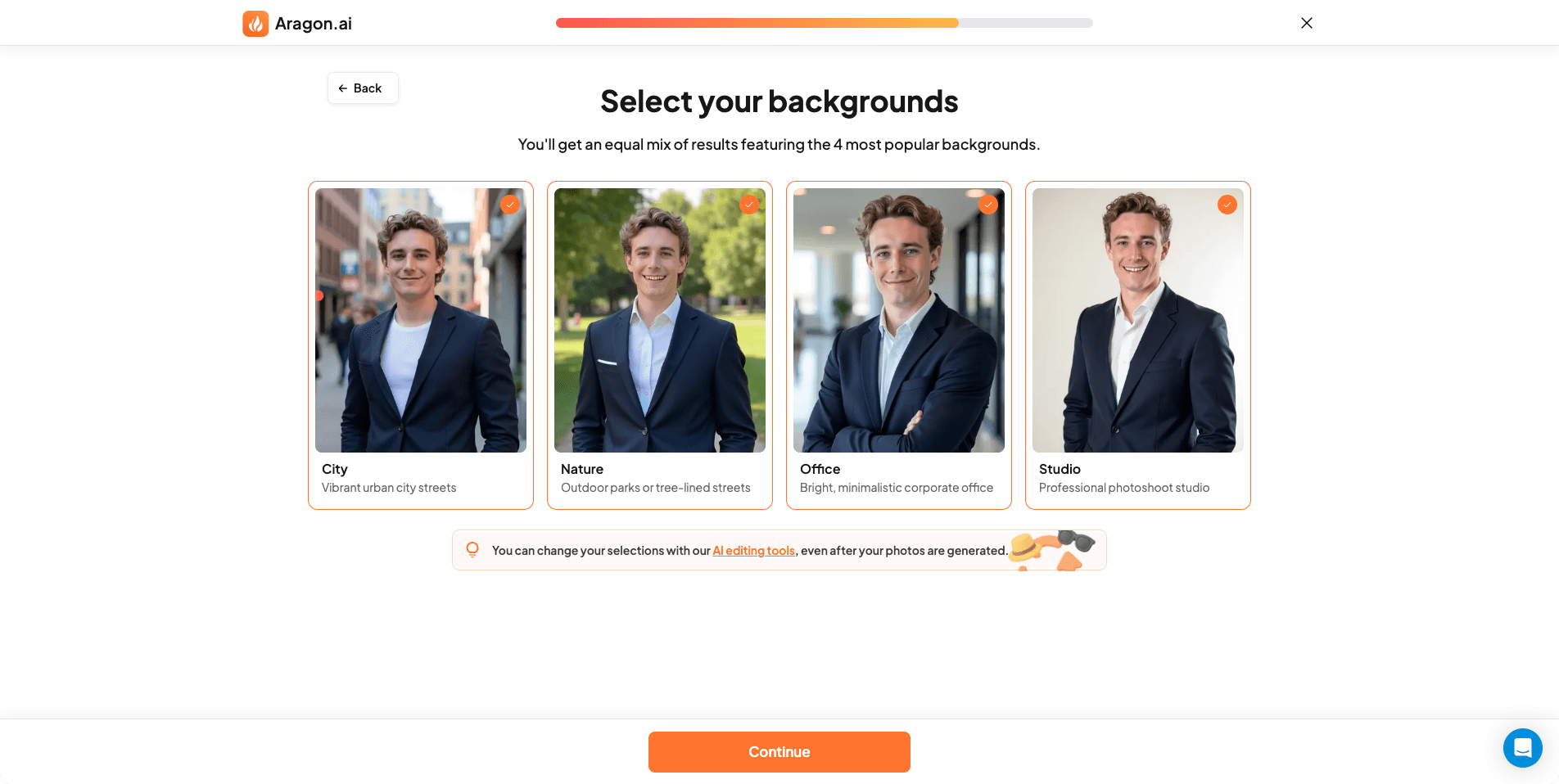 Screenshot of Aragon AI website where users choose background settings and styles for their AI-generated professional headshots.
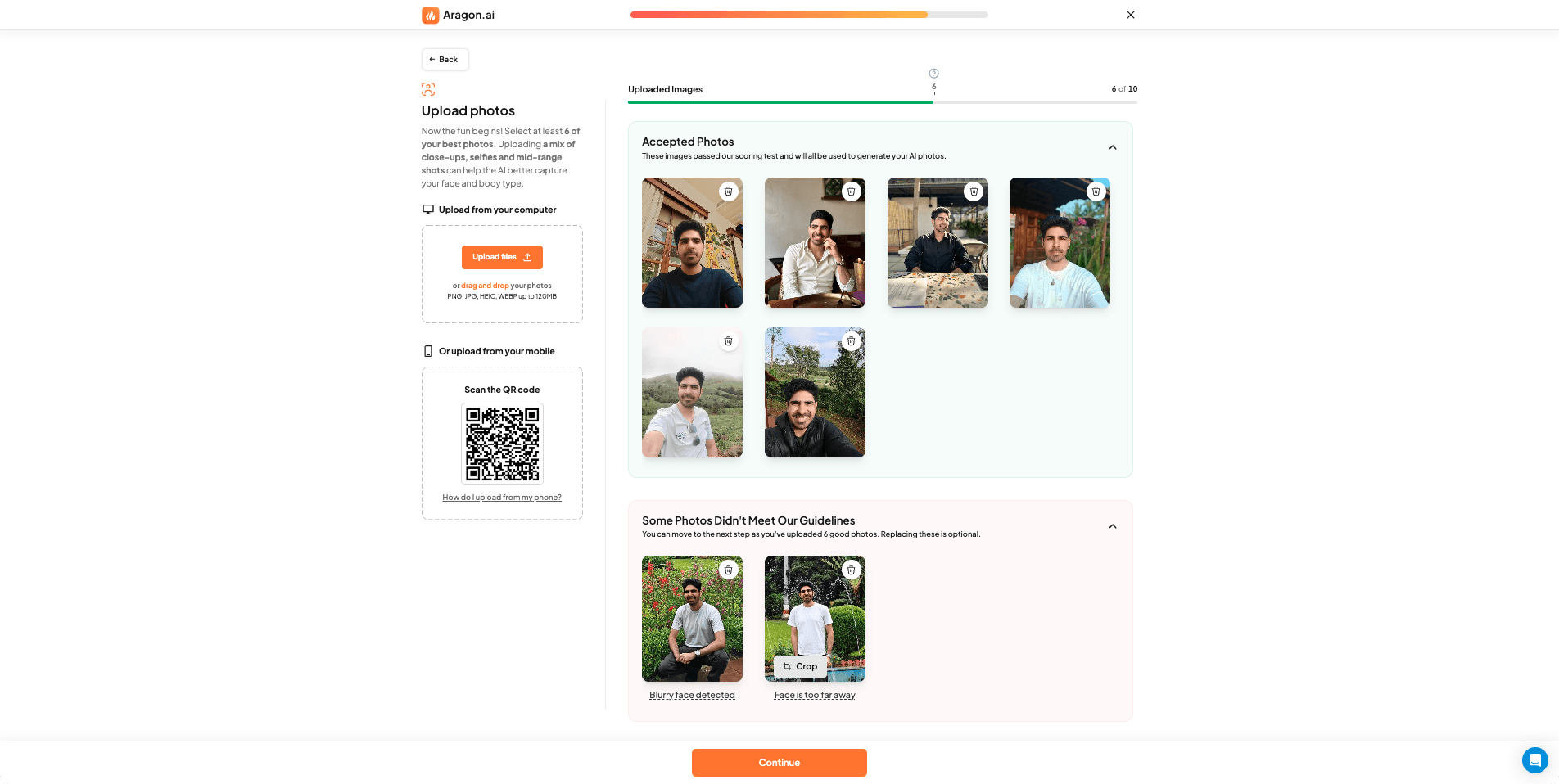 Screenshot of Aragon AI website showing the photo upload interface where users submit their images for AI training and headshot generation.
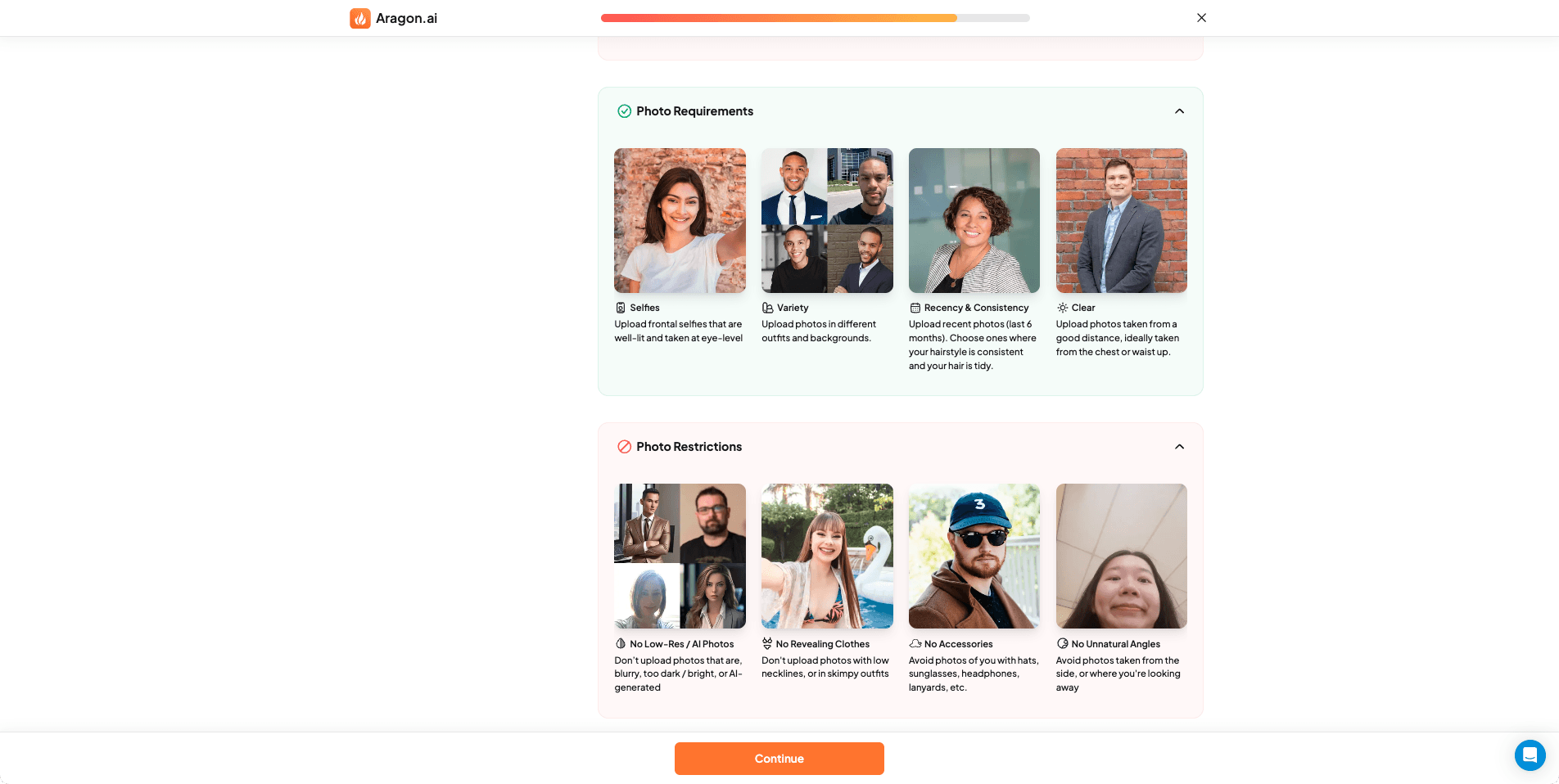 Screenshot of Aragon AI website displaying photo guidelines and requirements to improve AI headshot likeness and quality.
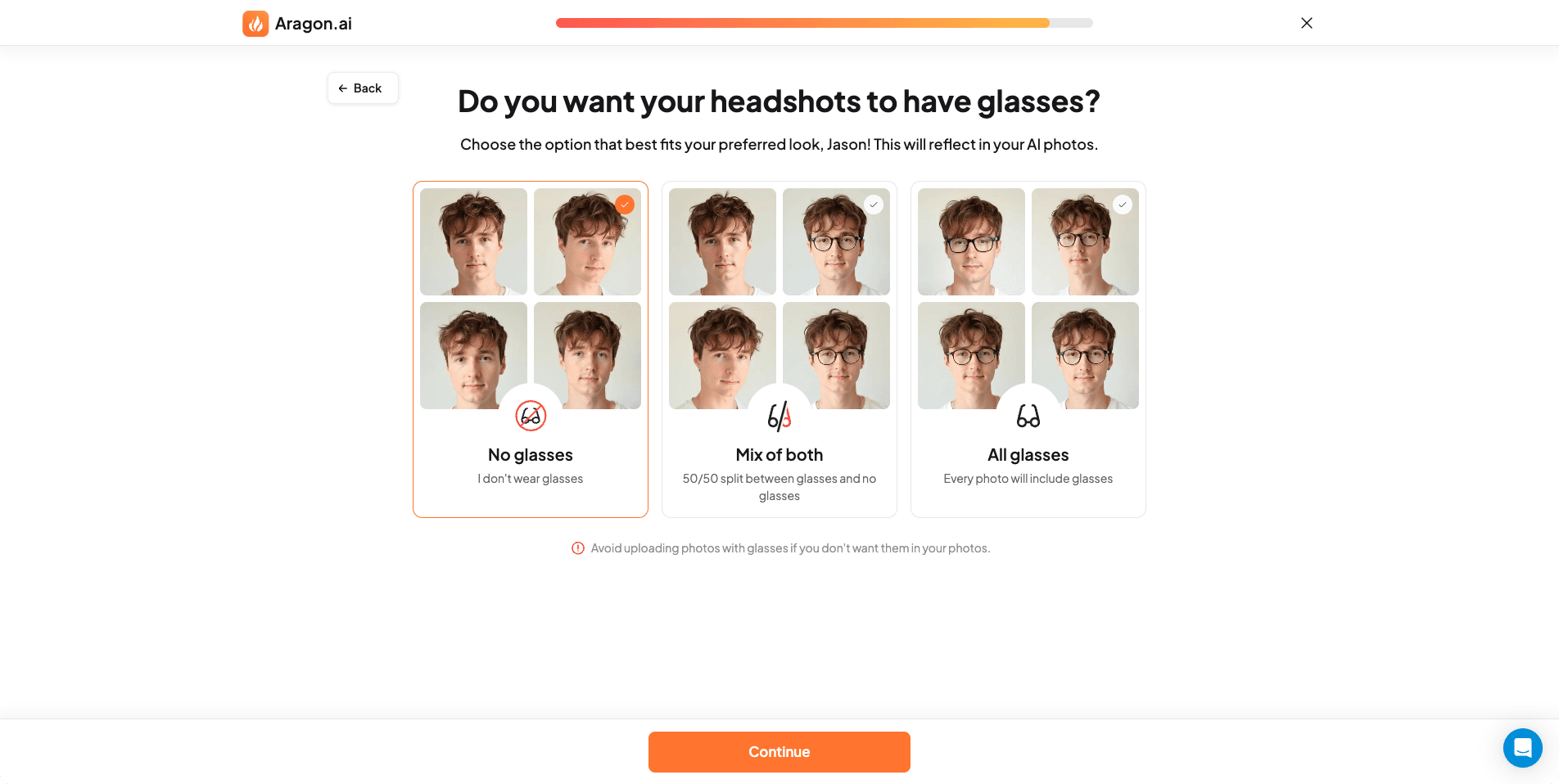 Screenshot of Aragon AI website where users set glasses preferences to ensure AI-generated headshots match their everyday appearance.
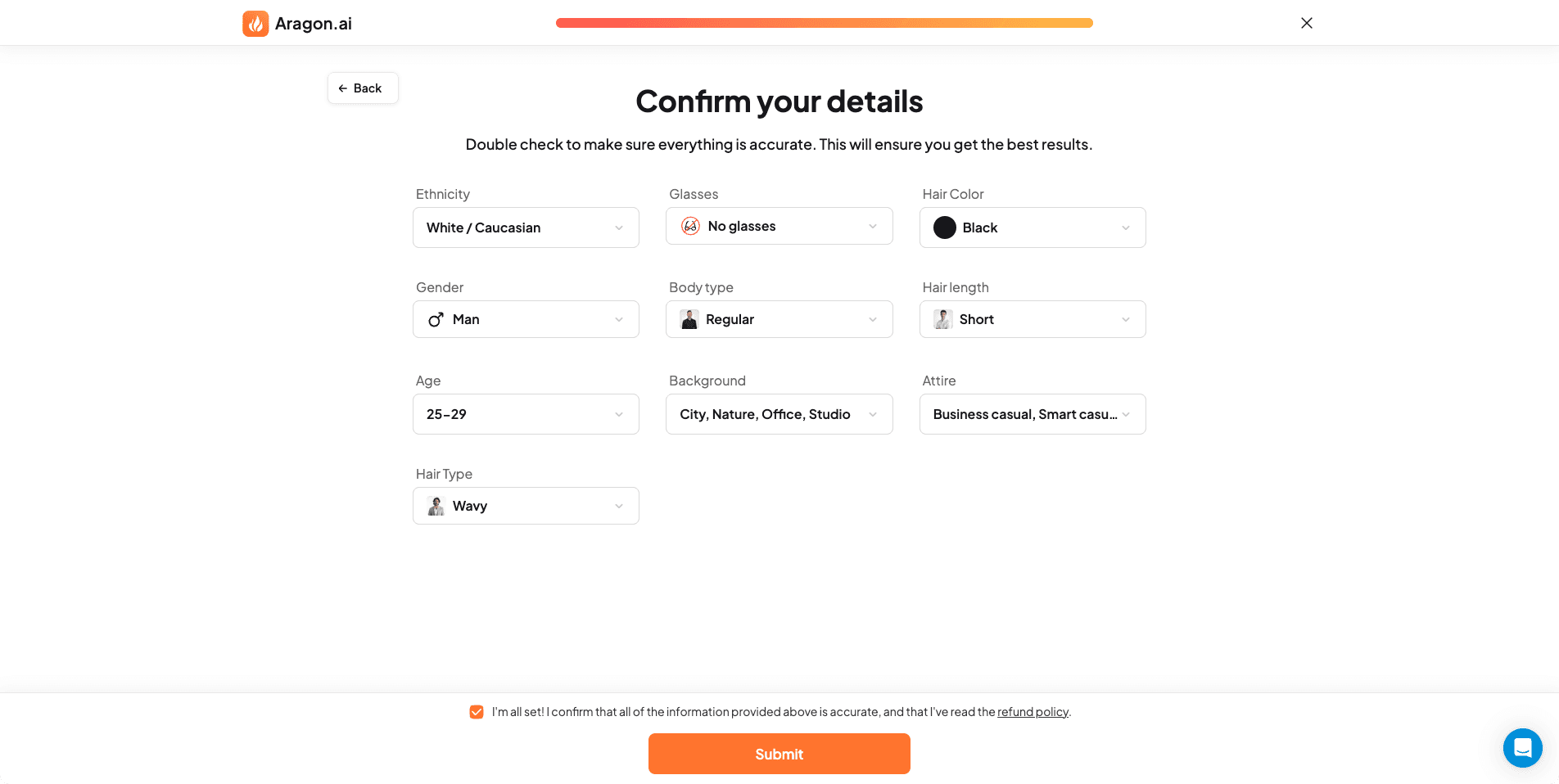 Screenshot of Aragon AI website showing the review page where users confirm their selected details before AI headshot processing begins.
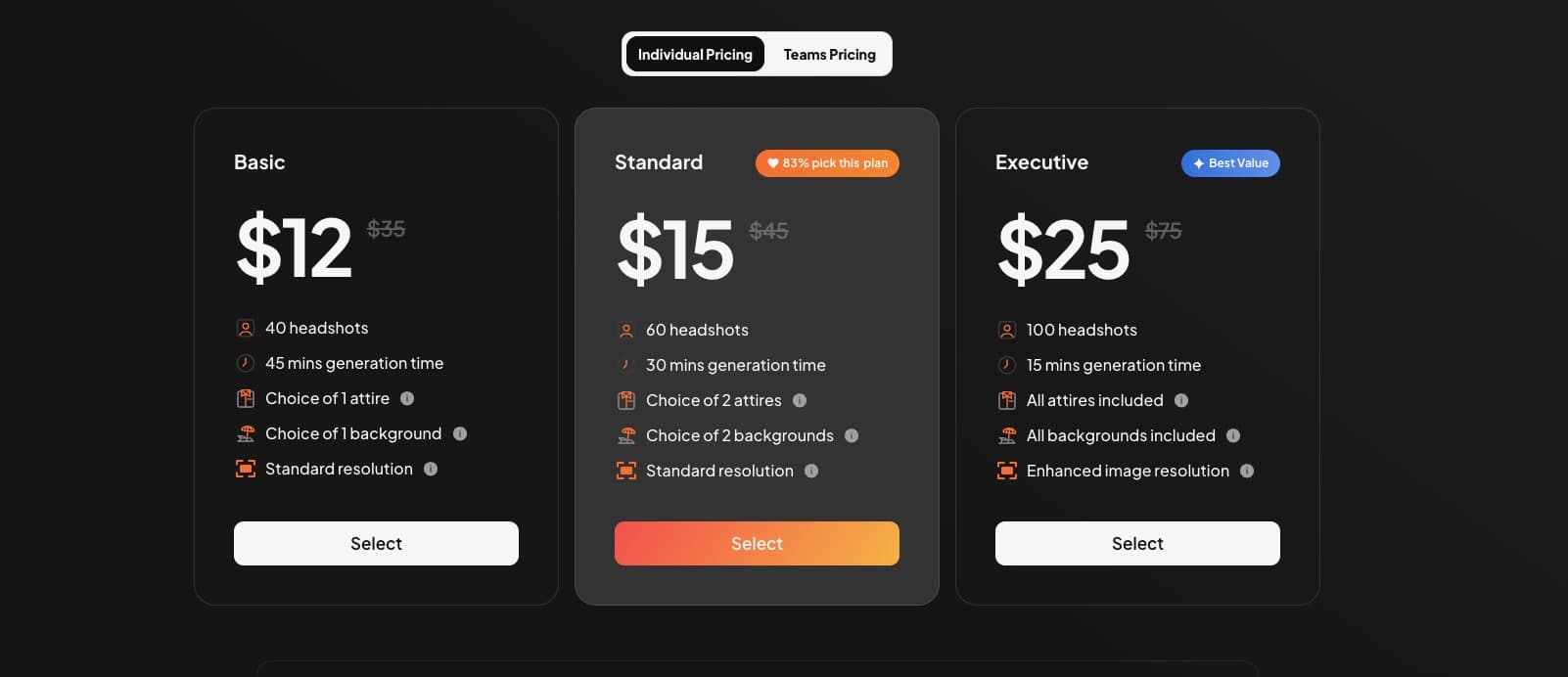 Screenshot of Aragon AI website showing pricing plans, and features available for AI headshot generation.
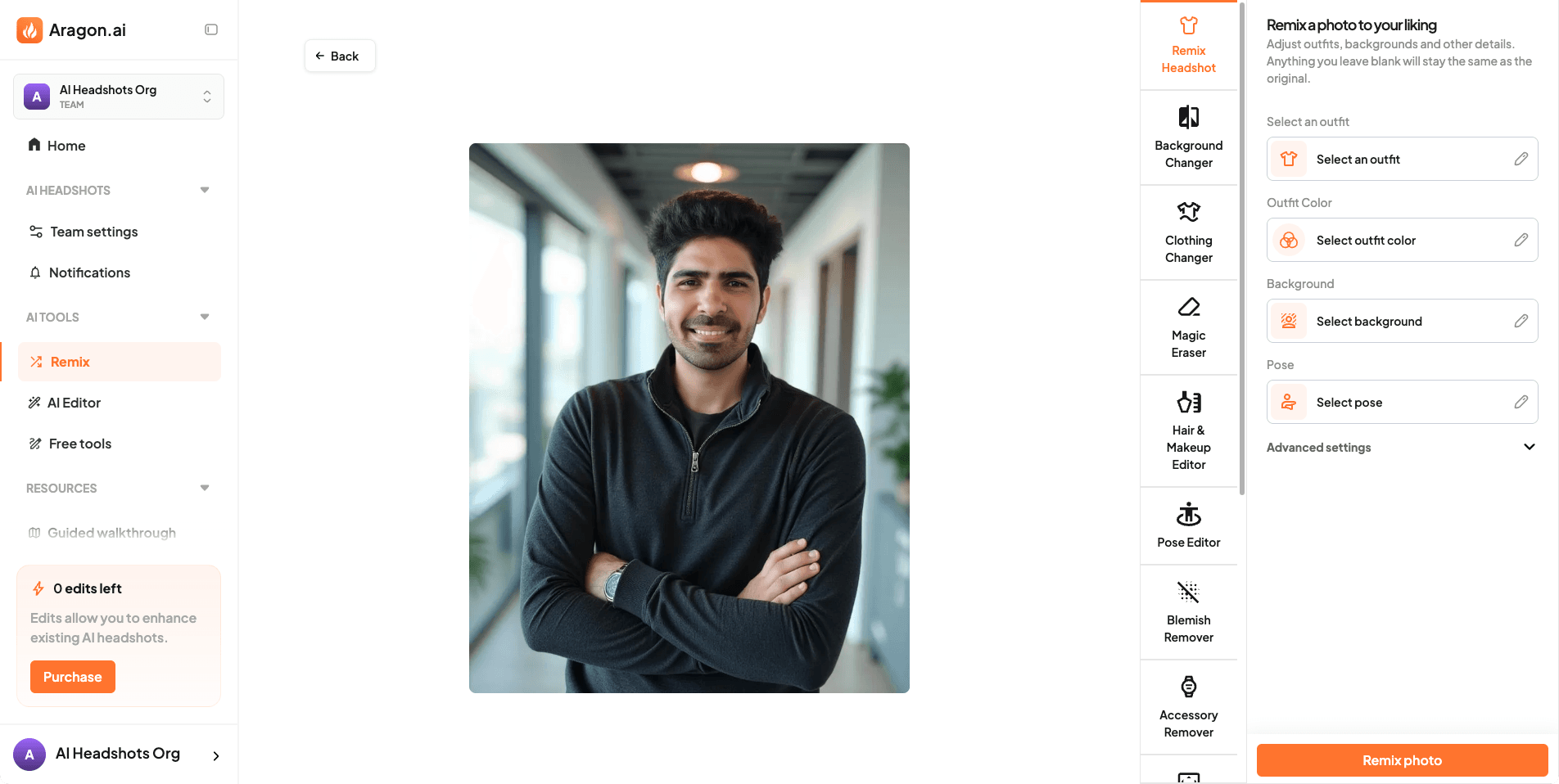 Screenshot of Aragon AI website demonstrating the AI editor tool that allows users to make final tweaks to generated headshots.
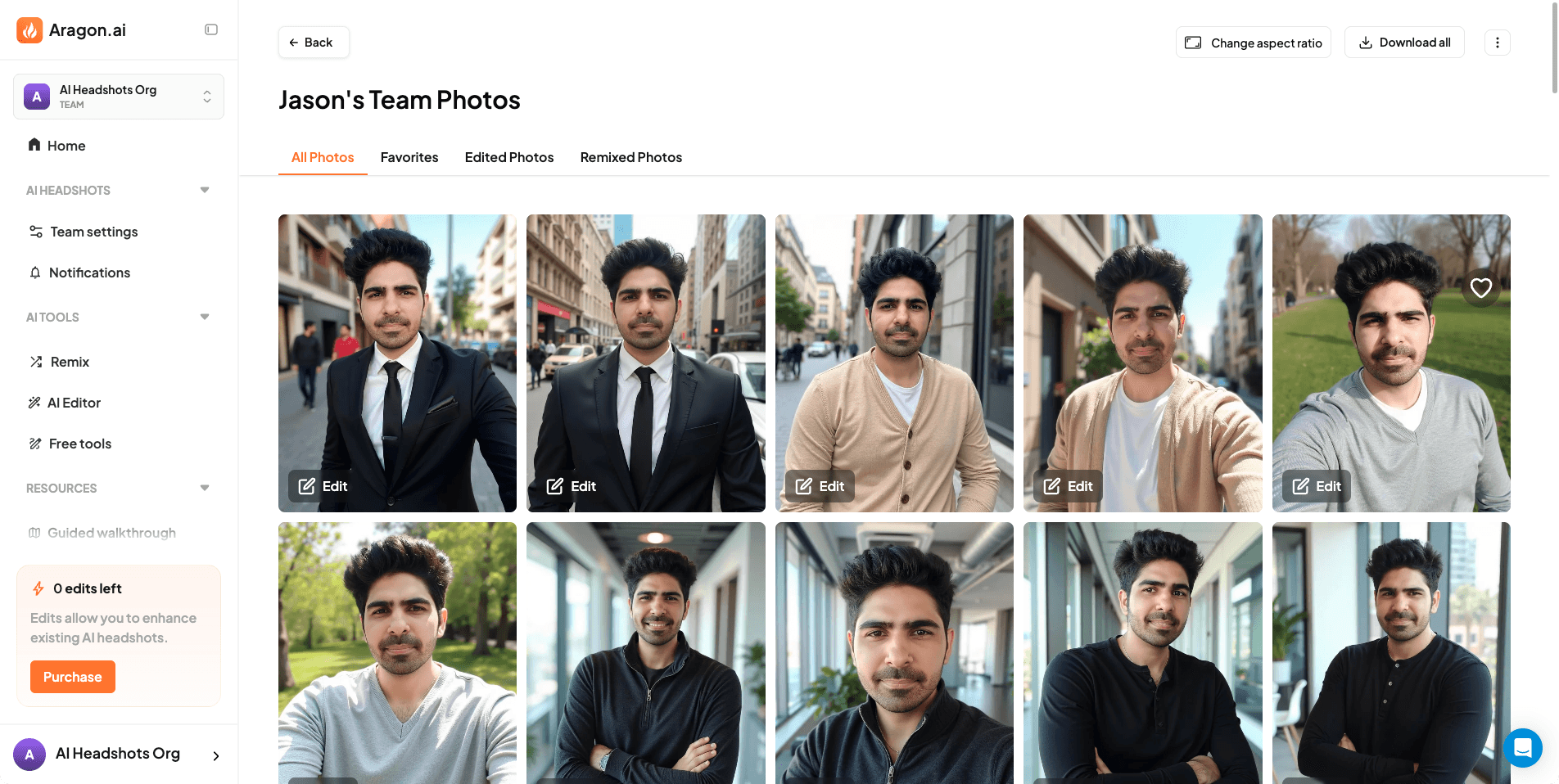 Screenshot of Aragon AI website displaying the results dashboard where users view and download their completed AI-generated headshots.
Headshot Quality and Results
Aragon AI produces visually impressive headshots.
The poses, outfits, and backgrounds are some of the best I’ve seen across all tools. Everything feels well styled and thoughtfully composed.
However, quality is not perfect.
While some images look polished, there are some issues with skin texture, weird poses and body composition. Skin texture often appears overly smooth or plasticky. Face likeness is also weaker than expected. You generally resemble yourself, but subtle facial proportions can drift, so overall the likeness is below average.
Image Results Explained
When I reviewed the final images, my reaction was mixed.
On one hand, the styling is excellent. The poses feel confident, the clothing looks intentional, and the backgrounds are clean and professional. These are images that stand out visually.
On the other hand, when I looked closely at the face, I noticed over smoothing in the skin and slight loss of identity. The images look like a polished version of a person similar to you, rather than a perfect representation of you.
That tradeoff is important to understand. Aragon prioritizes presentation and aesthetics more than strict facial accuracy, which is why I said it's best for dating/social profile use cases, not for professional use.
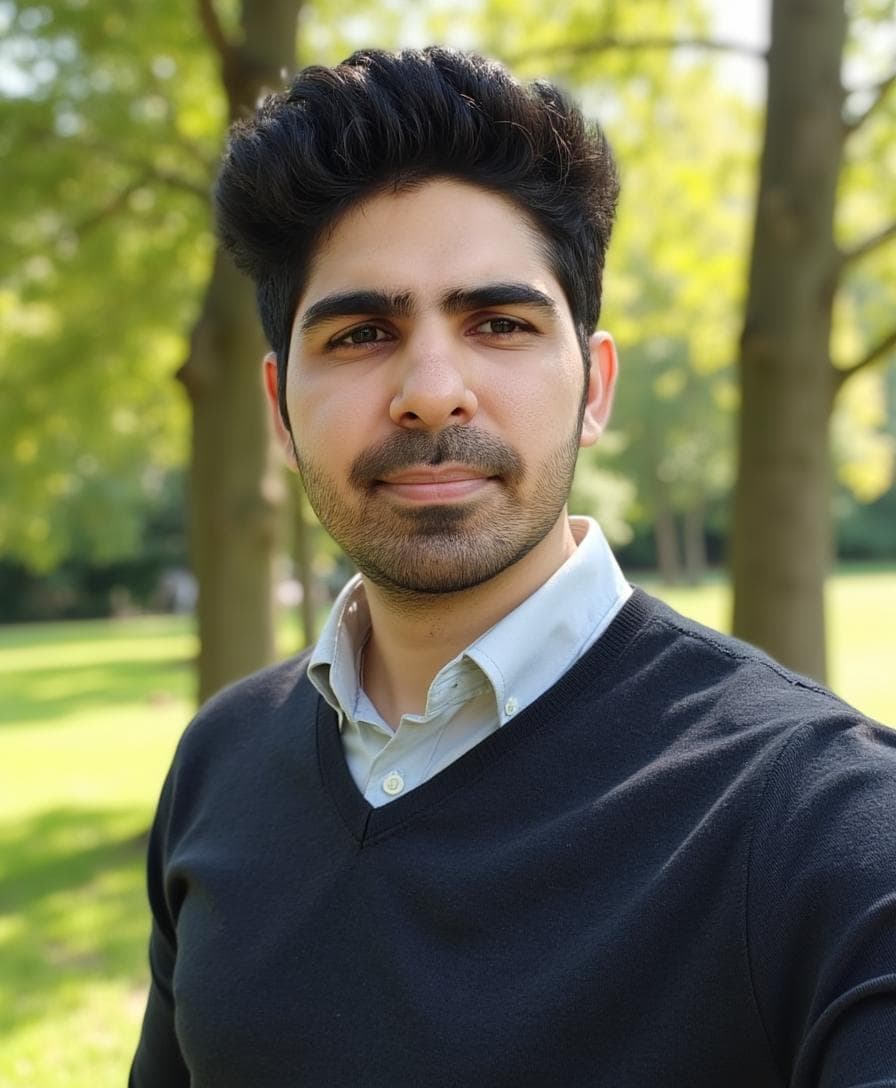 This one is my favorite from the Aragon batch.
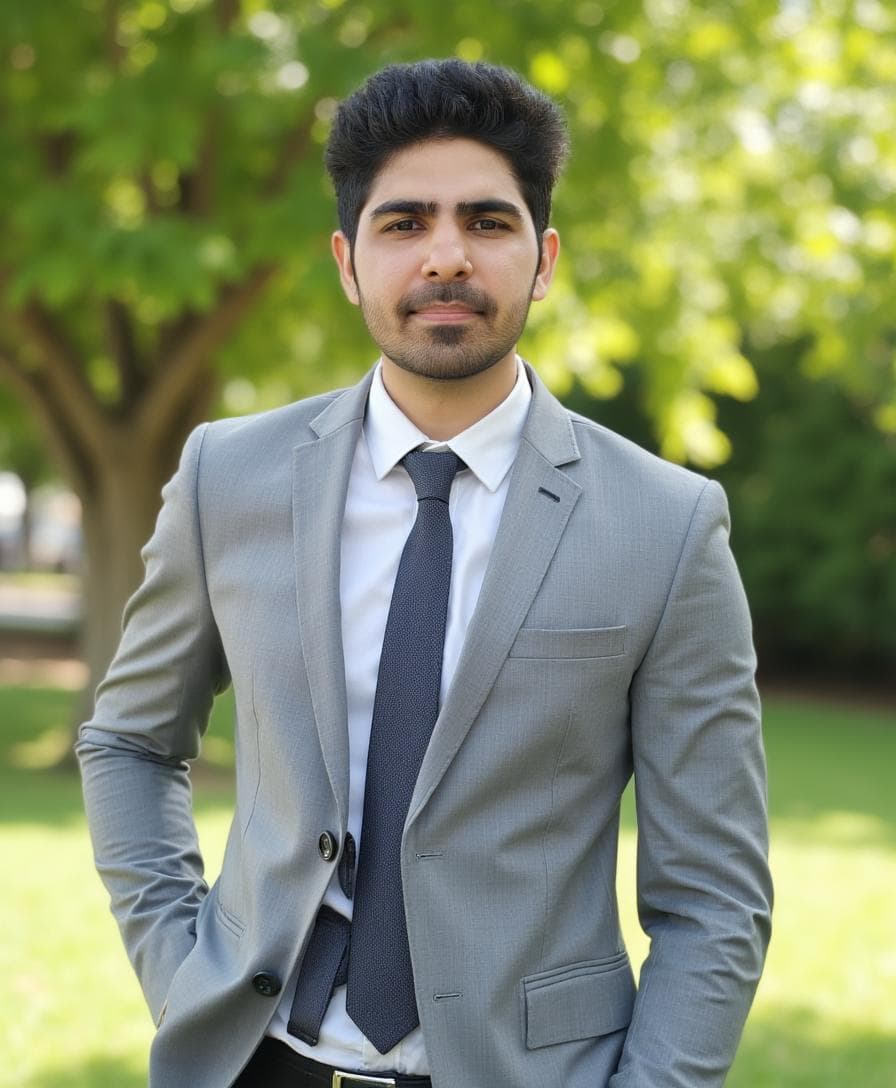 This one is good if we ignore the small artifacts around the waist of the shirt, which can easily be fixed with Aragon’s powerful AI editing tools.
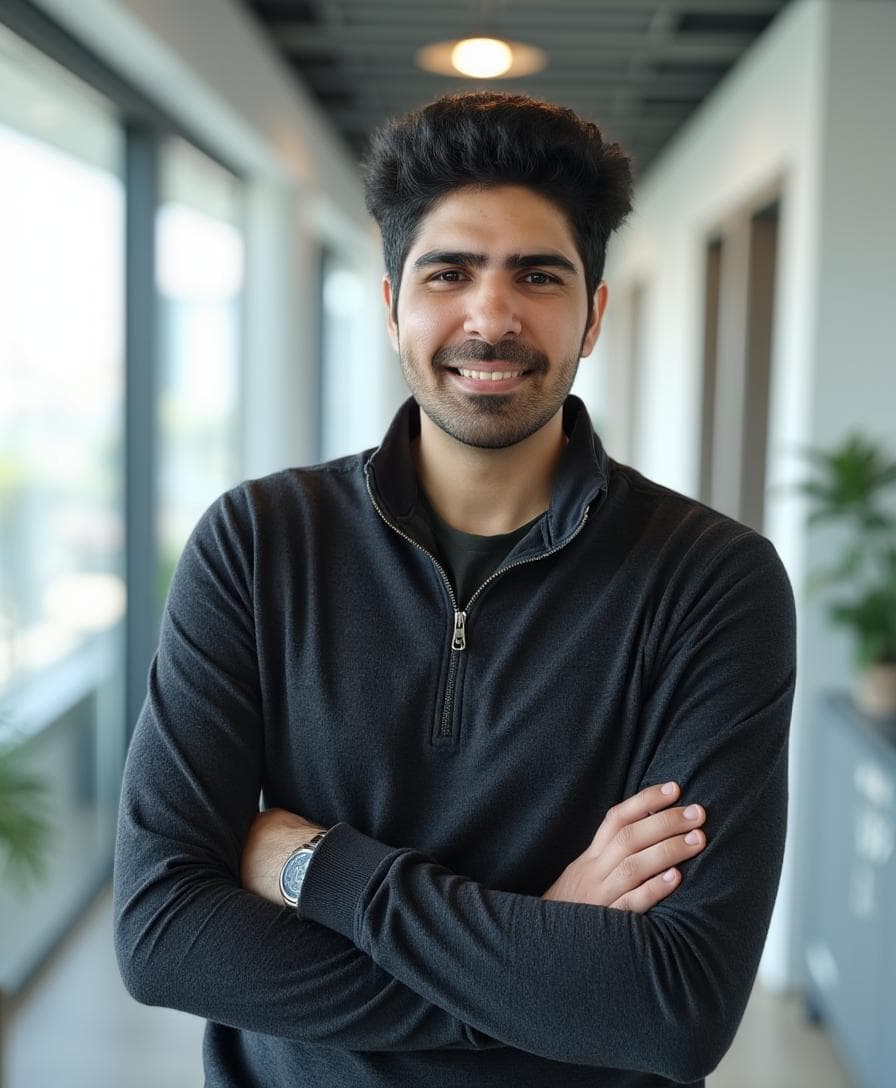 As you can see, the most frequent issues with Aragon were athletic body composition and teeth artifacts. This is a perfect example of how the athletic body composition is rendered by Aragon AI, even though I explicitly chose the Regular body shape.
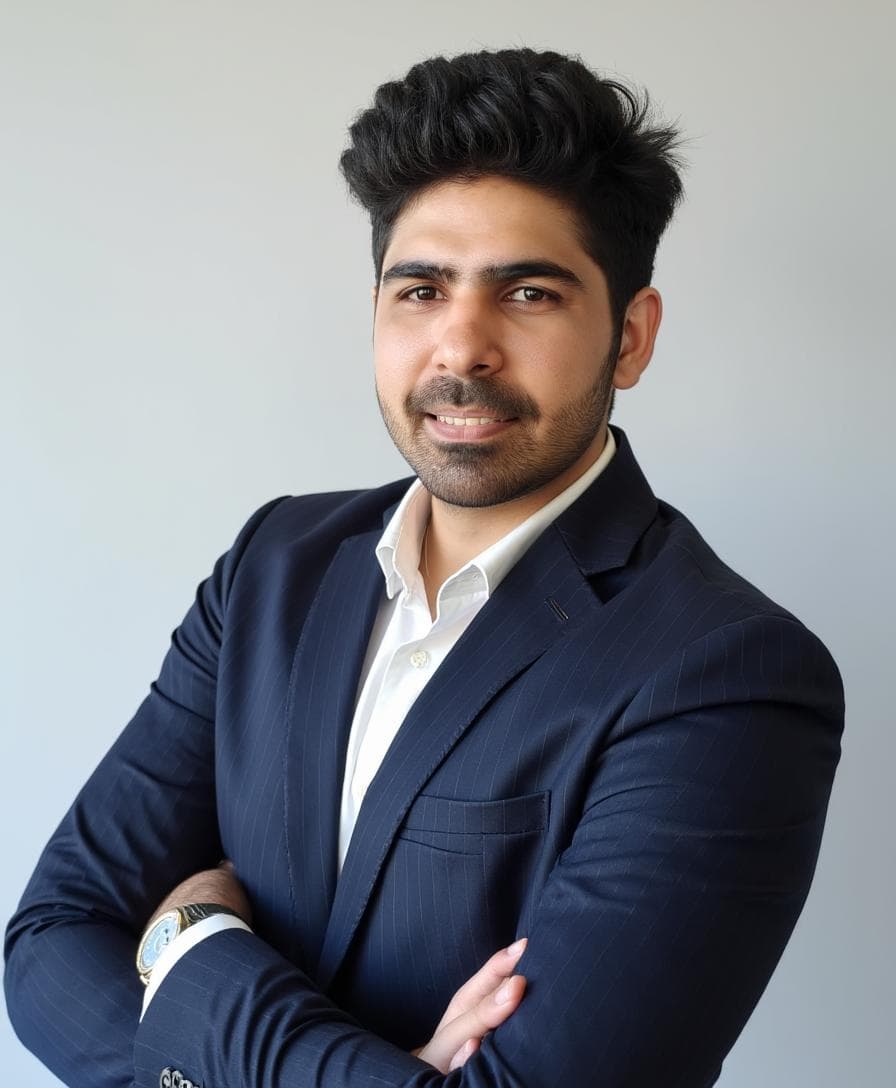 This is the teeth issue I was referring to, and it appeared significantly in many images. Due to poor face likeness, this image does not look like Jason ❌
Styles and Customization
This is where Aragon AI truly shines.
The style catalog is extensive, and the customization tools are far more advanced than what most competitors offer. You can:
- adjust attire
- change backgrounds
- refine pose direction
- experiment with different looks without retraining
I have not seen another AI headshot tool offer this level of post generation control. If you enjoy experimenting and refining images until they feel right, Aragon gives you that freedom.
Pricing Clarity
Aragon AI’s pricing feels competitive for what it offers, and it also supports local pricing based on purchasing power parity, which is a nice thing.
That said, let's interpret Aragon's refund policy.
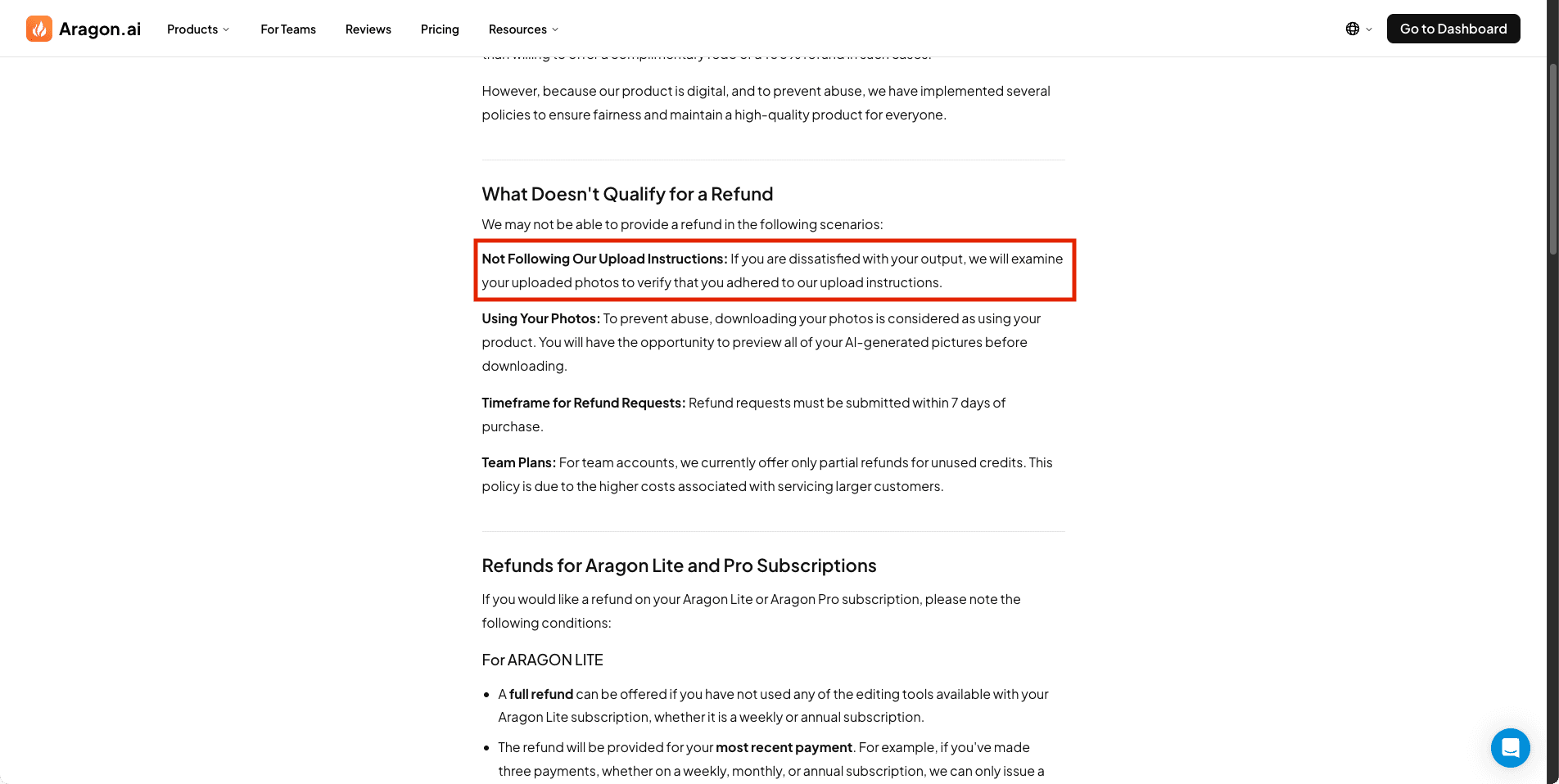 Screenshot of Aragon AI website displaying refund policy information explaining qualification criteria for money-back guarantee.
Refund eligibility appears to depend on whether uploaded images meet certain guidelines, but those guidelines are not clearly defined from a user perspective. In my testing, some images were rejected during upload, which makes it harder to understand what qualifies for a refund.
This lack of clarity contrasts with tools that clearly state refund eligibility conditions upfront.
Privacy and Security
Aragon AI sets a high standard for security and compliance.
They publicly state support for:
- SOC 2 compliance
- AES-256 encryption algorithm
- GDPR compliance
This makes Aragon one of the more trustworthy platforms when it comes to handling personal photos. For users who care deeply about data protection, this is a strong advantage.
Turnaround Time
It took only 10 minutes from upload to final results, which is the fastest for any paid tool I have tested.
Pros and Cons
Pros ✅
- Very intuitive and enjoyable user experience
- Clear guidance at every step
- Excellent poses, attire, and backgrounds
- Powerful built in AI editor
- Strong security and compliance standards
- Competitive pricing with local adjustments
Cons ❌
- Face likeness is weaker than expected
- Skin texture can look plasticky
- Wrong body composition in most images
- Refund policy lacks clarity
Short Verdict
Aragon AI is a leader when it comes to styling, customization, and user experience.
If you want glamorous, well posed, and highly editable headshots, Aragon delivers some of the best results available today. However, if face likeness is your top priority, this tool may fall short compared to others.
It is best suited for users who value aesthetics, flexibility, and creative control over strict facial accuracy.
Use promo code AIHEADSHOT to get additional 15% off.
4. PortraitPal AI Review
PortraitPal AI is one of the simplest AI headshot generators I tested, but unfortunately, simplicity here comes at the cost of capability and quality.
The platform feels more like an early MVP than a mature product, especially when compared to other tools in the same price range.
User Experience
The onboarding flow is minimal and straightforward.
PortraitPal asks for basic personal details such as:
- gender
- age
- hair color
- hair type
- body type
- eye color
- glasses preference
- ethnicity
After this, the platform requires a minimum of six photos to be uploaded. It does provide basic image upload guidelines, which is helpful, but that is where guidance ends.
There is no style selection, no themes, and no control over background or attire. Once images are uploaded, the system randomly generates headshots without giving users any input.
There are also no AI editing tools or customization options after generation.
Walkthrough Screenshots
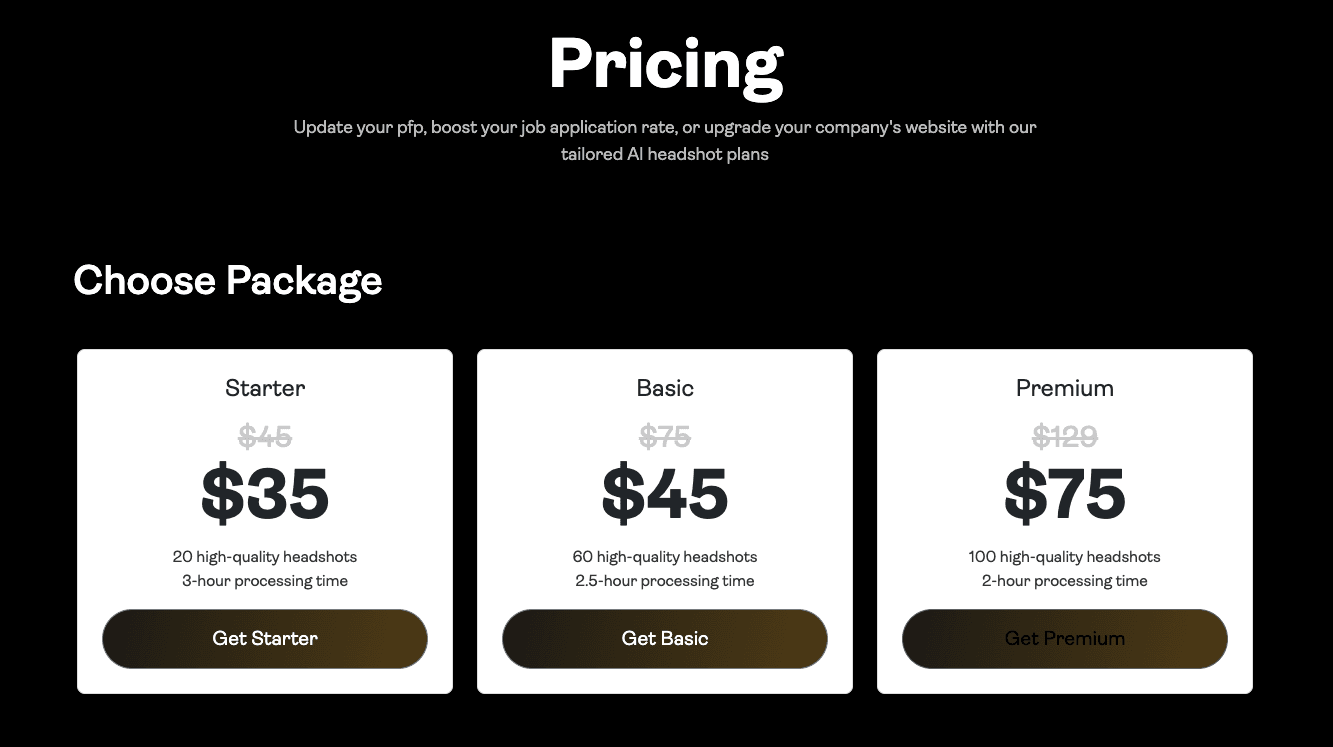 Screenshot of PortraitPal AI website displaying pricing plans and subscription options for AI headshot generation services.
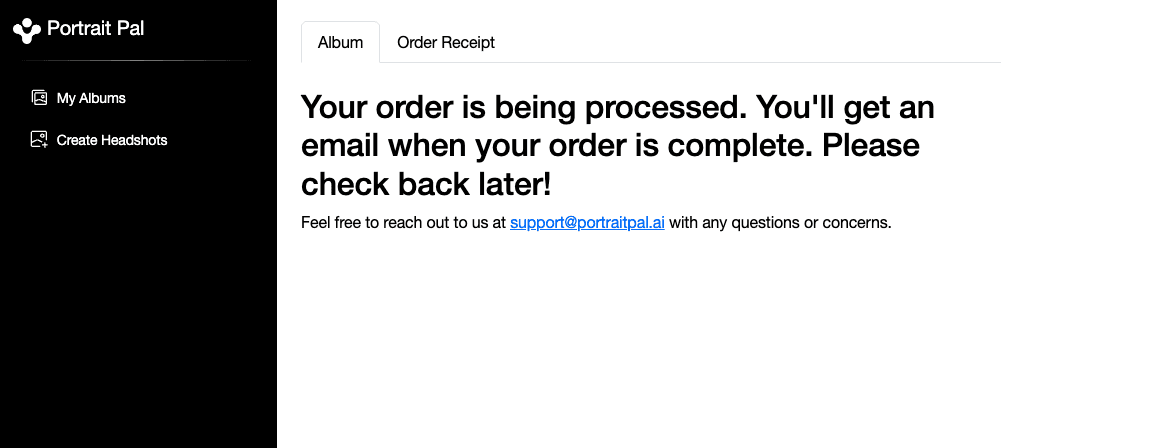 Screenshot of PortraitPal AI website showing the order processing interface after photo submission.
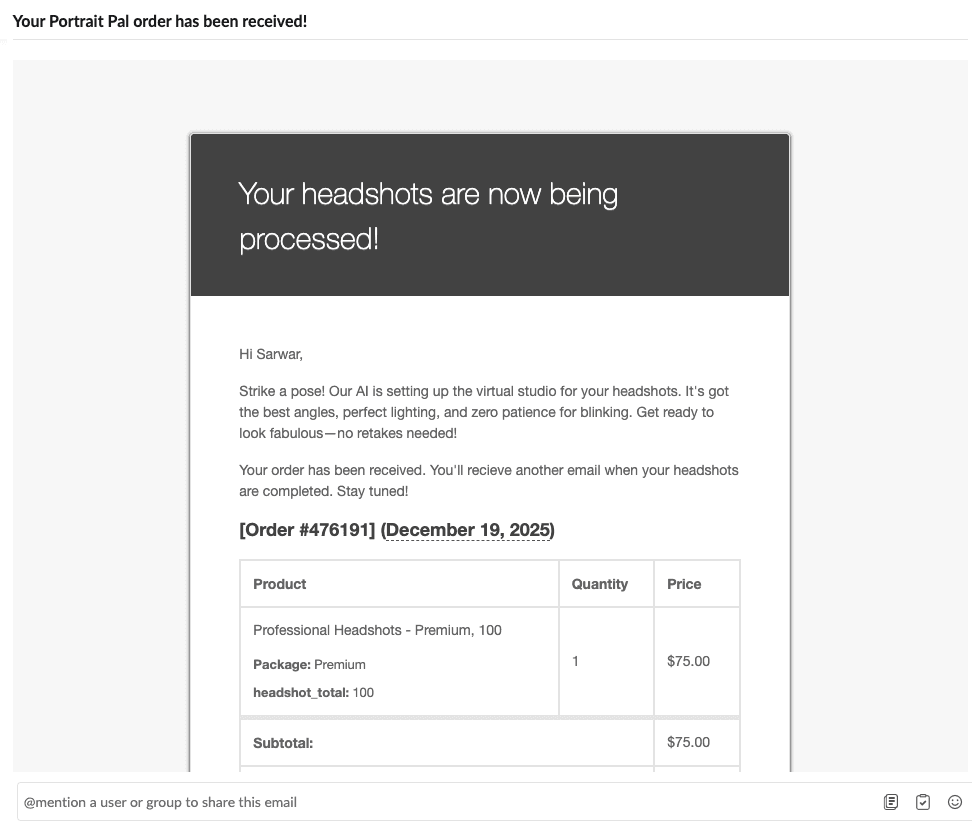 Screenshot of PortraitPal AI email notification informing users that their headshots are being processed.
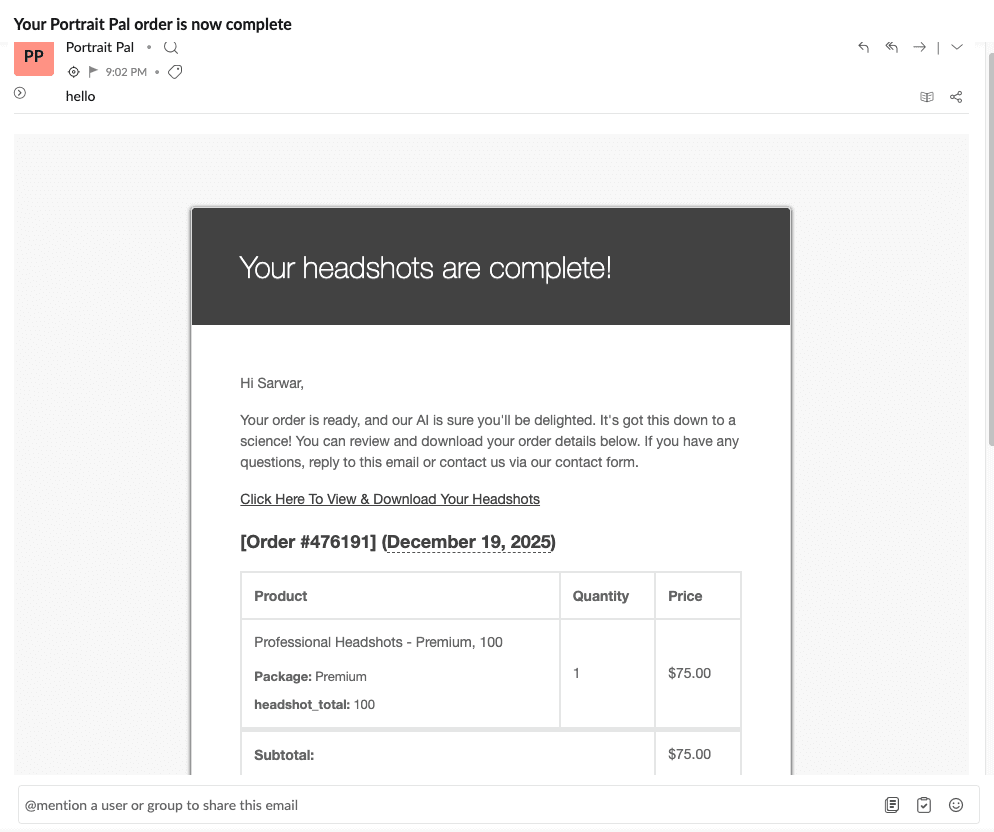 Screenshot of PortraitPal AI email notification informing users that their AI-generated headshots are ready for viewing.
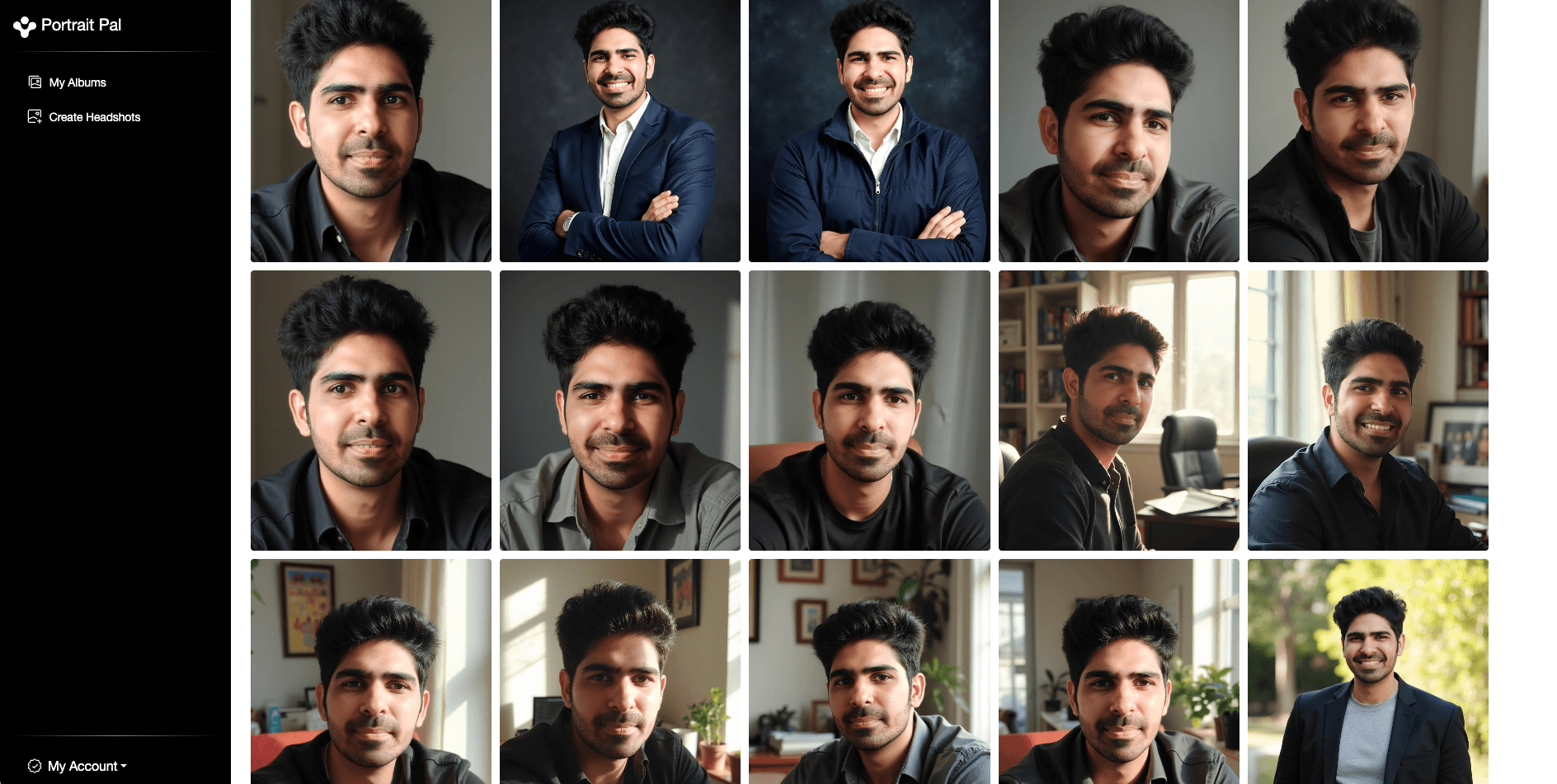 Screenshot of PortraitPal AI website displaying the results dashboard where users view their completed AI headshots.
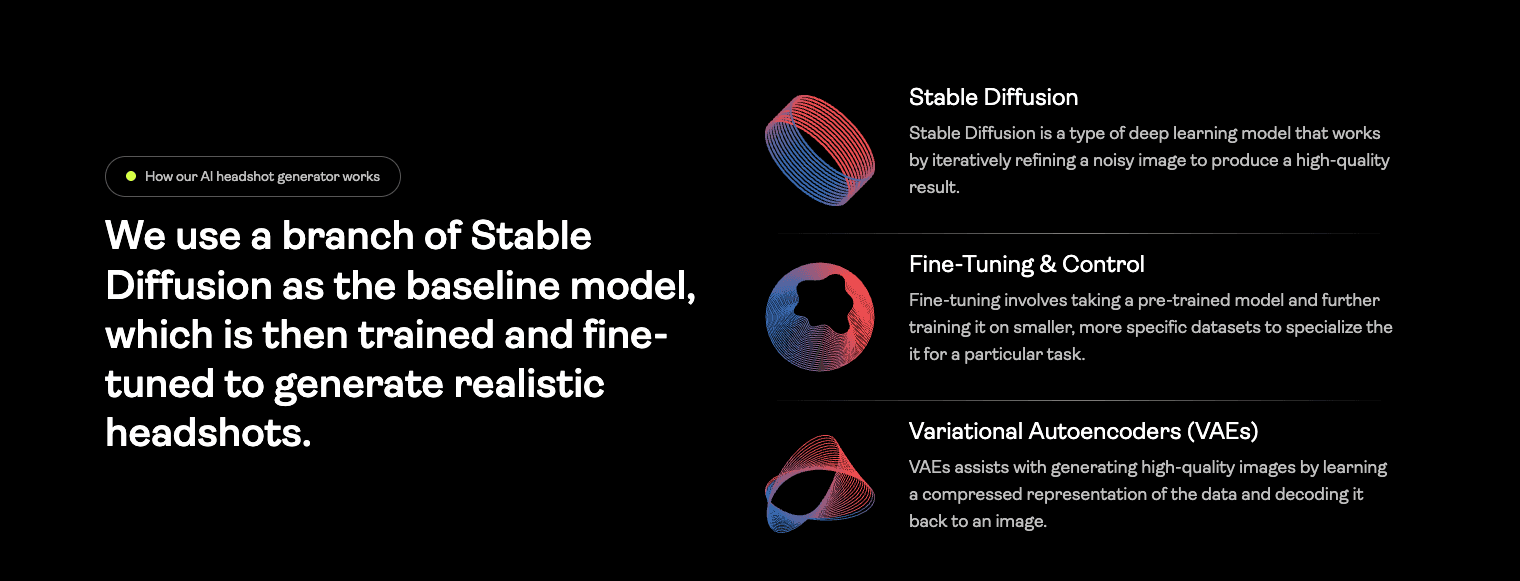 Screenshot of PortraitPal AI website explaining how their AI headshot generation process works.
❓ As per PortraitPal's website, they are using
Stable Diffusionwhich is an older model and this could be the reason why the quality is subpar.
Headshot Quality and Results
The quality of the generated headshots was disappointing.
The images looked clearly AI generated, with plasticky skin texture and unnatural facial details. In several results, the teeth looked fake and overly uniform, a common issue seen in older diffusion models.
Based on the output characteristics, it appears that PortraitPal may still be using a legacy Stable Diffusion 1.5 style pipeline, while most modern tools have moved to newer models such as FLUX Dev. This shows up clearly in the final results.
The images did not meet the realism or professionalism standards expected at this price point.
Image Results Explained
When I reviewed the outputs, the artificial look was immediately noticeable.
Skin appeared overly smooth, facial depth was missing, and expressions felt unnatural. The teeth issue stood out the most, making smiles look unrealistic and distracting.
These headshots did not feel usable for professional profiles. Even at a casual level, the AI artifacts were hard to ignore.
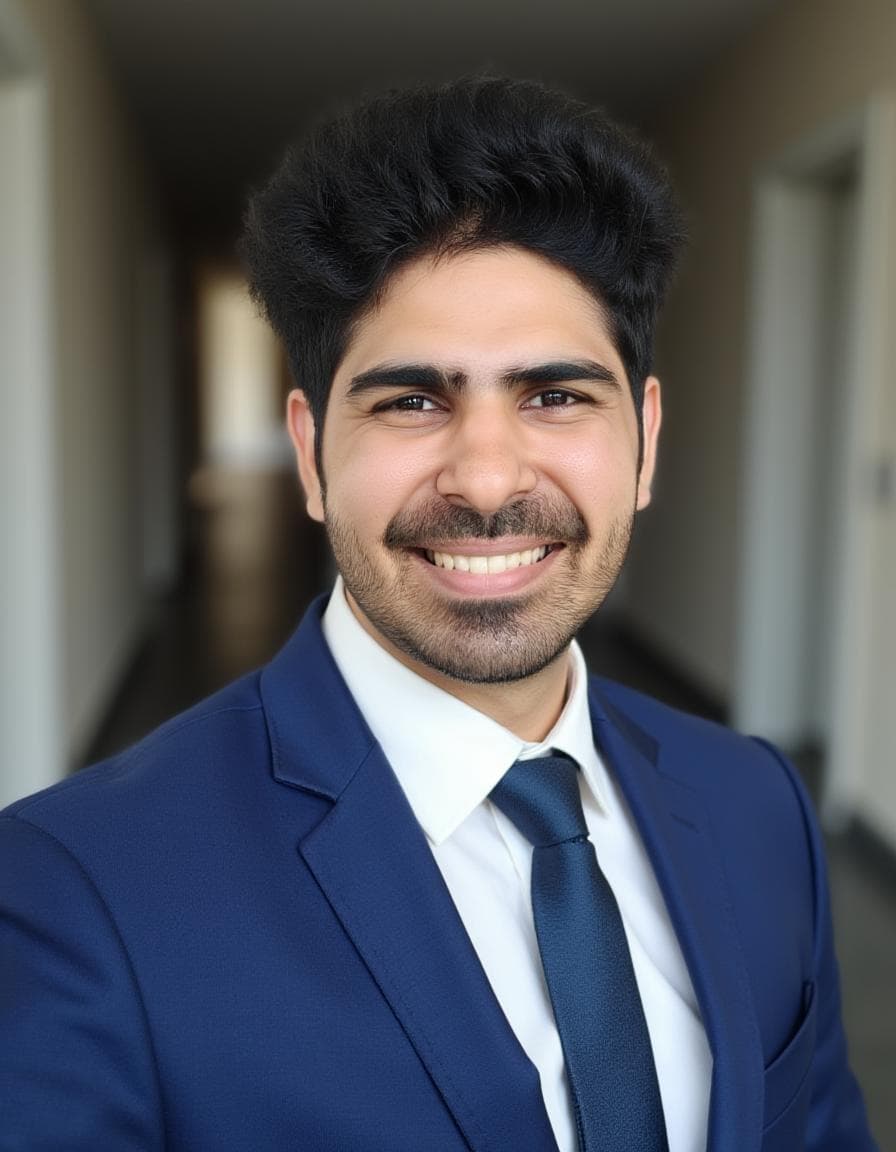 This is the best result from PortraitPal, It has perfect face likeness and realistic skin texture but i struggled to find another good shot .
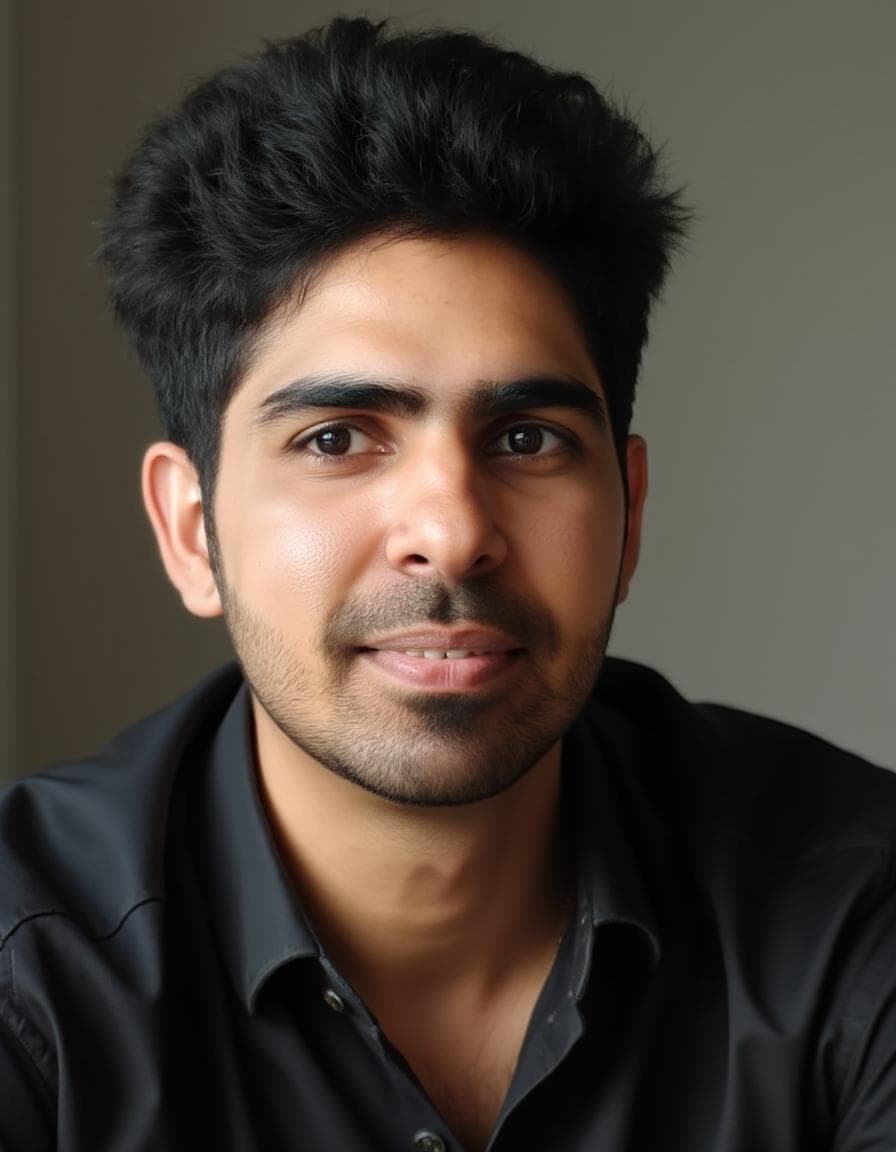 The teeth artifacts are particularly problematic in PortraitPal's outputs. As you can see, the smile looks unnatural and distracting, making the image unusable for professional purposes.
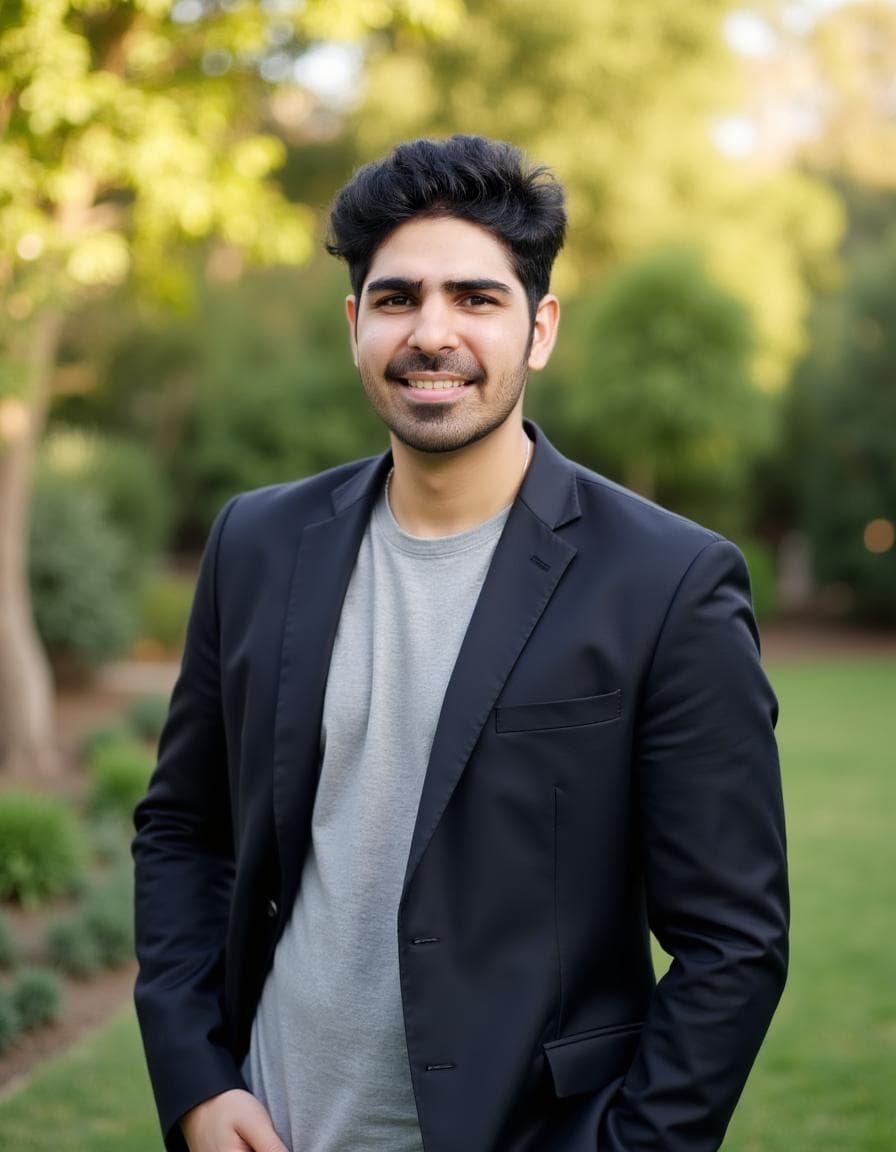 PortraitPal struggles with body composition, often generating unrealistic proportions.
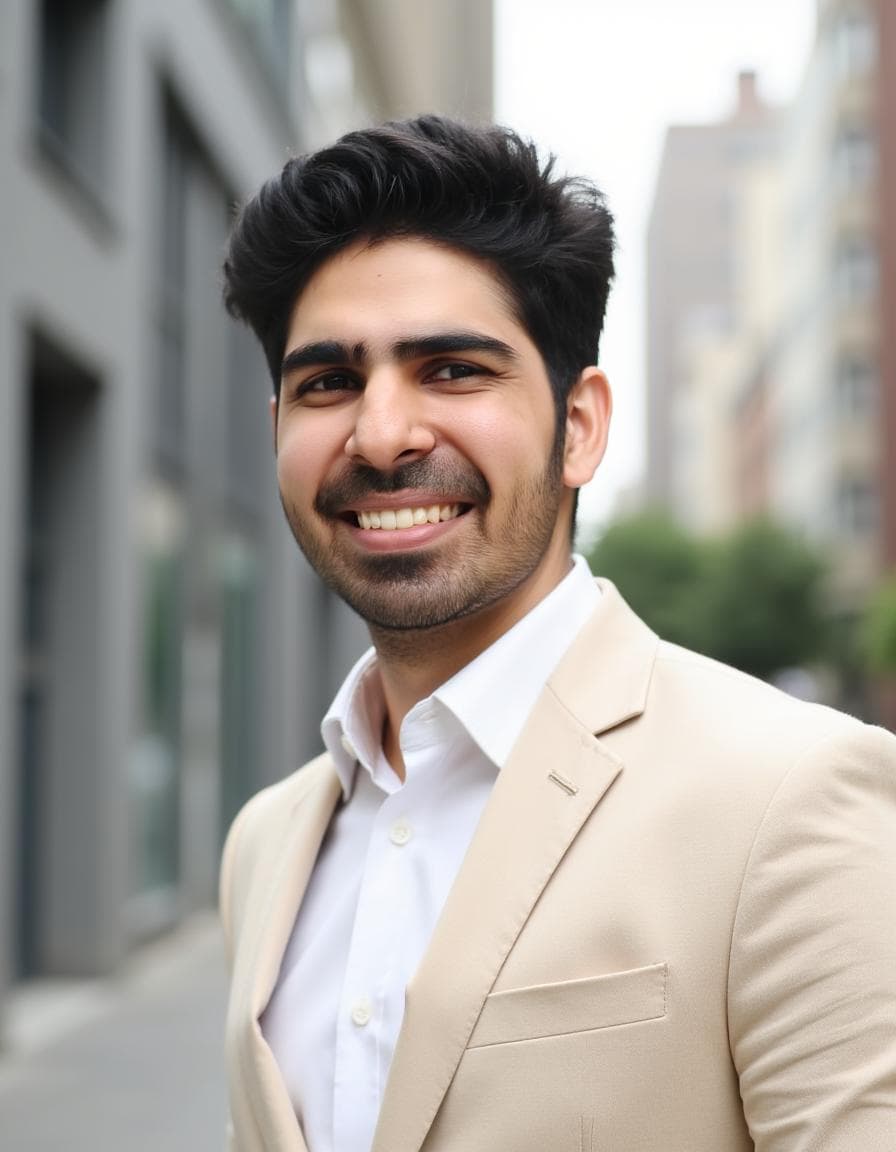 Face likeness is inconsistent across PortraitPal's outputs. This image demonstrates how the generated face barely resembles the original person, which is a critical failure for an AI headshot generator.
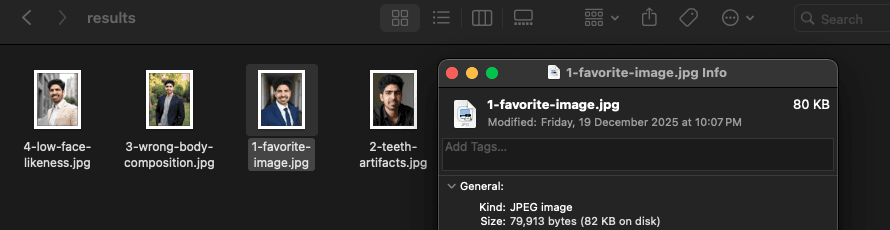 All portraitpal original headshots image files are compressed to ~80KB (ideally should be bigger in size) in jpeg format. This shows the intensive compression they are using to reduce the file size.
Styles and Customization
There are none.
PortraitPal does not allow you to:
- choose styles
- select attire
- control backgrounds
- tweak poses
- edit results after generation
Everything is randomly generated, which removes any sense of control from the user.
Pricing Clarity
PortraitPal is priced at around $35, which places it directly alongside much more capable tools.
At this price, users can access platforms that offer:
- better face likeness
- more realistic results
- customization options
- editing tools
- clearer workflows
Given the limited features and low quality outputs, the pricing does not feel justified.
Privacy and Security
PortraitPal collects basic personal information during onboarding. While they don't have the extensive security certifications of enterprise tools like Aragon, they follow standard data handling procedures.
Since the tool requires uploading personal photos, users should review the privacy policy to ensure they are comfortable with how their data is stored and processed.
Turnaround Time
In my testing, PortraitPal took approximately 20 minutes to generate headshots.
This is reasonably fast compared to some premium tools, but given the lower quality of the results, the speed advantage is less impactful.
Pros and Cons
Pros ✅
- Very simple onboarding
- Fast turnaround (20 minutes)
Cons ❌
- Low face likeness
- No style selection or customization
- No AI editing tools
- Headshots look obviously AI generated
- Plasticky skin and fake teeth artifacts
- Poor value for money
- Feels like an unfinished product
Short Verdict
PortraitPal AI is not a tool I would recommend.
Despite its simplicity, it lacks essential features, customization, and quality. The results look outdated and artificial, especially when compared to newer tools using modern diffusion models.
For the same price, there are significantly better options available that deliver more realistic headshots, better face likeness, and far more control. I would personally avoid this platform but this doesn't mean you shouldn't try it - just be aware of the limitations and set realistic expectations.
5. HeadshotMaster Review
HeadshotMaster is one of the few AI headshot tools that offers a completely free experience. It is simple, fast, and surprisingly flexible for something that does not require payment.
I tested it with realistic expectations, keeping in mind that this is a free tool and not a full scale professional solution.
User Experience
The flow is straightforward and beginner friendly. The tool guides you step by step without overwhelming you.
Here is how the process works:
- You first select your gender
- You choose a style from a large catalog including professional, black and white, yearbook, casual, and more
- You select age range, hair color, hair type such as straight or wavy, and hair length
- You choose body shape, glasses preference, and beard or no beard options
- You select ethnicity and upload between 1 and 4 photos
- You can choose between standard mode and advanced mode
Walkthrough Screenshots
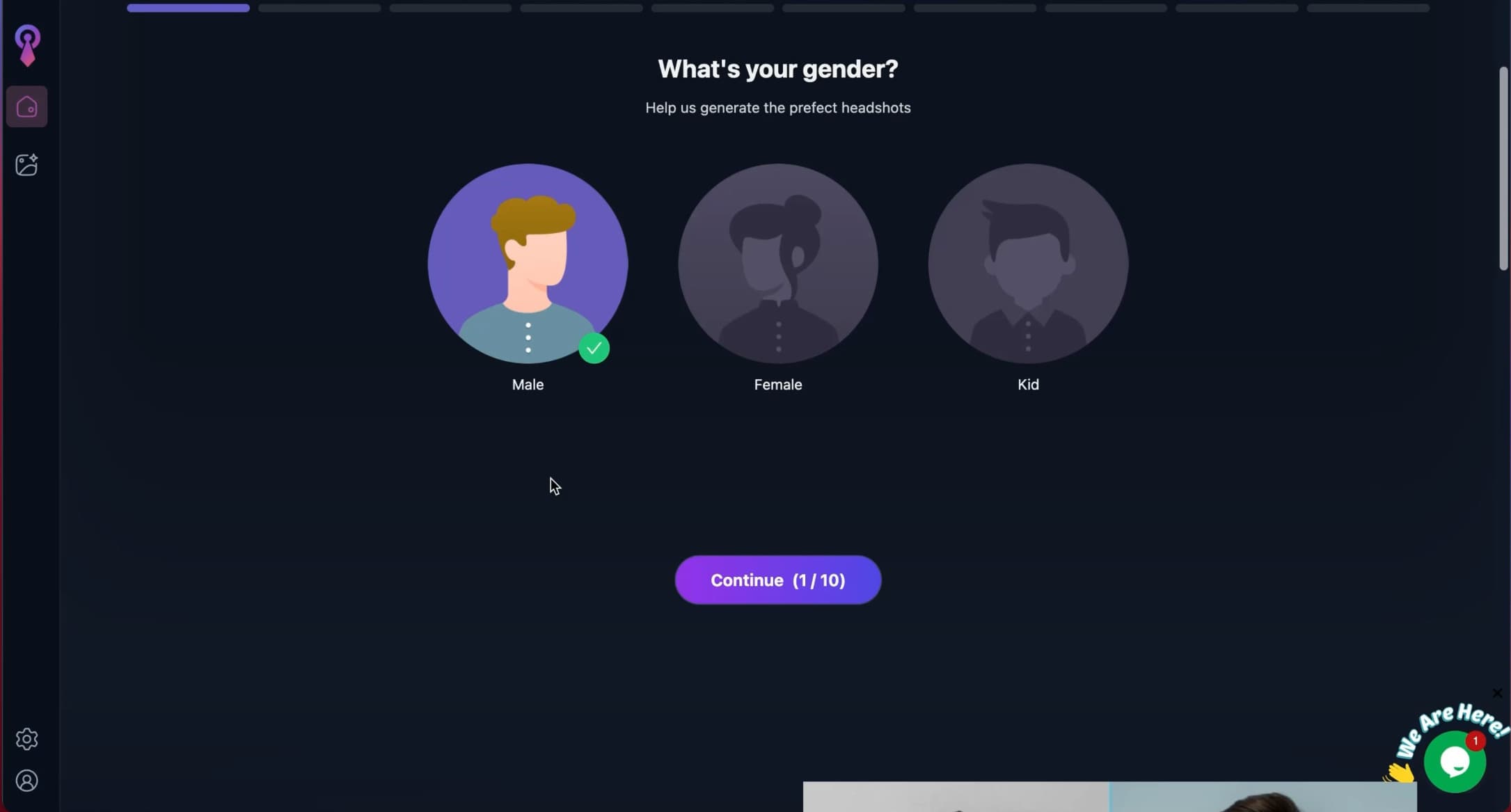 Screenshot of HeadshotMaster AI website where users select gender to start the AI headshot generation process.
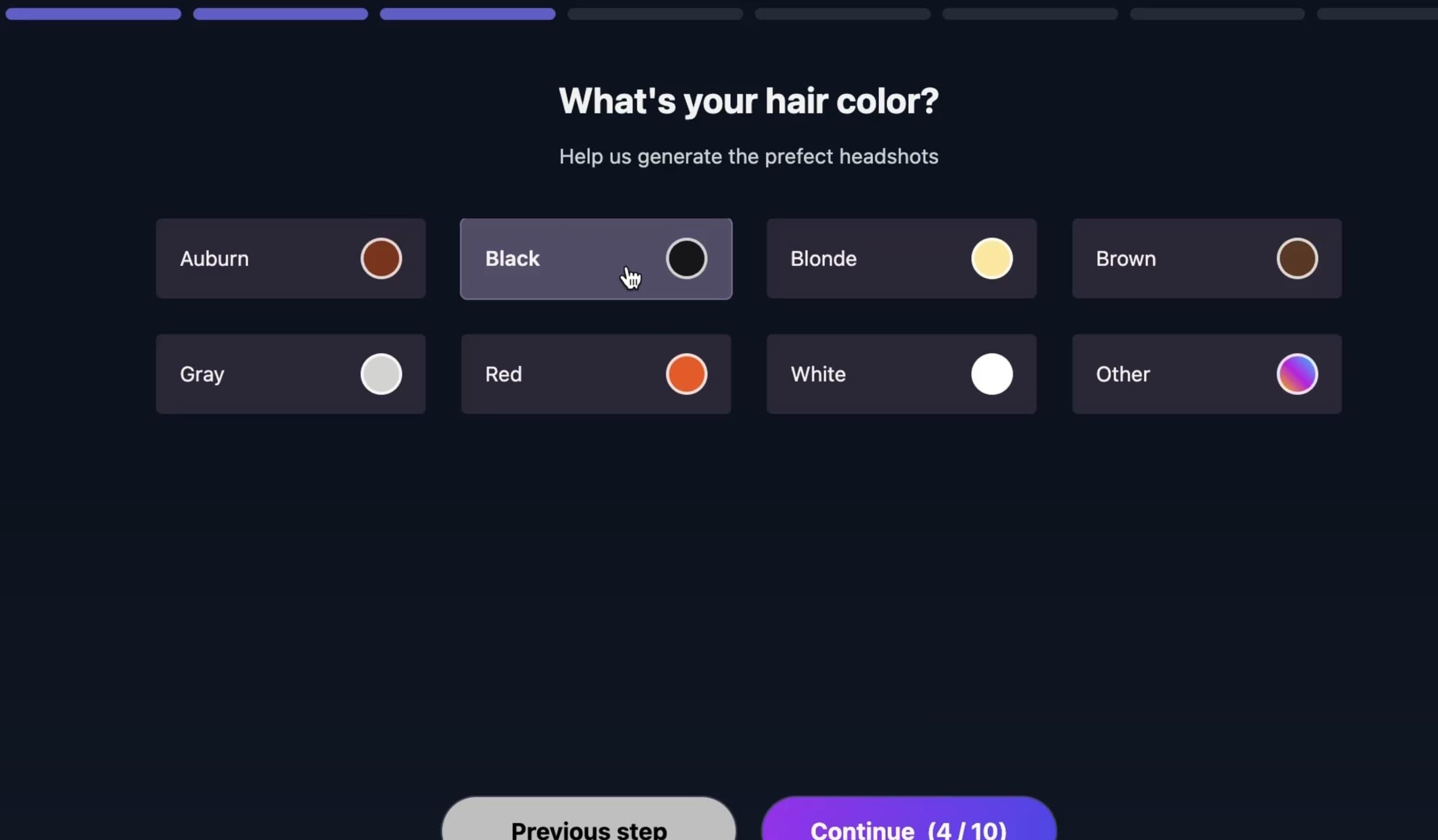 Screenshot of HeadshotMaster AI website showing hair color selection options for personalized AI headshot generation.
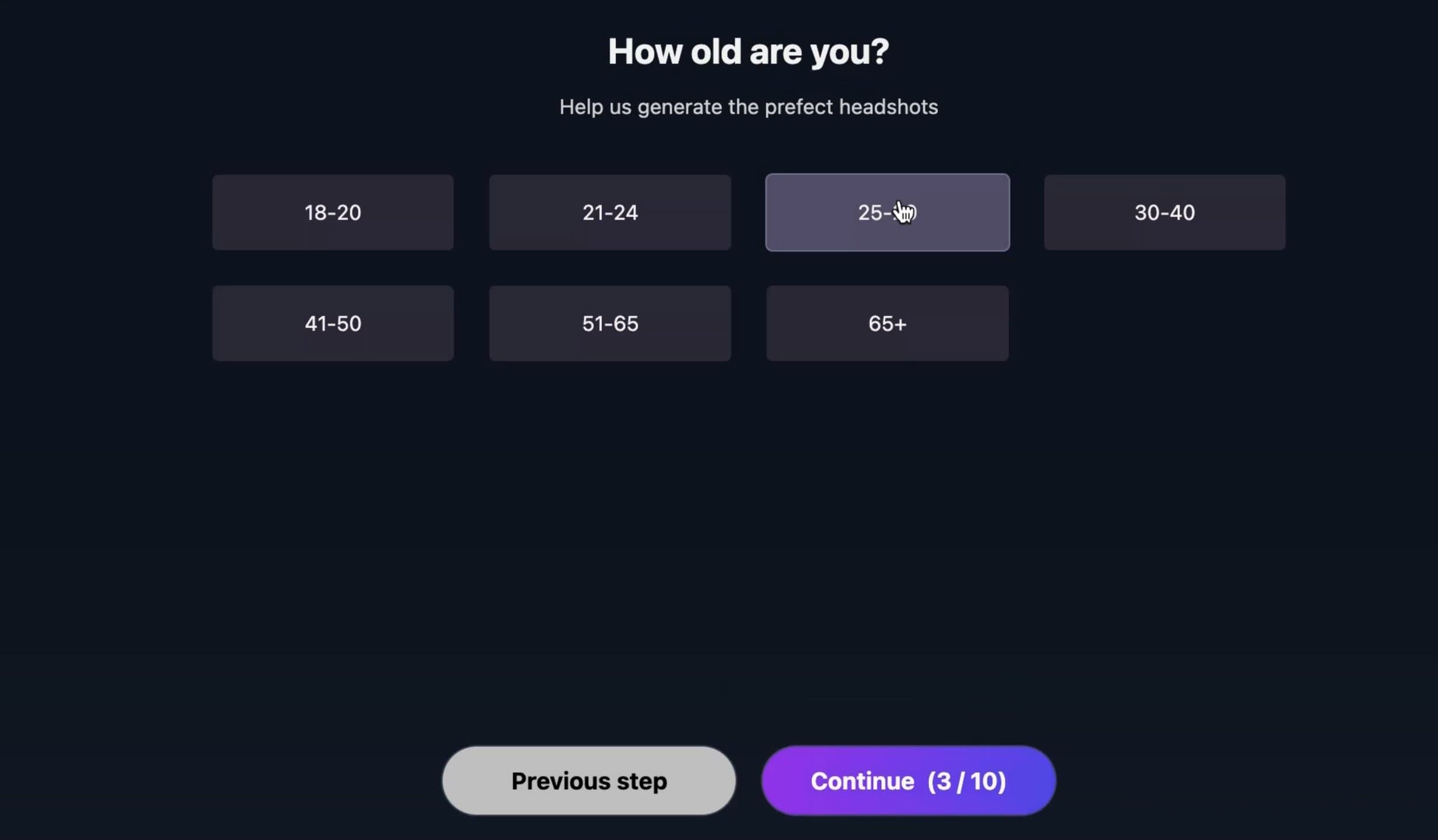 Screenshot of HeadshotMaster AI website where users choose age range to match their appearance in generated headshots.
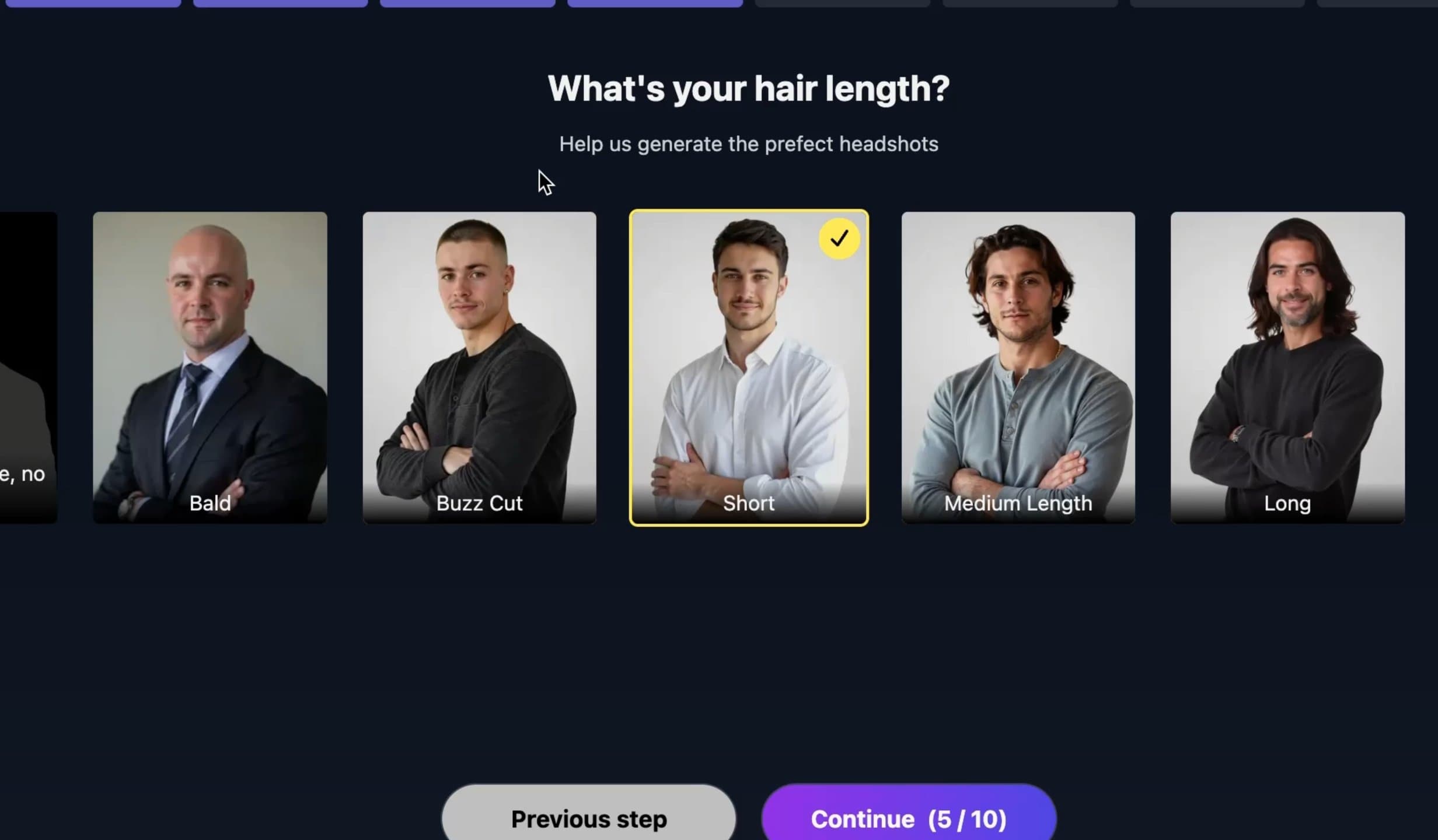 Screenshot of HeadshotMaster AI website displaying hair length options (short/medium/long) for AI styling guidance.
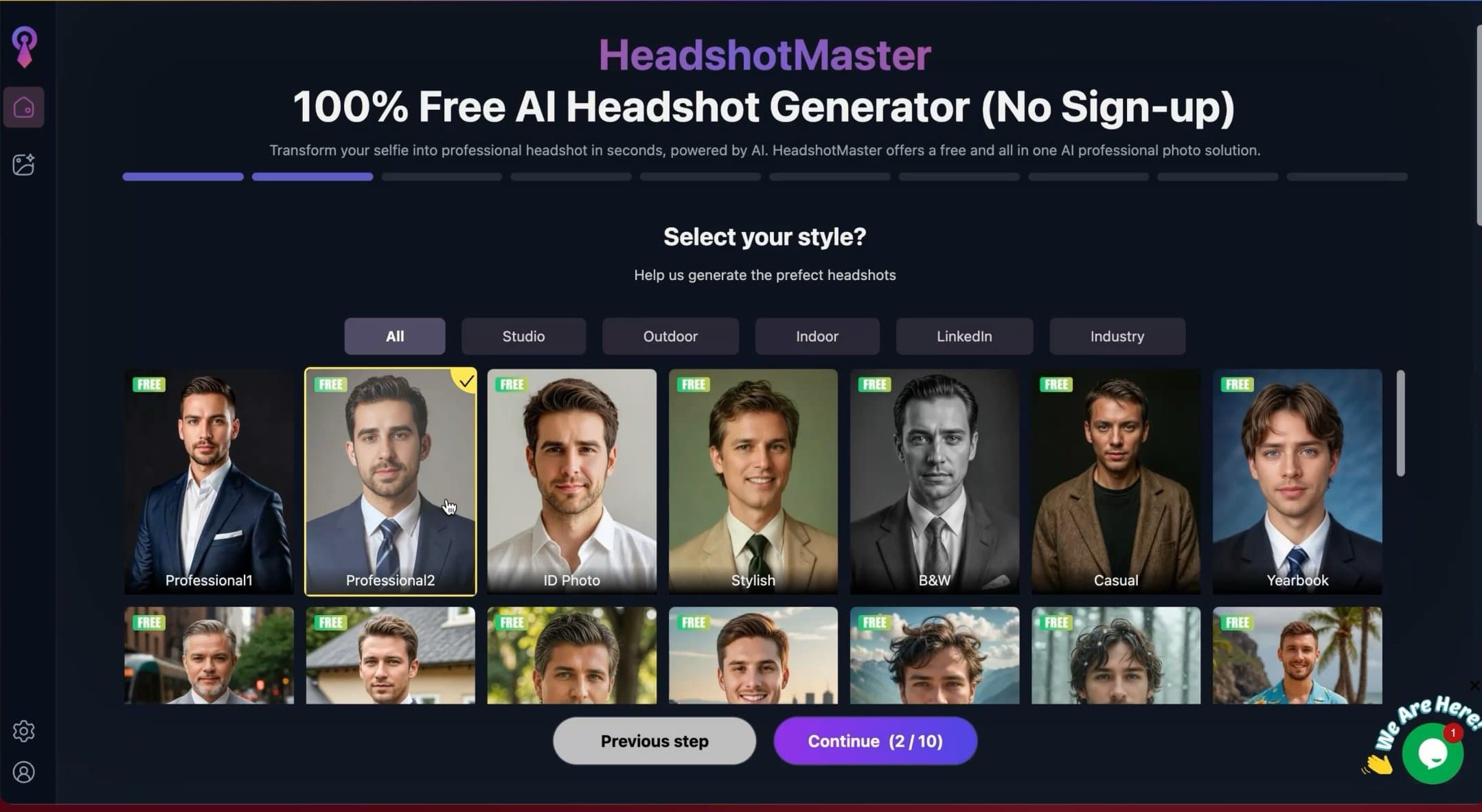 Screenshot of HeadshotMaster AI website showing the style gallery with different professional headshot looks available.
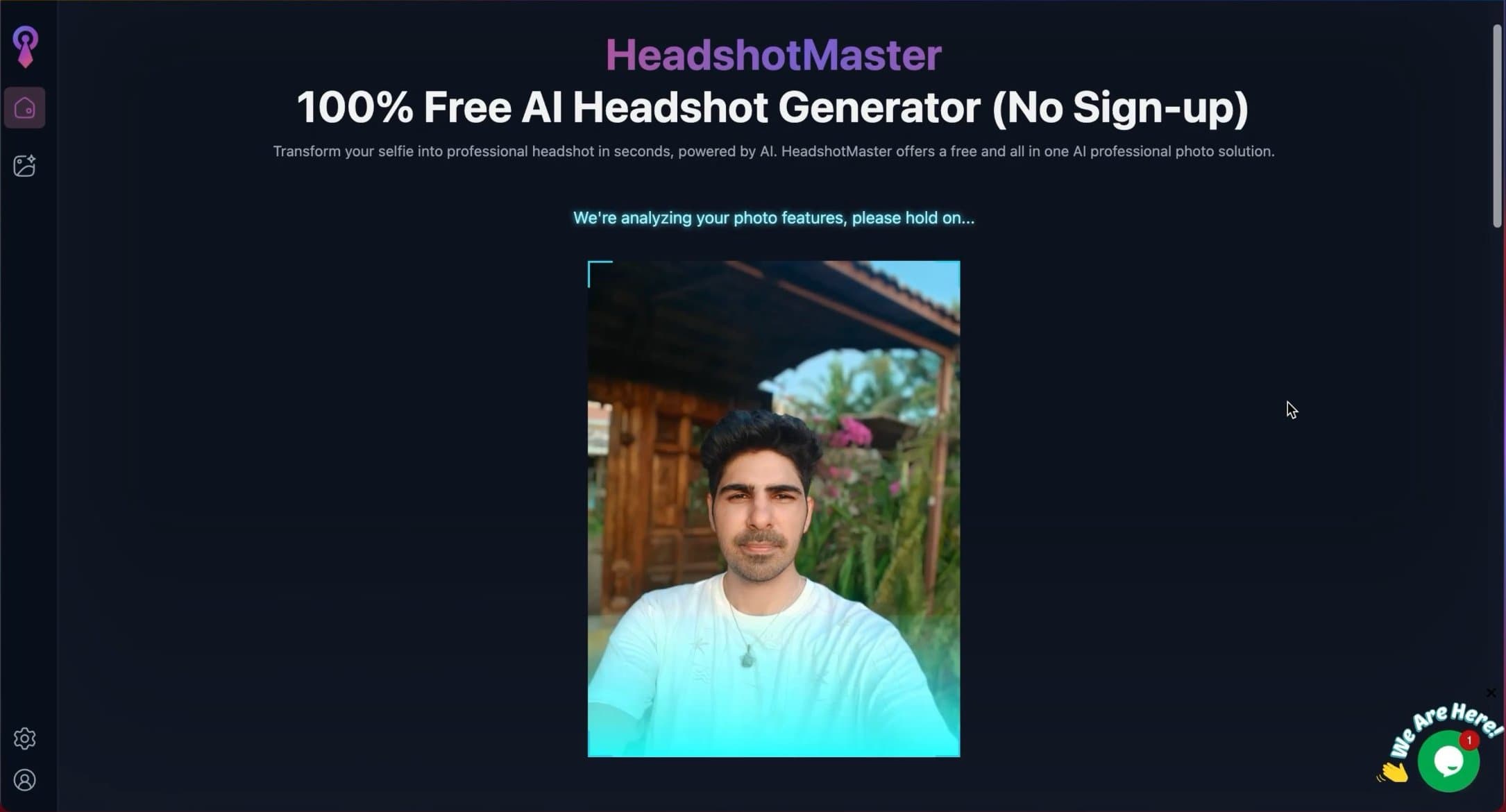 Screenshot of HeadshotMaster AI website showing the image analysis process before AI headshot generation begins.
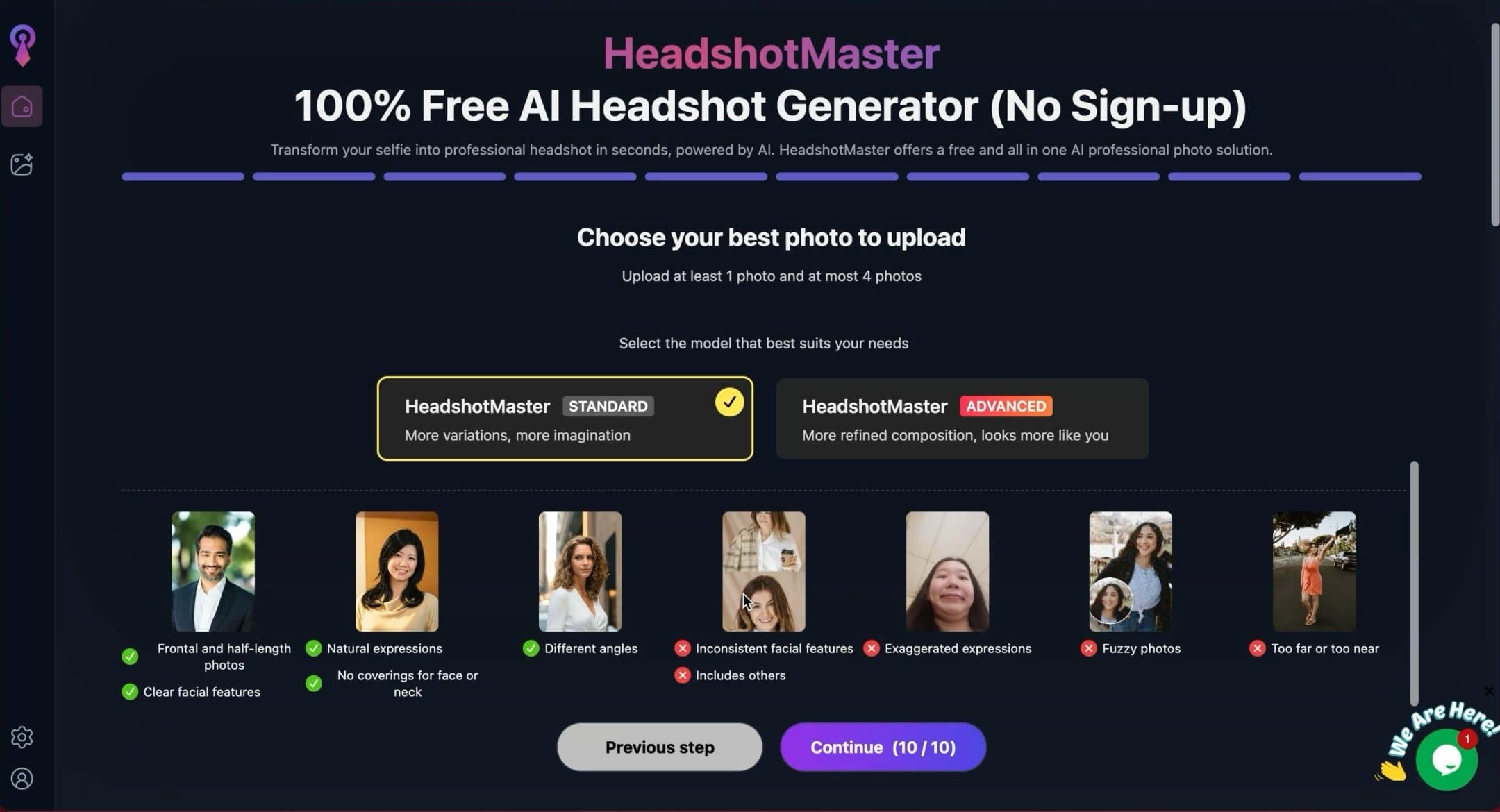 Screenshot of HeadshotMaster AI website where users choose between different headshot generation modes.
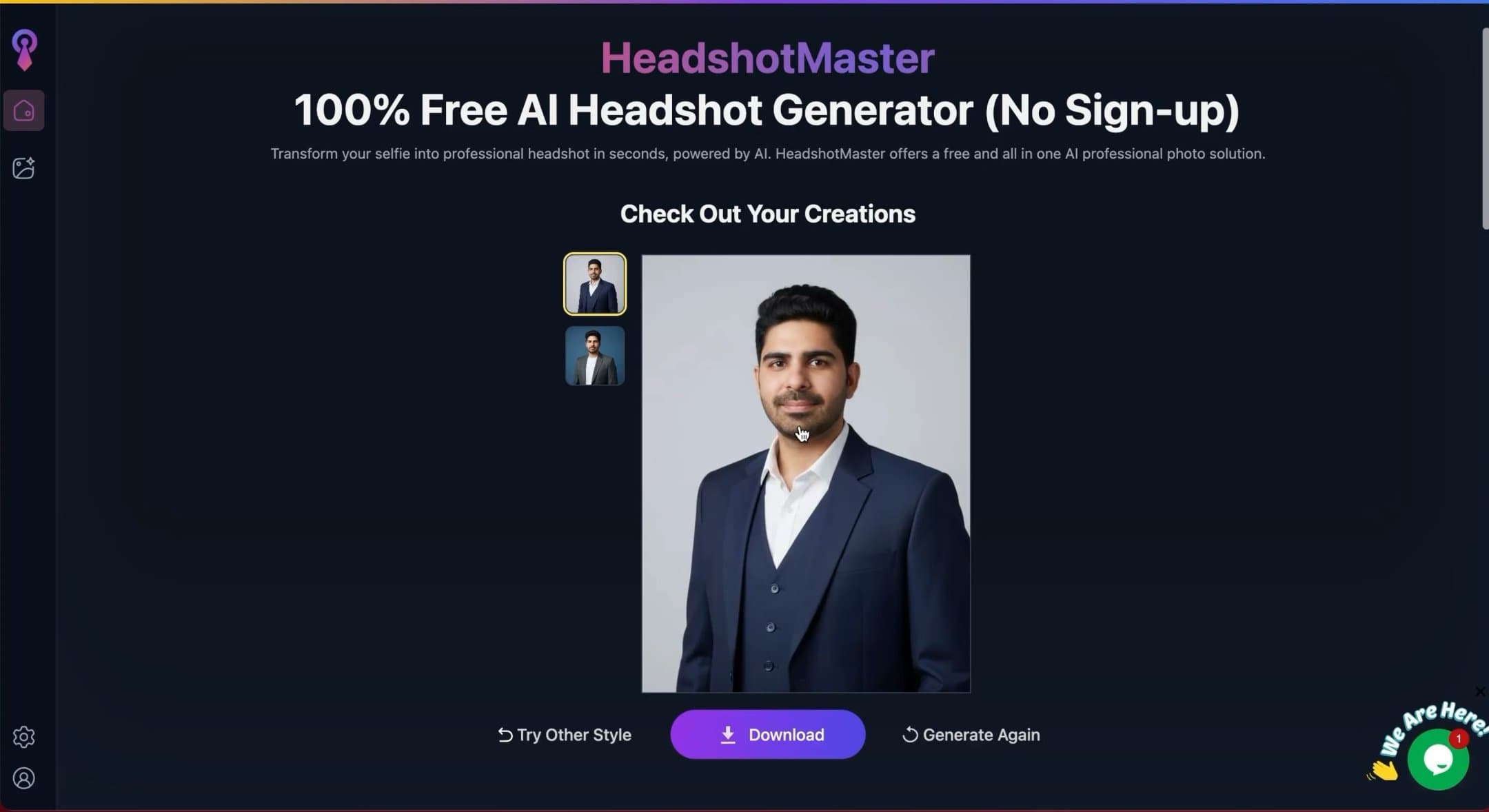 Screenshot of HeadshotMaster AI website displaying the final results page with generated professional AI headshots ready for download.
I chose advanced mode, which the tool claims produces better composition and face likeness. Based on my testing, advanced mode does perform better than standard mode, especially in facial structure accuracy.
Once photos are submitted, the generation process is extremely fast. In most cases, results were ready in under one minute.
Headshot Quality and Results
For a free tool, the results are better than expected.
The images look clean and presentable. Lighting is generally balanced and the framing feels intentional rather than random. These are not cinematic or high end studio headshots, but they are usable.
The tool generates two headshots per run, based on the selected style.
Image Results Explained
Face likeness is decent. It is not perfect, but for a free service, it does a respectable job of keeping facial proportions recognizable.
Skin texture looks natural enough and does not feel overly smoothed. Eyes look real and expressive, although sometimes slightly flat. Hair edges are acceptable, with minor artifacts in a few cases.
Outfits are simple and clean. They work for casual professional use, though they lack the polish seen in paid tools.
Overall, these images feel safe to use in low risk online contexts.
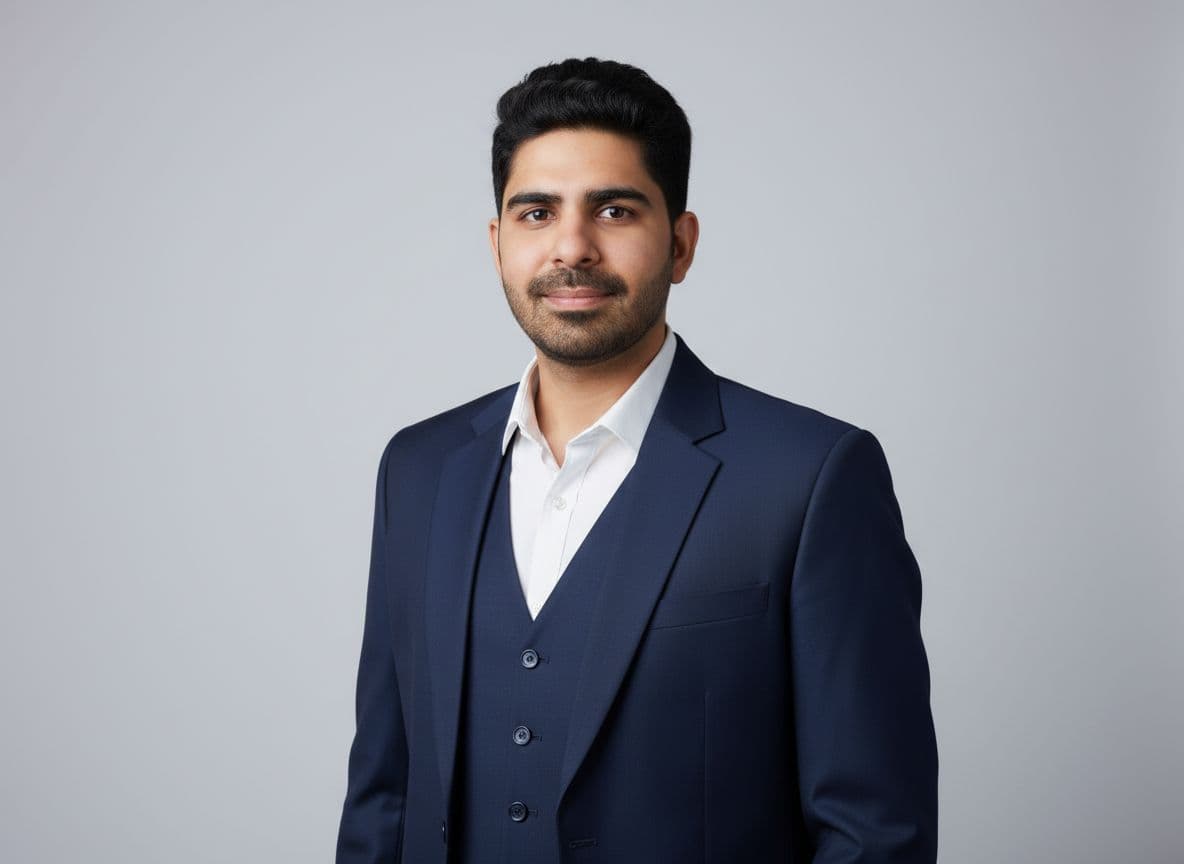 A sample result from HeadshotMaster showing OK-ish likeness but wrong body shape.
Styles and Customization
This is one area where HeadshotMaster stands out.
The style catalog is large for a free tool. You can experiment with:
- professional looks
- casual styles
- black and white themes
- yearbook style portraits
The additional inputs like hair type, glasses, beard, and body shape help guide the results and give users a sense of control, even if the final image does not always reflect every choice perfectly.
Pricing Clarity
HeadshotMaster is free.
There are no hidden charges, no credit card required, and no forced upgrades during testing. You upload up to four photos and receive two generated headshots.
This makes it a low risk option for anyone who wants to try AI headshots for the first time.
Privacy and Security
One of the biggest advantages of HeadshotMaster is that it does not require a signup or login. This allows for anonymous usage, which is a significant privacy benefit.
Since you don't need to create an account or provide an email, your personal data footprint is minimal compared to platforms that track user history.
Turnaround Time
Generation is extremely fast, typically taking under one minute.
This speed makes it ideal for users who want to quickly test different styles without waiting hours for results.
Pros and Cons
Pros ✅
- no signup/login required
- Completely free
- Very fast generation
- Simple step by step process
- Decent face likeness for a free tool
- Large style catalog
Cons ❌
- Only two images per run
- Limited refinement compared to paid tools
- Not ideal for high stakes professional branding
Short Verdict
HeadshotMaster is a solid free AI headshot generator.
If you need something quick, cost free, and good enough for casual professional use, it does the job. Face likeness is respectable for a free service, and the speed makes it easy to experiment with different styles.
I would not rely on it for high visibility corporate or personal branding needs, but as a zero cost entry point into AI headshots, it is absolutely worth trying.
6. Canva Review
Canva also offers a free AI headshot generator, similar to HeadshotMaster. The difference is that this one comes under the Canva brand, which already has a massive user base and strong design ecosystem.
That said, Canva brand alone does not automatically translate to better headshots.
User Experience
Using Canva’s AI headshot generator requires you to log in or create an account. Unlike some other free tools, there is no anonymous usage.
The overall flow looks like this:
- You upload a photo
- You select your gender
- You choose a headshot style after selecting gender
- The tool consumes one credit to generate a headshot
Walkthrough Screenshots
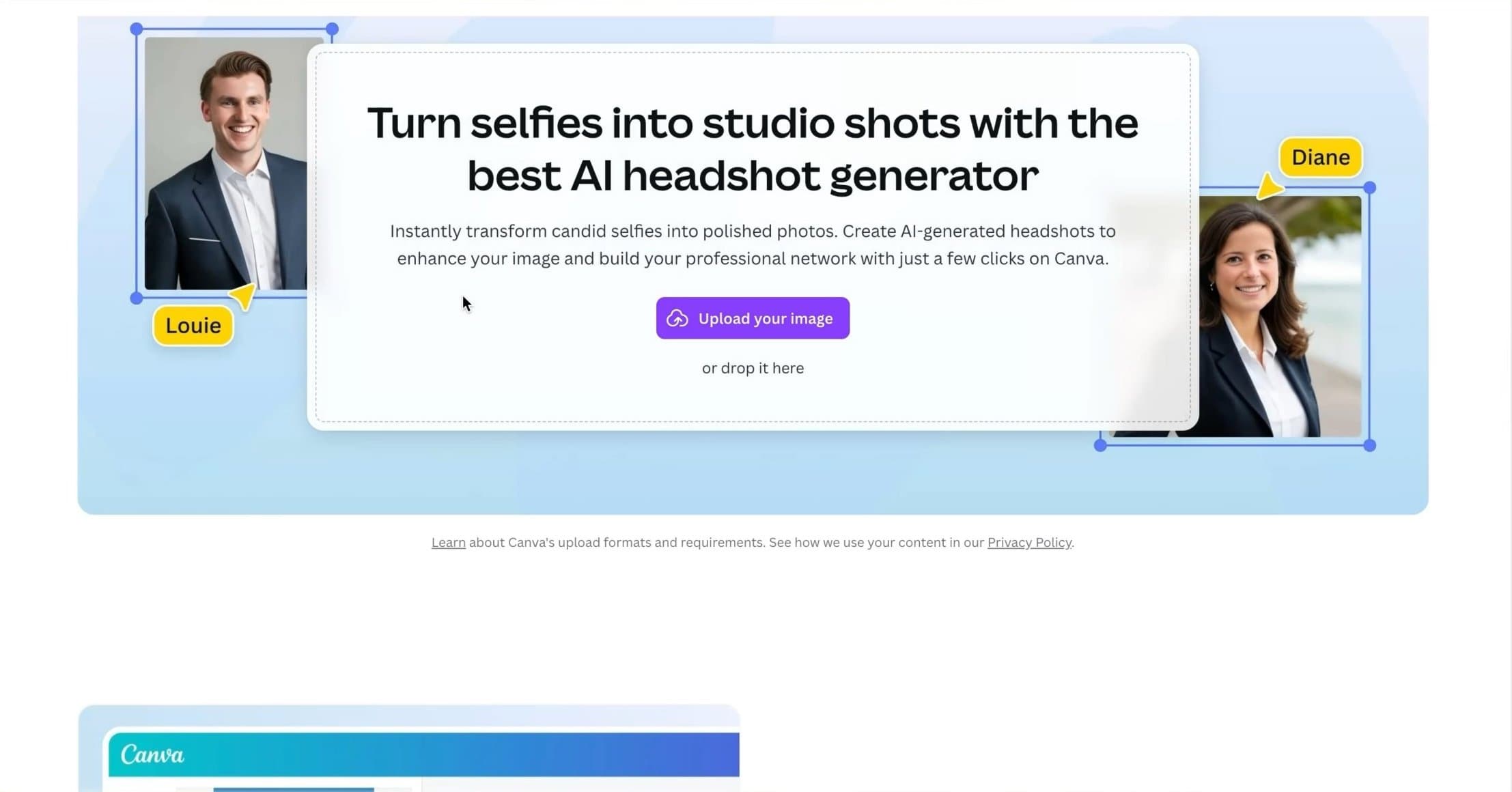 Screenshot of Canva AI headshot generator website showing the photo upload interface where users submit their images.
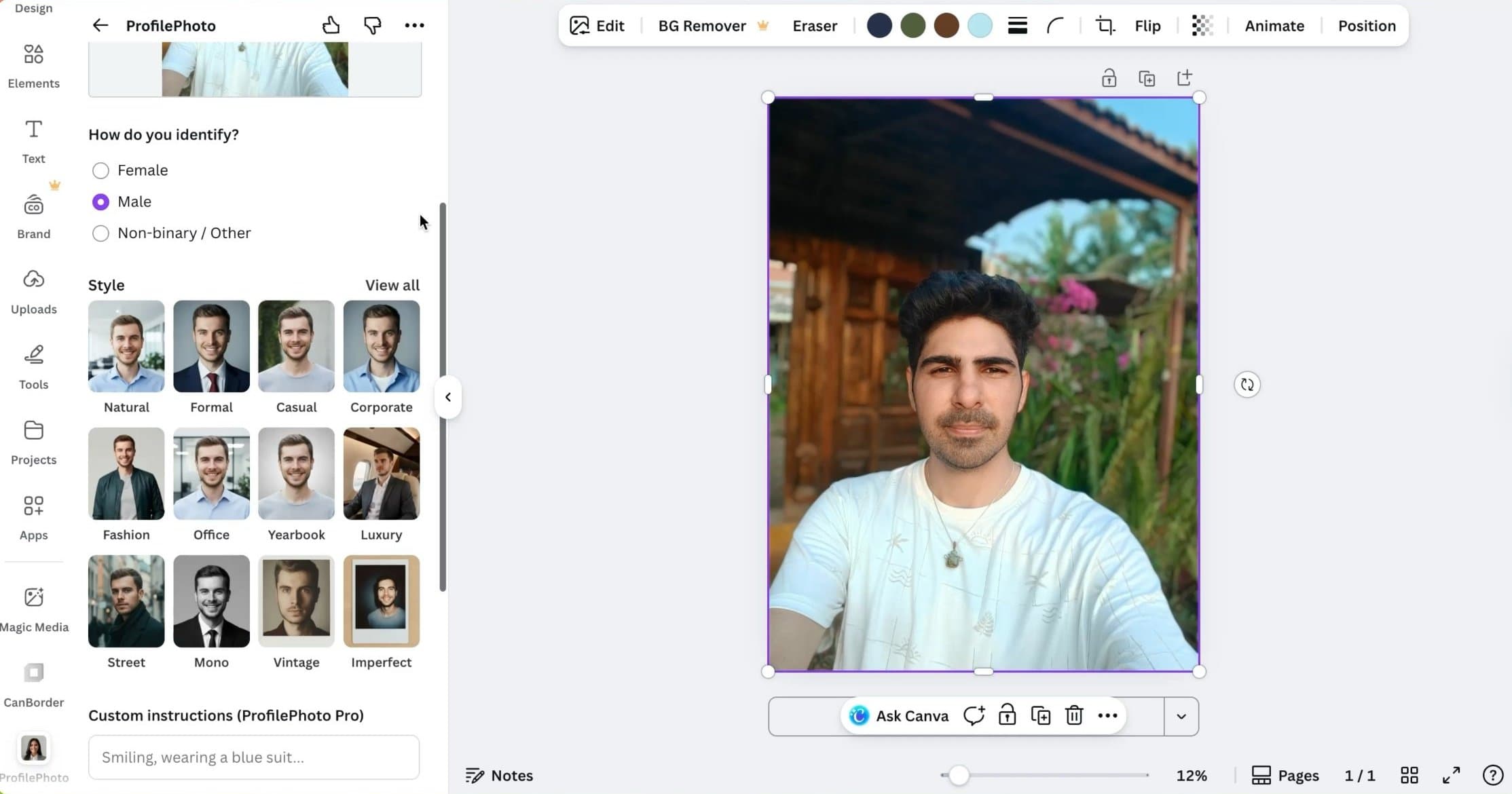 Screenshot of Canva AI headshot generator website displaying gender selection and style options for AI headshot generation.
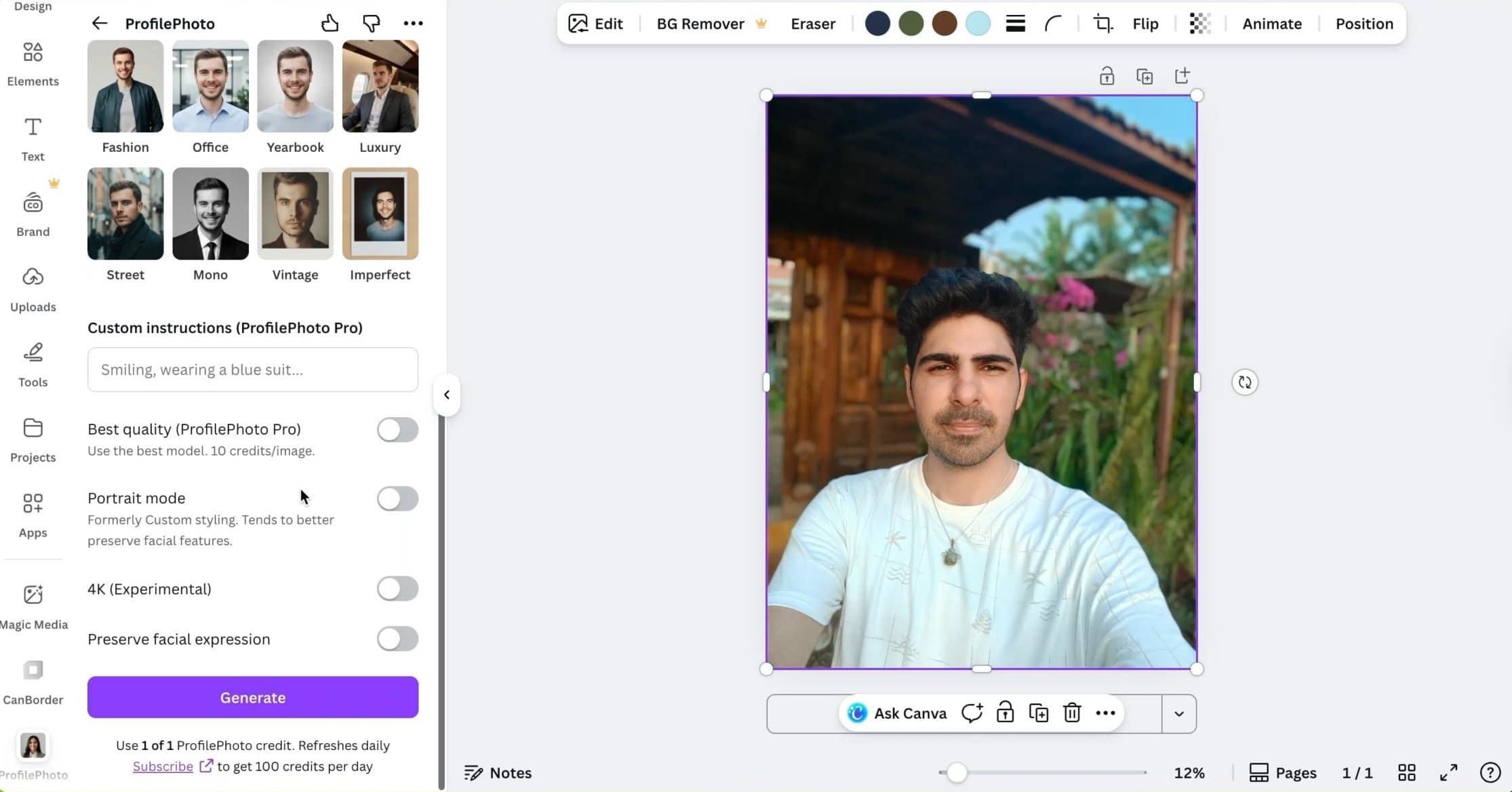 Screenshot of Canva AI headshot generator website showing advanced settings including 4K output and facial feature preservation options.
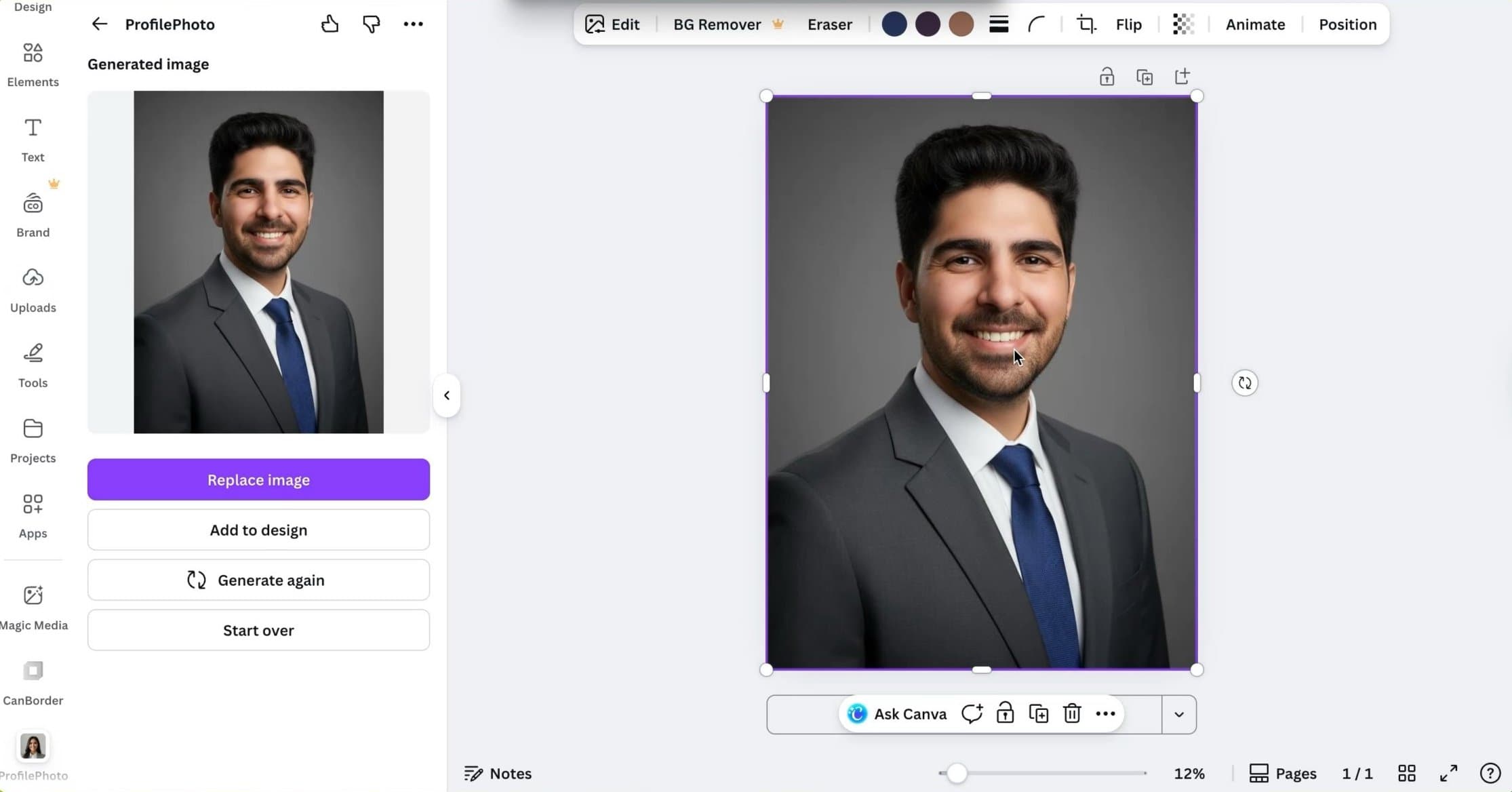 Screenshot of Canva AI headshot generator website displaying the results page with generated AI headshots after credit consumption.
Canva uses a credit based system, where you get a one credit per day, and each headshot generation consumes one credit. Credits reset daily.
The interface is clean and familiar if you have used Canva before. Everything feels polished and well integrated into their existing design platform.
Headshot Quality and Results
In my testing, the outputs were similar to HeadshotMaster, and in some cases slightly worse. The images look acceptable at a glance but lack depth and realism when you look closely.
Facial details are softened, and expressions can feel generic. These headshots are usable for casual purposes, but they do not feel like true professional portraits.
Image Results Explained
Face likeness is average at best. You generally resemble yourself, but subtle facial proportions often drift. The images feel more like face swaps rather than identity specific headshots.
Canva offers options like facial feature preservation, but in practice, I did not notice a meaningful improvement when enabling it. The results remained largely the same.
There is also a 4K output option, currently marked as beta. While higher resolution sounds promising, it does not improve likeness or realism. It simply scales the image rather than enhancing detail.
Overall, the results are fast, but they feel automated.
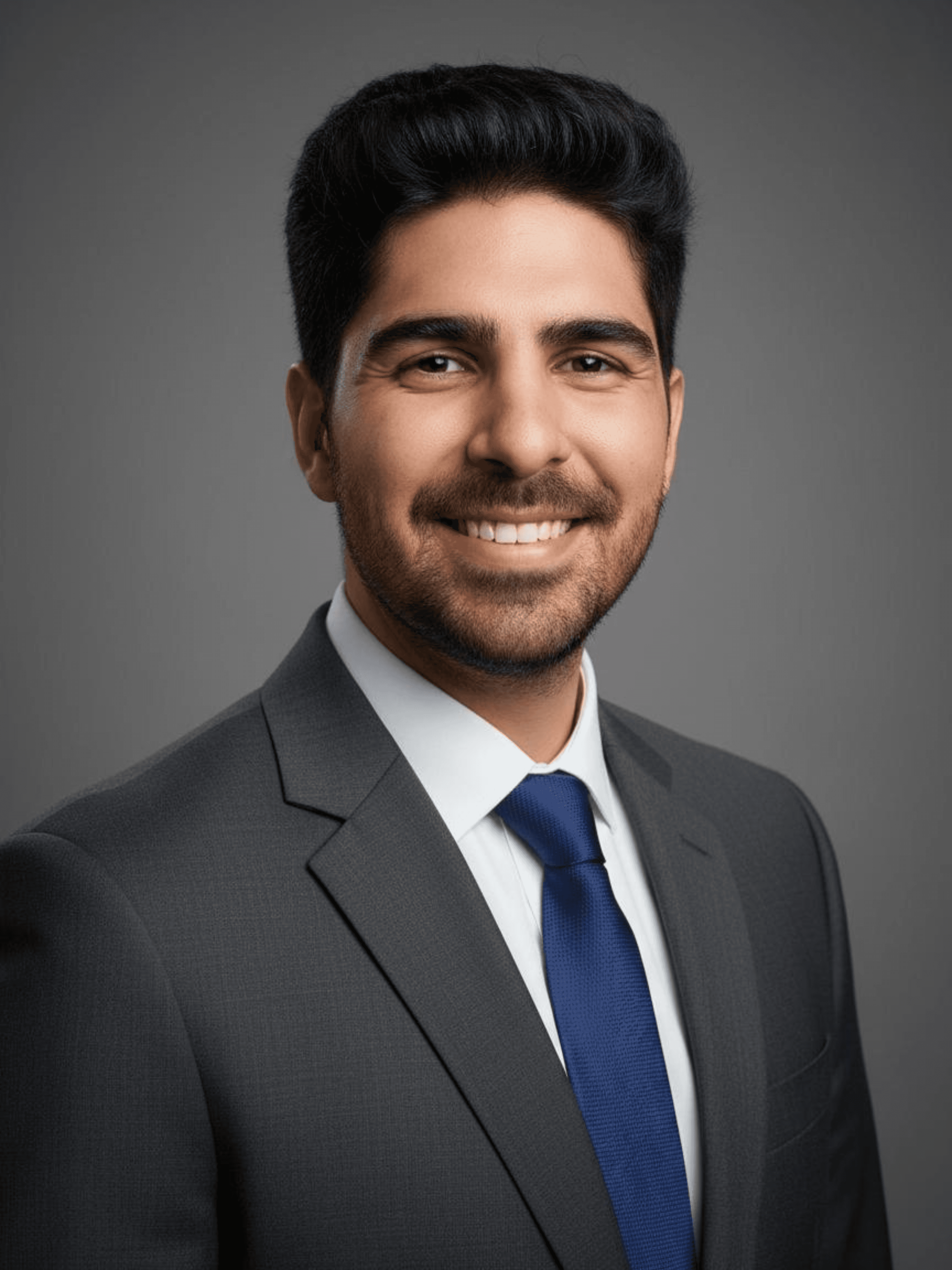 A sample headshot generated by Canva.
Styles and Customization
Canva allows you to select styles.
Style options are visually appealing and align with Canva’s design language. However, customization depth is limited. You do not get fine control over facial attributes or training behavior.
Styles change the look, but not the underlying quality.
Pricing Clarity
Canva’s AI headshot generator is free, but usage is limited by daily credits.
You get:
- one headshot per credit
- credits that reset daily
- no payment required for basic use
This makes it accessible, but also restrictive if you want to experiment heavily.
Privacy and Security
Because this tool is part of the broader Canva ecosystem, it requires you to log in. This means your usage is tied to your account identity, unlike no-signup tools like HeadshotMaster.
Canva is a reputable company with standard data protection policies, but users should be aware that their photos are being processed within a platform that tracks user activity.
Turnaround Time
Generation is relatively fast, typically taking under a minute per image.
However, since you can only generate one image at a time with limited daily credits, building a full set of options takes much longer than batch-based tools.
Pros and Cons
Pros ✅
- Free to use
- Backed by a trusted brand
- Clean and intuitive interface
- Fast generation
- Daily credit reset
Cons ❌
- Requires account login
- Face likeness is inconsistent
- Facial preservation option feels ineffective
- Results feel more like face swapping
Short Verdict
Canva’s AI headshot generator is fine for quick, low effort headshots.
If you already use Canva and want a simple headshot for casual online use, it gets the job done. However, the results are not meaningfully better than other free tools, and in some cases feel less accurate.
It works best as a convenience feature inside Canva, not as a serious headshot solution.
HeadshotMaster is better for this purpose.
How AI Headshot Generators Actually Work
**🧠 I really hope it's not overkill...
The base model is mostly the same
Most modern AI headshot tools today use FLUX.Dev.12, an open source image diffusion model.
📊 What this means:
├── Core image generation engine → Similar across tools
├── Differences in results → Rarely from the base model
└── Secret sauce → Training and inference pipelines
If two tools use the same underlying model, yet produce very different results, the reason lies in training and inference.
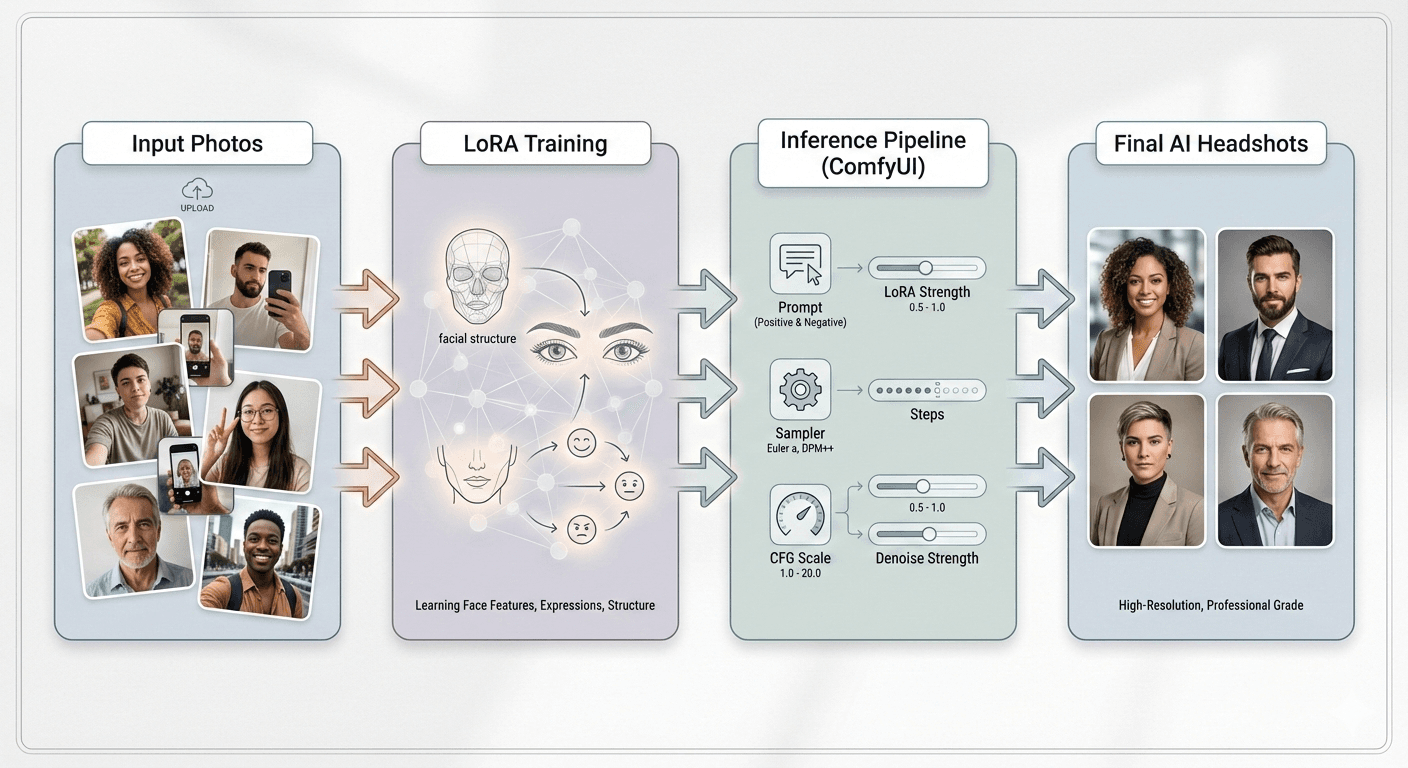 This image explains the ai headshot creation workflow from upload images -> LoRA training -> ComfyUI Inference -> Output.
Step 1: Training a LoRA3 From Your Photos
When you upload your images, the tool does not simply generate photos instantly(I am not talking about FREE tools).
First, it trains a LoRA which stands for Low Rank Adaptation.
Think of a LoRA as a lightweight personality layer that teaches the model:
- What your face looks like
- How your facial proportions behave
- How your expressions map to your identity
🎯 Key Point: This is where face likeness is decided.
If the training is rushed, poorly tuned, or uses bad input photos, the LoRA becomes weak.
A weak LoRA leads to faces that look generic or drift between identities.
Tools that produce strong likeness usually:
| Practice | Why It Matters |
|---|---|
| Train longer (not overcooked) | More accurate face model |
| Filter photos aggressively | Better training data preparation |
| Reject low quality photos | Prevents noise |
💡 Pro Tip: If a platform feels strict about uploads, that's usually a good sign. They are protecting the training quality.
Step 2: Inference Using ComfyUI4 Pipelines
Once the LoRA is trained, the system moves to inference.
Inference is the actual image generation stage.
Most serious tools now use ComfyUI under the hood, even if users never see it.
This is where prompts, samplers, steps, CFG values, seed control, and LoRA strength all come together. Avengers assembling 😂
Small differences here create big visual changes:
⚖️ The Tradeoff Balance:

  Higher LoRA strength → Better likeness, risks distortion
  Lower LoRA strength  → Better styles, loses identity
  Sampler choice       → Affects skin texture
  Step count           → Affects sharpness and stability
🔧 This balancing act is the real skill.
Two tools can train similar LoRAs but still produce very different results because their inference pipelines are tuned differently.
This is why:
- Some tools produce very professional poses but weak likeness.
DreamWave AI - Others produce strong likeness but slightly messy clothing or artifacts.
Proshoot - The model is the same, the pipeline is not.
Why This Training and Inference Balance Matters So Much
📌 The Simple Truth:

  Training  → Decides WHO you look like
  Inference → Decides HOW realistic the image is
If either side is weak, the final result suffers.
Did that explanation land? I hope it did.
How I Tested These AI Headshot Generators
📝 Before comparing results, I want to be clear about how I tested these tools. If the testing is unfair, the conclusions are meaningless.
My one simple rule: `You can't compare ORANGES 🍊 TO APPLES 🍎. Let me explain
Same input images for every tool
I used the same input dataset across all AI headshot generators to keep the comparison fair. Using different photos for different tools would instantly break the test, because results would depend more on the input than the tool itself.
The dataset belongs to my friend Jason, who agreed to let me use his photos specifically for this experiment.
Huge thanks to him for trusting me with this. 🙏
Jason input photo dataset
To keep things transparent, here are the exact photos from Jason's dataset that I used to train each AI headshot generator:

img-20250215-wa0030.jpg

img-20250727-wa0035.jpg

img20240827165746.jpg

img20240827172659.jpg

img20241123200716.jpg

img20250503182919.jpg

img20251003083002.jpg

img20251004131001.jpg
The idea was simple. If these tools can generate good headshots for the same person using the same images, then we can actually compare them in a meaningful way.
Let’s see if these tools justify Jason’s trust 🤝 and patience ⏰.
Small adjustments where tools asked for
Some tools automatically reject:
- Very similar images
- Slightly blurry selfies
- Low resolution photos
- Repeated angles or identical photos
Because of that, I had to slightly modify the dataset for a few platforms. This usually meant removing 1 or 2 rejected images or replacing one rejected selfie with another similar one.
That said, the core dataset remained the same across all tools.
I intentionally used average quality photos
This part matters a lot.
I did not use studio quality images. No DSLR shots. No perfect lighting. No professionally posed photos.
Why?
Because that is not how most people use these tools.
Let’s be honest. Most of us don’t have carefully curated selfies sitting on our phones. We crop photos from weddings, family events, random trips, or group pictures. Sometimes the lighting is bad. Sometimes the angle is not great.
So I tested these tools using average, real world photos.
If an AI headshot generator only works well with perfect inputs, then it’s not realistic for most users. Not everyone owns an iPhone Pro Max or a mirrorless camera. And they shouldn’t have to.
A good AI headshot tool should:
- Tolerate imperfect inputs
- Still preserve face likeness
- Still produce usable results
What I focused on during testing
While reviewing outputs, I paid attention to:
| Criteria | Question I Asked |
|---|---|
| Face structure | Did it stay consistent? |
| Recognition | Did Jason still look like Jason? |
| Yield | How many usable images per batch? |
| Authenticity | Professional or artificial feel? |
| Forgiveness | How tolerant with average photos? |
❗ Important: I did not reward tools just for producing good looking images. They had to produce recognizable and usable ones.
What this means for you as a reader
If a tool performed well in this test, it means:
- It can handle realistic photo inputs
- It does not rely on perfect photography
- It works for normal people, not just ideal scenarios
🚨 And if a tool struggled, that struggle matters. It reflects what many users will experience in the real world.
How I Scored Tools
⭐️⭐️⭐️⭐️⭐️ Instead of vague star ratings, I used a weighted scoring framework.
My scoring criteria:
- Easy to understand
- Consistent across tools
- Focused on what actually matters in real use
The idea behind the scoring
🎯 A headshot is judged by whether it WORKS in the real world,
   not by how impressive it looks at first glance.
That's why some categories carry more weight than others. I ranked each tool using five core criteria, listed below in order of importance:
1️⃣ Face Likeness (Highest Weight)
🟢 MOST IMPORTANT - This category carries the highest weight.
Face likeness answers one simple question: Do you actually look like yourself?
| What I Evaluated | |
|---|---|
| Facial structure consistency | ✅ |
| Jawline and cheek proportions | ✅ |
| Eye (Crow's Feet) shape and spacing | ✅ |
| Immediate recognizability | ✅ |
⚠️ No amount of polish can compensate for weak likeness. Recognizability is non-negotiable for professional use.
2️⃣ Realism and Photorealism
🟡 HIGH WEIGHT - Does the image look like a real photograph?
- Skin texture that looks natural, not airbrushed
- Realistic lighting and shadows
- Natural eye reflections
- Believable hair edges and flyaways
The rule: AI headshots should blend in with real camera photos, not stand out as generated images.
3️⃣ Professionalism
🟡 HIGH WEIGHT - Professionalism is about usability, not beauty.
Questions I asked:
- Would this image work on LinkedIn?
Evaluation criteria:
| Factor | What I Checked |
|---|---|
| Outfits | Appropriate attire |
| Poses | Natural framing |
| Backgrounds | Professional context |
| Tone | Overall impression |
🚫 Dramatic or glamorous photos that fail in professional settings score lower here.
4️⃣ Privacy and Data Handling
🟠 MODERATE WEIGHT - How responsibly does the tool handle your photos?
- Does the tool explain how images are used?
- Is photo deletion supported?
- Is there clarity around training and storage?
- Are there obvious red flags?
🔐 Basic clarity and respect for user data matter, you can read more in our dedicated privacy and data handling section.
5️⃣ Pricing and Value
🟣 LOWER WEIGHT - Pricing is evaluated in context, not isolation.
| What I Checked | |
|---|---|
| Pricing clarity | Industry (competitors) pricing? |
| Deliverables | What do you actually get? |
| Yield | How many usable images? |
| Justification | Do results match the cost? |
💰 Cheapest ≠ Best
💸 Expensive ≠ High Quality
🎯 This measures VALUE, not just cost.
How scores are calculated
Each category is scored independently for every tool.
📊 Weight Distribution:

  🟢 Face Likeness     ██████████  Highest
  🟡 Realism           ████████░░  High
  🟡 Professionalism   ████████░░  High
  🟠 Privacy           ██████░░░░  Moderate
  🟣 Pricing           ████░░░░░░  Lower
💡 A tool can be affordable and still rank lower if it fails on likeness or realism. Likewise, a more expensive tool can rank well if the results are genuinely strong.
Why this system matters
This scoring system makes it easier to:
- Understand why one tool ranks higher than another
- See tradeoffs clearly
- Choose a tool based on your priorities
As you read individual tool reviews, you'll see these categories referenced consistently so nothing feels arbitrary or opinion based.
AI Headshots vs Traditional Photography
🤝 They're not enemies. AI headshots and traditional photography solve different problems.
I've never used traditional photography services, but I don't think this debate needs a winner. What matters is understanding when each option makes sense.
Cost
💰 AI clearly wins here.
| AI Headshots | Traditional Photography |
|---|---|
| ✅ One-time fee | ❌ Professional's time |
| ✅ No travel | ❌ Equipment & lighting |
| ✅ No studio booking | ❌ Experience & direction |
| ✅ No makeup add-ons | ❌ Post-production work |
Bottom line: If budget is tight, AI is easier to justify. If budget allows, photography offers depth AI still can't fully match.
Time and Convenience
⏱️ AI wins on speed and flexibility.
| AI Headshots | Traditional Photography |
|---|---|
| ✅ Upload from home | ❌ Book a photographer |
| ✅ Any time | ❌ Travel to studio |
| ✅ No scheduling | ❌ Plan outfits & timing |
| ✅ Results in hours | ❌ Wait for edits |
💡 But: That extra effort often leads to more controlled and deliberate results.
Consistency and Reliability
🏆 Photography still has the upper hand here.
| Photography | AI |
|---|---|
| ✅ Consistent lighting | ⚠️ Hit or miss |
| ✅ Consistent framing | ⚠️ Some excellent, some off |
| ✅ Predictable quality | ⚠️ Varies by tool & input |
If you need guaranteed results for something important, photography is more reliable.
Realism and Natural Expression
📸 Photography still wins here.
| Photography Understands | AI Still Struggles With |
|---|---|
| ✅ Subtle expressions | ⚠️ Micro expressions |
| ✅ Body language | ⚠️ Natural posture |
| ✅ When a smile feels forced | ⚠️ Emotional authenticity |
| ✅ How to relax a subject | ⚠️ Human connection |
That difference matters more than people realize.
When AI Headshots Make Sense
✅ AI is a great choice if:
- You need something quickly
- You have a limited budget
- You want multiple styles to experiment with
- You are updating an online profile
- You are testing different professional contexts
For many users, AI is more than good enough.
When Traditional Photography Still Wins
🏆 Photography is the better option if:
- You need the highest possible quality
- You want full control over the final result
- You are using headshots for something important
- The headshot will be used publicly or long term
- You value guided posing and expression
If you have the time and budget, a good photographer is still the gold standard.
The honest takeaway
| Key Takeaway | What It Means |
|---|---|
| 🤝 AI headshots are not replacing photographers. | They are filling a gap. |
| ✅ They make professional looking images accessible to people who otherwise would not get them. | More people can have high-quality headshots. |
| ❌ But when quality, consistency, and authenticity matter most, a real human photographer still delivers the best results. | Photography still has its strengths. |
💡 And that's okay. Both options can coexist, and choosing the right one depends entirely on your situation.
How to Get Better Results
🚀 Small input changes can dramatically improve results.
What photos you should upload
Your input photos matter more than the tool itself.
| Best Practice | Why It Matters |
|---|---|
| Use 10-20 photos | Gives AI enough data to train |
| Mix close-ups and medium shots | Different scales |
| Include different angles | Variation is the key to train a flexible LoRA |
| Vary expressions naturally | Captures your range |
❌ IMPORTANT: Do not upload very similar images. Uploading five near-identical selfies from the same angle actually hurts training.
✅ Variation helps the model understand you better.
Clothing, lighting, and background variation
Try to include:
- Different outfits
- Both indoor and outdoor lighting
- Different backgrounds
🧠 This helps the LoRA separate your face from context. If all photos look the same, the model becomes fragile.
Common mistakes to avoid ❌
- ❌ Uploading blurry screenshots
- ❌ Cropping faces too tightly
- ❌ Using heavy filters
- ❌ Uploading group photos without cropping
- ❌ Uploading only selfies from one angle
These mistakes reduce both likeness and realism.
Best practices that actually help ✅
- ✅ Use natural light photos
- ✅ Keep glasses consistent or avoid them entirely
- ✅ Mix neutral expressions with soft smiles
- ✅ Include at least two half body images to train your body shape
If a tool asks you to remove certain images, that is usually a good sign.
Privacy, Data, and Safety Considerations
🔐 You are uploading personal photos of your face. This deserves attention.
What happens to your photos
Most tools follow this process:
📤 Upload → 🧠 Train LoRA → 🖼️ Generate → 📁 Retain *.safetensors files (varies)
⚠️ You should read carefully their data handling policies before uploading your data to their website.
What to look for in privacy policies
Before uploading anything, check if the tool explains:
- How long photos are stored
- Whether you can delete them
- Whether photos are used for future training to improve their product
- Whether third parties are involved in processing
Clear language is a good sign.
Red flags to avoid ❌
- ❌ No privacy page
- ❌ Vague statements like “we may use data to improve services”
- ❌ No deletion option
How to protect your photos ✅
You can reduce risk by:
- Avoiding highly personal images (never upload private or revealing photos)
- Not uploading photos of others
- Deleting your data after generation if possible
💡 I don't want you to be paranoid, but you should be informed about the risks involved when sharing your photos online, especially on FREE apps.
Frequently Asked Questions
What is an AI headshot generator?
An AI headshot generator is a tool that creates professional looking headshots using artificial intelligence. You upload a set of your photos, and the system generates new images that resemble you in different outfits, poses, and backgrounds. These headshots are designed to look like real studio photos, without needing a photographer or a physical photoshoot.
How do AI headshot generators actually work?
Most modern AI headshot generators train a temporary AI model using your uploaded photos. This training helps the system understand your facial structure, proportions, and expressions. Once trained, the AI generates new images using text prompts and predefined styles. The quality of results depends heavily on how well this training and image generation process is tuned.
Do AI headshots really look realistic?
Yes, many AI headshots look realistic enough for everyday professional use. That said, realism varies by tool. Some generators produce images that blend in naturally with real photos, while others may look slightly artificial or overly polished. Lighting, skin texture, and facial accuracy are the biggest factors that affect realism.
Can I use AI headshots on LinkedIn or a resume?
In most cases, yes. AI headshots are commonly used on LinkedIn, resumes, company websites, and personal portfolios. As long as the image looks professional, natural, and clearly represents you, there is usually no issue. Many recruiters care more about clarity and professionalism than how the photo was created.
How many usable headshots can I expect?
This depends on the tool and the quality of your input photos. On average, users receive anywhere from a few strong images to a dozen usable headshots. Not every generated image will be perfect. Most people pick a small number of favorites from a larger batch.
How long does it take to generate AI headshots?
Most tools deliver results within a few hours to one day. Some faster platforms generate images in under an hour, while others take longer due to training time. Processing speed depends on how the system is designed and how many users are in the queue.
What photos should I upload for the best results?
For best results, upload clear photos where:
your face is visible and not covered
lighting is decent, even if not perfect
angles vary slightly
expressions are natural
You do not need studio quality photos. Average phone photos usually work fine, as long as they are not extremely blurry or dark.
Do I need professional photos to get good AI headshots?
No. Most AI headshot generators are designed to work with everyday photos. You do not need a DSLR or professional lighting. In fact, many tools are built to handle average quality images because that is what most users actually have.
What do people commonly misunderstand about AI headshots?
One common misunderstanding is that AI headshots magically fix everything. They do not. AI can improve lighting, background, and styling, but it cannot fully replace natural expressions or human direction. Another misconception is that all AI headshot tools work the same, which is not true. Training and generation quality varies widely.
Are AI headshots better than traditional photography?
AI headshots are faster and more affordable, but traditional photography still offers better control, consistency, and natural expression. If you have the time and budget, a professional photographer is still the best option. AI works best when convenience and speed matter more.
How much do AI headshots typically cost?
AI headshot generators usually cost far less than traditional photography. Prices range from low cost one time payments to higher priced packages with more images and styles. The value depends on how many usable images you get and how realistic they look.
Who owns the AI headshots that are generated?
In most cases, you own the final images that are generated for you. However, ownership terms can vary by platform. It is always a good idea to check the tool's terms of service to understand usage rights, especially for commercial or public use.
What happens to the photos I upload?
This depends on the platform. Some tools delete your photos after processing, while others store them temporarily. Reputable services usually explain how long images are retained and whether users can request deletion. If privacy matters to you, always review the platform's privacy policy.
Are AI headshot generators safe to use?
Most well known AI headshot generators are safe, but not all are equally transparent. Look for tools that clearly explain how your data is handled and allow photo deletion. Avoid platforms that provide little to no information about data usage.
Can recruiters tell if a headshot is AI generated?
Usually, no. If the headshot looks natural and professional, most people will not question how it was created. Recruiters typically care more about clarity, professionalism, and whether the photo represents you accurately.
What is the best AI headshot generator right now?
There is no single best option for everyone. Some tools focus on realism, others on style or speed. The best AI headshot generator depends on what you value most, such as likeness, professionalism, pricing, or privacy. That's why this guide compares tools based on real use cases instead of hype.
Are AI headshots worth it?
For many people, yes. They are affordable, fast, and good enough for online profiles. They are not perfect, but they solve a real problem.
Can AI replace photographers?
No. AI is a tool, not a replacement. Photographers still win when it comes to expression, consistency, and guidance.
Are AI headshots professional?
They can be. It depends on the tool, the input photos, and how the result is used. Some AI headshots work perfectly for LinkedIn and company websites.
Tools I Couldn’t Test (Yet)
A few tools - HeadshotPro, AISuitUP, and SectaAI - were also on my list. Unfortunately, my dataset only had 8 images, and these platforms require around 15–25 photos to get started. Because of that, I wasn’t able to test them, so I chose to skip them for now. I may revisit and add them in the future with a larger dataset. If you decide to try any of them, feel free to reach out and let me know how your experience was - I’d love to hear your feedback.
Final Thoughts
After testing these tools carefully, one thing became clear.
AI headshot generators are not magic, and they are not useless either.
They sit somewhere in between.
When they work well, they save time, money, and effort. When they fail, they usually fail for understandable reasons.
The best way to approach AI headshots is thoughtfully.
understand what you need
choose a tool that aligns with that goal
give it decent input
and judge results realistically
If you want absolute control and guaranteed results, a real photographer is still the best option. If you want speed, flexibility, and accessibility, AI headshots can be a very practical choice.
Used wisely, they are not a shortcut. They are simply another option.
And having more options is rarely a bad thing 🙂
I hope this guide helped make your choice a little easier. Thanks for taking the time to read it. If you have questions or different experiences, I’d genuinely love to hear them.
Last updated: January 2026
Footnotes
I will soon publish the video walk-through of each tool I have reviewed, on my YouTube channel. ↩
FLUX Dev 1 is an open source image diffusion model released by Black Forest Labs. ↩
LoRA is a low rank adaptation method used to train a model to generate images similar to the input images. ↩
ComfyUI is an open source AI art software released by Stability AI Team. ↩